
Introduzione
This manual provides detailed instructions for the installation, operation, and maintenance of your GNCC GT1ProB-2P Outdoor Security Camera. Designed for reliable home surveillance, this 2K camera features motion detection, color night vision, two-way audio, and 24/7 recording capabilities. Please read this manual thoroughly before use to ensure proper setup and optimal performance.
Contenuto della confezione
- GNCC GT1ProB-2P Outdoor Security Camera (2 units)
- Adattatore di alimentazione
- Supporto di montaggio
- Viti di montaggio
- Manuale di istruzioni
Impostare
1. Installazione fisica
The GNCC GT1ProB-2P camera is designed for outdoor use and is IP65 waterproof. Select a suitable location that provides the desired viewing angle and is within range of a power outlet and your 2.4 GHz Wi-Fi network.
- Segnare le posizioni di perforazione: Place the mounting stand against the wall or surface where you intend to install the camera. Use a pencil to mark the positions for the mounting screws.
- Fori di perforazione: Drill pilot holes at the marked positions. Insert wall anchors if necessary for your mounting surface.
- Fissare il supporto: Attach the mounting stand to the wall using the provided mounting screws.
- Collega la fotocamera: Securely attach the camera to the mounting stand. Adjust the camera angle as needed.
- Connetti alimentazione: Connect the power adapter to the camera and plug it into a power outlet. The camera will power on.

Image: The GNCC GT1ProB-2P camera, demonstrating its IP65 waterproof design, suitable for outdoor installation.
2. Installazione e associazione dell'app
The GNCC GT1ProB-2P camera uses the Osaio app for control and monitoring.
- Scarica l'app: Cercare "Osaio" in your smartphone's app store (App Store for iOS or Google Play Store for Android) and download the application.
- Creare un account: Open the Osaio app and follow the on-screen instructions to create a new user account or log in if you already have one.
- Aggiungi dispositivo: Tap the "+" icon or "Add Device" option within the app. Select your camera model (GT1ProB-2P) from the list.
- Connettiti al Wi-Fi: Follow the app's prompts to connect the camera to your 2.4 GHz Wi-Fi network. Ensure your phone is also connected to the same 2.4 GHz Wi-Fi network during the pairing process.
- Scansiona il codice QR: The app may display a QR code. Hold your camera up to your phone screen to scan the QR code. A voice prompt from the camera will confirm successful connection.
- Configurazione completa: Una volta effettuata la connessione, assegna un nome alla tua telecamera e completa la procedura di configurazione all'interno dell'app.
Istruzioni per l'uso
Vivere View e Registrazione
Access the Osaio app to view cibo vivotage from your camera. The camera supports 24/7 continuous recording.
- Archiviazione locale: Insert a MicroSD card (up to 128GB, not included) into the camera's MicroSD card slot for local storage of recordings.
- Archiviazione cloud: An optional cloud storage service is available, offering a 14-day free trial. This provides remote backup of your recordings.

Image: A smartphone interface showing 24/7 recording playback from the GNCC camera, with a timeline of events.
Rilevamento del movimento e notifiche
The camera features advanced motion detection. When motion is detected, the camera can send instant notifications to your smartphone via the Osaio app.
- Abilita/Disabilita: You can enable or disable motion detection and adjust sensitivity settings within the Osaio app.
- Avvisi: Receive push notifications on your phone when motion or sound is detected.
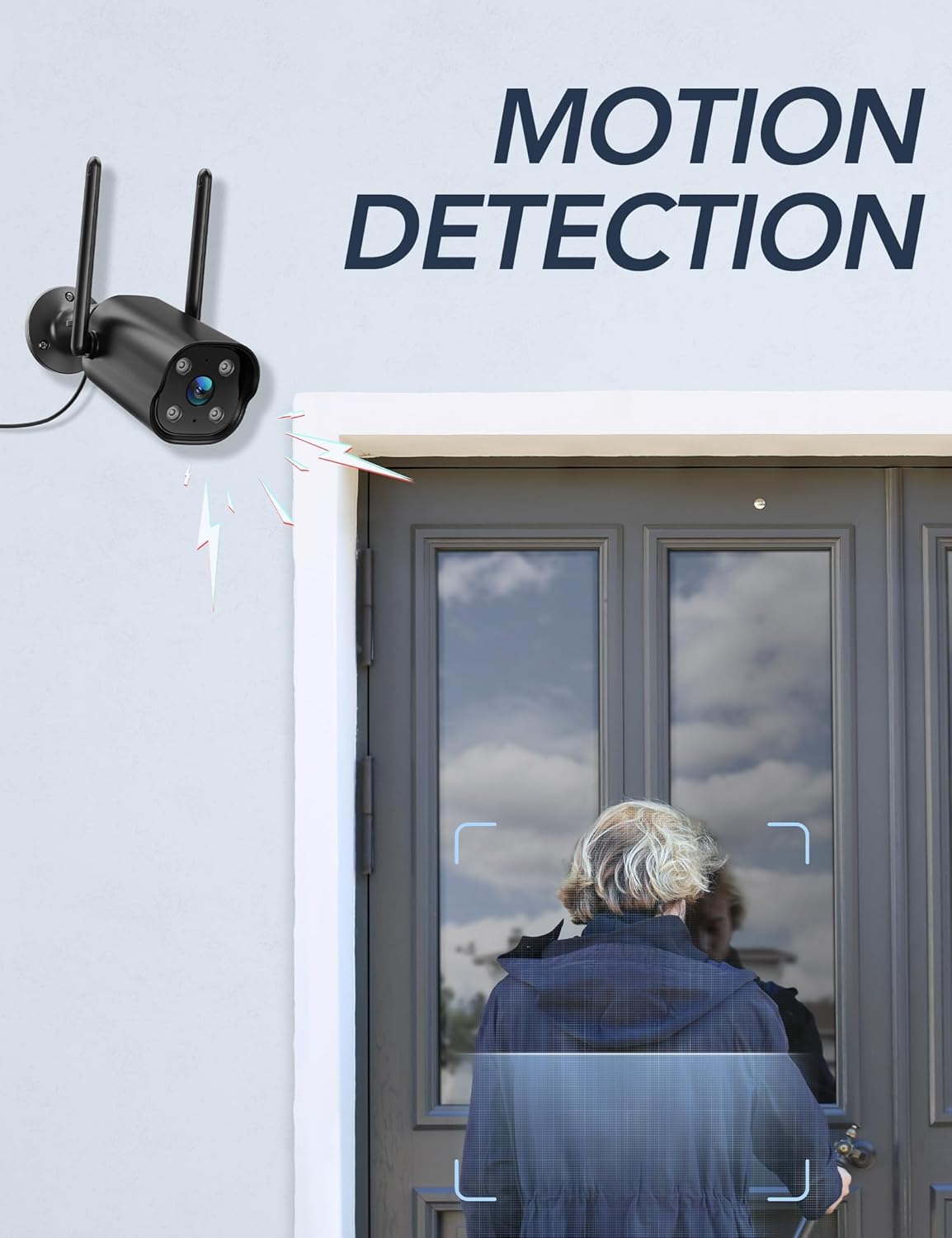
Image: The GNCC camera illustrating its motion detection capability, highlighting a person entering the detection zone.

Image: A smartphone displaying push notifications from the Osaio app, indicating detected motion and sound events.
Audio bidirezionale
The integrated microphone and speaker allow for two-way communication through the camera. This feature enables you to speak to visitors or deter intruders remotely.
- Attivare: Nella vita reale view interface of the Osaio app, locate and tap the microphone icon to speak through the camera.
- Ascoltare: Il microfono della telecamera capterà l'audio dell'ambiente circostante, che potrai ascoltare tramite il tuo telefono.

Image: The GNCC camera demonstrating its two-way audio function, allowing communication between the user and the monitored area.
Visione notturna
The camera is equipped with enhanced night vision, providing clear visibility up to 50 feet (15 meters) in low-light conditions. It also supports color night vision for improved detail.
Integrazione della casa intelligente
The GNCC GT1ProB-2P camera is compatible with Amazon Alexa and Google Home. Refer to the Osaio app settings or your smart home assistant's documentation for instructions on linking your camera.
Manutenzione
Pulizia
To ensure optimal image quality, periodically clean the camera lens. Use a soft, damp cloth to gently wipe away dust and dirt. Avoid using harsh chemicals or abrasive materials that could scratch the lens.
Aggiornamenti del firmware
GNCC regularly releases firmware updates to improve camera performance and add new features. Check for available updates through the Osaio app settings. It is recommended to keep your camera's firmware up to date.
Risoluzione dei problemi
Problemi comuni e soluzioni
- Fotocamera non in linea:
- Assicurarsi che la fotocamera sia accesa e che l'adattatore di alimentazione sia collegato saldamente.
- Controlla il router Wi-Fi e la connessione Internet.
- Verify the camera is within range of your 2.4 GHz Wi-Fi network.
- Riavviare la fotocamera scollegando e ricollegando l'adattatore di alimentazione.
- Nessuna registrazione:
- If using local storage, ensure a MicroSD card is properly inserted and formatted within the Osaio app.
- Check recording settings in the Osaio app to ensure 24/7 recording or motion-triggered recording is enabled.
- If using cloud storage, verify your subscription status.
- Scarsa qualità dell'immagine:
- Pulisci l'obiettivo della fotocamera con un panno morbido.
- Ensure the camera is receiving sufficient power.
- Controlla la potenza del segnale Wi-Fi: un segnale debole può influire sulla qualità dello streaming video.
- Il rilevamento del movimento non funziona:
- Verify motion detection is enabled in the Osaio app settings.
- Regola le impostazioni di sensibilità al movimento.
- Assicurarsi che non vi siano ostacoli che bloccano la telecamera view.
Specifiche
| Nome del modello | GT1ProB-2P |
| Marca | GNCC |
| Tecnologia di connettività | Wired (Power), Wi-Fi (2.4 GHz), Bluetooth |
| Risoluzione di acquisizione video | 2K |
| Risoluzione del sensore fotografico | 3 MP |
| Gamma di visione notturna | Fino a 50 piedi (15 metri) |
| Caratteristiche speciali | 2-Way Audio, HD Resolution, Motion Sensor, Night Vision, Weatherproof (IP65) |
| Uso interno/esterno | All'aperto |
| Dispositivi compatibili | Smartphone (via Osaio App), Amazon Alexa, Google Home |
| Fonte di alimentazione | Elettrico con cavo |
| Archiviazione locale | Scheda MicroSD fino a 128 GB (non inclusa) |
| Archiviazione su cloud | Optional, 14-day free trial available |
| Dimensioni articolo (L x P x A) | 11 x 7.6 x 5 centimetri |
| Colore | Nero |
| Produttore | Calado |

Image: The GNCC camera highlighting its dual storage options: optional cloud storage and local MicroSD card storage (up to 128GB).
Informazioni sulla garanzia
GNCC products are covered by a limited warranty from the date of purchase. This warranty typically covers defects in materials and workmanship under normal use. Please refer to the warranty card included in your product packaging or visit the official GNCC websito per termini e condizioni di garanzia specifici, inclusi dettagli sulla durata e sulla copertura.
The warranty does not cover damage caused by improper installation, accident, misuse, abuse, natural disaster, or unauthorized modification or repair.
Assistenza clienti
If you encounter any issues or have questions regarding your GNCC GT1ProB-2P Outdoor Security Camera, please contact our customer support team. Before contacting support, please ensure you have reviewed the troubleshooting section of this manual.
- Supporto online: Visit the official GNCC websito per FAQ, articoli di supporto e moduli di contatto.
- Supporto via e-mail: Refer to your product packaging or the GNCC websito per l'indirizzo email dedicato all'assistenza clienti.
- App Osaio: The Osaio app may also offer in-app support options or a help section.
When contacting support, please have your product model (GT1ProB-2P) and purchase information readily available.