
Introduzione
Thank you for choosing the Yigars Y580 Robot Vacuum Cleaner. This manual provides essential information for the safe operation, maintenance, and troubleshooting of your device. Please read it thoroughly before use and retain it for future reference.
The Yigars Y580 is designed to provide efficient and intelligent cleaning for various floor types, featuring advanced laser navigation, smart mapping capabilities, and a 3-in-1 vacuuming, sweeping, and mopping function.
Importanti istruzioni di sicurezza
Prima di utilizzare questo prodotto, leggere attentamente tutte le istruzioni di sicurezza. Il mancato rispetto di queste istruzioni può causare scosse elettriche, incendi o lesioni gravi.
- Questo apparecchio può essere utilizzato da bambini di età pari o superiore a 8 anni e da persone con capacità fisiche, sensoriali o mentali ridotte o prive di esperienza e conoscenza, solo se sorvegliati o istruiti sull'uso sicuro dell'apparecchio e se comprendono i pericoli connessi.
- I bambini non devono giocare con l'apparecchio. La pulizia e la manutenzione da parte dell'utente non devono essere eseguite da bambini senza supervisione.
- Non utilizzare il robot in ambienti con fiamme libere o materiali esplosivi.
- Assicurarsi che la base di ricarica sia posizionata su una superficie piana contro una parete, con spazio adeguato intorno.
- Non immergere il robot o la sua base di ricarica in acqua o altri liquidi.
- Scollegare la base di ricarica durante i temporali o quando non viene utilizzata per lunghi periodi.
- Utilizzare esclusivamente l'adattatore di alimentazione e la base di ricarica originali forniti dal produttore.
- Prima di pulire, rimuovere eventuali cavi allentati, piccoli oggetti o elementi fragili dal pavimento per evitare che si aggroviglino o si danneggino.
- Non utilizzare il robot su superfici bagnate o in aree con acqua stagnante.
- Tenere capelli, abiti larghi, dita e tutte le parti del corpo lontano dalle aperture e dalle parti mobili.
- Non utilizzare il robot per raccogliere detriti di grandi dimensioni, vetri rotti o materiali pericolosi.
- Pulire regolarmente le spazzole e i filtri per mantenere prestazioni ottimali.
Contenuto della confezione
Verificare che tutti i componenti siano presenti e in buone condizioni al momento del disimballaggio.
- Yigars Y580 Robot Vacuum Cleaner
- Stazione di ricarica
- Adattatore di alimentazione
- Spazzole laterali (2 paia)
- Filtro ad alta efficienza (1 extra)
- Strumento di pulizia
- Manuale d'uso

Diagramma del prodotto
Familiarize yourself with the main components of your Yigars Y580 Robot Vacuum Cleaner.
Superiore View
- Sensore di navigazione laser LDS: per una mappatura e una navigazione precise.
- Power/Clean Button: Press to start/pause cleaning, hold to power on/off.
- Pulsante di ricarica: premere per riportare il robot alla base di ricarica.
- Pulsante di rilascio del contenitore della polvere: per rimuovere il contenitore della polvere.
Metter il fondo a View
- Side Brushes: For sweeping edges and corners.
- Main Brush: For deep cleaning carpets and hard floors.
- Driving Wheels: For movement.
- Universal Wheel: For directional changes.
- Charging Contacts: For connecting to the charging dock.
- Cliff Sensors: To detect drops and prevent falls.
- Water Tank/Mop Pad Slot: For mopping function.

Guida all'installazione
1. Disimballaggio e posizionamento
- Rimuovere tutti i materiali di imballaggio e le pellicole protettive dal robot e dalla base di ricarica.
- Posizionare la base di ricarica contro una parete su una superficie dura e piana. Assicurarsi che ci siano almeno 0.5 metri (1.6 piedi) di spazio libero su entrambi i lati e 1.5 metri (4.9 piedi) davanti alla base.
- Connect the power adapter to the charging dock and plug it into a wall outlet. Ensure the power indicator on the dock illuminates.
2. Installazione delle spazzole laterali
Press the side brushes onto the square posts on the bottom of the robot until they click into place. Ensure the L and R markings on the brushes match the corresponding markings on the robot.
3. Ricarica iniziale
Place the robot onto the charging dock, ensuring the charging contacts on the robot align with those on the dock. The robot will automatically begin charging. For first-time use, fully charge the robot for approximately 6 hours.
4. Download e connessione dell'app
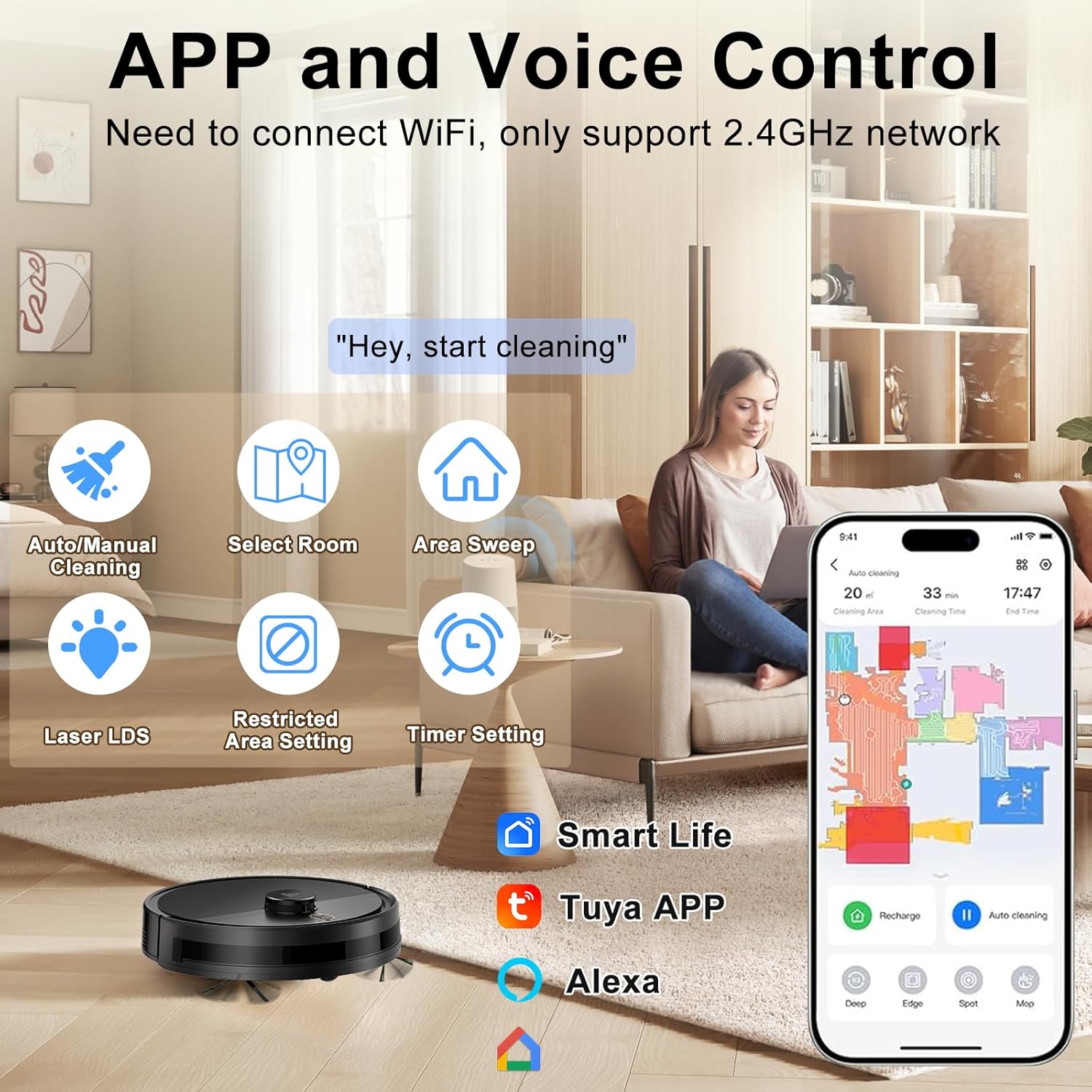
The Yigars Y580 can be controlled via a mobile application. Cercare "Smart Life" or "Tuya Smart" in your app store (iOS/Android) or scan the QR code provided in the quick start guide.
- Scarica e installa l'app.
- Registra un account e accedi.
- Ensure your mobile device is connected to a 2.4GHz Wi-Fi network. The robot does not support 5GHz networks.
- Follow the in-app instructions to add your Yigars Y580 robot vacuum. This typically involves resetting the robot's Wi-Fi (hold both buttons for 3 seconds until voice prompt) and connecting to its temporary Wi-Fi hotspot.
Istruzioni per l'uso
Avvio di un ciclo di pulizia
Avvio manuale
Press the Power/Clean button on the robot once. The robot will start cleaning in Auto mode.
Controllo dell'app
Open the mobile app and select your Yigars Y580. You can choose from various cleaning modes:
- Pulizia automatica: Il robot mappa e pulisce in modo intelligente l'intera casa.
- Pulizia delle zone: Definisci sulla mappa le aree specifiche che il robot dovrà pulire.
- Sectional Cleaning: Clean specific rooms or sections of your home.
- Pulizia spot: Indica al robot di pulire un'area concentrata.
- Pulizia dei bordi: Il robot pulisce lungo le pareti e i bordi dei mobili.
Pausing/Resuming Cleaning
Press the Power/Clean button on the robot or use the app to pause a cleaning cycle. Press again to resume.
Ritorno alla base di ricarica
Press the Recharge button on the robot or use the app to send the robot back to its charging dock. The robot will automatically return to charge when its battery is low.

Funzionalità intelligenti
- Rapid Mapping: The robot quickly maps your home environment and can store up to 5 distinct maps.
- Pulizia programmata: Imposta orari specifici per la pulizia automatica del robot tramite l'app.
- Zone vietate/Muri virtuali: Utilizzare l'app per definire le aree che il robot deve evitare.
- Evitare gli ostacoli: Equipped with 360° LiDAR laser technology, the robot intelligently navigates around obstacles and can cross thresholds up to 18mm and climb inclines up to 15°.
- Ricarica automatica: When the battery level drops to 20%, the robot automatically returns to its charging dock. Once fully charged, it resumes cleaning from where it left off.


Utilizzo della funzione di pulizia
Per utilizzare la funzione di lavaggio:
- Riempire il serbatoio dell'acqua con acqua pulita. Non utilizzare soluzioni detergenti non approvate per i robot aspirapolvere.
- Fissare saldamente il panno del mocio al serbatoio dell'acqua.
- Inserire il serbatoio dell'acqua pieno nell'apposita fessura sul robot.
- Select a mopping mode or a combined vacuum/mop mode via the app. You can adjust the water output (3 humidity settings) in the app.
Note: Remove the water tank and mop pad when cleaning carpets or when the robot is not in use to prevent damage to floors or the robot.
Manutenzione
Regular maintenance ensures optimal performance and extends the lifespan of your Yigars Y580 Robot Vacuum Cleaner.
Pattumiera e filtro
Empty the dustbin after each use. Clean the high-efficiency filter weekly (or more often depending on usage) by tapping it gently to remove dust. Do not wash the high-efficiency filter with water. Replace the filter every 3-6 months.
Serbatoio dell'acqua e panno per mocio
Empty any remaining water from the tank after each mopping cycle. Wash the mop pad with water and allow it to air dry completely before reattaching or storing.
Spazzola principale
Remove the main brush cover and lift out the main brush. Use the provided cleaning tool to remove hair and debris tangled around the brush. It is recommended to clean the main brush weekly.
Spazzole laterali
Check the side brushes weekly for tangled hair or debris. If they are bent or damaged, replace them. It is recommended to replace side brushes every 3-6 months.
Sensori e contatti di ricarica
Wipe the cliff sensors, charging contacts on the robot and charging dock, and the LDS laser sensor window with a clean, dry cloth monthly to ensure proper function.
Risoluzione dei problemi
If your Yigars Y580 encounters an issue, refer to the following common problems and solutions.
| Problema | Possibile causa | Soluzione |
|---|---|---|
| Il robot non si accende. | Batteria scarica; il pulsante di accensione non è premuto correttamente. | Place robot on charging dock to charge. Press and hold Power button for 3 seconds. |
| Il robot non riesce a trovare la base di ricarica. | Base di ricarica ostruita; Robot troppo lontano dalla base. | Ensure clear space around dock. Manually place robot near dock or guide it via app. |
| Le prestazioni di pulizia sono scarse. | Contenitore della polvere pieno; Filtro intasato; Spazzole aggrovigliate. | Svuotare il contenitore della polvere. Pulire/sostituire il filtro. Pulire le spazzole principali e laterali. |
| Il robot si blocca spesso. | Loose cables; Small objects on floor; High thresholds. | Clear obstacles before cleaning. Use No-Go Zones in app for problematic areas. |
| Problemi di connessione all'app. | Banda Wi-Fi errata (5 GHz); Password errata; Robot non in modalità di associazione. | Ensure 2.4GHz Wi-Fi. Re-enter password. Reset robot Wi-Fi and re-pair. |
Specifiche
| Caratteristica | Dettaglio |
|---|---|
| Marca | Yigars |
| Nome del modello | Y580 |
| Tipo di navigazione | LiDAR Laser Navigation |
| Funzioni di pulizia | Aspira, spazza, lava (3 in 1) |
| Potenza di aspirazione | 2700Pa (3 livelli regolabili) |
| Capacità del bidone della spazzatura | 350ml |
| Capacità del serbatoio dell'acqua | 250ml (3 humidity settings) |
| Durata della batteria | Fino a 120 minuti |
| Eliminazione degli ostacoli | 18mm |
| Capacità di arrampicata | 15° |
| Raccomandazione di superficie | Legno duro, moquette, piastrelle, laminato |
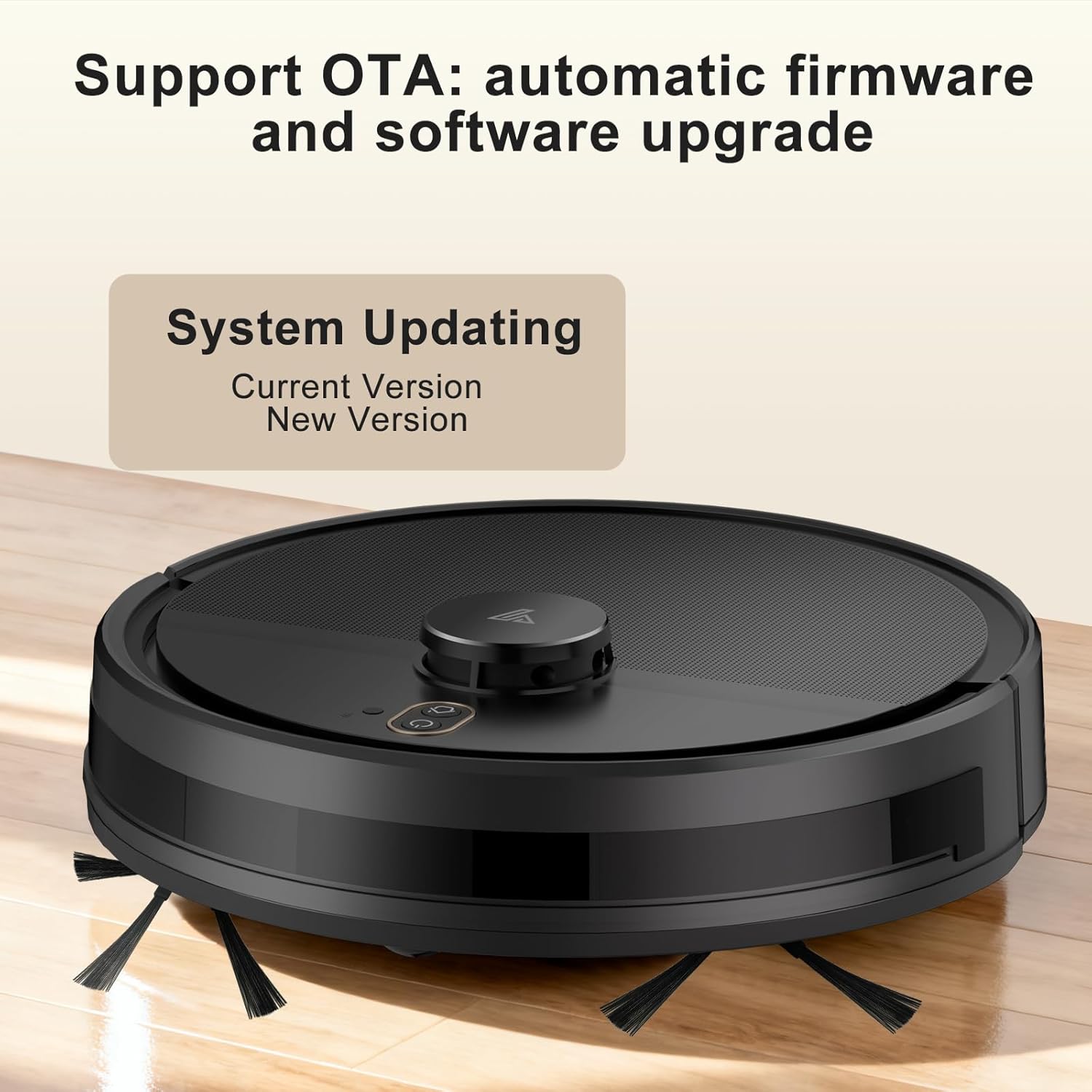
| Caratteristiche speciali | Anti-Fall, Multi-Floor Mapping (up to 5 maps), No-Go Zone, Wet/Dry, OTA Updates, App Control, Voice Control (Alexa, Google Assistant) |
| Colore | Nero |

Garanzia e supporto
Yigars provides a standard manufacturer's warranty for this product. Please refer to the warranty card included in your package for specific terms and conditions, including warranty period and coverage details.
For technical support, troubleshooting assistance, or warranty claims, please contact Yigars customer service through the contact information provided on the official Yigars websito o sulla tua piattaforma di acquisto.
When contacting support, please have your model number (Y580) and purchase receipt ready.