
Introduzione
This manual provides detailed instructions for the setup, operation, maintenance, and troubleshooting of your SUNKTA Smart Watch FV26-A. Please read this manual thoroughly before using your device to ensure proper functionality and to maximize your user experience.
Cosa c'è nella scatola
- Smartwatch ×1
- Magnetic charger ×1
- Silicone band ×1
- Scheda di garanzia di 2 anni ×1
Impostare
1. Ricarica dello Smart Watch
Before initial use, fully charge your smartwatch. Connect the magnetic charger to the charging points on the back of the watch and plug the USB end into a power source. A full charge typically takes approximately 2 hours. The watch has a 300 Milliamp Hours battery capacity, providing an average battery life of 5 days with normal use.
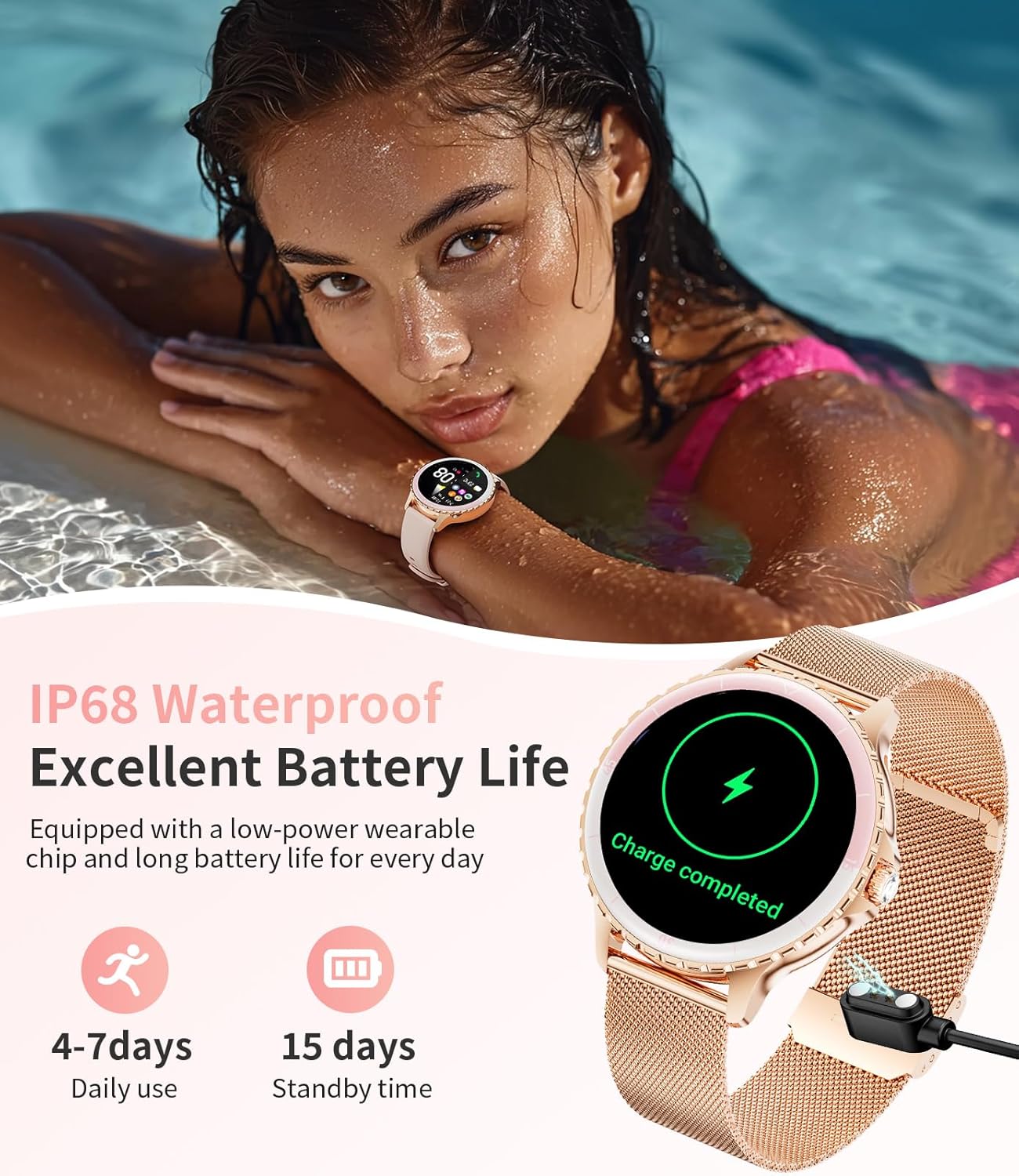
Image: The smartwatch connected to its magnetic charger, displaying a "Charge completed" message on its screen. This image also highlights the IP68 waterproof rating and battery life details.
2. Fissaggio del cinturino dell'orologio
The smartwatch comes with interchangeable Milanese metal and silicone straps. To attach a strap, align the spring bar with the lug holes on the watch body and gently push the pin inward to secure it. Ensure both ends of the spring bar are properly seated in the lug holes before wearing the watch. If you encounter difficulty, refer to the diagram below or seek assistance.

Image: A diagram illustrating the dimensions of the smartwatch (36mm width, 10.5mm thickness) and the strap attachment mechanism, showing how the band connects to the watch body.
3. Installazione e associazione dell'app
To unlock the full functionality of your smartwatch, download the companion application on your Android or iOS smartphone. Cercare the app name (usually mentioned in the quick start guide or on the watch screen during initial setup) in your device's app store. Once installed, open the app and follow the on-screen instructions to pair your smartwatch via Bluetooth. Ensure Bluetooth is enabled on your phone.
Istruzioni per l'uso
1. Navigazione di base
The smartwatch features a 1.27-inch TFT HD curved touchscreen and physical buttons for navigation. Swipe across the screen to access different menus and functions. Press the side button to return to the home screen or activate specific features as configured.

Immagine: Il display dello smartwatch mostraasing its 1.27-inch IPS HD screen with vibrant colors. The image also illustrates the process of customizing watch faces through the companion app.
2. Notifiche di chiamate e messaggi Bluetooth
After successful pairing with your smartphone, the watch can make and answer calls directly. It will also display notifications from various social media applications (WhatsApp, Instagram, Twitter, etc.), SMS, and emails. Ensure the watch is within a 10-meter range of your phone for uninterrupted connectivity.
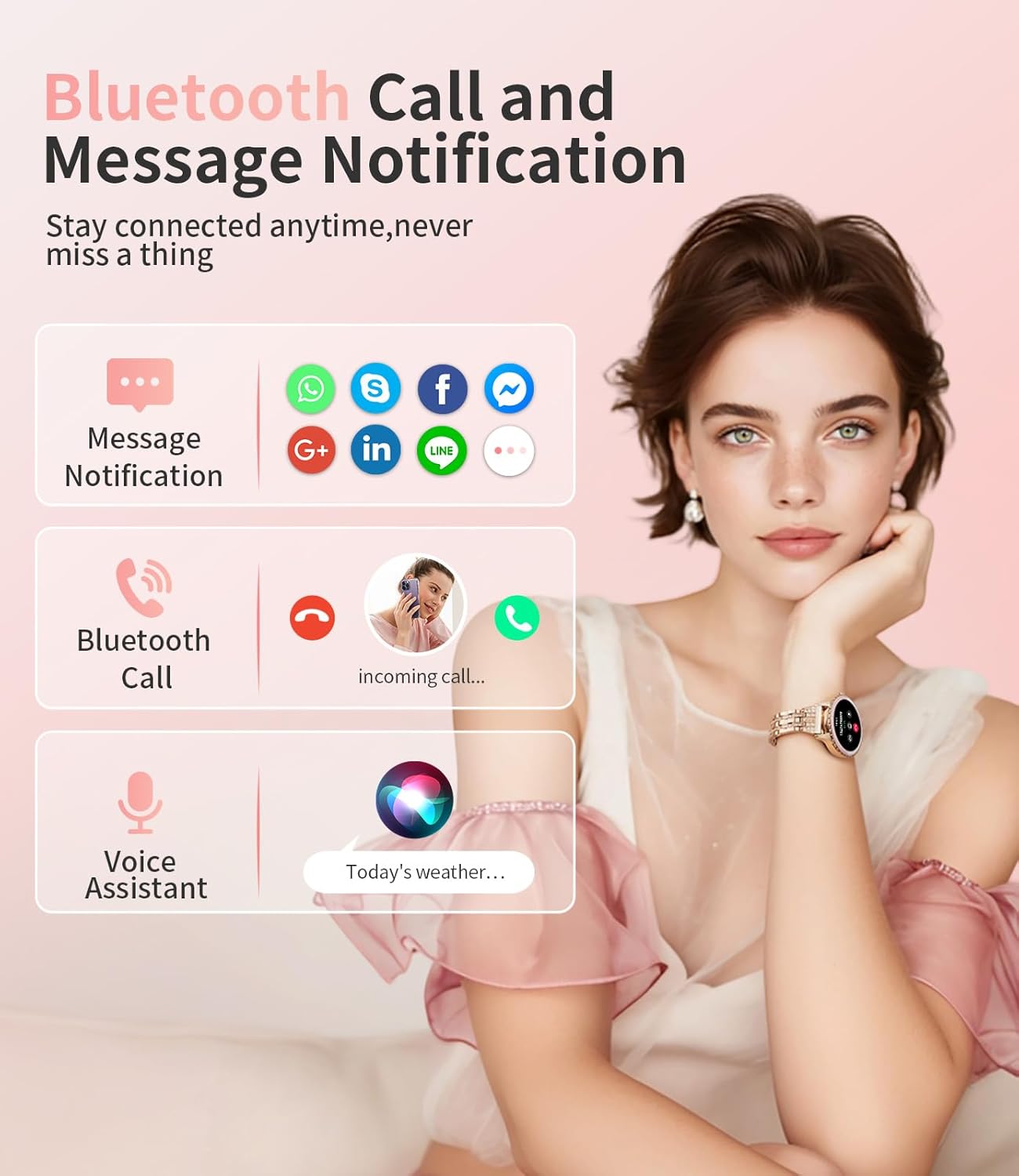
Image: A visual representation of the smartwatch's Bluetooth call and message notification capabilities, including icons for various social media apps and an incoming call display.
3. Monitoraggio della salute
The watch continuously monitors your heart rate, blood oxygen (SpO2), and sleep quality. Access these metrics through the watch interface or the companion app for detailed analysis. For accurate sleep tracking, wear the watch while sleeping.
- Monitoraggio della salute femminile: The watch includes a menstrual cycle reminder function to track periods, ovulation, and predict future cycles. This feature can also assist with pregnancy tracking.
- Allenamento del respiro: Sono disponibili esercizi di respirazione guidata per aiutare a gestire lo stress e migliorare il rilassamento.

Image: The smartwatch screen showing the menstrual cycle tracking interface, with a calendar view and current status.
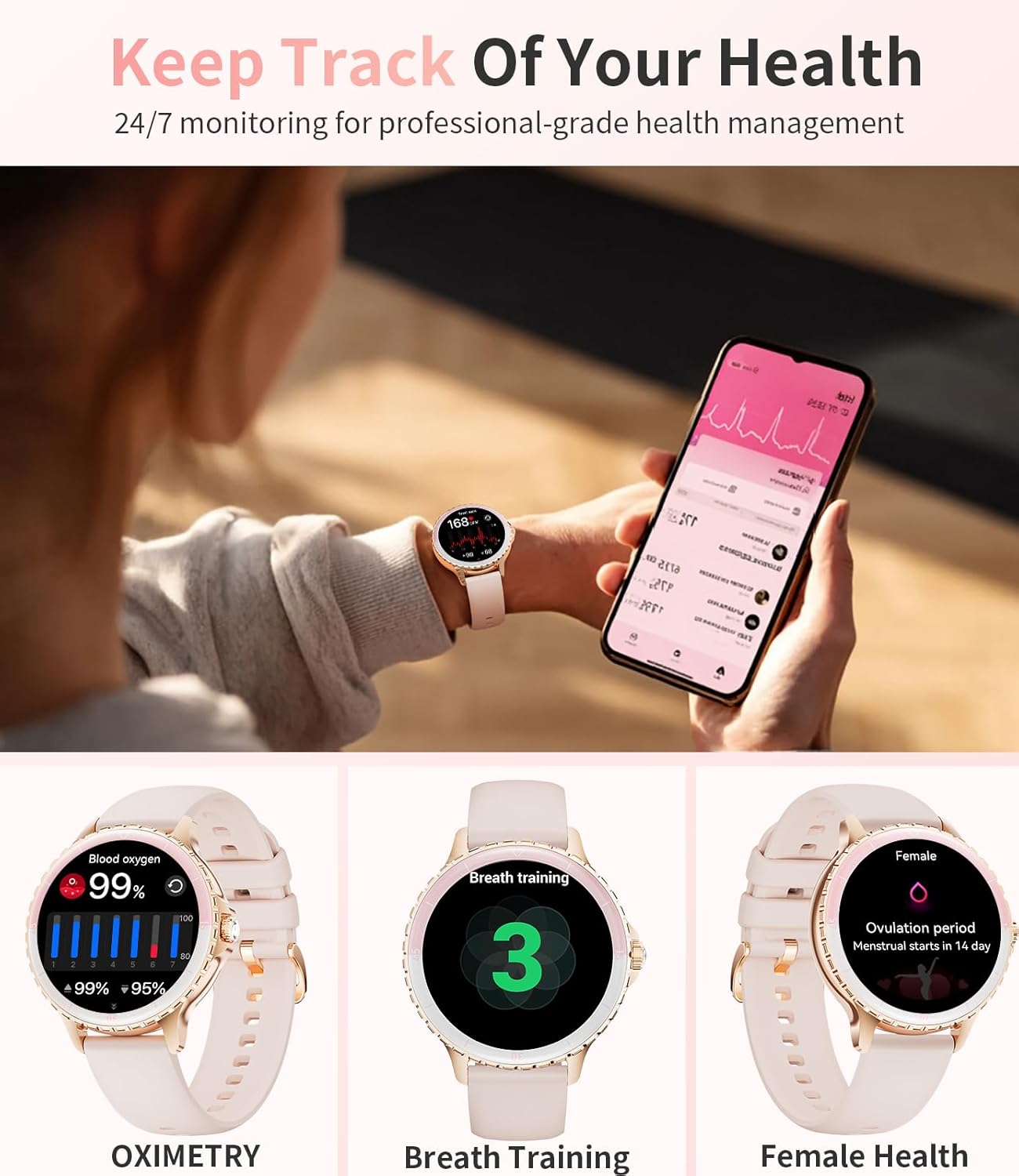
Image: Three smartwatch screens demonstrating health tracking: Oximetry (blood oxygen), Breath Training, and Female Health (ovulation period prediction).
4. Modalità Sport
The watch supports over 100 sport modes, including running, walking, and cycling. It accurately tracks workout data such as steps, distance, and calories burned. Sync data with the app to review your progress and set new fitness goals.

Image: The smartwatch interface showing different sport modes and a summary of activity data like time, calories, steps, and distance. Icons for various sports are also visible.
5. Altre funzioni
The smartwatch offers a range of additional features:
- Quadranti personalizzati: Choose from 100+ online watch faces or upload your own photos via the app.
- Notifiche intelligenti: Ricevi avvisi per chiamate, messaggi e notifiche delle app.
- Calcolatrice: Esegui calcoli di base direttamente sul tuo polso.
- Sveglia: Set multiple alarms with vibration reminders.
- Controllo della riproduzione musicale: Controlla la musica riprodotta sul tuo smartphone.
- Timer e cronometro: Da utilizzare per diverse esigenze di temporizzazione.
- Previsioni del tempo: Ricevi aggiornamenti meteo in tempo reale.
- Controllo remoto della telecamera: Utilizza il tuo orologio come otturatore remoto per la fotocamera del tuo telefono.
- Assistente vocale: Accedi all'assistente vocale del tuo telefono direttamente dall'orologio.
- Trova orologio e telefono: Locate your devices if misplaced.
- Blocco password: Migliora la sicurezza del tuo dispositivo.
- Modalità Non disturbare: Disattiva le notifiche in orari specifici.
- Regolazione della luminosità: Regola la luminosità dello schermo per una resa ottimale viewing.
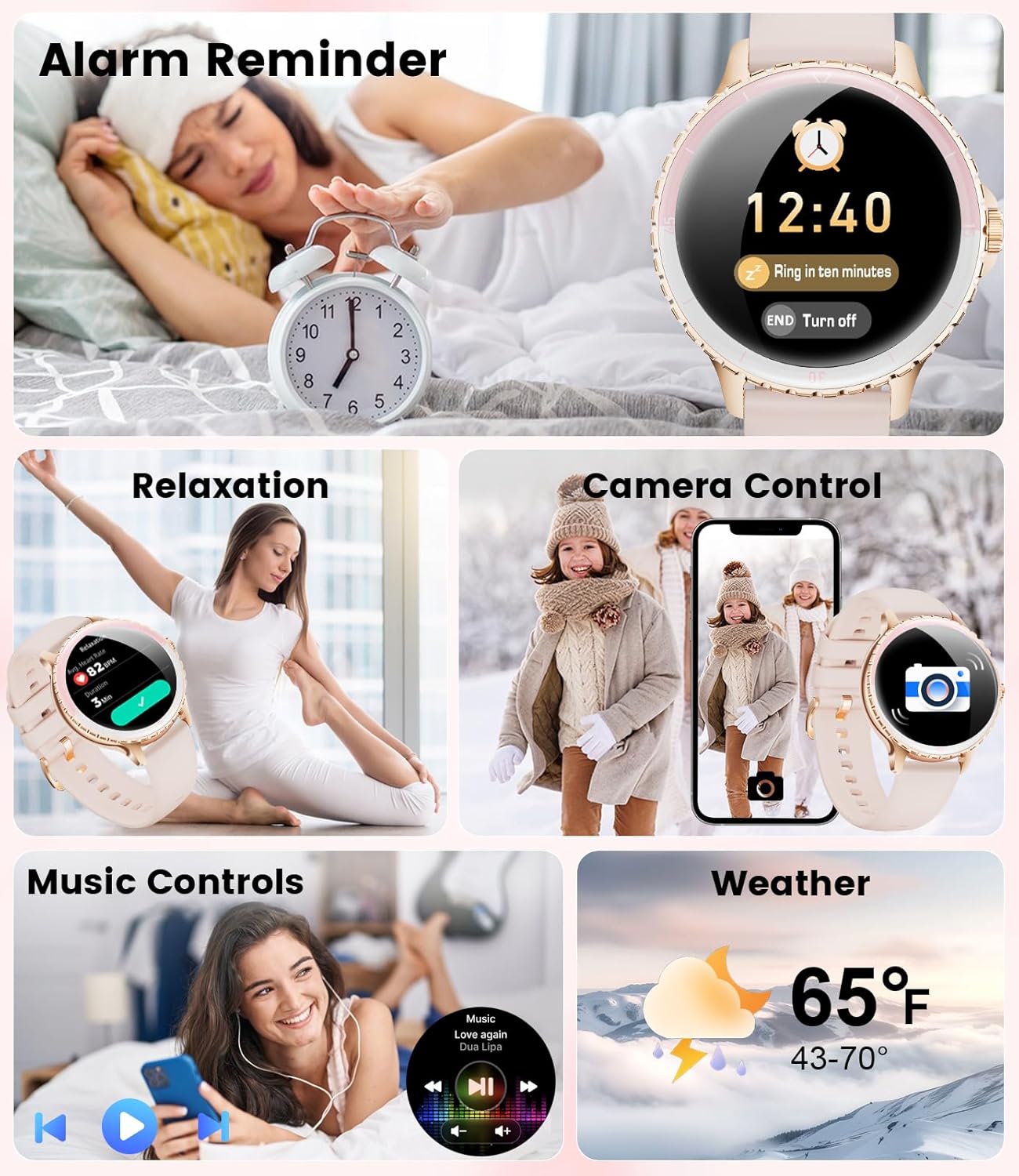
Image: A collage of smartwatch screens demonstrating various functions: an alarm reminder, a relaxation exercise, remote camera control, music playback controls, and a weather forecast display.
Manutenzione
1. Resistenza all'acqua
The SUNKTA Smart Watch FV26-A is 5ATM waterproof (equivalent to IP68), making it suitable for daily activities such as hand washing, rain, and swimming in shallow water. It is not recommended for hot showers, saunas, or diving, as steam and high water pressure can compromise the seals. Avoid prolonged submersion.
2. Pulizia e cura
Pulisci regolarmente lo smartwatch e il cinturino per prevenire irritazioni cutanee e mantenere il dispositivo a lungo. Usa un panno morbido e asciutto.amp cloth to wipe the screen and watch body. For silicone straps, mild soap and water can be used. Ensure the watch is completely dry before charging or wearing. Avoid using harsh chemicals or abrasive materials.
Risoluzione dei problemi
- L'orologio non si accende: Assicurati che l'orologio sia completamente carico. Collegalo al caricabatterie magnetico e controlla se l'indicatore di carica è acceso.
- Difficulty Attaching Strap: Ensure the spring bar is correctly aligned with the lug holes. Gently push the pin inward and release it into the hole. If issues persist, refer to the "Attaching the Watch Band" section or contact customer support.
- Disconnessione Bluetooth: Verify that Bluetooth is enabled on your smartphone and the watch is within range. Restart both the watch and your phone, then attempt to re-pair through the app.
- Dati sanitari imprecisi: Ensure the watch is worn snugly on your wrist, about one finger's width above the wrist bone. Keep the sensor clean. For sleep tracking, wear the watch throughout the night.
- Notifiche non visualizzate: Check app permissions on your smartphone to ensure the companion app has access to notifications. Also, verify that "Do Not Disturb" mode is not active on the watch.
- Schermo non reattivo: Prova a riavviare l'orologio. Se il problema persiste, assicurati che lo schermo sia pulito e asciutto.
Specifiche
| Caratteristica | Dettaglio |
|---|---|
| Marca | SUNKTA |
| Modello | FV26-A |
| Dimensioni dello schermo | 1.27 pollici |
| Sistema operativo | Per Android/iOS |
| Capacità di archiviazione della memoria | 128 MB |
| Capacità della batteria | 300 milioneamp Ore |
| Durata media della batteria | 5 giorni |
| Tempo di ricarica | 2 ore |
| Resistenza all'acqua | 5ATM (IP68) |
| Tecnologia di connettività | Bluetooth |
| Interfaccia del dispositivo | Pulsanti, Touchscreen |
| Materiale | Metallo |
| Peso dell'articolo | 100 grammi |
| Caratteristiche speciali | 1.27'' HD large screen, Bluetooth calls, notifications, 24-hour heart rate, blood oxygen, voice assistants, 100 sport modes, stopwatch, health tracker, alarm clocks, timer, weather forecast, password lock, find watch & phone, calculator, music & camera control, do not disturb mode, brightness setting. |
Garanzia e supporto
The SUNKTA Smart Watch FV26-A comes with a 2-year warranty. This warranty covers replacement, return, or accessory replacement services for manufacturing defects. For any questions, concerns, or support needs regarding your smartwatch, please contact SUNKTA customer service. Refer to the warranty card included in your package for specific contact details and terms.