
Introduzione
Thank you for choosing the TECKNET TK-HS049 Hybrid Active Noise Cancelling Headphones. These headphones are designed to provide a superior audio experience with advanced noise cancellation, long battery life, and versatile connectivity. This manual will guide you through the setup, operation, and maintenance of your new headphones.
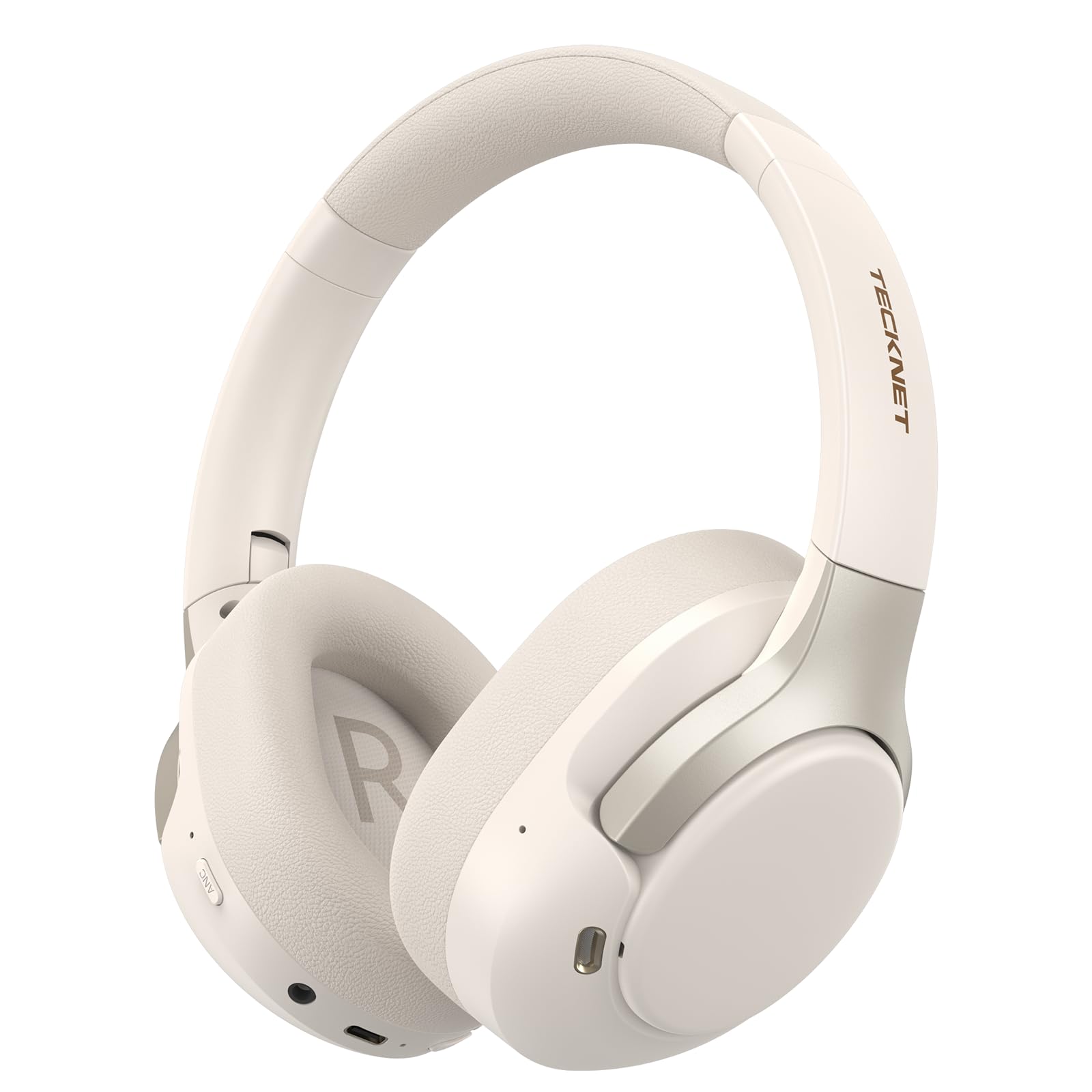
Image: TECKNET TK-HS049 Hybrid Active Noise Cancelling Headphones.
Cosa c'è nella scatola
- 1 x TECKNET TK-HS049 ANC Headphones
- 1 cavo audio da 3.5 mm
- 1 x Manuale utente
- 1 x Cavo di ricarica di tipo C

Image: Contents of the product packaging.
Prodotto finitoview
Familiarize yourself with the various components and controls of your TECKNET TK-HS049 headphones.
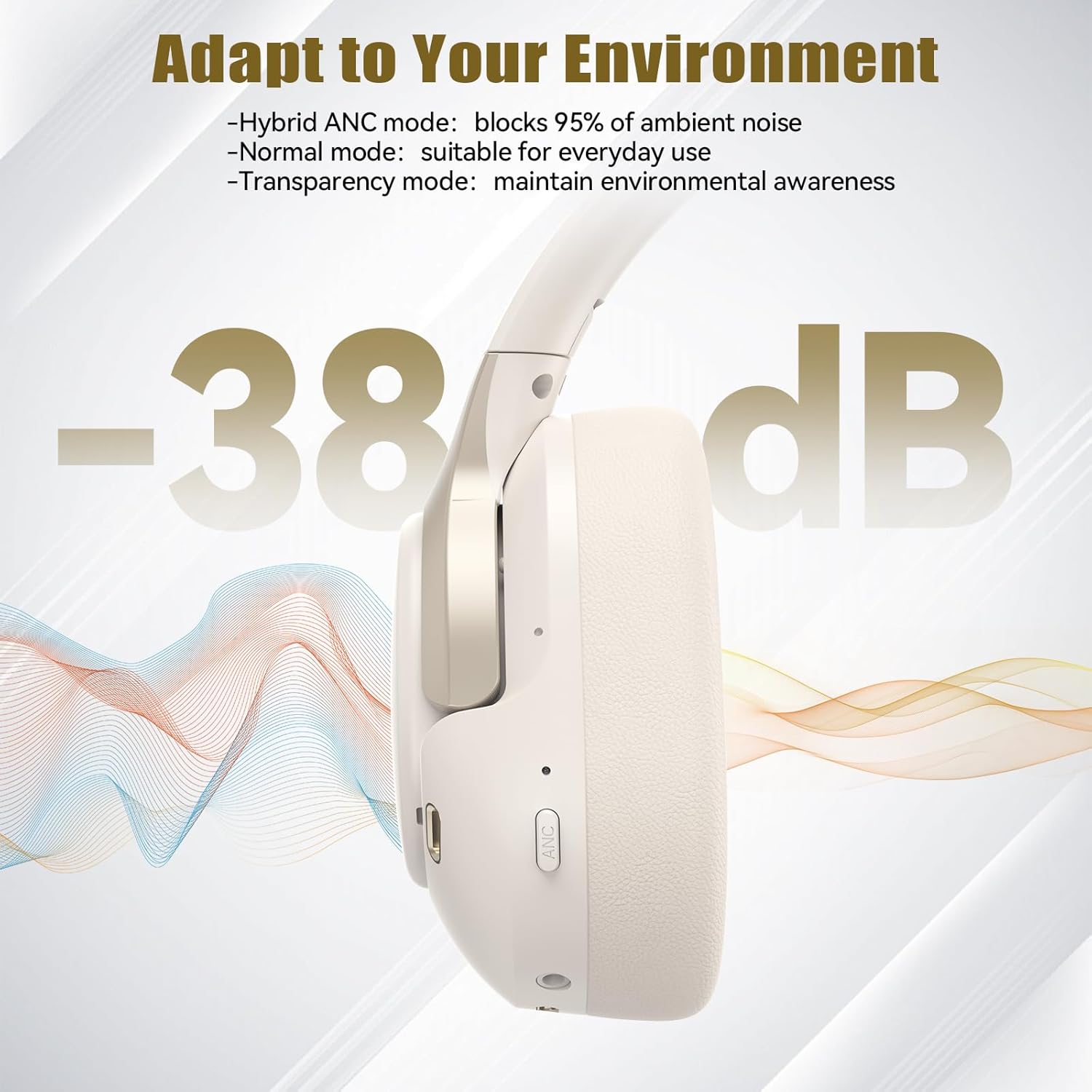
Immagine: Lato view of the headphones highlighting control buttons and ports.
Componenti chiave:
- Pulsante di accensione: Utilizzato per accendere/spegnere le cuffie e per l'associazione Bluetooth.
- Pulsante Volume su/Traccia successiva: Aumenta il volume o passa alla traccia successiva.
- Pulsante Volume giù/Traccia precedente: Diminuisce il volume o passa alla traccia precedente.
- Pulsante multifunzione: Riproduci/metti in pausa la musica, rispondi/termina le chiamate.
- Pulsante ANC: Attiva/disattiva le modalità di cancellazione attiva del rumore.
- Porta di ricarica di tipo C: Per caricare le cuffie.
- Jack audio da 3.5 mm: Per la connessione audio cablata.
- Microfono: Per chiamate e comandi vocali.
Impostare
1. Carica delle cuffie
Before first use, fully charge your headphones. Connect the supplied Type-C charging cable to the charging port on the headphones and the other end to a USB power source (e.g., wall adapter, computer USB port).
- L'indicatore LED mostrerà lo stato di carica.
- Una carica completa richiede in genere circa 2-3 ore.
2. Accensione/spegnimento
- Accensione: Press and hold the Power button for 3 seconds until the LED indicator flashes blue.
- Spegni: Press and hold the Power button for 3 seconds until the LED indicator flashes red and then turns off.
3. Accoppiamento Bluetooth
Per connettere le cuffie a un dispositivo tramite Bluetooth:
- Assicurati che le cuffie siano spente.
- Tenere premuto il pulsante di accensione per 5 secondi finché l'indicatore LED non lampeggia alternativamente in rosso e blu, indicando la modalità di associazione.
- Sul tuo dispositivo (smartphone, tablet, laptop), attiva il Bluetooth e cerca i dispositivi disponibili.
- Selezionare "TECKNET TK-HS049" dall'elenco dei dispositivi.
- Una volta connesso, l'indicatore LED lampeggerà lentamente in blu.
4. Connessione a doppio dispositivo
Le cuffie supportano la connessione simultanea a due dispositivi Bluetooth, consentendo un passaggio senza interruzioni dall'uno all'altro.
- Pair the headphones with the first device (e.g., smartphone) as described above.
- Disattiva il Bluetooth sul primo dispositivo. Le cuffie torneranno in modalità di associazione.
- Pair the headphones with the second device (e.g., laptop).
- Riattiva il Bluetooth sul primo dispositivo. Le cuffie dovrebbero connettersi automaticamente a entrambi i dispositivi.
- To switch audio, simply play media on the desired device.

Image: Dual device connection setup.
5. Connessione cablata
Per i dispositivi senza Bluetooth o quando la batteria è scarica, utilizzare il cavo audio da 3.5 mm incluso.
- Collegare un'estremità del cavo audio da 3.5 mm al jack audio delle cuffie.
- Collegare l'altra estremità all'uscita audio da 3.5 mm del dispositivo.
- Note: Some headphone functions (e.g., ANC, EQ modes) may be limited or unavailable in wired mode without power.

Image: Wired connection via 3.5mm audio jack.
Operativo
1. Modalità di cancellazione attiva del rumore (ANC)
Press the ANC button to cycle through the available noise cancellation modes:
- Hybrid ANC Mode: Blocks up to 35dB-38dB of ambient noise, ideal for travel or noisy environments.
- Modalità normale: ANC is off, suitable for everyday use where some environmental awareness is desired.
- Modalità trasparenza: Allows ambient sounds to pass through, enhancing awareness of your surroundings.

Image: Hybrid Active Noise Cancellation in action.
2. Riproduzione di musica
- Riproduci/Pausa: Premi una volta il pulsante Multifunzione.
- Traccia successiva: Tieni premuto il pulsante Volume su.
- Traccia precedente: Premere e tenere premuto il pulsante Volume Giù.
- Aumenta volume: Premere brevemente il pulsante Volume su.
- Volume basso: Premere brevemente il pulsante Volume giù.
3. Gestione delle chiamate
- Rispondi/Termina chiamata: Premi una volta il pulsante Multifunzione.
- Rifiuta chiamata: Tenere premuto il pulsante multifunzione per 2 secondi.
- Assistente vocale: Premi due volte il pulsante Multifunzione per attivare l'assistente vocale del tuo dispositivo.
4. EQ Music Modes
The headphones feature 6 EQ music modes to optimize your listening experience for different genres. Press the EQ button (if available, or refer to specific button on your model) to cycle through these modes:
- Ballare
- Roccia
- Classico
- Vocale
- Basso
- Morbido

Image: Cycling through 6 EQ music modes.
Manutenzione
To ensure the longevity and optimal performance of your TECKNET TK-HS049 headphones, follow these maintenance guidelines:
- Pulizia: Utilizzare un panno morbido e asciutto per pulire i padiglioni auricolari e l'archetto. Non utilizzare detergenti abrasivi o solventi.
- Magazzinaggio: When not in use, store the headphones in a cool, dry place, preferably in a protective case to prevent dust and damage.
- Evitare l'umidità: Although the headphones have a waterproof rating, avoid prolonged exposure to water or high humidity. Do not submerge them.
- Ricarica: Only use the provided Type-C cable for charging. Avoid overcharging the battery.
- Temperatura: Non esporre le cuffie a temperature estreme (calde o fredde).
Risoluzione dei problemi
Se riscontri problemi con le cuffie, fai riferimento ai seguenti problemi comuni e alle relative soluzioni:
| Problema | Soluzione |
|---|---|
| Le cuffie non si accendono. | Assicurati che le cuffie siano cariche. Collegale a una fonte di alimentazione e riprova dopo qualche minuto. |
| Impossibile effettuare l'associazione tramite Bluetooth. | Make sure the headphones are in pairing mode (LED flashing red/blue). Disable and re-enable Bluetooth on your device. Ensure no other devices are connected. |
| Nessun suono o volume basso. | Check volume levels on both headphones and your connected device. Ensure the headphones are properly paired. Try playing audio from a different source. |
| L'ANC non è efficace. | Ensure ANC mode is activated. Check that the earcups form a good seal around your ears. ANC is most effective against low-frequency, constant noise. |
| Il microfono non funziona. | Ensure the headphones are connected via Bluetooth. Check microphone settings on your device. |
Specifiche
Detailed technical specifications for the TECKNET TK-HS049 headphones:
| Caratteristica | Dettaglio |
|---|---|
| Numero di modello | TK-HS049 |
| Tecnologia di connettività | Wireless (Bluetooth), cablato (jack da 3.5 mm) |
| Versione Bluetooth | 6.0 |
| Controllo del rumore | Cancellazione ibrida del rumore (fino a 38 dB) |
| Tipo di conducente | Driver dinamici da 40 mm |
| Gamma di frequenza | 20Hz - 20,000Hz (supports up to 40kHz for high-resolution audio) |
| Durata della batteria (ANC attivato) | Fino a 40 ore (al 60% del volume) |
| Durata della batteria (ANC disattivato) | Fino a 70 ore |
| Metodo di controllo | Pulsanti fisici |
| Posizionamento dell'orecchio | Sopra l'orecchio |
| Materiale | Fabric, Silicone, Memory Foam (earcups) |
| Livello di resistenza all'acqua | Impermeabile |
| Microfono | 4 microfoni ENC |
| Modalità EQ | 6 Presets (Dance, Rock, Classical, Vocal, Bass, Soft) |

Immagine: Durata della batteria oltreview.

Image: 40mm dynamic drivers for premium audio.

Image: Comfort features including memory foam earcups and adjustable headband.
Garanzia e supporto
TECKNET TK-HS049 headphones come with a Garanzia di 36 mesi. If you encounter any problems during product use, please contact our professional customer service team for assistance. You can typically find contact information on the TECKNET official websito o tramite la tua piattaforma di acquisto.