Introduzione
The ShanWan Wireless Controller is a versatile gaming peripheral designed for use across multiple platforms, including PC, iPhone, Android, Nintendo Switch, and Steam. It offers tri-mode connectivity (Bluetooth, 2.4G wireless, and USB-C wired) to ensure a seamless gaming experience. This manual provides detailed instructions for setup, operation, maintenance, and troubleshooting to help you maximize your controller's performance.
Note: This controller is not compatible with Xbox or PlayStation 4/5 consoles.
Contenuto della confezione
- ShanWan Wireless Controller
- Cavo di ricarica USB-C
- Dongle wireless 2.4G
- Manuale dell'utente (questo documento)
Controllore finitoview
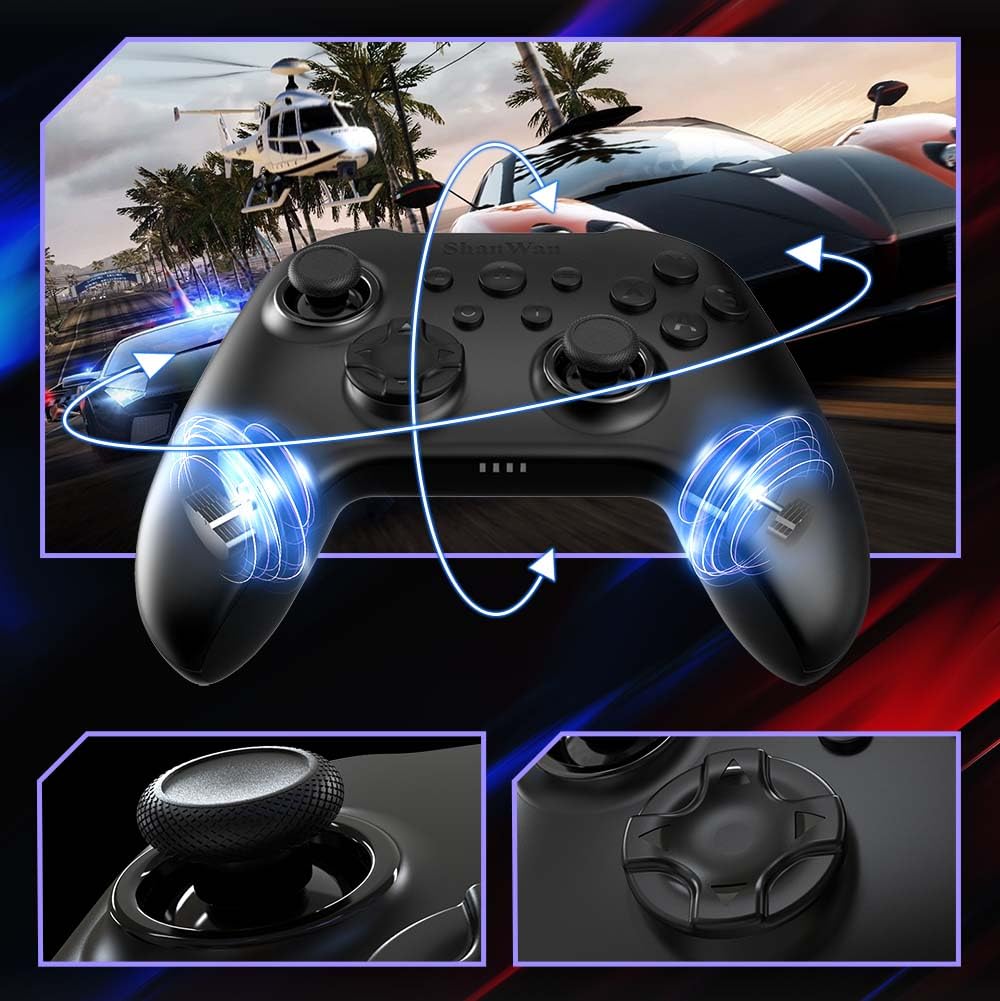
Immagine: Davanti view of the ShanWan Wireless Controller, showcasing its ergonomic design, dual joysticks, D-pad, and face buttons (A, B, X, Y).
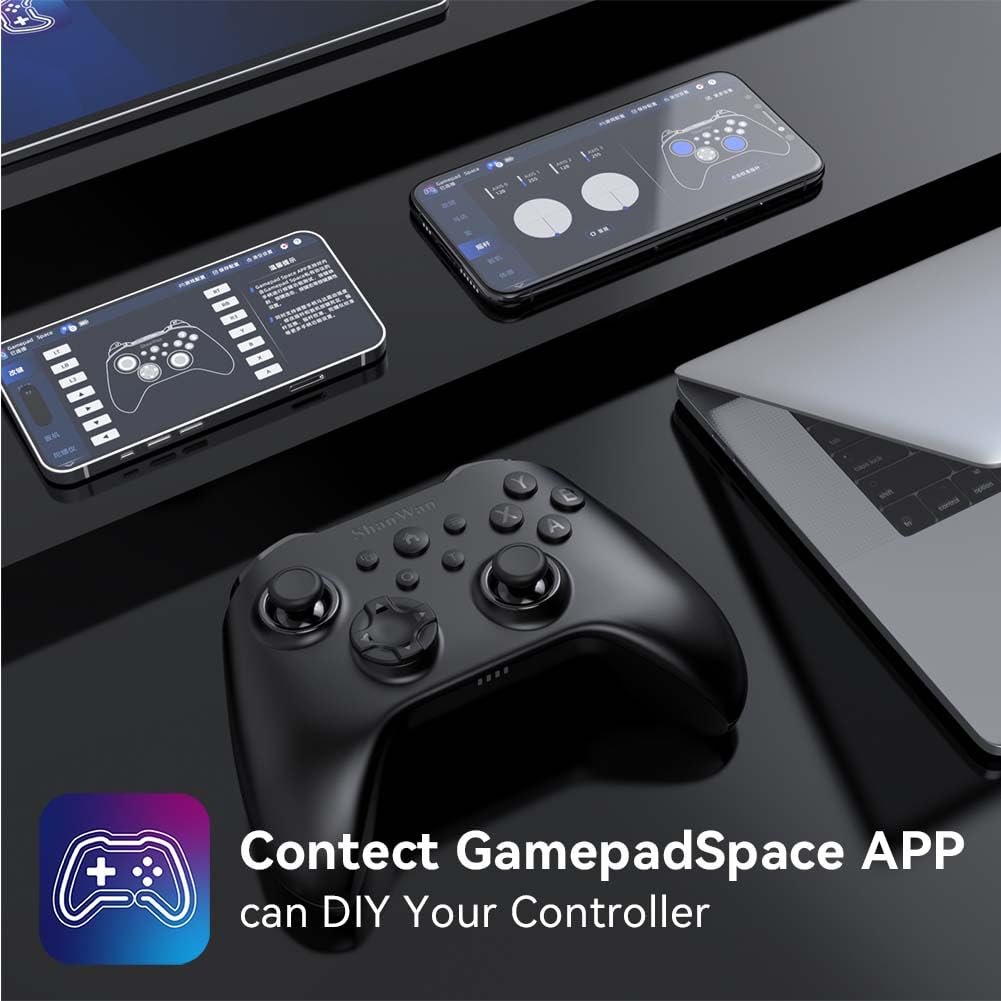
Immagine: Indietro view of the ShanWan Wireless Controller, highlighting the mode switch for different platforms (X, D, S).
Caratteristiche principali:
- Joystick ad effetto Hall: Designed for precision with no dead zones and anti-drift capabilities.
- Pulsanti in gel resistenti: Conductive gel buttons tested for 1 million clicks for long-lasting performance.
- Giroscopio a 6 assi: Fornisce un rilevamento preciso del movimento per un gameplay coinvolgente.
- Motori a doppia vibrazione: Delivers strong and subtle haptic feedback for an enhanced gaming experience.
- Funzione Turbo: Allows for rapid, repeated button presses.
Impostare
1. Ricarica del controller
Before initial use, fully charge the controller using the provided USB-C cable. Connect the USB-C end to the controller and the USB-A end to a power source (e.g., computer USB port, USB wall adapter). The charging indicator lights will show charging status and turn off when fully charged.
2. Connessione ai dispositivi
The ShanWan Wireless Controller supports three connection modes: Bluetooth, 2.4G Wireless, and USB-C Wired. Ensure the mode switch on the back of the controller is set to the appropriate platform before attempting to connect.

Immagine: Visual representation of the controller's tri-mode connectivity, illustrating Bluetooth, 2.4G wireless, and USB-C wired options.
Mode Switch Settings:
- 'S' Mode: For Nintendo Switch.
- 'X' Mode: For PC (X-input), Android.
- 'D' Mode: For PC (D-input), iOS.
Connessione Bluetooth:
- Set the mode switch on the back of the controller to the desired platform ('S', 'X', or 'D').
- Press and hold the pairing button (usually a small button on the top or back) until the indicator lights flash rapidly.
- On your device (PC, iPhone, Android, Switch), go to Bluetooth settings and search for new devices.
- Select "ShanWan Controller" or a similar name from the list to pair.
- Una volta effettuata l'associazione, le spie luminose sul controller diventeranno fisse.
2.4G Wireless Connection (for PC/Switch):
- Set the mode switch on the back of the controller to 'X' (for PC) or 'S' (for Switch).
- Insert the 2.4G wireless dongle into a USB port on your PC or Switch dock.
- Press the Home button on the controller to power it on. It should automatically connect to the dongle.
- The indicator lights will become solid once connected.
Connessione cablata USB-C:
- Connect the USB-C cable to the controller and the other end to your PC or Switch dock.
- The controller will automatically be recognized as a wired device.
- No specific mode switch setting is required for wired connection, but setting it to the correct platform mode ('X' for PC, 'S' for Switch) is recommended for optimal compatibility.
Istruzioni per l'uso
Accensione/spegnimento:
- Accensione: Press the Home button once.
- Spegni: Press and hold the Home button for 3-5 seconds, or the controller will automatically power off after a period of inactivity.
Controllo del movimento:
The built-in 6-axis gyroscope provides motion control capabilities, particularly useful for games on Nintendo Switch or other compatible platforms. Ensure the game supports motion controls for this feature to function.
Risposte di vibrazione:
The dual vibration motors provide haptic feedback during gameplay. The intensity of the vibration can often be adjusted through game settings or the Gamepad Space app.
Funzione Turbo:
Per attivare la funzione Turbo per un pulsante specifico:
- Press and hold the button you wish to set to Turbo.
- While holding the button, press the Turbo button (refer to controller layout for location).
- The button will now repeatedly register presses as long as it is held down.
To deactivate Turbo for a button, repeat the process.
Software Customization (Gamepad Space App):
Enhance your gaming experience by customizing controller settings using the Gamepad Space mobile application.

Immagine: A ShanWan controller alongside smartphones displaying the Gamepad Space app, illustrating options for calibration and on-the-fly adjustments.
- Download the "Gamepad Space" app from your mobile device's app store.
- Connect your controller to your mobile device via Bluetooth.
- All'interno dell'app puoi:
- Aggiorna il firmware.
- Regola le zone morte dello stick e del grilletto.
- Personalizza l'intensità della vibrazione.
- Pulsanti di prova.
Manutenzione
- Pulizia: Utilizzare un panno morbido e asciutto per pulire il controller. Evitare l'uso di prodotti chimici aggressivi o materiali abrasivi.
- Magazzinaggio: Conservare il controller in un luogo fresco e asciutto, lontano dalla luce solare diretta e da temperature estreme.
- Cura della batteria: Per prolungare la durata della batteria, evitare di scaricare completamente il controller frequentemente. Caricarlo regolarmente, anche se non lo si utilizza costantemente.
Risoluzione dei problemi
Il controller non si connette:
- Assicurati che il controller sia carico.
- Verify the mode switch on the back of the controller is set correctly for your platform (S, X, or D).
- Per quanto riguarda il Bluetooth, assicurati che il Bluetooth del tuo dispositivo sia attivo e che il controller sia in modalità di associazione.
- For 2.4G wireless, ensure the dongle is properly inserted and the controller is in the correct mode.
- Prova a riavviare sia il controller che il dispositivo.
Input Lag o disconnessioni:
- Assicurarsi che non vi siano forti interferenze elettromagnetiche nelle vicinanze.
- Move closer to your device for a stronger wireless signal.
- Assicurarsi che la batteria del controller non sia scarica.
- Consider using a wired USB-C connection for the most stable experience.
Joystick Drift or Unresponsive Buttons:
- Calibrate the joysticks and test buttons using the Gamepad Space app.
- Ensure the controller's firmware is up to date via the Gamepad Space app.
- Pulisci la zona attorno ai pulsanti e ai joystick per rimuovere eventuali detriti.
Specifiche
| Modello | B0FS13DT2B |
| Tecnologia di connettività | Bluetooth, wireless 2.4G, USB-C cablato |
| Dispositivi compatibili | Android, iOS, Nintendo Switch, Nintendo Switch 2, PC |
| Tipo di controllore | Controllo di gioco |
| Quantità del pulsante | 12 |
| Caratteristiche speciali | Hall Effect Joysticks, 6-Axis Gyroscope, Dual Vibration, Turbo Function, Software Customization |
| Fonte di alimentazione | Alimentato a batteria |
| Peso dell'articolo | 300 grammi |
| Dimensioni dell'articolo (P x L x A) | 2.5" x 4" x 6" |
Garanzia e supporto
ShanWan products are designed for reliability and performance. For specific warranty information, please refer to the documentation included with your purchase or visit the official ShanWan support website. If you encounter any issues not covered in this manual, please contact ShanWan customer support for assistance.
Supporto online: Visit the ShanWan Store on Amazon