
1. Introduzione
The Radioddity X1 Walkie Talkies are designed for reliable two-way communication in various environments. Featuring an IP67 waterproof and dustproof rating, durable construction, and advanced noise reduction, these FRS radios are suitable for outdoor adventures, professional use, and emergency situations. They offer a long communication range and include essential features like NOAA weather alerts and voice-activated transmission (VOX).

Image: The Radioddity X1 Walkie Talkie, showcasing il suo design robusto.
2. Cosa c'è nella scatola
Upon opening your Radioddity X1 package, you should find the following items:
- 2 x Radioddity X1 Walkie Talkies
- 2 x batterie ricaricabili
- 1 cavo di ricarica USB-C 2 in 1
- Clip 2 x cinghie
- 2 x cinghie da polso
- 1 adattatori
- 1 x Manuale utente (questo documento)

Image: All components included in the Radioddity X1 package, including two radios, batteries, charging cable, belt clips, hand straps, and adapters.
3. Impostazione
3.1. Installazione della batteria
- Assicurarsi che il walkie-talkie sia spento.
- Individuare il vano batterie sul retro dell'unità.
- Align the battery with the contacts and gently push it into the compartment until it clicks into place.
3.2. Carica della batteria
The Radioddity X1 features a 2500mAh rechargeable lithium battery. For optimal performance, fully charge the battery before first use.
- Connect the provided USB-C charging cable to the charging port on the walkie talkie.
- Connect the other end of the USB-C cable to the adapter, and then plug the adapter into a standard power outlet. Alternatively, you can connect the USB-C cable to a compatible USB power source (e.g., computer, power bank).
- L'indicatore della batteria sul display mostrerà lo stato di carica. Una ricarica completa richiede in genere diverse ore.
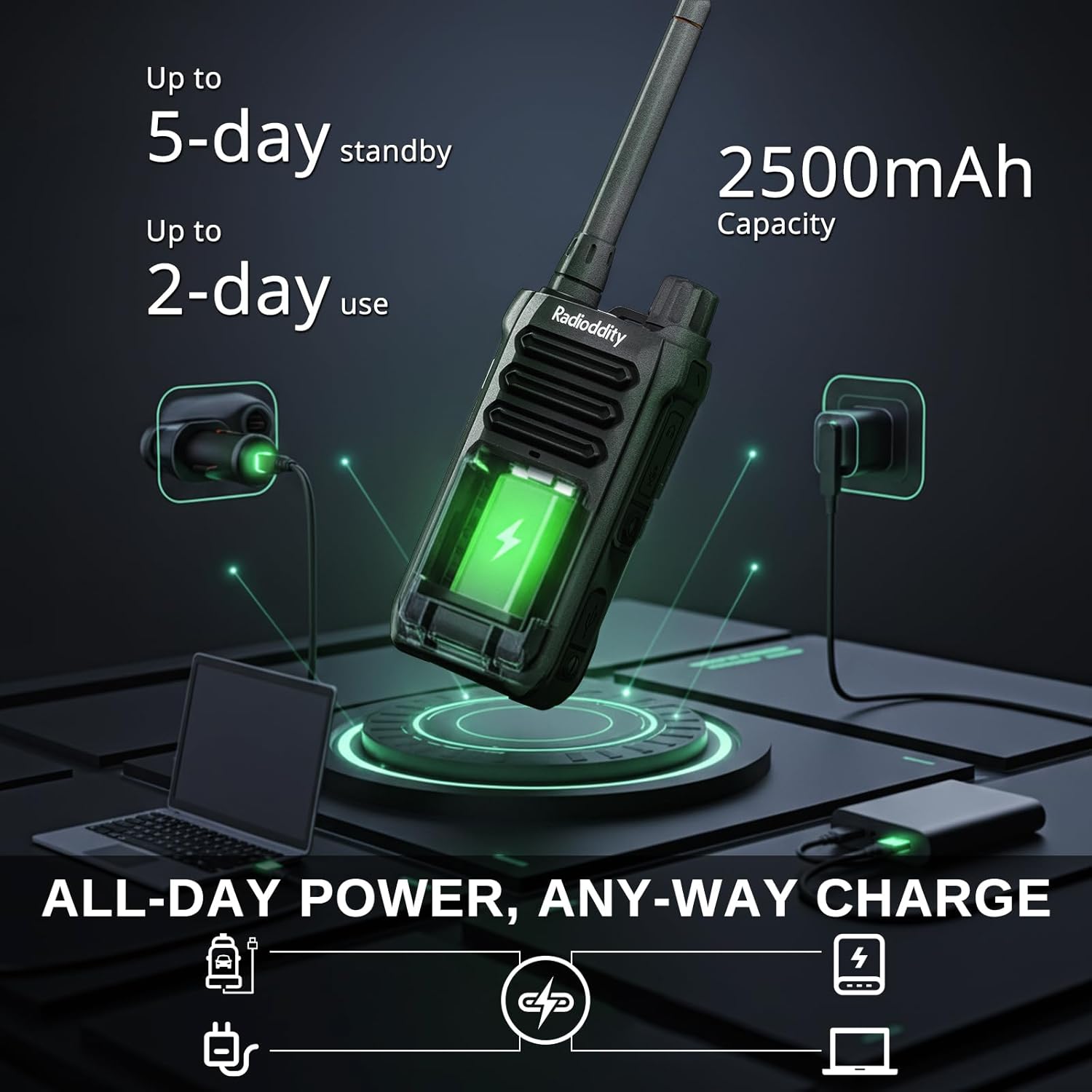
Image: The Radioddity X1 Walkie Talkie connected to a USB-C charger, illustrating the charging process.
3.3. Fissaggio degli accessori
- Clip da cintura: Secure the belt clip to the designated slot on the back of the walkie talkie.
- Cinghia da polso: Per una maggiore sicurezza, infilare il cinturino nell'anello presente sulla parte superiore o laterale del walkie-talkie.
3.4. Accensione/Spegnimento
To power on or off the device, rotate the power/volume knob located on the top of the unit clockwise to turn on, and counter-clockwise until it clicks to turn off.
4. Istruzioni per l'uso
4.1. Selezione del canale
The Radioddity X1 comes pre-programmed with 22 FRS channels. To select a channel:
- Premere il tasto MENU pulsante per accedere al menu.
- Utilizzare il Freccia su/giù pulsanti per navigare verso le impostazioni del canale.
- Premere OK per confermare, quindi utilizzare il Freccia su/giù pulsanti per selezionare il canale desiderato (1-22).
- Premere OK again to save the selection and MENU per uscire.
4.2. Codici sulla privacy (CTCSS/DCS)
The radio supports 155 privacy codes (CTCSS/DCS) to filter out unwanted conversations on a channel. While not providing true privacy, these codes ensure you only hear transmissions from radios set to the same channel and code.
- Premere il tasto MENU pulsante.
- Navigate to the CTCSS or DCS setting using the Freccia su/giù pulsanti.
- Premere OK, then select your desired code.
- Premere OK per salvare e MENU to exit. Ensure all radios in your group use the same channel and privacy code.
4.3. Push-to-Talk (PTT)
Per trasmettere, premere e tenere premuto il tasto grande PTT pulsante sul lato della radio. Parlare chiaramente nel microfono. Rilasciare il PTT pulsante per ascoltare.
4.4. Funzione VOX (trasmissione a comando vocale)
La funzione VOX consente di utilizzare il dispositivo a mani libere. Quando è attivata, la radio trasmette automaticamente quando rileva la tua voce.
- Premere il tasto MENU pulsante.
- Vai a VOX collocamento.
- Premere OK, then select an appropriate sensitivity level (higher numbers for lower sensitivity).
- Premere OK per salvare e MENU per uscire.

Image: Icon representing the Voice Operated Transmission (VOX) function.
4.5. Avvisi meteorologici NOAA
Stay informed with 10 built-in NOAA weather channels providing real-time alerts.
- Premere il tasto MENU pulsante.
- Vai a NOAA collocamento.
- Premere OK, then select the desired NOAA channel or activate weather alerts.
- Premere OK per salvare e MENU per uscire.

Image: Icon representing the NOAA Scan & Alert feature.
4.6. Registrazione Riproduzione
The Radioddity X1 features a unique recording playback function for up to 20 messages.
- To record, press and hold the dedicated DOCUMENTAZIONE button (if available, or refer to specific menu options).
- To play back recorded messages, press the RIGIOCARE pulsante.

Image: The Radioddity X1 display showing the recording and replay functions, highlighting its audio safety net capability.

Image: Icon representing the Recording function.
4.7. Riduzione del rumore
The dual-way noise reduction feature ensures clear communication even in noisy environments.

Image: The Radioddity X1 in a construction setting, illustrating its noise reduction capabilities for clear communication.
5. Manutenzione
5.1. Cura IP67 impermeabile e antipolvere
The Radioddity X1 is rated IP67, meaning it is dustproof and can withstand submersion in up to 1 meter of water for 30 minutes. To maintain its integrity:
- Ensure all port covers (e.g., charging port, accessory port) are securely closed before exposure to water or dust.
- After exposure to water, wipe the radio dry with a clean cloth. Do not charge the radio if the charging port is wet.
- Evitare immersioni prolungate oltre la profondità e il tempo specificati.

Image: The Radioddity X1 Walkie Talkie submerged in clear water, demonstrating its IP67 waterproof capability.

Image: The Radioddity X1 Walkie Talkie partially covered in sand, highlighting its dustproof design.
5.2. Cura della batteria
The 2500mAh battery provides up to 48 hours of average use. To prolong battery life:
- Evitare di scaricare completamente la batteria regolarmente.
- Quando non viene utilizzata, conservare la radio in un luogo fresco e asciutto.
- Utilizzare solo il cavo di ricarica e l'adattatore forniti.
5.3. Pulizia
Pulire la radio con un panno morbido, damp stoffa. Non utilizzare prodotti chimici aggressivi o detergenti abrasivi.
6. Risoluzione Dei Problemi
| Problema | Possibile causa | Soluzione |
|---|---|---|
| Nessun potere | La batteria è scarica o non è installata correttamente. | Caricare la batteria o reinstallarla. |
| Impossibile trasmettere o ricevere | Incorrect channel or privacy code. Out of range. | Verify channel and privacy code settings. Move closer to the other radio. |
| Scarsa qualità audio | Segnale debole, interferenza o volume troppo basso. | Adjust volume. Move to an area with less obstruction. Check for interference sources. |
| Raggio di comunicazione breve | Obstructions (buildings, terrain), low power channel. | Move to an open area. Use channels 1-7 or 15-22 for higher power output. |
7. Specifiche
| Caratteristica | Dettaglio |
|---|---|
| Marca | Radiodità |
| Numero di modello | X1 |
| Colore | Nero |
| Numero di canali | 22 (FRS) |
| Gamma di frequenza | FRS |
| Portata massima di conversazione | 5 Miles (open areas), 2 Miles (urban settings) |
| Livello di resistenza all'acqua | IP67 impermeabile |
| Caratteristiche speciali | Dust Proof, Emergency Alarm (SOS), Long Range, Shockproof, Voice Operated Transmission (VOX), Noise Reduction, NOAA Weather Alerts, Recording Playback |
| Capacità della batteria | 2500mAh al litio |
| Durata media della batteria | 48 ore |
| Ricarica | USB-C |
| Dimensioni del prodotto (P x L x A) | 1.1" x 2.4" x 7.1" |
| Identificazione FCC | 2AN62-X1 |

Image: Visual representation of the Radioddity X1's communication range, showing up to 5 miles in open areas and 2 miles in urban settings.

Image: The Radioddity X1 Walkie Talkie on the ground at a construction site, illustrating its durability and shockproof design after 1,000+ drop tests.
8. Garanzia e supporto
8.1. Informazioni sulla garanzia
The Radioddity X1 Walkie Talkies come with an Garanzia di 18 mesi from the date of purchase. This warranty covers manufacturing defects and ensures your product is free from material and workmanship flaws under normal use. Please retain your proof of purchase for warranty claims.
8.2. Assistenza clienti
For technical assistance, troubleshooting, or warranty inquiries, please visit the official Radioddity website or contact their customer support team. You can find contact information and additional resources on their websito: www.radioddity.com.
9. Video di prodotto
Radioddity X1 | Built for Harsh Conditions
Video: This official Radioddity video demonstrates the X1's robust features, including its IP67 dustproof and waterproof capabilities, drop resistance, car-crush resistance, long-range communication, and noise-cancelling audio, highlighting its suitability for challenging environments.