
1. Introduction
The Radtel RT-950 PRO is a high-performance handheld two-way radio designed for reliable communication across various bands. It features GPS/APRS functionality, Bluetooth app programming, multi-band reception (AM/FM/CB/SW/MW/LW), NOAA weather channels, and an integrated spectrum analyzer. This manual provides detailed instructions for the proper setup, operation, and maintenance of your RT-950 PRO radio.
2. Package Contents
Verify that all items are present in your package:
- 1x RT-950 PRO Main unit
- 1x 2200mAh Li-ion Battery
- 1x Dual band antenna
- 1x Belt Clip
- 1x Type C charging Cable
- 1x Power supply with USB port
- 1x English User Manual
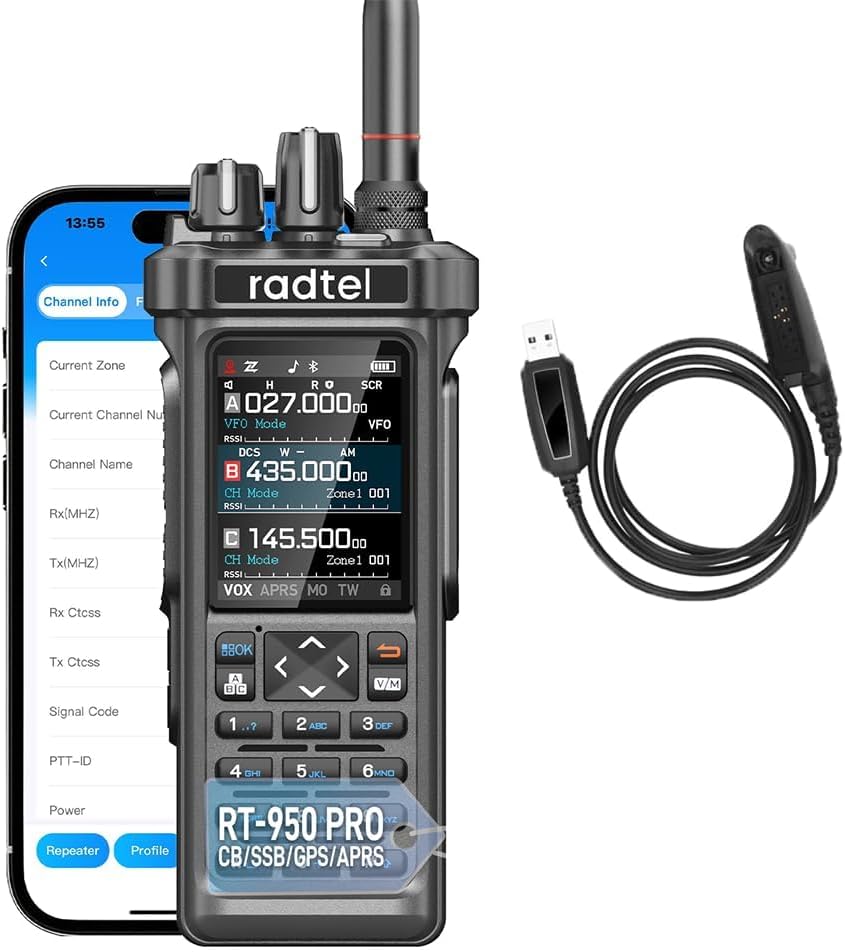
Image: Radtel RT-950 PRO radio, showing the main unit, a smartphone displaying the Bluetooth programming app interface, and the included programming cable.
3. Safety Information
Important Safety Precautions:
- The radio complies with Radio Equipment Directive 2014/53/EU.
- Operate the device within 0 - 40 °C and below 2000 meters altitude. Operating outside these conditions may damage the radio.
- Battery Safety: There is a risk of explosion if the battery is replaced with an incorrect model. Always follow instructions for proper battery replacement and disposal of used batteries.
- Accessory Compatibility: Using non-Radtel brand headphones and microphones with the RT-950 PRO may damage the audio amplifier module, leading to no sound output from the radio.
Specific Absorption Rate (SAR) Information:
This device is configured for head SAR and body SAR according to IEC / IEEE 62209 - 1528: 2021. The following maximum SAR results (50% occupancy) apply:
- Face up (25 mm): 0.277 W/kg
- Body (0 mm, with belt clip/headphones): 4.061 W/kg
- Hand (0 mm): 4.270 W/kg

Be careful of electric shock
Flammable materials
Warning ionizing radiation
Image: Safety warning symbols for electric shock, flammable materials, and ionizing radiation. (Note: The image provided for these symbols is a generic product image, not the actual warning symbols. Ideally, specific warning symbol images would be used.)
4. Product Overview
4.1 Key Features
- High Output Power: Up to 10 watts for extended range.
- Multi-Band Reception: AM/FM, CB, SW, MW, LW LSB USB CW bands.
- NOAA Weather Channel: Real-time weather updates.
- GPS/APRS: Real-time position sharing and coordination.
- Spectrum Analyzer: Monitor frequency activity.
- Bluetooth App Programming: Wireless configuration via smartphone.
- Wireless Frequency Copy: Quickly duplicate radio settings.
- USB Type-C Charging: Convenient and fast charging.
- Full-Color Display: Excellent readability in various lighting conditions.
- Customizable Buttons: Assign functions like RADIO/MONI/SCAN/SEARCH/SOS/SPECTRUM/Beacon TX/PTTC.
4.2 Radio Components
Familiarize yourself with the main components of your RT-950 PRO radio.
Image: Front view of the Radtel RT-950 PRO radio, highlighting the display, keypad, and control knobs.
Display Interface
The full-color display provides information on current frequency, channel mode, signal strength, battery status, and active features like GPS, APRS, and NOAA.
Keypad and Controls
The keypad allows for direct frequency input, channel selection, and menu navigation. Specific buttons can be customized for quick access to frequently used functions.

Image: Close-up of the RT-950 PRO keypad, illustrating the customizable function keys such as RADIO, MONI, SCAN, SEARCH, SOS, SPECTRUM, and Beacon TX/PTTC.
5. Setup
5.1 Battery Installation and Charging
- Insert the provided 2200mAh Li-ion battery into the battery compartment on the back of the radio. Ensure it clicks securely into place.
- Connect the Type-C charging cable to the radio's charging port.
- Connect the other end of the Type-C cable to the included power supply with a USB port, then plug the power supply into a wall outlet.
- Alternatively, use the desktop charger (if included) by placing the radio into the charging cradle.
- The battery indicator on the display will show charging status. A full charge typically takes several hours.
5.2 Antenna Attachment
Screw the dual-band antenna clockwise onto the antenna connector at the top of the radio until it is finger-tight. Do not overtighten.
6. Operating Instructions
6.1 Power On/Off and Volume
- Power On: Rotate the top-left knob clockwise until you hear a click. The display will illuminate.
- Power Off: Rotate the top-left knob counter-clockwise until you hear a click.
- Volume Adjustment: Rotate the top-left knob (after powering on) to adjust the audio volume.
6.2 Channel and Frequency Selection
- Use the up/down arrow keys to navigate through pre-programmed channels.
- To enter a specific frequency, press the V/M button to switch to Frequency Mode (VFO), then use the numeric keypad to input the desired frequency.
- Press the V/M button again to switch between Channel Mode and Frequency Mode.
6.3 Transmitting and Receiving (TX/RX)
- To transmit, press and hold the Push-To-Talk (PTT) button on the side of the radio. Speak clearly into the microphone.
- Release the PTT button to stop transmitting and return to receive mode.
- The RT-950 PRO supports 27MHz TX/RX in FM Modulation only, with a power output of 3-4W in this band.
6.4 Adjusting Output Power
The radio offers three levels of output power: 1W, 5W, and 10W. This allows you to conserve battery life or extend range as needed.

Image: Visual representation of the three selectable output power levels (1W, 5W, 10W) available on the Radtel RT-950 PRO.
Refer to the radio's menu settings to select the desired power level. Higher power levels consume more battery.

Image: The Radtel RT-950 PRO radio depicted in a mountainous environment, illustrating its 10W high power output for communication ranges of 5-15 kilometers.
6.5 Bluetooth App Programming
The RT-950 PRO can be programmed wirelessly using a smartphone app via Bluetooth. This offers convenience for managing settings, channels, and other radio parameters.
- Ensure Bluetooth is enabled on your smartphone and the radio.
- Download the official Radtel programming app from your device's app store.
- Open the app and follow the on-screen instructions to pair with your RT-950 PRO radio.
- Once connected, you can configure various settings, including frequencies, CTCSS/DCS tones, and channel names.
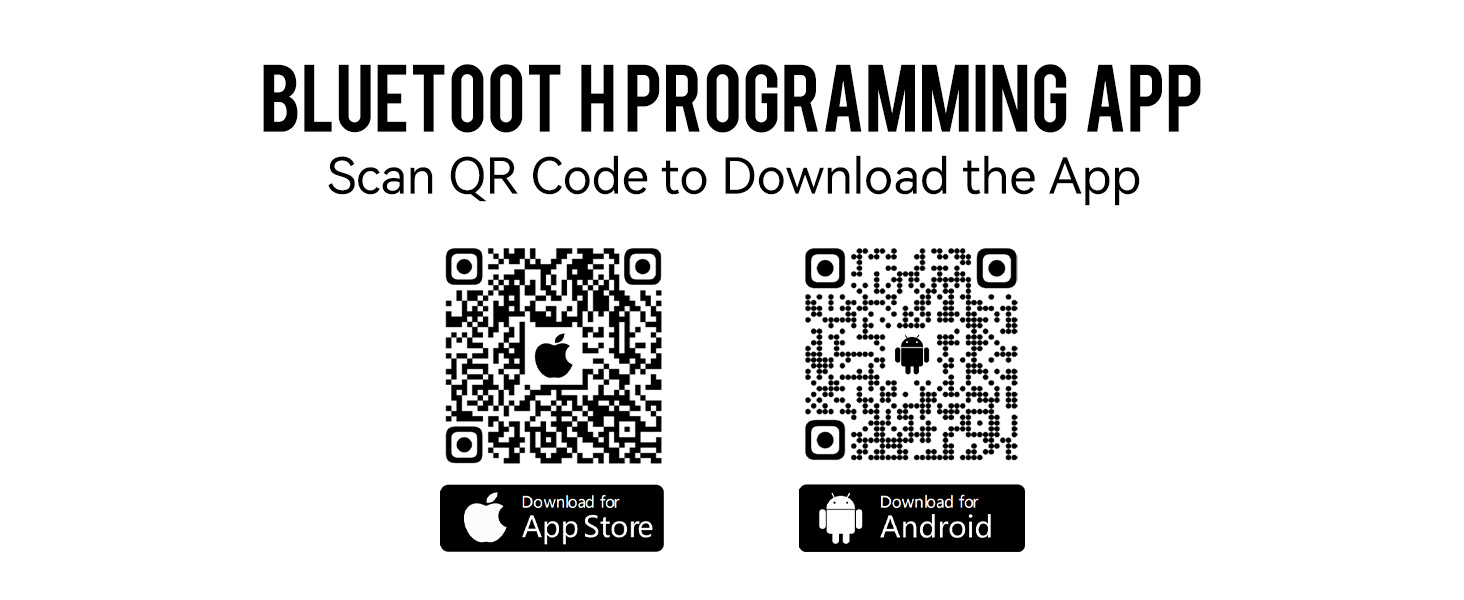
Image: QR codes for downloading the Radtel Bluetooth programming app. Scan the appropriate QR code for your iOS or Android device.
Download for iOS: App Store
Download for Android: Google Play Store
6.6 Wireless Frequency Copy
The wireless frequency copy feature allows you to quickly duplicate frequency and CTCSS/DCS settings from another compatible radio without needing a PC or cable.

Image: Two Radtel radios, one labeled "Clone," illustrating the wireless frequency copy function to quickly transfer settings between devices.
Consult the radio's menu for the "Wireless Copy" or "Clone" function and follow the on-screen prompts.
6.7 Multi-Band Reception and NOAA Weather
The RT-950 PRO supports a wide range of reception bands, including AM/FM, CB, SW, MW, and LW LSB USB CW. It also includes a dedicated NOAA weather channel for real-time alerts.
- Navigate through the menu to select the desired reception band (e.g., AM, FM, SW).
- To access NOAA weather channels, select the NOAA function from the menu. The radio will scan for active weather alerts in your area.
6.8 GPS/APRS Functionality
Integrated GPS and APRS (Automatic Packet Reporting System) enable real-time position sharing, which is useful for team coordination and emergency situations.
- Activate GPS from the radio's menu to acquire your current location.
- Enable APRS to transmit your position data to other APRS-enabled devices or networks.
6.9 Spectrum Analyzer
The built-in spectrum analyzer allows you to monitor frequency activity, helping you identify clear channels or analyze signal characteristics.
- Access the Spectrum Analyzer function from the radio's menu.
- The display will show a visual representation of signal strength across a frequency range.
6.10 Aviation Band Reception
The RT-950 PRO is capable of receiving signals on the aviation band (108-136MHz AM), allowing you to monitor air traffic communications.

Image: The Radtel RT-950 PRO radio shown with an aircraft in the background, illustrating its capability for 108-136MHz AM aviation band reception.
Select the aviation band from the radio's frequency mode or menu to begin monitoring.
6.11 Super Mode Activation
To access an extended full-band transmit and receive mode, follow these steps:
- Ensure the radio is powered on.
- Press and hold the PTT button.
- While holding PTT, press and hold the '8' key on the keypad.
- Release both buttons. The radio will enter Super Mode.

Image: Diagram showing the sequence to activate "Super Mode" on the Radtel RT-950 PRO: first power on, then press and hold PTT, and simultaneously press and hold the '8' button.
7. Maintenance
- Cleaning: Use a soft, damp cloth to clean the radio's exterior. Do not use harsh chemicals or solvents.
- Battery Care: Store the battery in a cool, dry place when not in use. Avoid fully discharging the battery for extended periods.
- Storage: When storing the radio for long periods, remove the battery and store the radio in a dry, dust-free environment.
8. Troubleshooting
| Problem | Possible Cause | Solution |
|---|---|---|
| Radio does not power on. | Battery is dead or not installed correctly. | Charge the battery. Reinstall the battery, ensuring proper contact. |
| No sound from the radio. | Volume is too low; non-Radtel accessories used. | Increase volume. Ensure only Radtel-approved headphones/microphones are used. |
| Cannot transmit. | Incorrect frequency/channel; low battery; PTT button not pressed correctly. | Verify frequency/channel settings. Charge battery. Ensure PTT is fully pressed. |
| Bluetooth app not connecting. | Bluetooth off on radio/phone; app not installed correctly. | Ensure Bluetooth is active on both devices. Reinstall the app. |
9. Specifications
| Feature | Detail |
|---|---|
| Model Number | RT-950 PRO |
| Brand | Radtel |
| Item Weight | 1.5 pounds (approx. 0.68 kg) |
| Product Dimensions | 1.57 x 1.97 x 13.78 inches (approx. 4 x 5 x 35 cm) |
| Battery | 1x Lithium Ion (2200mAh, included) |
| Voltage | 7.4 Volts |
| Number of Channels | 960 |
| Frequency Range | 144-148MHz / 420-450MHz (TX/RX), Multi-band RX (AM/FM/CB/SW/MW/LW LSB USB CW), Aviation Band RX (108-136MHz AM) |
| Output Power | Up to 10W (3-4W for 27MHz FM TX/RX) |
| Talking Range Maximum | 6 Kilometers (approx. 3.7 miles) |
| Water Resistance Level | Not Water Resistant |
| Special Features | GPS/APRS, Bluetooth App Programming, Spectrum Analyzer, Wireless Frequency Copy, NOAA Weather Channel Support, Full-Color Display, Customizable Buttons. |
10. Warranty and Support
- Warranty: The Radtel RT-950 PRO comes with a 1-year manufacturer's warranty. Please retain your proof of purchase for warranty claims.
- Customer Support: For technical assistance, troubleshooting, or warranty inquiries, please contact Radtel customer support through their official website or the retailer where the product was purchased.


