
Introduzione
Welcome to the QONBINK Smart Watch M91 user manual. This guide provides detailed instructions to help you set up, operate, and maintain your new smart watch. Please read this manual thoroughly before using the device to ensure proper functionality and a safe experience.
Cosa c'è nella scatola
Upon opening your QONBINK Smart Watch M91 package, you should find the following items:
- Smart Watch (M91)
- Manuale d'uso
- Cavo di ricarica

Image: Contents of the QONBINK M91 Smart Watch package.
Prodotto finitoview
The QONBINK Smart Watch M91 features a 1.85-inch HD display and is designed for both men and women. It offers a range of functionalities including Bluetooth calls, over 120 sport modes, 24/7 heart rate and sleep monitoring, and IP68 waterproofing. The watch is compatible with iOS 10.0+ and Android 4.4+ devices.

Image: The QONBINK M91 Smart Watch with its 1.85-inch HD display showing different watch faces.
Impostare
1. Download e installazione dell'app
To utilize all features of your QONBINK Smart Watch M91, you need to download and install the Da Fit app sul tuo smartphone.
- Scan the QR code provided in the watch's interface or the physical manual, or visit http://plus.crrepa.com/app-download/dafit to download the Da Fit app.
- Install the app on your iOS (10.0 or higher) or Android (4.4 or higher) smartphone.
2. Associazione con il telefono
Per associare lo smartwatch allo smartphone, segui questi passaggi:
- Assicurati che il Bluetooth del tuo telefono sia attivato.
- Open the Da Fit app on your phone.
- In the app, navigate to the "Add Device" section and search for "M91".
- Selezionare "M91" dall'elenco dei dispositivi disponibili.
- Conferma la richiesta di associazione Bluetooth sia sul telefono che sull'orologio.
- Allow the smart watch to display notifications by granting the necessary permissions in your phone's settings.

Image: Visual guide for connecting the smart watch to a mobile phone.
Istruzioni per l'uso
Navigazione di base
The M91 Smart Watch features a full-touch screen for easy navigation.
- Scorri verso l'alto/il basso: Scorri i menu e le notifiche.
- Scorri verso sinistra/destra: Accedi alle funzioni rapide o a schermate diverse.
- Rubinetto: Seleziona un elemento o conferma un'azione.
- Pulsante laterale: Premere per tornare alla schermata iniziale o riattivare il dispositivo.
Chiamate e notifiche Bluetooth
Once paired, the M91 Smart Watch allows you to manage calls and receive notifications directly on your wrist.
- Rispondere/rifiutare le chiamate: When a call comes in, you can answer or reject it directly from the watch using the built-in speaker and microphone.
- ViewMessaggi in arrivo: Ricevi e view SMS and social media messages (e.g., Snapchat, Instagram) on your watch. Note: Replying to messages is not supported directly from the watch.
- Call Logs/Dial Pad: Access recent call logs or use the dial pad to initiate calls from your watch.

Image: Smart watch displaying Bluetooth call and message notifications.
Intelligent Voice Assistant
The smart watch includes an intelligent voice assistant for hands-free control.
- Activate the voice assistant to perform commands such as checking the weather, making phone calls, playing music, setting alarms, or other voice commands.

Image: Smart watch with voice assistant and notification features.
Personalizzazione dei quadranti
Personalize your watch with over 200 built-in watch face designs or upload your own images via the Da Fit app.

Image: Customizing watch faces on the M91 Smart Watch.
Modalità sport
The M91 Smart Watch offers over 120 sport modes to track your physical activities.
- Select your desired sport mode (e.g., walking, hiking, yoga, rock climbing, skateboarding, roller skating, equestrian sports, athletics, auto racing) from the watch menu.
- The watch will record real-time data such as calories burned, distance covered, and duration.
- Synchronize the data to the Da Fit app for detailed analysis and progress tracking.

Image: Smart watch showing various sport modes.

Image: Diverse range of sports modes available on the smart watch.
Monitoraggio della salute
The M91 Smart Watch is equipped with advanced sensors for 24/7 health monitoring.
- Monitoraggio della frequenza cardiaca: Continuously tracks your heart rate throughout the day. Data is automatically synchronized to the Da Fit app for analysis.
- Monitoraggio del sonno: Monitors your sleep quality, including restful, light, and rapid eye movement (REM) sleep stages. Provides a sleep quality score and trends in the app.
- Monitoraggio dell'ossigeno nel sangue: Provides real-time blood oxygen level measurements to help you understand your health status.
- Monitoraggio della salute delle donne: Features for tracking menstrual cycles and providing reminders.
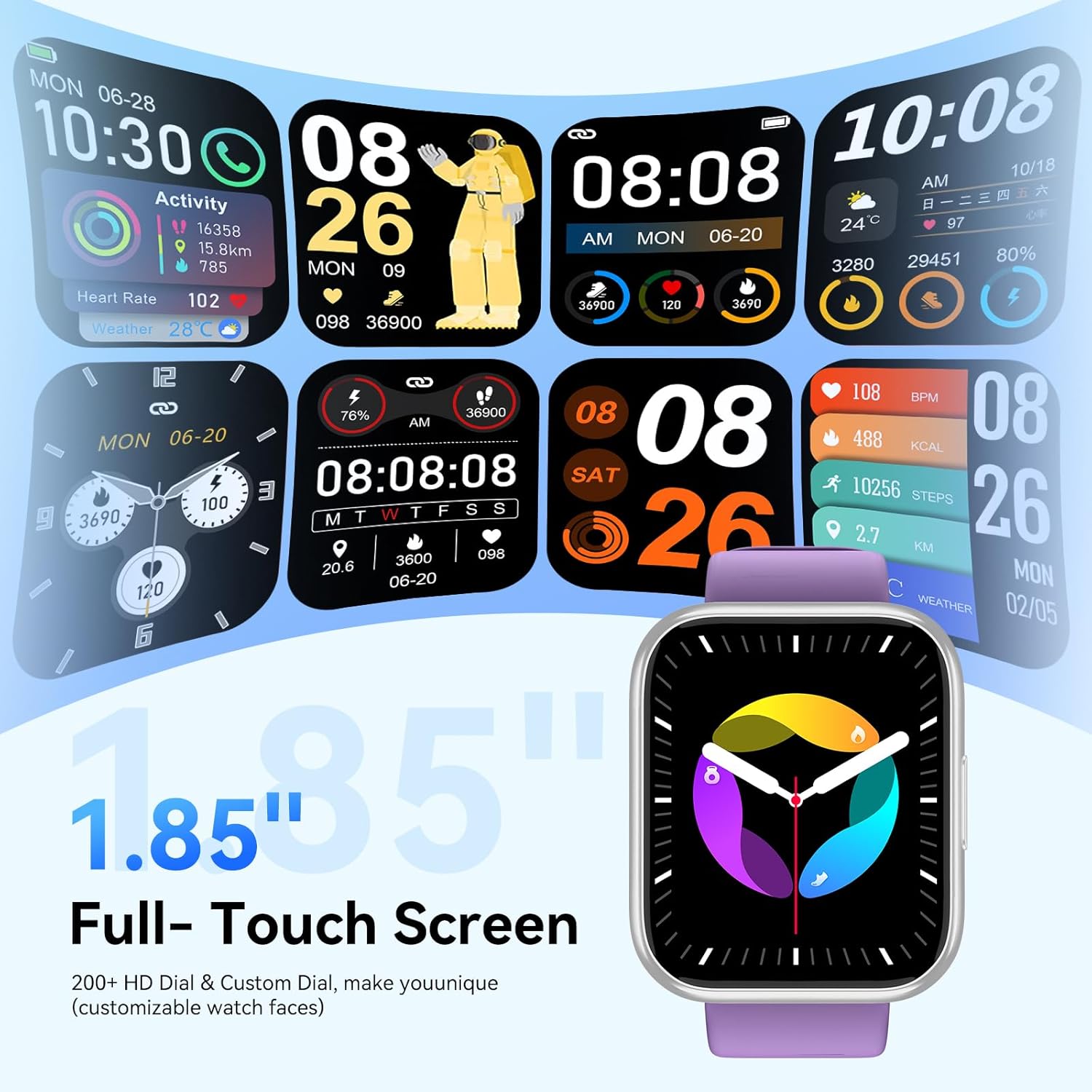
Image: Health monitoring features on the smart watch.

Image: Detailed heart rate monitoring display.

Image: Sleep monitoring interface.

Image: Blood oxygen monitoring display.

Image: Women's health tracking feature.
Altre funzioni
The M91 Smart Watch includes several other practical features:
- Previsioni del tempo: View daily weather updates.
- Controllo della telecamera: Controlla da remoto la fotocamera del tuo telefono.
- Controllo della musica: Riproduci, metti in pausa, salta i brani e regola il volume della musica riprodotta sul tuo telefono.
- Trova telefono: Individua lo smartphone associato facendolo squillare.
- Sveglia: Imposta le sveglie direttamente dal tuo orologio.
- Cronometro e timer: Utilize these tools for various activities.
- Promemoria sedentario: Ricevi avvisi per spostarti dopo periodi di inattività.
- Giochi: Accedi a giochi semplici sull'orologio.
- Calcolatrice: È disponibile una funzione di calcolatrice di base.

Immagine: Oltreview di funzioni aggiuntive dello smartwatch.
Manutenzione
Impermeabilità (IP68)
The QONBINK M91 Smart Watch has an IP68 waterproof rating, meaning it is capable of withstanding immersion in water up to 1.5 meters for 30 minutes.
- It is rain-resistant, sweat-resistant, and oxidation-resistant.
- You can wear it during activities like swimming or surfing.
- Importante: Avoid prolonged exposure to hot water, steam, or high-pressure water jets, as this may compromise the waterproof seal.

Image: Smart watch demonstrating IP68 waterproofing.
Ricarica
The watch is equipped with a 350 mAh battery.
- Una ricarica completa richiede in genere 1.5-2 ore.
- Once fully charged, the battery can last for 5-7 days with typical use, and up to 25-30 days in standby mode.
- Use the provided charging cable to connect your watch to a USB power source.
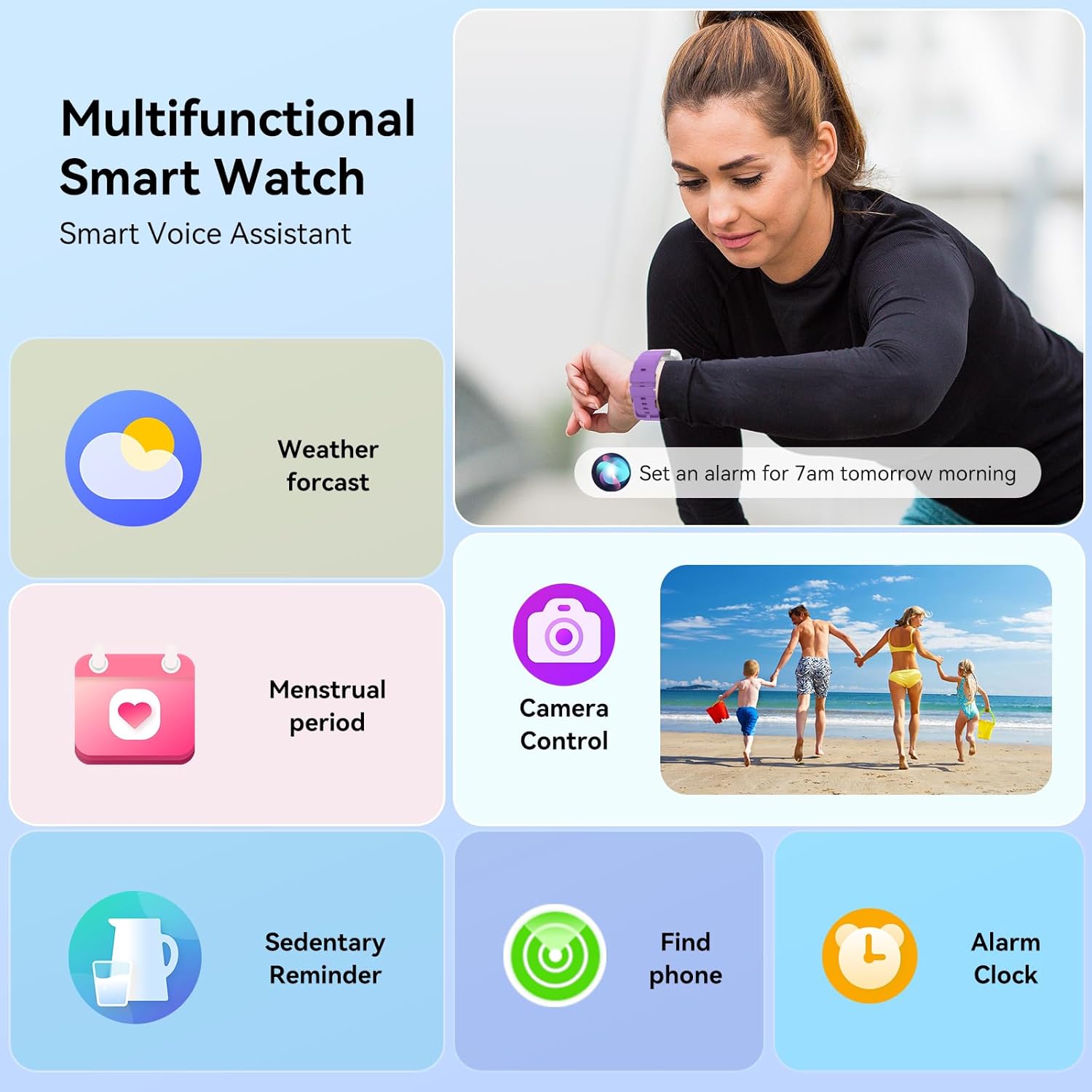
Image: Smart watch charging and battery life details.

Immagine: informazioni sulla durata della batteria e sulla ricarica.
Risoluzione dei problemi
If you encounter issues with your QONBINK Smart Watch M91, try the following troubleshooting steps:
- L'orologio non si accende: Assicurati che l'orologio sia completamente carico. Collegalo al cavo di ricarica e a una fonte di alimentazione per almeno 30 minuti.
- Impossibile associare il telefono:
- Assicurati che il Bluetooth sia abilitato sul tuo telefono.
- Assicurati che l'orologio si trovi nel raggio d'azione del tuo telefono.
- Riavvia sia il telefono che l'orologio.
- Check if the Da Fit app has the necessary permissions enabled on your phone.
- Elimina il dispositivo dalle impostazioni Bluetooth del telefono e prova ad associarlo di nuovo tramite l'app Da Fit.
- Notifiche non visualizzate:
- Verifica che le autorizzazioni di notifica siano state concesse all'app Da Fit nelle impostazioni del tuo telefono.
- Assicurati che l'orologio sia connesso tramite Bluetooth.
- Check the notification settings within the Da Fit app to ensure desired apps are enabled.
- Dati sanitari inesatti:
- Assicurati che l'orologio sia indossato comodamente al polso, ma non troppo stretto.
- Pulire regolarmente il sensore sul retro dell'orologio.
- Evitare movimenti estremi durante le misurazioni.
- Breve durata della batteria:
- Ridurre la luminosità dello schermo.
- Limit continuous heart rate monitoring or frequent use of GPS (if applicable via phone).
- Disattiva le notifiche non necessarie.
- Assicurarsi che l'orologio sia completamente carico ogni volta.
If these steps do not resolve your issue, please contact QONBINK customer support for further assistance.
Specifiche
| Caratteristica | Dettaglio |
|---|---|
| Numero di modello | Numero di modello: M91 |
| Dimensioni dello schermo | 1.85 pollici |
| Connettività | Bluetooth 5.3 |
| Capacità della batteria | 350 mAh (polimero di litio) |
| Durata della batteria (uso tipico) | 5-7 giorni |
| Tempo di standby | 25-30 giorni |
| Tempo di ricarica | 1.5-2 ore |
| Grado di impermeabilità | Grado di protezione IP68 |
| Compatibilità del sistema operativo | Android 4.4 +, iOS 10.0 + |
| Monitoraggio della salute | Heart Rate, Sleep, Blood Oxygen, Women's Health |
| Modalità sport | 120+ |
| Caratteristiche speciali | Bluetooth Call, Message Reminder, Voice Assistant, Custom Wallpaper, Activity Tracker, Stopwatch, Timer, Weather Display, Alarm Clock, Camera Control |
| Peso dell'articolo | 3.52 once |
| Dimensioni del pacco | 7.28 x 3.35 x 0.71 pollici |
Garanzia e supporto
For warranty information or technical support, please refer to the contact details provided with your purchase or visit the official QONBINK websito. Conservare la ricevuta d'acquisto come prova d'acquisto per eventuali reclami in garanzia.