
Introduzione
Welcome to the user manual for your SWOFY D08 Android 13 MP3 Player. This device is designed to provide a versatile and high-quality portable audio and video experience. Featuring an Android 13 operating system, Bluetooth 5.0, dual-band Wi-Fi, and a 4-inch touchscreen, the D08 allows you to enjoy music, videos, and various applications with ease. Please read this manual carefully to ensure proper setup, operation, and maintenance of your device.
Contenuto della confezione
Prima di iniziare, verifica che tutti gli articoli siano presenti nel tuo pacco:
- SWOFY D08 MP3 Player (160GB)
- Cavo USB di tipo C.
- Auricolari cablati
- Manuale d'uso
Dispositivo suview
Familiarize yourself with the physical components of your SWOFY D08 MP3 Player.

Immagine: frontale e laterale view of the SWOFY D08 MP3 Player, showcasingrazie al suo touchscreen da 4 pollici e ai pulsanti fisici.
- Touchscreen HD da 4 pollici: Interfaccia principale per l'interazione.
- Pulsante di accensione: Situato sul lato, serve per accendere/spegnere e riattivare/sospendere il dispositivo.
- Pulsanti del volume: Regola il livello di uscita audio.
- Porta USB-C: Per la ricarica e il trasferimento dei dati.
- Jack per cuffie da 3.5 mm: Per uscita audio cablata.
- Slot per scheda MicroSD: Per spazio di archiviazione espandibile.
- Altoparlante incorporato: Per la riproduzione audio senza cuffie.
Impostare
1. Carica del dispositivo
Before first use, fully charge your SWOFY D08 MP3 Player. Connect the provided USB Type-C cable to the device's USB-C port and the other end to a USB power adapter (not included) or a computer's USB port. The battery indicator on the screen will show charging status.

Image: The SWOFY D08 MP3 Player displaying a 100% battery charge icon, indicating a full charge. The image also highlights the 2000mAh battery capacity and estimated usage times: 60 hours standby, 20 hours music, 6 hours video, and 3-4 hours charging time.
- Una ricarica completa richiede in genere 3-4 ore.
- The 2000mAh battery provides up to 35 hours of continuous music playback or 10 hours of 1080p video viewing.
2. Accensione/Spegnimento
- Per accendere: Tieni premuto il pulsante di accensione sul lato del dispositivo finché lo schermo non si illumina.
- Per spegnere: Tieni premuto il pulsante di accensione, quindi seleziona "Spegni" dalle opzioni sullo schermo.
- Per dormire/svegliarsi: Premere brevemente il pulsante di accensione per mettere il dispositivo in modalità sospensione o riattivarlo.
3. Configurazione iniziale e connessione Wi-Fi
Upon first power-on, follow the on-screen prompts to complete the initial setup, including language selection and Wi-Fi connection.
- From the home screen, tap the "Settings" icon.
- Seleziona "Rete e Internet".
- Attiva il Wi-Fi.
- Seleziona la rete Wi-Fi desiderata dall'elenco.
- Se richiesto, inserisci la password di rete, quindi tocca "Connetti".

Image: The SWOFY D08 MP3 Player's home screen, displaying a grid of application icons including Spotify, Pandora, Audible, FM Radio, Play Store, and Chrome, illustrating the Android 13 OS interface.
4. Espansione dello spazio di archiviazione con una scheda MicroSD
The device comes with 32GB internal storage and a 128GB microSD card. You can expand storage further up to 1TB using an additional microSD card.
- Individuare lo slot per la scheda microSD sul lato del dispositivo.
- Inserire delicatamente la scheda microSD nello slot finché non scatta in posizione. Assicurarsi che la scheda sia orientata correttamente.
- Per rimuoverla, spingere delicatamente la scheda verso l'interno finché non scatta fuori.
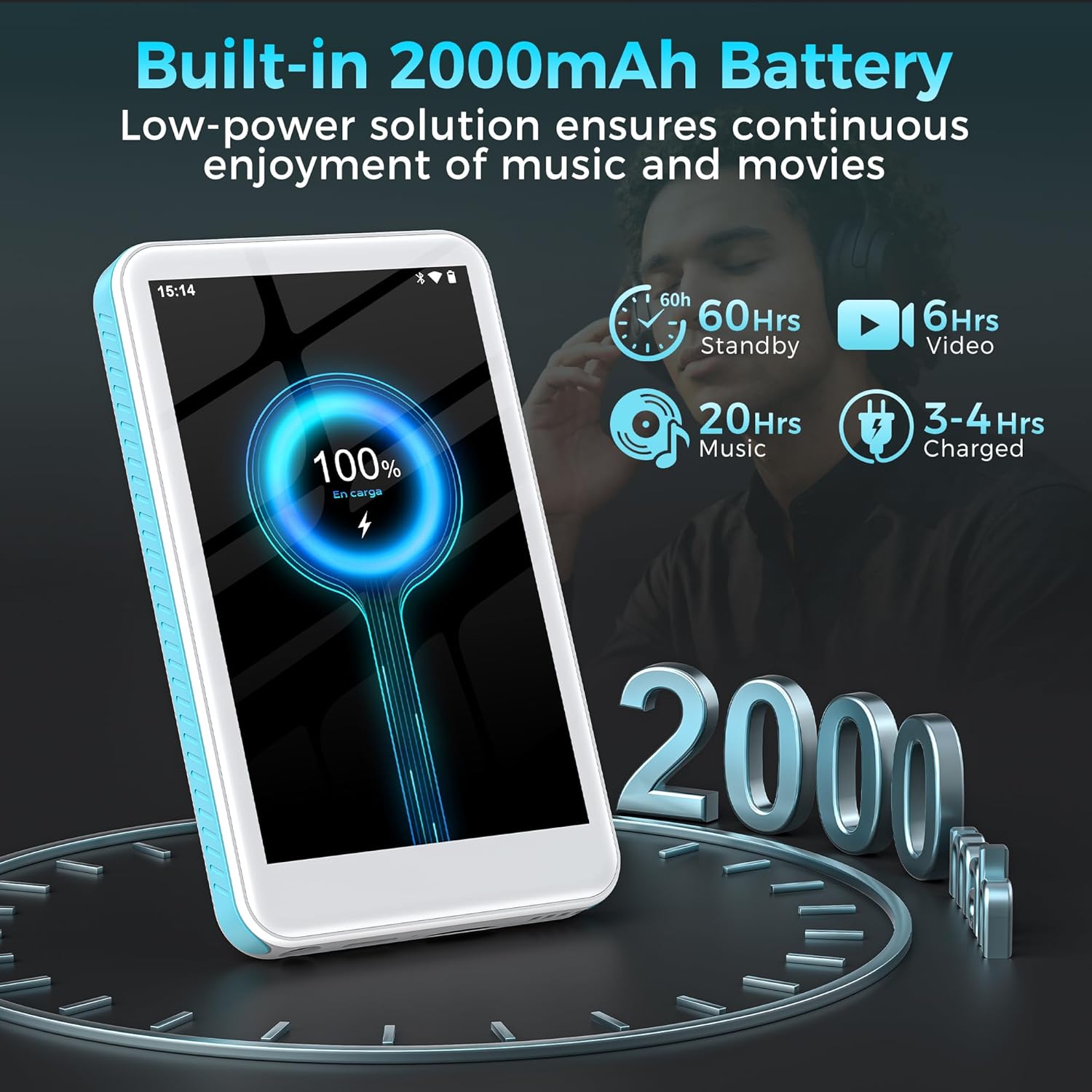
Image: The SWOFY D08 MP3 Player with a 1TB microSD card being inserted into its slot, illustrating the device's expandable storage capability. The image also highlights the 160GB total storage capacity.
Istruzioni per l'uso
1. Navigazione nell'interfaccia
The SWOFY D08 uses an Android 13 operating system with a 4-inch touchscreen. Swipe left/right to navigate between home screens, tap icons to open apps, and swipe down from the top for quick settings and notifications.
2. Riproduzione di musica
The device supports various audio formats including MP3, FLAC, WAV, AAC, APE, DSD, M4A, and OGG. Use the pre-installed music player app or download your preferred streaming apps from the Play Store.
- Aggiunta di musica: Connect the player to your computer using the USB-C cable. The player will appear as a removable storage device. Drag and drop your music files into the "Music" folder.
- Riproduzione di musica: Open the music player app. You can browse music by artist, album, genre, or create custom playlists.
- Equalizzatore: Access the built-in equalizer within the music app settings to customize bass and treble levels.

Image: The SWOFY D08 MP3 Player displaying a music playback screen with album art, song title "Crazy Dream", and playback controls. This illustrates the user interface for audio playback.
3. Riproduzione video
The D08 supports 1080p HD video playback and is compatible with formats such as RM, AVI, RMVB, FLV, MP4, DAT, MKV, MPG, MOV, and TS. Use the pre-installed video player app.
- Adding Videos: Connect the player to your computer and transfer video files nella cartella "Video".
- Riproduzione di video: Open the video player app and select your desired video.

Image: The SWOFY D08 MP3 Player displaying a video playback screen with a high-definition image from a movie, highlighting its 1080p HD video capabilities and 4.0-inch IPS screen.
4. Connettività Bluetooth
Connect your D08 to Bluetooth headphones, speakers, or car stereos using Bluetooth 5.0 for wireless audio.
- Ensure Bluetooth is enabled on your D08 (Settings > Connected devices > Bluetooth).
- Metti il tuo accessorio Bluetooth in modalità di associazione.
- On the D08, tap "Pair new device" and select your accessory from the list.
- Se richiesto, confermare l'associazione.

Image: The SWOFY D08 MP3 Player displaying a music playback screen with icons indicating Bluetooth connectivity to headphones, a portable speaker, and a car audio system, demonstrating its versatile wireless pairing capabilities.
5. Altre caratteristiche
- FM Radio: Access the FM Radio app to listen to local radio stations.
- Registratore vocale: Use the built-in voice recorder for memos or lectures.
- Lettore di e-book: Leggi gli e-book utilizzando app compatibili.
- Play Store: Download and install additional applications like Spotify, Pandora, Audible, and more.
Manutenzione
1. Pulizia del dispositivo
- Use a soft, lint-free cloth to clean the screen and body of the player.
- Avoid using abrasive cleaners, alcohol, or solvents, as these can damage the finish.
- Mantenere le porte libere da polvere e detriti.
2. Cura della batteria
- Per prolungare la durata della batteria, evitare di esporre il dispositivo a temperature estreme (calde o fredde).
- Non lasciare che la batteria si scarichi completamente frequentemente. Ricaricarla quando il livello di carica è basso.
- Se si conserva il dispositivo per un periodo prolungato, caricarlo a circa il 50% prima di riporlo.
3. Aggiornamenti software
Periodically check for software updates to ensure optimal performance and access to new features. Go to Settings > System > System update.
Risoluzione dei problemi
Device Will Not Turn On
- Ensure the device is sufficiently charged. Connect it to a power source and wait a few minutes before attempting to power on.
- Per eseguire un riavvio forzato, tenere premuto il pulsante di accensione per almeno 10-15 secondi.
Cannot Connect to Wi-Fi or Bluetooth
- Ensure Wi-Fi/Bluetooth is enabled in Settings.
- Riavviare il dispositivo e il router/accessorio Bluetooth.
- For Wi-Fi, verify the password. For Bluetooth, ensure the accessory is in pairing mode and within range.
- Dimentica la rete/il dispositivo e prova a riconnetterti.
Audio/Video Playback Issues
- Controllare il file format compatibility (refer to Specifications section).
- Assicurarsi che il volume non sia disattivato o impostato su un livello troppo basso.
- Prova a giocare in modo diverso file to determine if the issue is with a specific file.
- If using headphones, ensure they are properly connected or paired.
Device is Slow or Unresponsive
- Chiudere le applicazioni in background non necessarie.
- Cancella la cache delle app utilizzate di frequente (Impostazioni > App > [Nome app] > Archiviazione e cache > Cancella cache).
- Riavviare il dispositivo.
- Se i problemi persistono, prendere in considerazione un ripristino delle impostazioni di fabbrica (Nota: questa operazione cancellerà tutti i dati. Eseguire il backup dei dati importanti fileè il primo. Settings > System > Reset options > Erase all data (factory reset)).
Specifiche
| Nome del modello | D08 |
| Sistema operativo | Androide 13 |
| Processore | 8 core da 2.0 GHz |
| Memoria RAM | 3 GB |
| Memoria interna | 32GB (with included 128GB microSD card for 160GB total) |
| Archiviazione espandibile | Fino a 1 TB tramite scheda MicroSD |
| Batteria | Polimero di litio da 2000 mAh |
| Display | 4-inch HD Touchscreen, 480*800P Resolution, IPS |
| Connettività | Bluetooth 5.0, Dual-Band Wi-Fi, USB-C |
| Formati audio | MP3, FLAC, WAV, AAC, APE, DSD, M4A, OGG |
| Formati video | RM, AVI, RMVB, FLV, MP4, DAT, MKV, MPG, MOV, TS |
| Caratteristiche speciali | Built-In Speaker, Equalizer, FM Radio, Voice Recorder, E-book Reader, Play Store support |
| Dimensioni | 5.83 x 5.83 x 0.75 pollici |
| Peso | 7.4 once |
Garanzia e supporto
Your SWOFY D08 MP3 Player comes with a standard manufacturer's warranty. Please refer to the warranty card included in your package for specific terms and conditions. For technical support, troubleshooting assistance, or warranty claims, please contact SWOFY customer service through the retailer where you purchased the product or visit the official SWOFY websito.
Per ulteriori risorse e domande frequenti, puoi visitare il SWOFY Store on Amazon.
Informazioni importanti sulla sicurezza
- Non smontare, riparare o modificare autonomamente il dispositivo.
- Evitare di esporre il dispositivo all'acqua, all'umidità o a temperature estreme.
- Utilizzare solo caricabatterie e accessori approvati.
- Smaltire il dispositivo e la batteria in modo responsabile, nel rispetto delle normative locali.