
Mgaolo W5
Mgaolo Kids Smart Phone W5 Instruction Manual
Modello: W5
Introduzione
This instruction manual provides detailed guidance for the safe and effective use of your Mgaolo Kids Smart Phone W5. Please read this manual thoroughly before operating the device and retain it for future reference. This device is designed to offer a blend of educational content and entertainment for children.

Immagine: Fronte e retro view of the Mgaolo Kids Smart Phone W5, showcasing its design and the silicone protective case.
Contenuto della confezione
Prima del primo utilizzo, verificare che tutti gli articoli siano presenti nella confezione:
- Mgaolo Kids Smart Phone W5
- Custodia protettiva in silicone
- Scheda TF da 32 GB (preinstallata o separata)
- Cavo di ricarica USB
- Cordino portatile

Image: Illustration of the Mgaolo Kids Smart Phone W5 package contents, including the phone, silicone case, 32GB TF card, charging cable, and lanyard.
Impostare
1. Carica del dispositivo
The device comes with a built-in rechargeable battery. For optimal performance, fully charge the device before its first use.
- Connect the small end of the USB charging cable to the charging port on the phone.
- Collegare l'estremità più grande del cavo USB a un adattatore di alimentazione USB compatibile (non incluso) o alla porta USB di un computer.
- L'indicatore di carica sullo schermo mostrerà lo stato di carica. Una ricarica completa richiede in genere 2-3 ore.
2. Accensione/Spegnimento
- Per accendere: tenere premuto il pulsante di accensione (solitamente situato sul lato) finché lo schermo non si illumina.
- To power off: Press and hold the power button until the power-off options appear on the screen, then select 'Power Off'.
3. Inserimento della scheda TF
The device supports a 32GB TF card for expanded storage. If not pre-installed, locate the TF card slot (often under a protective cover on the side or back) and gently insert the card until it clicks into place.
4. Fissaggio del cordino
Thread the portable lanyard through the designated loop on the phone or silicone case to enhance portability and prevent accidental drops.
Istruzioni per l'uso
1. Navigazione di base
The Mgaolo Kids Smart Phone W5 features a 2.8-inch touchscreen. Navigate by tapping icons, swiping across the screen, and using the back/home buttons if present.
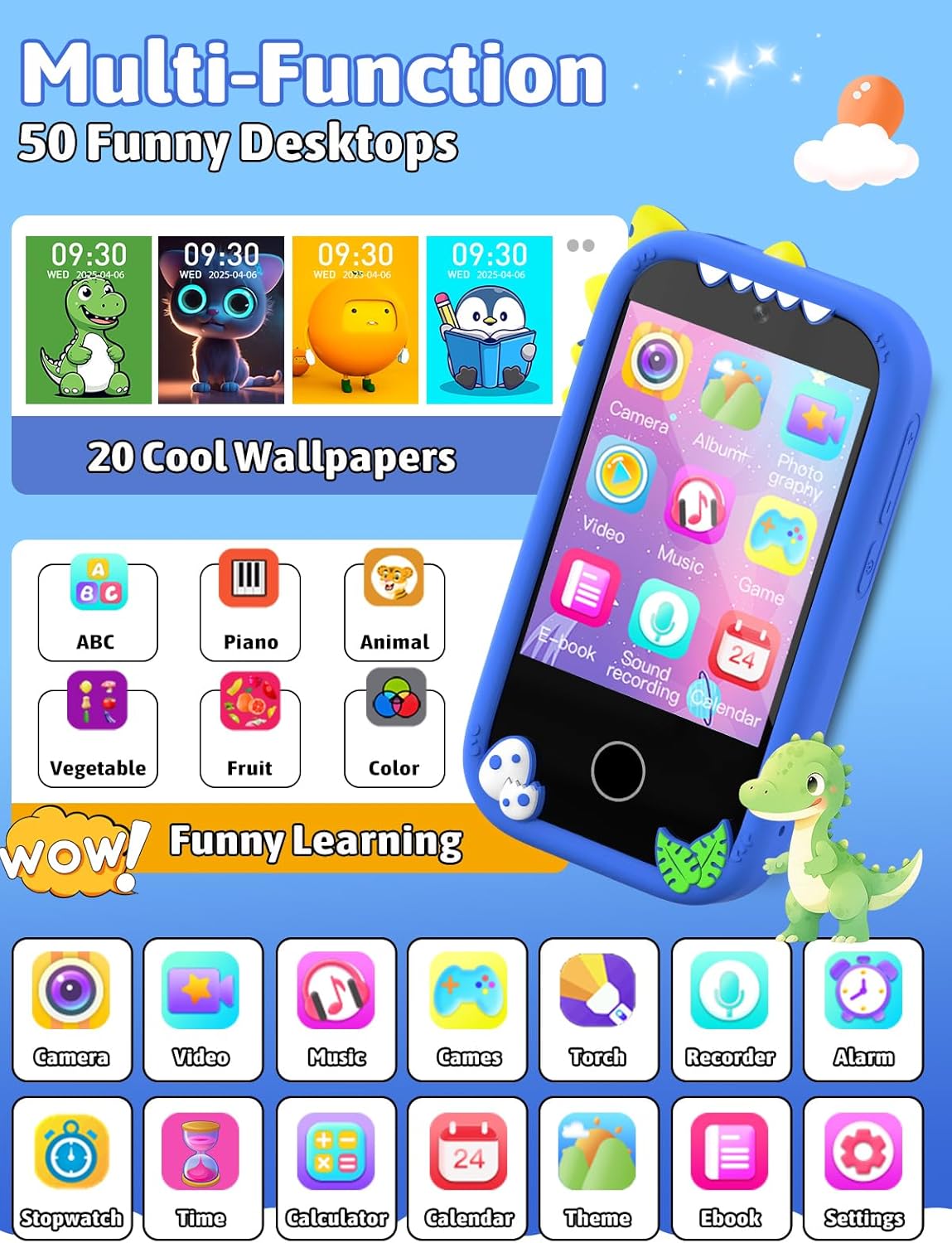
Image: The phone's interface displaying multiple application icons and customizable desktop wallpapers.
2. Funzioni della fotocamera
The device is equipped with dual cameras for capturing photos and videos.
- Scattare foto: Tap the 'Camera' icon to open the camera application. Frame your shot and tap the shutter button on the screen.
- Registrazione di video: Within the camera app, switch to video mode and tap the record button to start/stop recording.
- Photo Stickers: Enhance photos with various built-in stickers. Select a sticker from the options within the camera interface before or after taking a picture.

Image: The phone's camera interface demonstrating photo and video recording capabilities, along with various decorative photo frames.
3. Educational Learning Features
Access a variety of learning applications designed to engage children in educational content.
- Apprendimento dell'ABC: Interactive lessons for recognizing letters and basic phonics.
- Colors & Animals: Applications to learn about different colors and animal names/sounds.
- Calendario e sveglia: Tools to develop time awareness and establish daily routines.
- Pianoforte: A simple piano application for musical exploration.
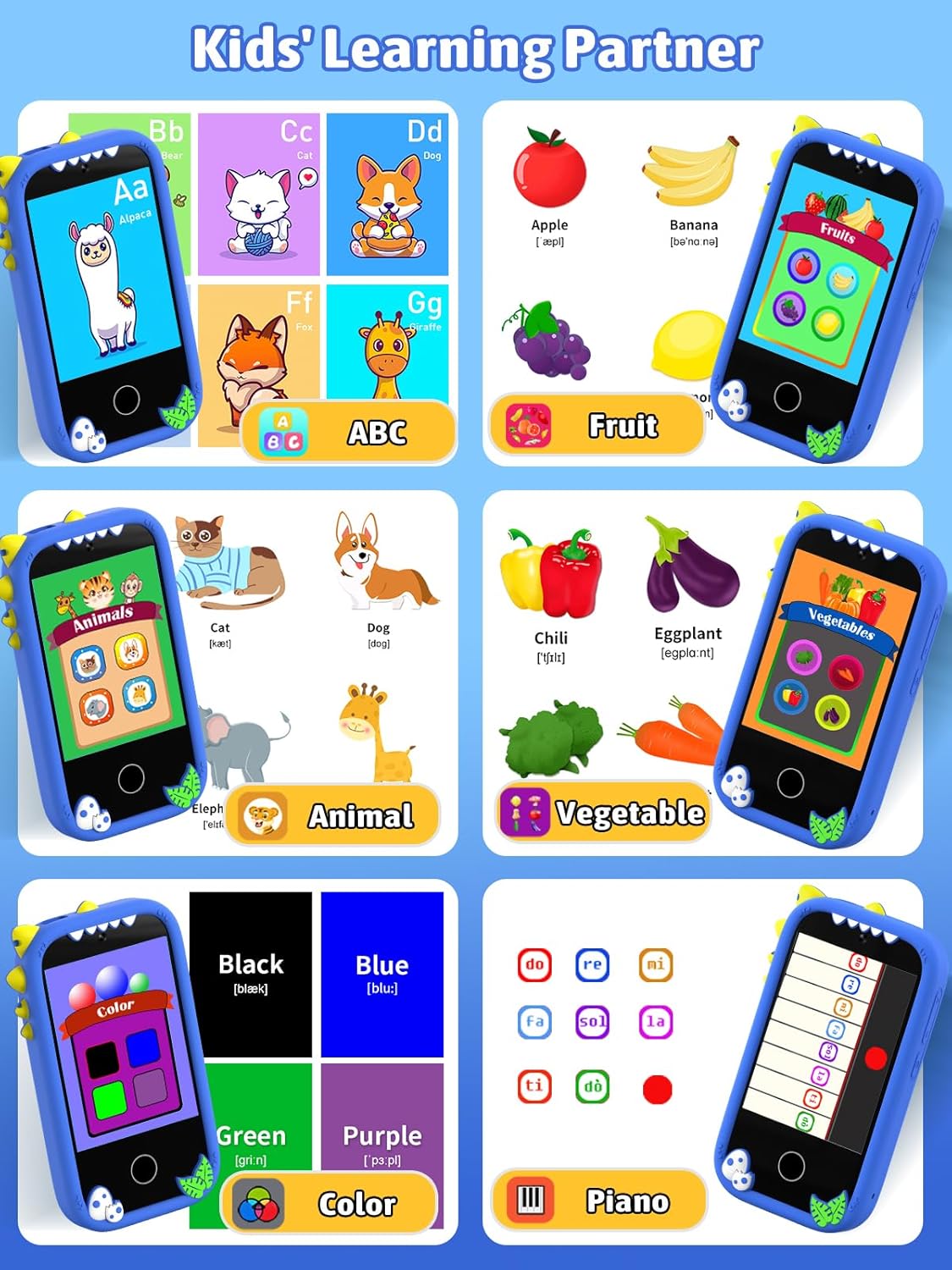
Image: Screenshots of the phone's learning applications, including ABCs, fruits, animals, vegetables, colors, and a piano interface.
4. Funzionalità di intrattenimento
- Giochi: The device includes 18 pre-installed games. Access them via the 'Games' icon. Parental controls are available to manage game time.
- Lettore musicale: Supporta la musica in formato MP3 files. Transfer music files to the 32GB TF card. Connect headphones (not included) via the 3.5mm audio jack for private listening.
- Lettore video: Play pre-loaded or transferred video files.

Image: The phone displaying a game in progress and the music player interface with playback controls.
5 Personalizzazione
Personalize the device's appearance:
- Wallpapers & Desktops: Choose from over 20 wallpapers and 50 desktop themes to customize the home screen. Access these options in the 'Settings' menu.

Image: A selection of over 20 wallpapers and 50 desktop themes available for customization on the phone.
6. File Gestione
Connect the device to a computer to transfer music, stories, and pictures.
- Connect the phone to a computer using the provided USB cable.
- The phone should appear as a removable storage device on your computer.
- Trascina e rilascia files to and from the phone's storage (specifically the TF card).

Image: The Mgaolo Kids Smart Phone W5 connected to a laptop, illustrating the process of transferring music, stories, and pictures.
Manutenzione
- Pulizia: Utilizzare un panno morbido e asciutto per pulire lo schermo e l'esterno del dispositivo. Evitare l'uso di prodotti chimici aggressivi o materiali abrasivi.
- Cura della batteria: Per prolungare la durata della batteria, evitare di scaricarla completamente frequentemente. Caricare il dispositivo regolarmente.
- Magazzinaggio: Quando non si utilizza il dispositivo per lunghi periodi, conservarlo in un luogo fresco e asciutto.
- Durata: The device is constructed from ABS material and includes a silicone case for drop resistance. While designed to be durable, avoid excessive force or impact.

Image: The phone's design highlighting features like raised screen edges and its inherent drop resistance due to the silicone case and ABS construction.
Risoluzione dei problemi
- Il dispositivo non si accende: Assicurarsi che la batteria sia carica. Collegare il caricabatterie e attendere qualche minuto prima di riprovare ad accendere.
- Schermo non reattivo: Try restarting the device by holding the power button for an extended period (e.g., 10-15 seconds) until it powers off, then power it on again.
- Impossibile trasferire files: Ensure the USB cable is securely connected to both the phone and the computer. Check if the computer recognizes the device as a storage drive.
- Problemi audio: Check the volume settings. Ensure headphones are properly plugged in if using them.
Specifiche
| Numero di modello | W5 |
| Tipo di materiale | Acrilonitrile Butadiene Stirene (ABS) |
| Dimensioni del prodotto | Dimensioni: 10 x 5 x 1.6 cm |
| Peso dell'articolo | 160 grammi |
| Batterie richieste | Sì (incluso) |
| Dimensioni dello schermo | 2.8 pollici (touchscreen) |
| Magazzinaggio | Supports 32GB TF Card |
Garanzia e supporto
For warranty information and customer support, please refer to the contact details provided with your purchase or visit the official Mgaolo websito. Conservare la prova d'acquisto per eventuali reclami in garanzia.