
OKP Life L1
Manuale utente dell'aspirapolvere robot OKP Life L1 Lidar
Modello: L1
1. Introduzione
Thank you for choosing the OKP Life L1 Lidar Robot Vacuum Cleaner. This manual provides essential information for the safe operation, maintenance, and troubleshooting of your device. Please read it thoroughly before use and retain it for future reference.
2. Importanti istruzioni di sicurezza
Per ridurre il rischio di lesioni o danni, leggere attentamente queste istruzioni di sicurezza e tenerle a portata di mano durante l'installazione, l'uso e la manutenzione del robot.
- Questo apparecchio può essere utilizzato da bambini di età pari o superiore a 8 anni e da persone con capacità fisiche, sensoriali o mentali ridotte o prive di esperienza e conoscenza, solo se sorvegliati o istruiti sull'uso sicuro dell'apparecchio e se comprendono i pericoli connessi.
- I bambini devono essere sorvegliati per assicurarsi che non giochino con l'apparecchio.
- La pulizia e la manutenzione da parte dell'utente non devono essere eseguite da bambini senza supervisione.
- Utilizzare solo l'adattatore di alimentazione originale fornito dal produttore.
- Non utilizzare il robot in ambienti con fiamme libere o oggetti fragili.
- Ensure the robot is used on dry surfaces only.
- Tenere capelli, abiti larghi, dita e tutte le parti del corpo lontano dalle aperture e dalle parti mobili.
3. Contenuto della confezione
Verificare che tutti i componenti siano presenti nella confezione:
- OKP Life L1 Robot Vacuum Cleaner
- Stazione di ricarica
- Adattatore di alimentazione
- Spazzole laterali (2 paia)
- HEPA Filter (1 extra)
- Strumento di pulizia
- Manuale d'uso
4. Prodotto finitoview
Familiarize yourself with the components of your OKP Life L1 robot vacuum.

Figura 4.1: Superiore view of the OKP Life L1 Lidar Robot Vacuum Cleaner alongside its mobile application interface. The robot is white with a dark grey Lidar sensor on top and a power button. The app shows cleaning status and control options.
Componenti del robot:
- Sensore Lidar: Per una navigazione e una mappatura precise.
- Pulsante di accensione: To start/pause cleaning or power on/off.
- Pattumiera: Raccoglie detriti.
- Spazzole laterali: Spazzare i detriti nel percorso della spazzola principale.
- Main Brush Roll: Agita e solleva i detriti dai pavimenti.
- Contatti di ricarica: For automatic recharging at the dock.
- Sensori di scogliera: Impedisce al robot di cadere dalle scale.
- Paraurti: Rileva gli ostacoli.
5. Configurazione e utilizzo iniziale
5.1 Preparazione del robot
- Rimuovere tutte le pellicole protettive e gli adesivi dal robot e dalla base di ricarica.
- Installare le spazzole laterali premendole sui montanti finché non scattano in posizione.
5.2 Posizionamento della base di ricarica
Posizionare la base di ricarica contro una parete in un'area aperta e libera. Assicurarsi che ci siano almeno 0.5 metri (1.6 piedi) di spazio libero su entrambi i lati e 1.5 metri (4.9 piedi) davanti alla base. Collegare l'adattatore di alimentazione.
5.3 Addebito iniziale
Place the robot on the charging dock. The indicator light will show charging status. Fully charge the robot before its first use (approximately 5-6 hours).
5.4 Connecting to the OKP Life App
The OKP Life L1 supports remote control via the OKP Life App. This allows for scheduling, mode customization, and real-time monitoring.
- Download the "OKP Life" app from your mobile device's app store.
- Registra un account e accedi.
- Follow the in-app instructions to add your L1 robot vacuum. Ensure your Wi-Fi network is 2.4GHz.
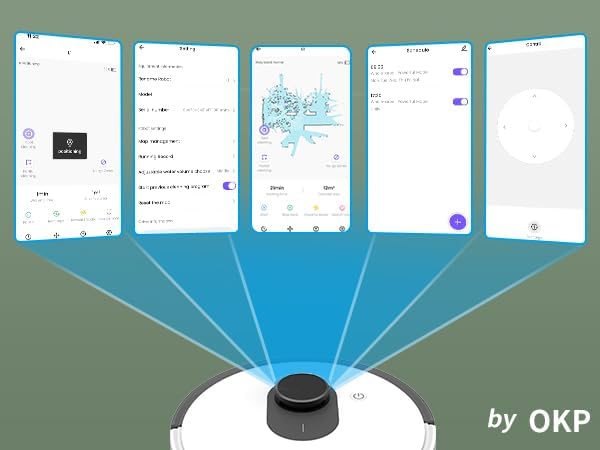
Figura 5.1: Various screenshots of the OKP Life mobile application, demonstrating features like device connection, settings, mapping, and remote control options.
5.5 Integrazione del controllo vocale
The L1 is compatible with Amazon Alexa and Google Assistant for hands-free operation.
- Ensure your robot is connected to the OKP Life App.
- Apri l'app Alexa o Google Home.
- Cercare the "OKP Life" skill/service and enable it.
- Link your OKP Life account.
- You can now use voice commands such as "Alexa, turn on L1" or "Hey Google, start cleaning with L1."

Figura 5.2: The OKP Life L1 robot vacuum on a rug, with an Amazon Echo Dot speaker and a smartphone displaying the control app. This illustrates the voice and app control capabilities.
6. Utilizzo del robot aspirapolvere
6.1 Modalità di pulizia e navigazione
The L1 utilizes advanced LDS laser radar and SLAM navigation to create accurate real-time maps of your home, optimizing cleaning routes and ensuring comprehensive coverage.

Figura 6.1: The OKP Life L1 robot vacuum navigating a living room, with blue lines illustrating its precision LiDAR mapping and navigation path.
Il robot offre diverse modalità di pulizia accessibili tramite l'app:
- Pulizia automatica: Il robot pulisce in modo intelligente tutta la casa.
- Pulizia delle macchie: Pulisce un'area specifica con uno sforzo concentrato.
- Pulizia della zona: Seleziona sulla mappa stanze o aree specifiche da pulire.
- Pulizia programmata: Imposta orari specifici per la pulizia automatica del robot.

Figura 6.2: The OKP Life L1 robot vacuum next to a smartphone displaying its app, which shows a floor plan map where a user can select a specific zone for vacuuming using the LiDAR sensor data.

Figura 6.3: The OKP Life L1 robot vacuum on a rug, with a smartphone displaying the app's features including No-Go Zones, Real-time Mapping, Recharge Resume, Partial Cleaning, and Spot Cleaning.
6.2 Potenza di aspirazione e potenziamento dei tappeti
The L1 features a 4000Pa suction motor for effective cleaning. It automatically increases suction power when detecting carpets for deeper cleaning.

Figura 6.4: The OKP Life L1 robot vacuum moving from a hard floor to a carpet, illustrating its ability to boost suction power for effective carpet cleaning.
6.3 No-Go Zones and Invisible Walls
Use the OKP Life App to define "No-Go Zones" or "Invisible Walls" to prevent the robot from entering specific areas or protecting fragile items.

Figura 6.5: The OKP Life L1 robot vacuum demonstrating its ability to respect "No-Go Zones" (preventing entry into a pet area) and "Invisible Walls" (blocking access to a specific room entrance).
6.4 Evitare gli ostacoli
Freemove 3.0 obstacle avoidance technology ensures the robot navigates smoothly around furniture, stairs, walls, and pets, minimizing collisions and preventing it from getting stuck.
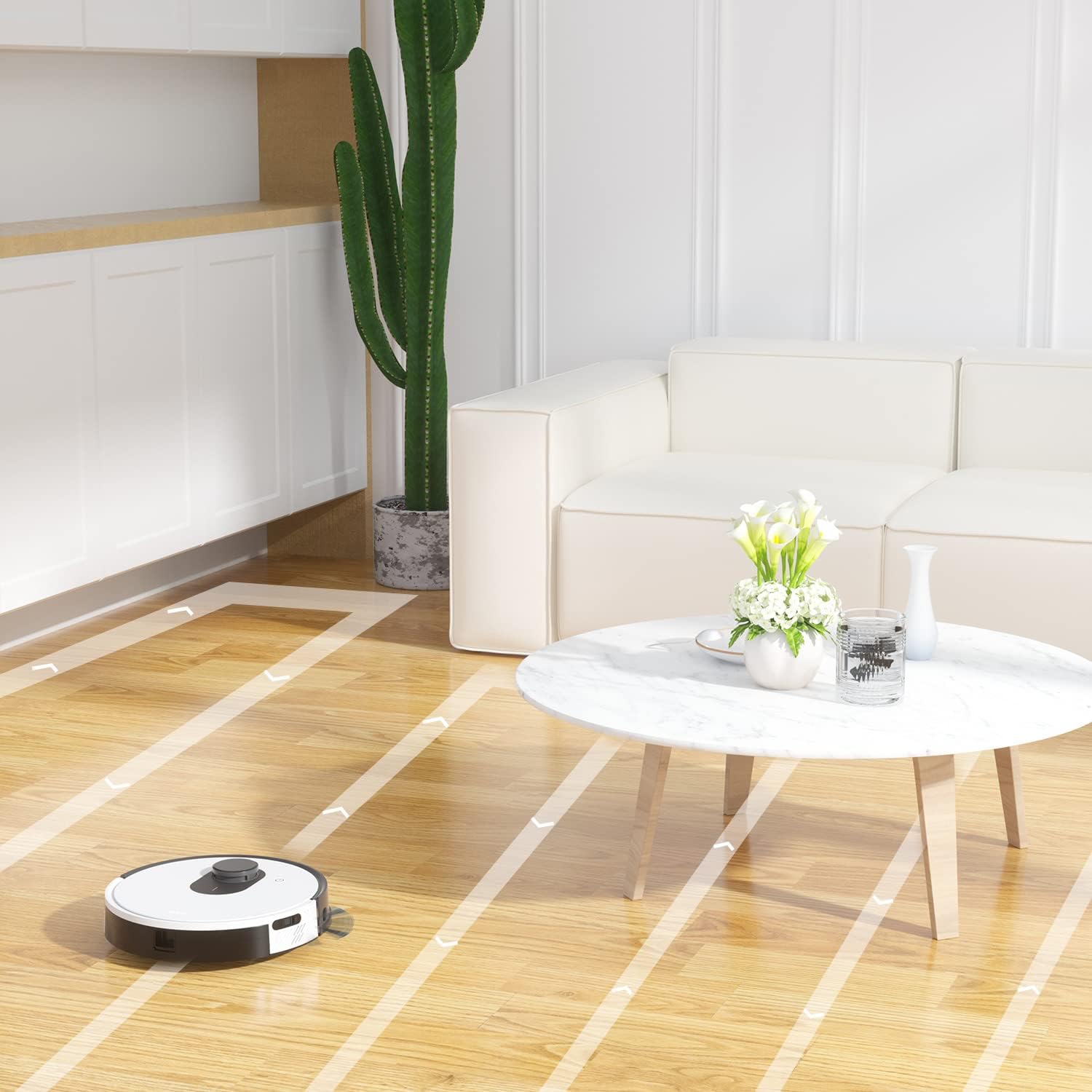
Figura 6.6: The OKP Life L1 robot vacuum cleaning a room, illustrating its efficient path planning and obstacle avoidance capabilities.
6.5 Gestione della batteria
The robot features a 4000mAh battery, providing up to 200 minutes of continuous cleaning. When the battery is low or cleaning is complete, the robot automatically returns to its charging dock.
7. Manutenzione
Una manutenzione regolare garantisce prestazioni ottimali del tuo robot aspirapolvere.
7.1 Svuotamento del cestino
Empty the dustbin after each cleaning cycle. Press the dustbin release button, remove the dustbin, and discard collected debris. Clean the filter inside the dustbin.
7.2 Cleaning the Main Brush Roll
The self-cleaning brush roll reduces hair tangles. However, periodically remove the main brush roll and use the provided cleaning tool to remove any tangled hair or debris.
7.3 Pulizia delle spazzole laterali
Check side brushes regularly for wear or damage. Remove any tangled hair or debris. Replace worn brushes as needed.
7.4 Pulizia dei sensori e dei contatti di ricarica
Wipe the cliff sensors, bumper sensor, and charging contacts on both the robot and the charging dock with a clean, dry cloth to ensure proper function.
7.5 Sostituzione del filtro
Replace the HEPA filter every 3-6 months, or more frequently depending on usage, to maintain optimal suction performance.
8. Risoluzione Dei Problemi
Fare riferimento a questa sezione per i problemi più comuni e le relative soluzioni.
| Problema | Possibile causa | Soluzione |
|---|---|---|
| Il robot non si accende. | Batteria scarica; interruttore di alimentazione spento. | Caricare il robot; assicurarsi che l'interruttore di alimentazione sia acceso. |
| Il robot non riesce a tornare alla base di ricarica. | Base di ricarica ostruita; Robot troppo lontano dalla base. | Clear obstacles around the dock; Manually place robot near dock. |
| La potenza di aspirazione è debole. | Contenitore della polvere pieno; Filtro intasato; Spazzola principale aggrovigliata. | Svuotare il contenitore della polvere; pulire/sostituire il filtro; pulire la spazzola principale. |
| Il robot si blocca spesso. | Loose cables/rugs; Small obstacles. | Clear floor of obstructions; Use No-Go Zones. |
| Problemi di connessione all'app. | Wi-Fi non corretto (non 2.4 GHz); problemi con il router. | Assicurare una connessione Wi-Fi a 2.4 GHz; riavviare il router e il robot; riassociare nell'app. |
9. Specifiche
| Caratteristica | Dettaglio |
|---|---|
| Marca | OKP Vita |
| Nome del modello | L1 Lidar Robot Vacuum |
| Caratteristica speciale | HEPA Filtration, Vacuums |
| Colore | white Cloud |
| Dimensioni del prodotto | 12 cm L x 12 cm P x 3.5 cm A |
| Componenti inclusi | Batteria |
| Durata della batteria | Fino a 200 minuti (batteria da 4000 mAh) |
| Capacità (contenitore della polvere) | 500 millilitri |
| Batterie richieste | 1 batteria agli ioni di litio (inclusa) |
| Dispositivi compatibili | Amazon Echo, Google Home, Smartphone |
| Peso dell'articolo | 7 libbre |
| Produttore | OKP Vita |
| Numero modello articolo | L1 |
10. Garanzia e supporto
For warranty information and technical support, please refer to the official OKP Life websito o contattare il servizio clienti. Conservare la ricevuta d'acquisto come prova d'acquisto.
Supporto online: Visit the official OKP Life websito per domande frequenti, guide alla risoluzione dei problemi e informazioni di contatto.
Assistenza clienti: Refer to your product packaging or the OKP Life websito per i dettagli specifici di contatto del servizio clienti.