
1. Introduzione
The NearStream AMIX20U is an all-in-one audio interface designed for gaming, podcasting, streaming, and music production. It features dual XLR/6.35mm combo inputs with professional preamps, 48V phantom power, multiple voice changer modes, customizable sound pads, and dynamic RGB lighting. This manual provides detailed instructions for setting up, operating, and maintaining your AMIX20U device.

Image: The NearStream AMIX20U Gaming Audio Mixer showcasing its compact design and key features like RGB lighting, voice changer modes, and sound pads.
2. Contenuto della confezione
Assicurarsi che tutti gli articoli siano presenti nel pacco:
- AMIX20U Audio Interface (x1)
- USB Cable (6.6 ft) (x1)
- TRRS to TRRS Audio Cable (4.9 ft) (x1)
- TRS to TRS Audio Cable (4.9 ft) (x1)
- Manuale utente (x1)

Image: A visual representation of the AMIX20U audio interface and its accompanying cables and manual.
3. Impostazione
3.1 Accensione e connessione iniziale
- Alimentazione elettrica: Connect the provided USB cable to the 5V 1A DC IN port on the AMIX20U and to a power source.
- Accensione/spegnimento: Press and hold the power button (located near the main rotary knob) for 2 seconds to turn the device on or off. A short press controls the RGB light.
- OTG Port Connection: Connect the USB-OTG port to your PC, smartphone, or tablet for direct recording or live streaming.
3.2 Collegamento di microfoni e strumenti
- Connessione microfono: Connect your XLR or 6.35mm microphone to the XLR/6.35mm combo inputs (IN1 or IN2).
- Alimentazione Phantom 48V: For condenser microphones, activate 48V phantom power by pressing the dedicated 48V button next to the input. A blue background indicates it's on. Turn it off for dynamic microphones.
- Collegamento dello strumento: Connect your instrument (e.g., guitar) to the XLR/6.35mm combo inputs. Press the 'INST' button to switch between microphone and instrument modes.
3.3 Audio Monitoring and Output
- Monitoraggio delle cuffie: Connect your headphones to the 6.35mm audio port for real-time sound monitoring.
- Ingresso audio ausiliario: Connect the 3.5mm audio jack to your smartphone, PC, or tablet to play background music.
- Connessione Bluetooth: Hold the Bluetooth button for 2 seconds until the blinking icon appears, entering pairing mode. Connect your smartphone to the audio mixer via Bluetooth for music accompaniment.
- Uscita audio: Connect your speakers to the 6.35mm Audio Left (L) and Right (R) Output Ports for sound output. Alternatively, connect the 3.5mm audio output to your speaker/PC/smartphone/iPad to play the recorded sound.
Video: Detailed guide on how to connect the NearStream AMIX40U Audio Interface to various devices, including power, OTG, microphones, instruments, headphones, auxiliary audio, and Bluetooth. This video demonstrates setup steps applicable to the AMIX20U model.

Image: Rear panel of the AMIX20U highlighting the various input and output ports for comprehensive connectivity.
4. Operating the AMIX20U
4.1 Controlli e Indicatori
- Fader del volume: Use the 4 smooth volume faders for MICROPHONE 1, MICROPHONE 2, LINE IN, and LINE OUT channels to control individual input and output levels.
- Disattivazione audio con un solo tocco: Quickly mute channels using the dedicated mute buttons.
- Headphone Monitoring Volume: Adjust the dedicated rotary knob for headphone monitoring volume.
- Schermo LCD: The LCD screen displays current settings for EQ, Denoise, Reverb, and Audio Gain modes. Use the rotary button to adjust volume, reverb, denoise level, and sound mode.
- Modalità di illuminazione RGB: The device features 9 controllable RGB lighting modes via the dedicated RGB button.
4.2 Funzioni speciali
- Modalità di modifica della voce: Access 6 unique voice effects (Male, Female, Robot, Monster, Baby, Elder) via the dedicated Voice Change button.
- Customizable Sound Pads: Utilize 4 customizable sound pads to trigger sound effects or short clips (up to 15 seconds).
- Modalità elettrica: Offers multiple key options (A, Bb, B, C, Dd, D, Ab, G, Gb, F, Dd, Eb) for accurate tone reproduction.
- Controllo del riverbero: Adjust reverb from 0-100 for vocals and instruments.
- Denoise Mode: Riduce il rumore di fondo per un audio più chiaro.
- Ducker Mode: Automatically lowers background sound when you speak.
- Modalità loopback: Combines microphone and computer audio for real-time streaming and recording.
- Voice Remover: Transforms any track into a pure instrumental.
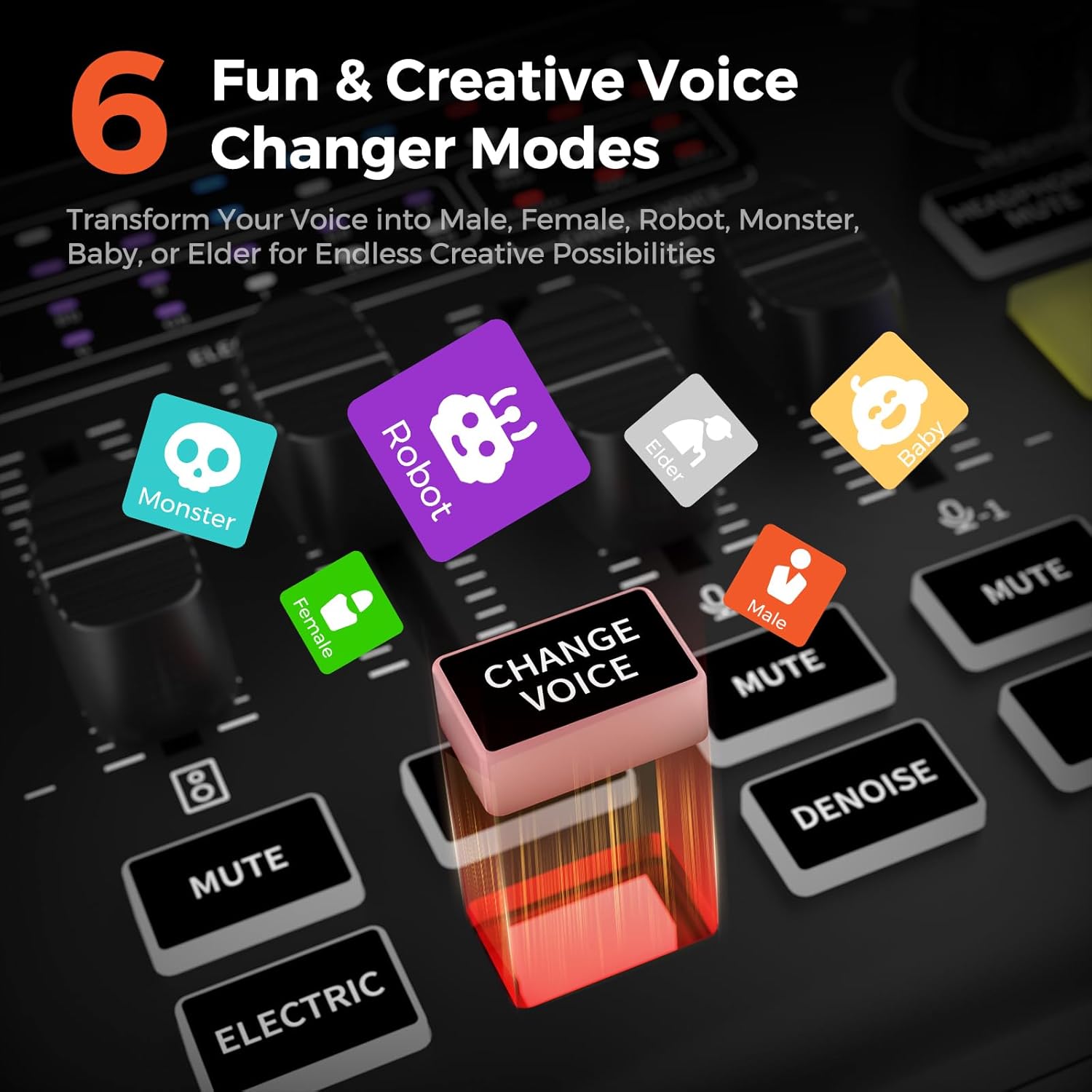
Image: The 6 Voice Changer Modes on the AMIX20U, including Male, Female, Robot, Monster, Baby, and Elder.

Image: The 4 customizable sound pads on the AMIX20U, ready to trigger unique sound effects.
5. Manutenzione
To ensure the longevity and optimal performance of your NearStream AMIX20U, follow these maintenance guidelines:
- Pulizia: Utilizzare un panno morbido e asciutto per pulire il dispositivo. Evitare detergenti liquidi o materiali abrasivi.
- Magazzinaggio: Conservare il dispositivo in un luogo fresco e asciutto, lontano dalla luce solare diretta e da temperature estreme.
- Gestione: Handle the device with care to prevent physical damage to knobs, faders, and ports.
6. Risoluzione Dei Problemi
If you encounter issues with your AMIX20U, try the following steps:
- Nessun potere: Ensure the USB cable is securely connected to a 5V 1A power source.
- Nessun ingresso audio: Check all cable connections (microphones, instruments, OTG). Verify 48V phantom power is enabled for condenser microphones. Ensure input gain levels are appropriately set.
- Nessuna uscita audio: Check speaker/headphone connections. Verify output volume levels on the device and connected playback systems.
- Problemi di accoppiamento Bluetooth: Ensure the AMIX20U is in pairing mode (blinking Bluetooth indicator) and your device's Bluetooth is on and searching.
- Problemi di qualità del suono: Adjust EQ (Low, Mid, High) and Denoise settings. Ensure microphone is positioned correctly.
- Il dispositivo non risponde: Use a small pin to press the 'RST' (Reset) button on the rear panel.
7. Specifiche
| Caratteristica | Dettaglio |
|---|---|
| Peso dell'articolo | 1.5 libbre |
| Dimensioni del prodotto | 6.8 x 5 x 2 pollici |
| Dispositivi compatibili | Guitar, Headphone, Microphone, Personal Computer, Smartphone |
| Sistema operativo | Windows, macOS |
| Tecnologia di connettività | AUX, Bluetooth, USB |
| Numero di canali | 8 |
8. Garanzia e supporto
For warranty information and technical support, please refer to the official NearStream websito o contattare direttamente il servizio clienti. Conservare la ricevuta d'acquisto per eventuali reclami in garanzia.