
1. Introduzione
This manual provides essential information for setting up, operating, maintaining, and troubleshooting your new HP 27-inch Touchscreen All-in-One Desktop Computer. Please read this guide thoroughly to ensure optimal performance and longevity of your device.
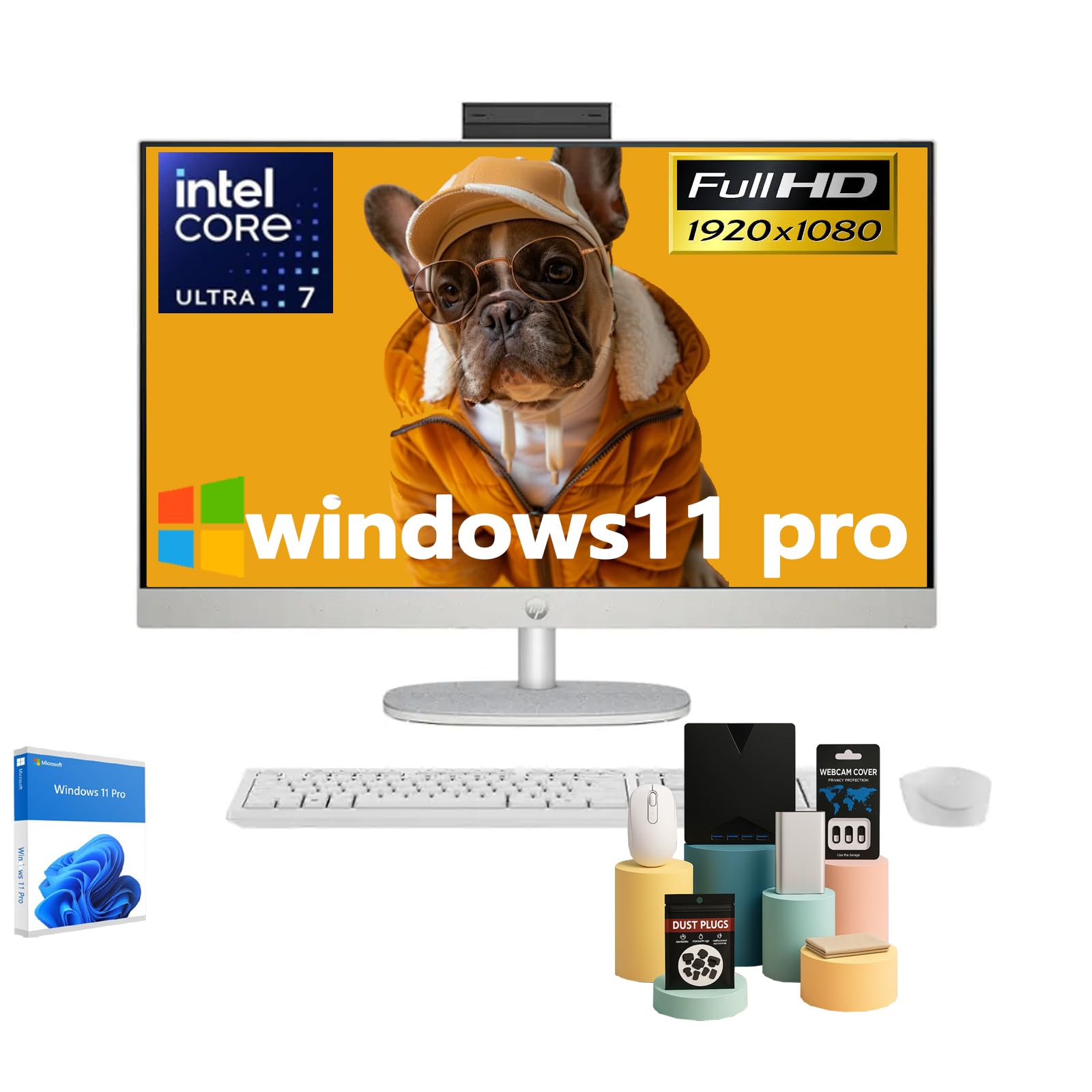
Figure 1: HP 27-inch All-in-One Desktop Computer
2. Cosa c'è nella scatola
Verificare che tutti gli articoli siano presenti nella confezione:
- HP 27-inch All-in-One Desktop Computer Touchscreen
- Tastiera cablata
- ha fissato il mouse
- Adattatore di alimentazione CA Smart da 90 W.
- Istruzioni di installazione

Figura 2: Accessori e componenti inclusi
3. Impostazione
- Disimballare il computer: Carefully remove the All-in-One computer and all accessories from the packaging.
- Place the Computer: Position the computer on a stable, flat surface. Ensure adequate ventilation around the device. The adjustable stand allows for tilting the display to your preferred viewangolo di ing.
- Connetti le periferiche:
- Connect the wired keyboard and mouse to the available USB ports on the back of the computer.
- Plug the 90 W Smart AC power adapter into the power port on the back of the computer, then connect it to a power outlet.
- Accensione: Premere il pulsante di accensione, solitamente situato sul lato o sul retro del display.
- Configurazione iniziale di Windows: Follow the on-screen instructions to complete the Windows 11 Pro setup, including language, network connection, and user account creation.

Figure 3: Rear ports for connectivity
4. Operativo
4.1 Funzionalità touchscreen
Your HP All-in-One Desktop features a 27-inch Full HD IPS touchscreen. You can interact directly with the display using touch gestures, similar to a tablet or smartphone. This allows for intuitive navigation, scrolling, and selection of items on the screen.
4.2 Integrato Webcam e audio
The computer includes an HP True Vision 1080p FHD IR Tilt Privacy Camera. This pop-up camera can be manually retracted into the display for privacy when not in use. Dual 2W speakers and integrated dual array digital microphones with temporal noise reduction provide clear audio for video calls and multimedia.
4.3 Connettività
Il dispositivo offre opzioni di connettività complete:
- Senza fili: Built-in Realtek Rtl8852Be Wi-Fi 6 (2x2) for high-speed internet and Bluetooth 5.3 for connecting wireless peripherals.
- Porte USB: 2x USB Type-A 5Gbps Signaling Rate, 1x USB Type-C 5Gbps Signaling Rate, and 2x USB 2.0 Type-A for connecting various devices.
- Uscita video: 1x HDMI-out 1.4 port for connecting an external display.
- Rete: 1x RJ45 LAN Ethernet port for wired network connection.
- Audio: 1x Headphone/Microphone Combo jack.
Video 1: Prodotto finitoviewQuesto video fornisce una breve panoramica visivaview of the HP All-in-One Desktop Computer's features and design.
5. Manutenzione
5.1 Pulizia
- Schermo: Utilizzare un panno morbido e privo di lanugine leggermente dampcon acqua o un detergente per schermi. Evitare prodotti chimici aggressivi.
- Chassis: Pulire con un panno morbido e asciutto. Per lo sporco ostinato, utilizzare un panno leggermenteamp stoffa.
- Ventilazione: Regularly check and clean the ventilation slots to prevent dust buildup, which can affect performance.
5.2 Aggiornamenti software
Keep your Windows 11 Pro operating system and drivers updated to ensure optimal performance, security, and compatibility. Windows Update will typically handle this automatically, but you can manually check for updates in the system settings.
5.3 Considerazioni ambientali
This HP All-in-One Desktop is designed with sustainability in mind, incorporating post-consumer recycled plastics and ocean-bound plastics in its construction. Please dispose of the product responsibly at the end of its life cycle according to local regulations.

Figure 4: Designed with the planet in mind
6. Risoluzione Dei Problemi
If you encounter issues with your computer, try the following steps:
- Nessun potere: Ensure the power adapter is securely connected to both the computer and a working power outlet. Try a different outlet if necessary.
- Nessuna visualizzazione: Check if the computer is powered on. If the screen remains black, try restarting the computer.
- Periferiche non rispondono: Verify that the keyboard and mouse are properly connected to the USB ports. If using wireless peripherals, ensure they are charged and correctly paired.
- Prestazioni lente: Close unnecessary applications. Check for and install any pending Windows updates. Ensure sufficient free space on your SSD.
- Webcam Issues: Ensure the pop-up privacy camera is extended. Check privacy settings in Windows to ensure applications have permission to access the camera.
Per problemi più complessi, fare riferimento al supporto HP websito o contattare il servizio clienti HP.
7. Specifiche

Figure 5: Key specifications of the HP All-in-One Desktop
| Caratteristica | Descrizione |
|---|---|
| Dimensioni di visualizzazione dello schermo in piedi | 27 pollici |
| Risoluzione dello schermo | 1920 x 1080 pixel (FHD) |
| Tipo di visualizzazione | Touch Screen, IPS, Three-Sided Micro-Edge, Anti-Glare, 300 Nits, 99% sRGB |
| Processore | Intel Ultra 7 155U (12-Core, 1.7 GHz base, 4.8 GHz turbo, 12 MB Intel Smart Cache) |
| Memoria RAM | 16 GB DDR5 5600MHz (Upgradeable to 64 GB) |
| Disco rigido | 1 TB SSD (Upgradeable to 2 TB) |
| Coprocessore grafico | Intel grafica integrata |
| Sistema operativo | Windows 11 Pro |
| Tipo senza fili | Realtek Rtl8852Be Wi-Fi 6 (2x2), Bluetooth 5.3 |
| Porti | 2x USB Type-A 5Gbps, 1x USB Type-C 5Gbps, 2x USB 2.0 Type-A, 1x Headphone/Microphone Combo, 1x HDMI-out 1.4, 1x RJ45 LAN Ethernet |
| Peso dell'articolo | 14.81 libbre |
| Dimensioni del prodotto | 24.11 x 20.35 x 7.34 pollici |
| Caratteristiche speciali | Adjustable Stand, Dual Microphone with Advanced Noise Reduction, HP True Vision 1080p with Pop-Up Privacy Camera, Three-Side Micro-Edge Display with Wide-Viewing angoli |

Figura 6: Dimensioni del prodotto
8. Garanzia e supporto
Your HP 27-inch Touchscreen All-in-One Desktop Computer comes with a standard manufacturer's warranty. Please refer to the warranty card included in your product packaging for specific terms and conditions.
Per supporto tecnico, download di driver e ulteriori informazioni sul prodotto, visitare il sito ufficiale dell'assistenza HP websito: www.hp.com/support