
Introduzione
Thank you for choosing the Samsers Ergonomic Foldable Keyboard KE09U. This manual provides detailed instructions to help you set up, operate, and maintain your new keyboard. Designed for portability and comfort, the KE09U offers dual-mode connectivity (2.4G wireless and Bluetooth) and an ergonomic split layout to enhance your typing experience across various devices.
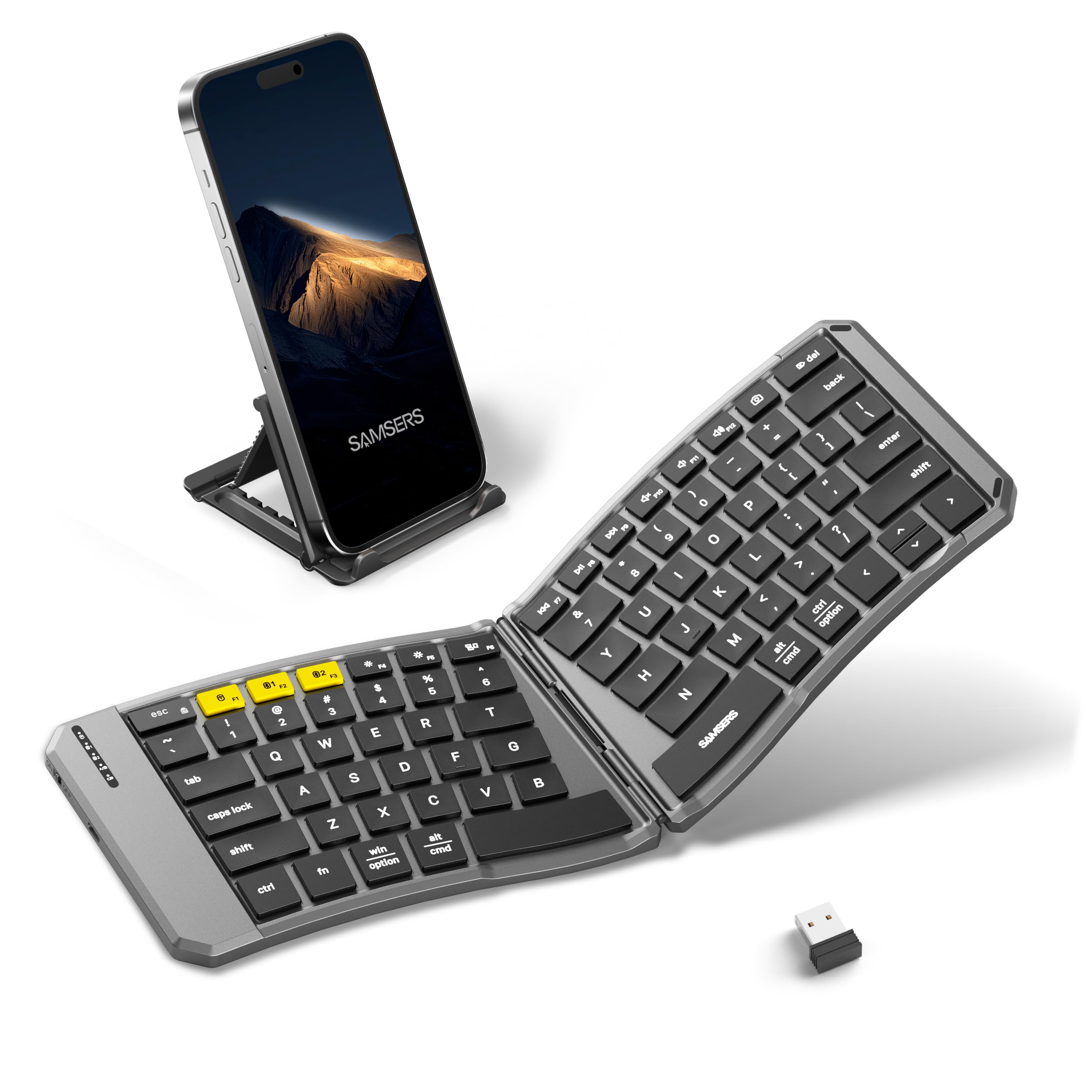
Image: The Samsers Ergonomic Foldable Keyboard KE09U in its unfolded state, showcasing il suo design ergonomico.
Cosa è incluso
Si prega di controllare il contenuto della confezione per assicurarsi che siano presenti tutti gli articoli:
- 1 x Ergonomic Folding Keyboard
- 1 x Use Manual brochure
- 1 x Cavo di ricarica
- 1 x Supporto per supporto
- 1 x sacchetto di velluto

Image: All items included in the Samsers KE09U package: keyboard, manual, charging cable, stand holder, and velvet pouch.
Prodotto finitoview
The Samsers KE09U keyboard features a 6-row layout, ergonomic split design, and dual-mode connectivity for versatile use. It is designed to be highly portable and comfortable for extended typing sessions.
Caratteristiche principali:
- 6-Row Standard Layout: Provides a familiar typing experience with separate multimedia and numeric buttons for efficiency.
- Design ergonomico diviso: 166-degree ergonomic design with low-profile, X-shaped scissor-switch keys reduces muscle strain and promotes proper posture.
- Connettività a doppia modalità: Supports both 2.4G wireless (via USB receiver) and Bluetooth (BT1, BT2) connections.
- Commutazione con un solo pulsante: Seamlessly switch between up to three connected devices.
- Portatile e pieghevole: Compact, 9-ounce design folds easily for transport, with a magnetic adsorption to prevent accidental opening.
- Integrated 2.4G Receiver Slot: Convenient storage for the USB receiver to prevent loss.
- Batteria a lunga durata: Built-in lithium battery offers up to 120 days of standby time with auto-sleep function and Type-C charging.

Image: Close-up of the keyboard's 6-row standard layout, highlighting the key arrangement.
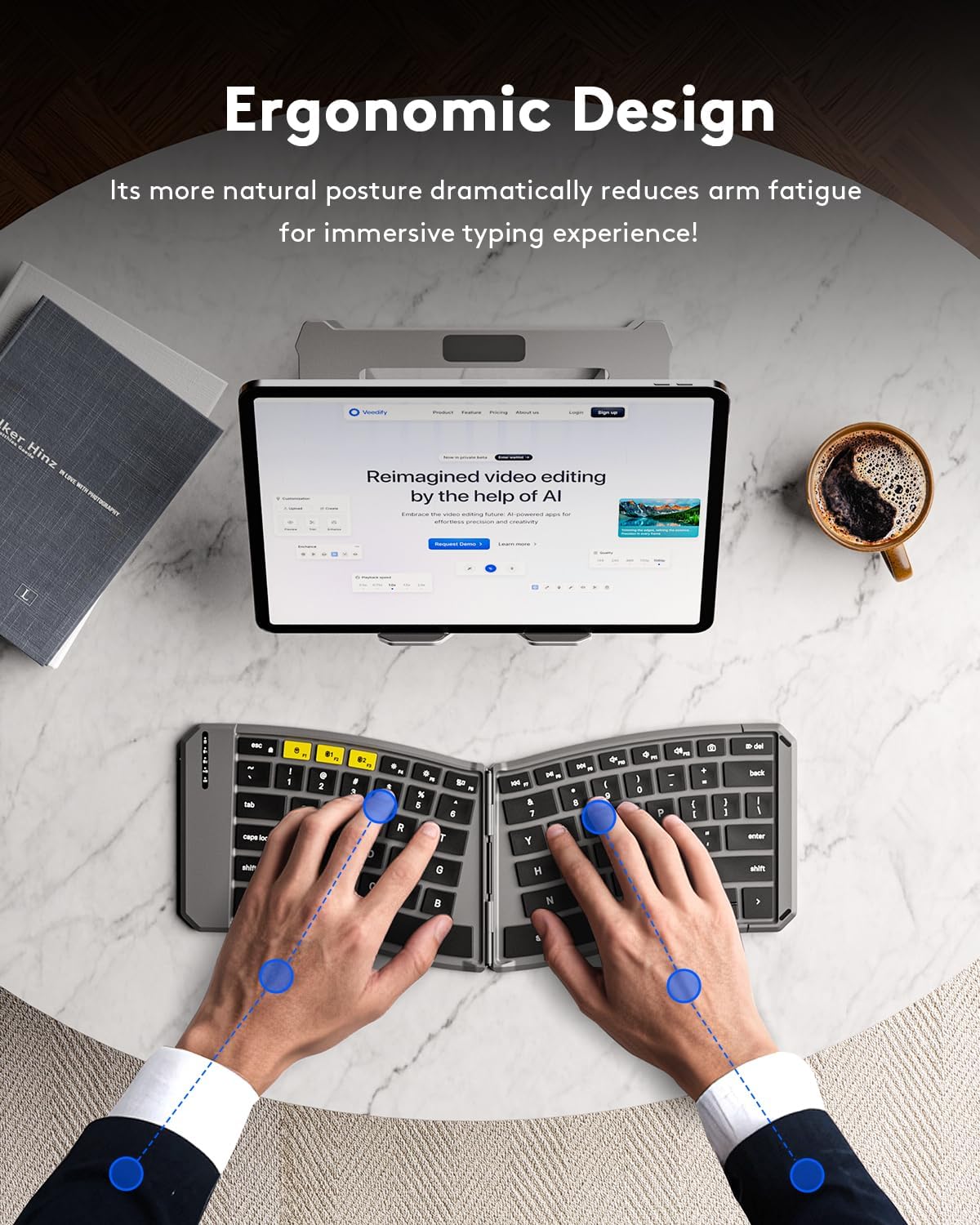
Image: Hands positioned on the ergonomic split keyboard, illustrating comfortable typing posture.
Istruzioni di installazione
1. Ricarica iniziale
Before first use, please charge the keyboard for 2-3 hours. A low battery can lead to abnormal function. Use the provided Type-C charging cable to connect the keyboard to a power source.
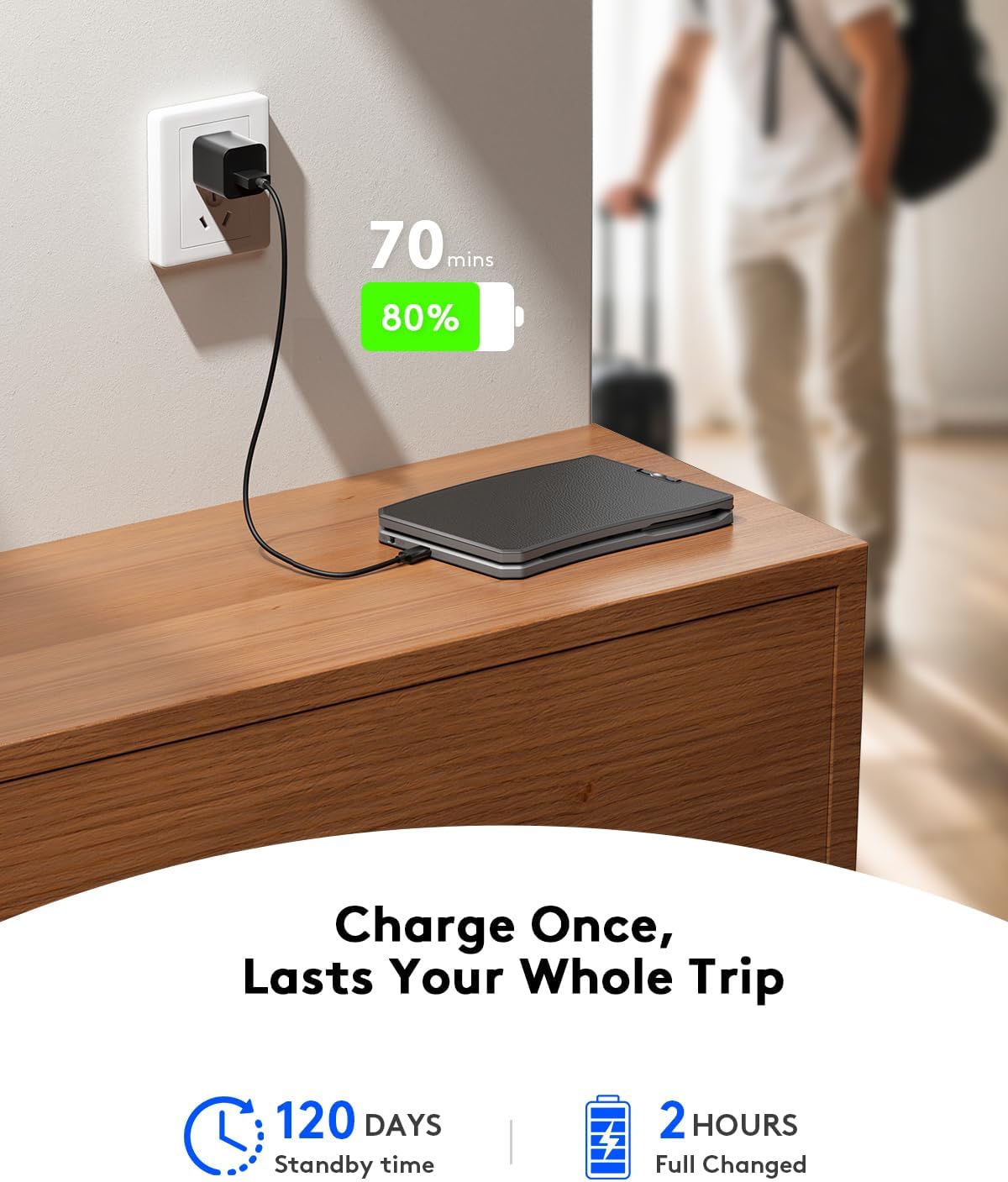
Image: The keyboard connected to a charger, indicating its charging status.
2. Connessione tramite wireless 2.4G
- Locate the 2.4G USB receiver stored in the dedicated slot on the keyboard.
- Insert the USB receiver into an available USB port on your laptop or PC.
- Portare l'interruttore di alimentazione della tastiera in posizione "ON".
- Premere il tasto F1 key (with the 2.4G icon) to switch to the 2.4G channel. The indicator light will illuminate.
- La tastiera dovrebbe connettersi automaticamente al tuo dispositivo.
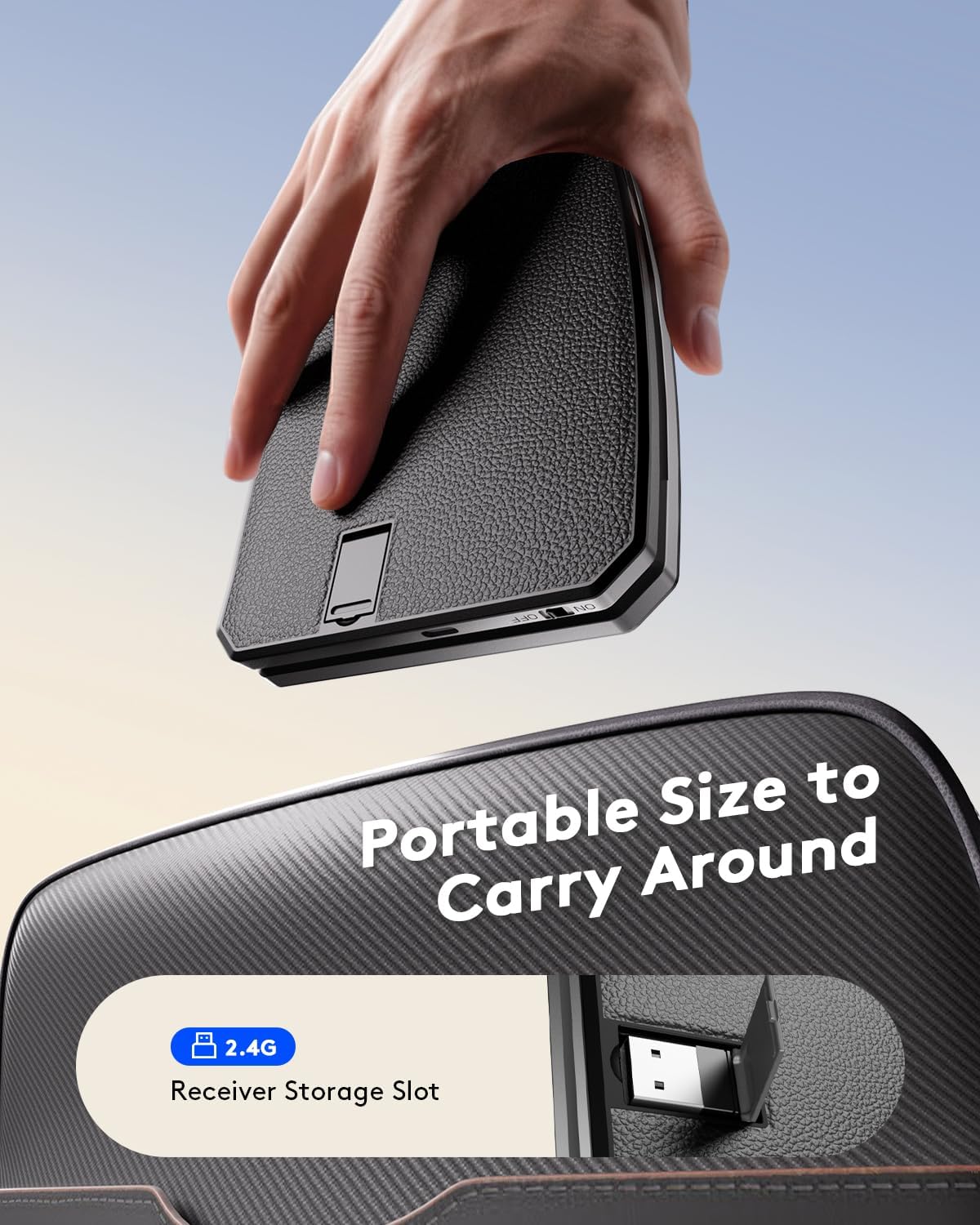
Image: The 2.4G USB receiver being removed from its storage slot on the keyboard.
3. Connessione tramite Bluetooth
- Portare l'interruttore di alimentazione della tastiera in posizione "ON".
- Premere il tasto F2 (BT1) or F3 (BT2) key to select a Bluetooth channel. The corresponding indicator light will flash.
- Hold down the selected Bluetooth key (F2 or F3) for 5 seconds until the indicator light flashes rapidly, indicating pairing mode.
- Sul tuo dispositivo (smartphone, tablet, laptop), vai alle impostazioni Bluetooth e cerca i dispositivi disponibili.
- Select "Samsers KE09U" from the list to pair.
- Una volta effettuata la connessione, la spia luminosa sulla tastiera smetterà di lampeggiare e rimarrà fissa.
Video: A quick step-by-step guide demonstrating how to pair the Samsers KE09U keyboard via Bluetooth.
Utilizzo della tastiera
Esperienza di digitazione
The ergonomic split design of the KE09U keyboard allows for a more natural hand and wrist position, reducing fatigue during prolonged typing. The low-profile, scissor-switch keys provide a responsive and comfortable typing feel, similar to a laptop keyboard.

Image: A user typing on the Samsers KE09U keyboard while it rests on their lap, demonstrating its stability and portability.
Passaggio da un dispositivo all'altro
The KE09U keyboard supports one-click switching between up to three connected devices (one 2.4G and two Bluetooth). Simply press the corresponding function key (F1 per 2.4G, F2 per BT1, F3 for BT2) to instantly switch control to the desired device.

Image: The keyboard positioned between a laptop and a tablet, illustrating the ease of switching between devices using the dedicated function keys.
Funzioni multimediali
The keyboard includes dedicated multimedia keys for quick access to common functions. These keys are typically located on the top row (F-keys) and can be activated directly or by holding the Fn key in combination with the desired F-key, depending on your operating system and keyboard mode.
Common multimedia functions include:
- Brightness adjustment (F4, F5)
- Media playback control (F7, F8, F9)
- Volume control (F10, F11, F12)
Cura e manutenzione
Gestione dell'alimentazione
To conserve battery life, the keyboard features an auto-sleep function. It will enter sleep mode after a period of inactivity. To wake it up, simply press any key. Always turn off the power switch when the keyboard is not in use for an extended period or when storing it in the velvet pouch.
Pulizia
Per pulire la tastiera, strofinare delicatamente la superficie con un panno morbido eamp cloth. Avoid using harsh chemicals or abrasive materials that could damage the finish or keys. Ensure the keyboard is powered off before cleaning.
Risoluzione dei problemi
- La tastiera non si connette tramite Bluetooth: If the Bluetooth name "Samsers KE09U" cannot be found or connected, please delete/remove/forget any previous pairing records for the keyboard on your device before attempting to re-pair. Ensure the keyboard is in pairing mode (rapidly flashing indicator light).
- I tasti non rispondono: Check if the keyboard is powered on and fully charged. Ensure it is correctly connected via 2.4G or Bluetooth to your device.
- Connessione intermittente: Ensure the keyboard is within the effective range of your device (typically up to 10 meters). Avoid obstructions or strong electromagnetic interference.
- Batteria scarica: If the keyboard's performance is erratic, it may indicate a low battery. Charge the keyboard for 2-3 hours.
Specifiche tecniche
| Caratteristica | Specificazione |
|---|---|
| Marca | Samsers |
| Numero di modello | KE09U |
| Tecnologia di connettività | 2.4G, Bluetooth |
| Dispositivi compatibili | Computer portatile, PC, smartphone, tablet |
| Descrizione della tastiera | Ergonomic Split Foldable Keyboard |
| Caratteristica speciale | Ergonomic, Foldable, Lightweight, Low-Profile Chiave, portatile |
| Colore | Nero Grigio |
| Dimensioni del prodotto | 14 cm L x 4.7 cm P x 0.35 cm A |
| Materiale | Pelle PU |
| Numero di chiavi | 80 |
| Fonte di alimentazione | Alimentato a batteria |
| Disposizione della tastiera | Tastiera QWERTY |
| Orientamento della mano | Ambidestro |
Garanzia e supporto
The Samsers Ergonomic Foldable Keyboard KE09U comes with a 2-year warranty, ensuring peace of mind regarding product quality and performance. For any technical assistance, troubleshooting, or warranty claims, please contact Samsers customer support. Our dedicated team is available to provide professional guidance and support.
Please refer to the official Samsers websito o le informazioni di contatto fornite nella confezione del prodotto per i dettagli di supporto più aggiornati.