Introduzione
This manual provides comprehensive instructions for the ORICO EB05 256GB Dual USB 3.0 Flash Drive. This device is designed for convenient data transfer and storage across a wide range of devices, including smartphones, tablets, and computers. Its dual USB-C and USB-A connectors, combined with a durable metal housing and swivel design, offer versatile and reliable performance.
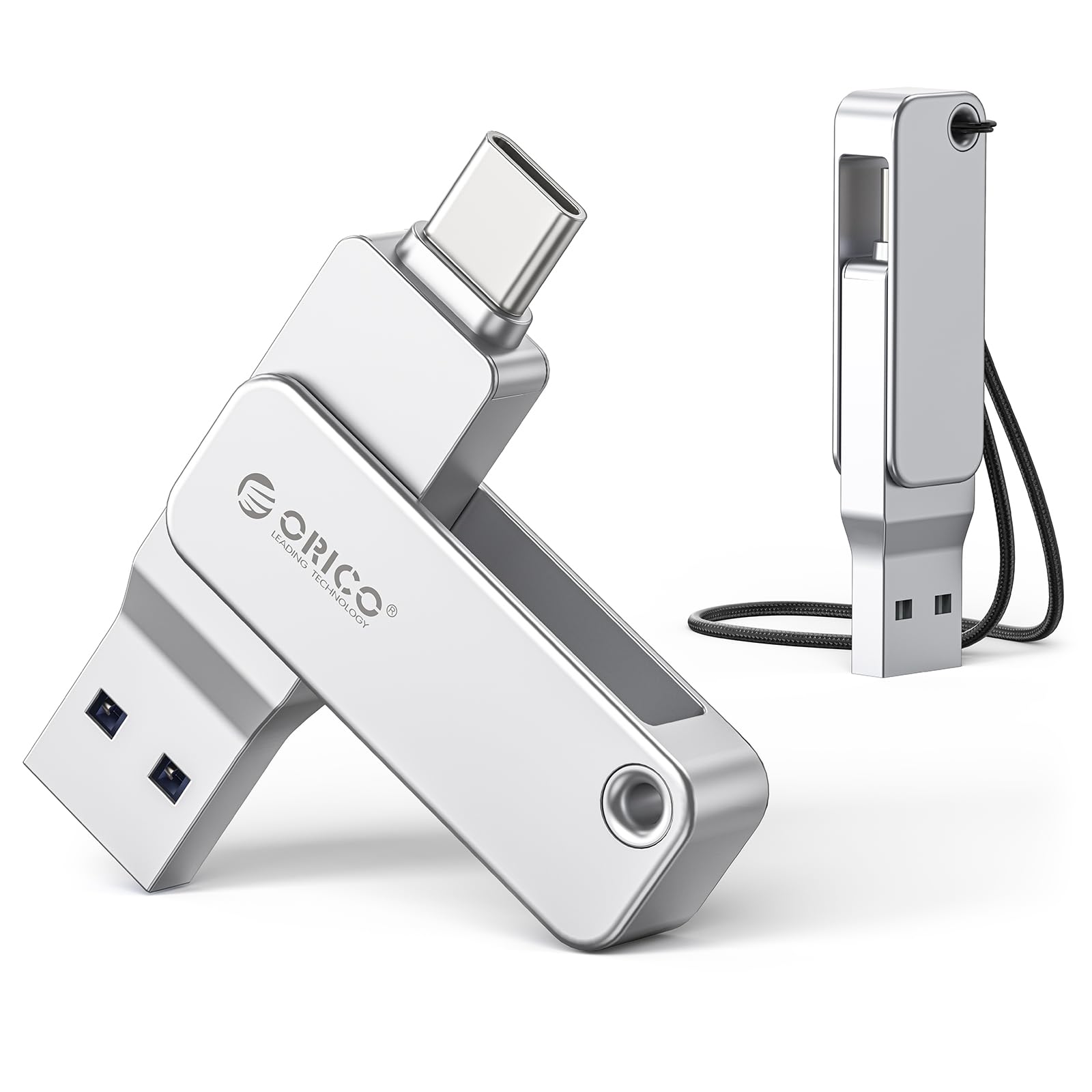
Immagine: l'unità flash USB doppia ORICO EB05, mostrataasingrazie al suo design compatto e ai doppi connettori.
Cosa c'è nella scatola
The ORICO EB05 Dual USB 3.0 Flash Drive package includes the following items:
- ORICO EB05 Dual USB 3.0 Flash Drive (256GB)
- cordino
- Manuale dell'utente (questo documento)

Image: The ORICO EB05 Flash Drive shown with its retail packaging and included lanyard.
Caratteristiche principali
- Capacità di archiviazione 256 GB: Fornisce ample space for thousands of photos, videos, music, and documents.
- Dual USB-C & USB-A Connectors: Offers broad compatibility with modern and traditional devices, including smartphones (iPhone 15+, Android), tablets, laptops, and computers.
- Trasferimento dati ad alta velocità: Features USB 3.0 performance with read speeds up to 150MB/s, enabling quick transfer of large files.
- Alloggiamento in metallo resistente: Constructed from zinc alloy for enhanced durability and protection of your data.
- Design girevole a 360°: Allows for easy switching between USB-C and USB-A connectors without the risk of losing a cap.
- Funzionalità plug-and-play: No software installation required; simply connect to your device to begin use.
- Compatto e portatile: Slim design fits easily in pockets, wallets, or attached to a keychain.

Image: Close-up of the ORICO EB05 Flash Drive highlighting its dual USB-A and USB-C interfaces and 360-degree swivel mechanism.
Impostare
The ORICO EB05 Flash Drive is designed for plug-and-play operation, requiring no special drivers or software installation.
- Identifica il connettore: Determine whether your device requires a USB-A or USB-C connection. The flash drive features a 360° swivel design to switch between these two interfaces.
- Connetti al dispositivo: Insert the appropriate connector (USB-A or USB-C) into the corresponding port on your smartphone, tablet, or computer.
- Accesso allo spazio di archiviazione: Your device should automatically recognize the flash drive as external storage. You can then access it through your device's file manager o esploratore.
Video: Demonstrates the plug-and-play functionality and dual USB-A and USB-C connectors of the ORICO EB05 Flash Drive, showing it being connected to various devices.
Istruzioni per l'uso
Trasferimento files with the ORICO EB05 is straightforward:
- Aprire File Manager: Sul tuo computer, apri File Explorer (Windows) or Finder (Mac). On a smartphone or tablet, open your device's file applicazione di gestione.
- Locate Flash Drive: The ORICO EB05 will appear as a removable drive (e.g., "ORICO" or "USB Drive").
- Trasferire Files:
- Per copiare files A l'unità flash: trascina e rilascia files from your device's internal storage to the flash drive's folder.
- Per copiare files da l'unità flash: trascina e rilascia files from the flash drive's folder to your device's internal storage.
- Espulsione sicura: Before removing the flash drive, always safely eject it from your operating system to prevent data corruption.
- Windows: Right-click the drive icon in File Esplora risorse e seleziona "Espelli".
- Mac: Drag the drive icon to the Trash or click the Eject button next to the drive name in Finder.
- Android/iOS: Follow your device's specific instructions for safely unmounting external storage.

Image: A person using the ORICO flash drive to transfer photos directly from a smartphone, illustrating its mobile compatibility.
Video: Demonstrates seamless file transfer between an iPhone and an Android phone using the ORICO EB05 Dual USB Flash Drive.
Compatibilità
The ORICO EB05 is designed for broad compatibility with various operating systems and devices:
- Sistemi operativi: Mac OS, Windows, Linux.
- Smartphone: Android phones with USB-C, iPhone 15 series and newer with USB-C.
- Compresse: iPads with USB-C, Android tablets with USB-C.
- Computer portatili/computer: Devices with USB-A or USB-C ports (e.g., MacBook, Windows laptops, desktop PCs).
- Altri dispositivi: Smart TVs, car audio systems, projectors, and other devices supporting USB storage.
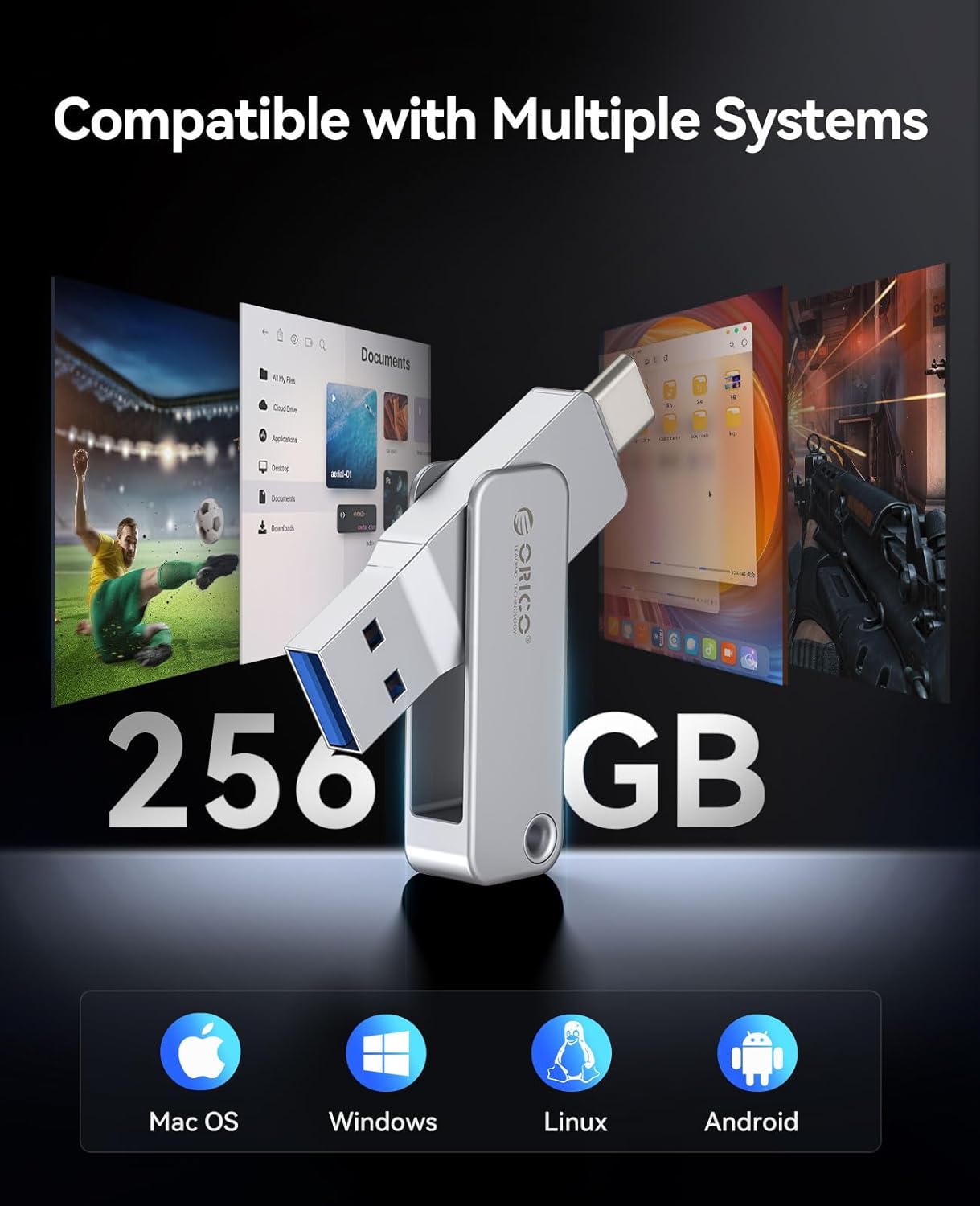
Image: Visual representation of the ORICO EB05 Flash Drive's compatibility with multiple operating systems including Mac OS, Windows, Linux, and Android.
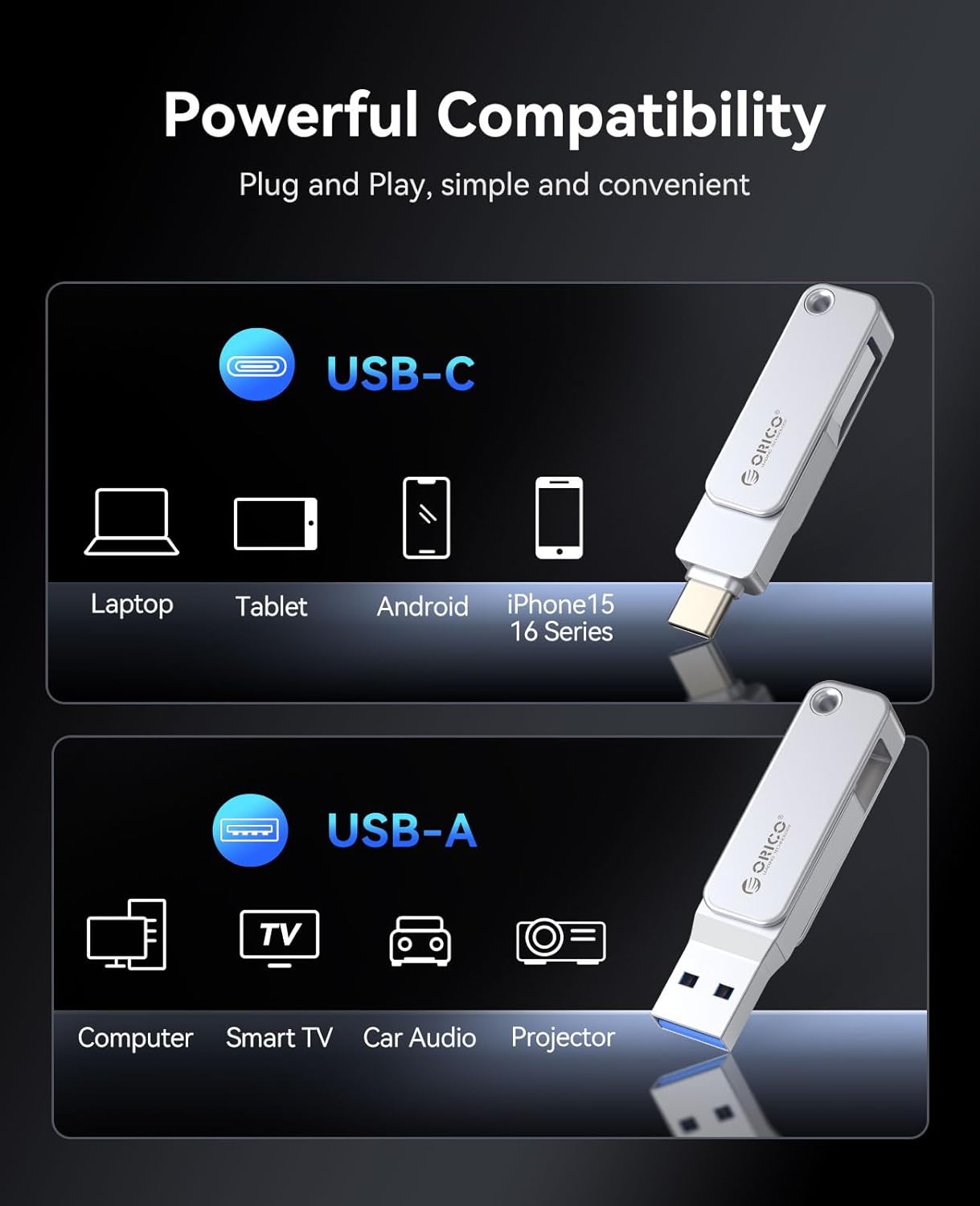
Image: The ORICO EB05 Flash Drive demonstrating its powerful compatibility by connecting to a laptop, tablet, and smartphone via USB-C and USB-A.
Specifiche
| Caratteristica | Dettaglio |
|---|---|
| Nome del modello | EB05 |
| Capacità di archiviazione della memoria | 256 GB |
| Velocità di lettura | Fino a 150 MB/s |
| Velocità di scrittura | 80 GB/s (Note: Actual write speeds may vary based on device and file tipo) |
| Tecnologia di connettività | USB 3.0 |
| Interfaccia Hardware | USB tipo A, USB tipo C |
| Materiale | Zinc Alloy Metal Housing |
| Caratteristiche speciali | Dual USB Connector, Dust Proof, Lightweight, 360° Swivel Design |
| Colore | Argento |
| Peso dell'articolo | 2.11 once |
| Dimensioni del pacco | 5.2 x 3.43 x 0.75 pollici |
Manutenzione
To ensure the longevity and optimal performance of your ORICO EB05 Flash Drive, follow these maintenance guidelines:
- Espulsione sicura: Per evitare il danneggiamento dei dati, espellere sempre in modo sicuro l'unità flash dal dispositivo prima di rimuoverla fisicamente.
- Protezione fisica: The metal housing provides durability, but avoid excessive force, dropping, or exposing the drive to extreme temperatures or liquids.
- Pulizia: Use a soft, dry cloth to clean the exterior of the flash drive. Do not use harsh chemicals or abrasive materials.
- Magazzinaggio: When not in use, store the flash drive in a cool, dry place, ideally in a protective pouch or attached to the included lanyard to prevent loss.
Risoluzione dei problemi
If you encounter issues with your ORICO EB05 Flash Drive, consider the following:
- Unità non riconosciuta:
- Ensure the flash drive is fully inserted into the correct USB-A or USB-C port.
- Prova a connetterti a una porta USB diversa del tuo dispositivo.
- Riavvia il computer o il dispositivo.
- Check your device's operating system for any driver updates or external storage settings.
- Velocità di trasferimento lente:
- Ensure you are using a USB 3.0 compatible port on your device for optimal speeds. USB 2.0 ports will result in slower transfers.
- Un gran numero di piccoli files può trasferire più lentamente di un singolo grande file della stessa dimensione totale.
- Other background processes on your computer might be affecting transfer speeds.
- Non riesco a scrivere Files:
- Controllare se l'unità è piena. Eliminare i dati non necessari fileper liberare spazio.
- Ensure the drive is not set to read-only mode (though this model typically does not have a physical write-protect switch).
- Verificare file system compatibility. The drive is typically formatted as ExFAT for broad compatibility. If you are having issues, you may need to reformat the drive (this will erase all data).
Garanzia e supporto
The ORICO EB05 Dual USB 3.0 Flash Drive comes with a Garanzia limitata di 3 anno. For warranty claims, technical support, or further assistance, please contact ORICO customer service through their official websito o rivenditore presso cui è stato acquistato il prodotto.
Conservare la prova d'acquisto per la convalida della garanzia.