
Introduzione
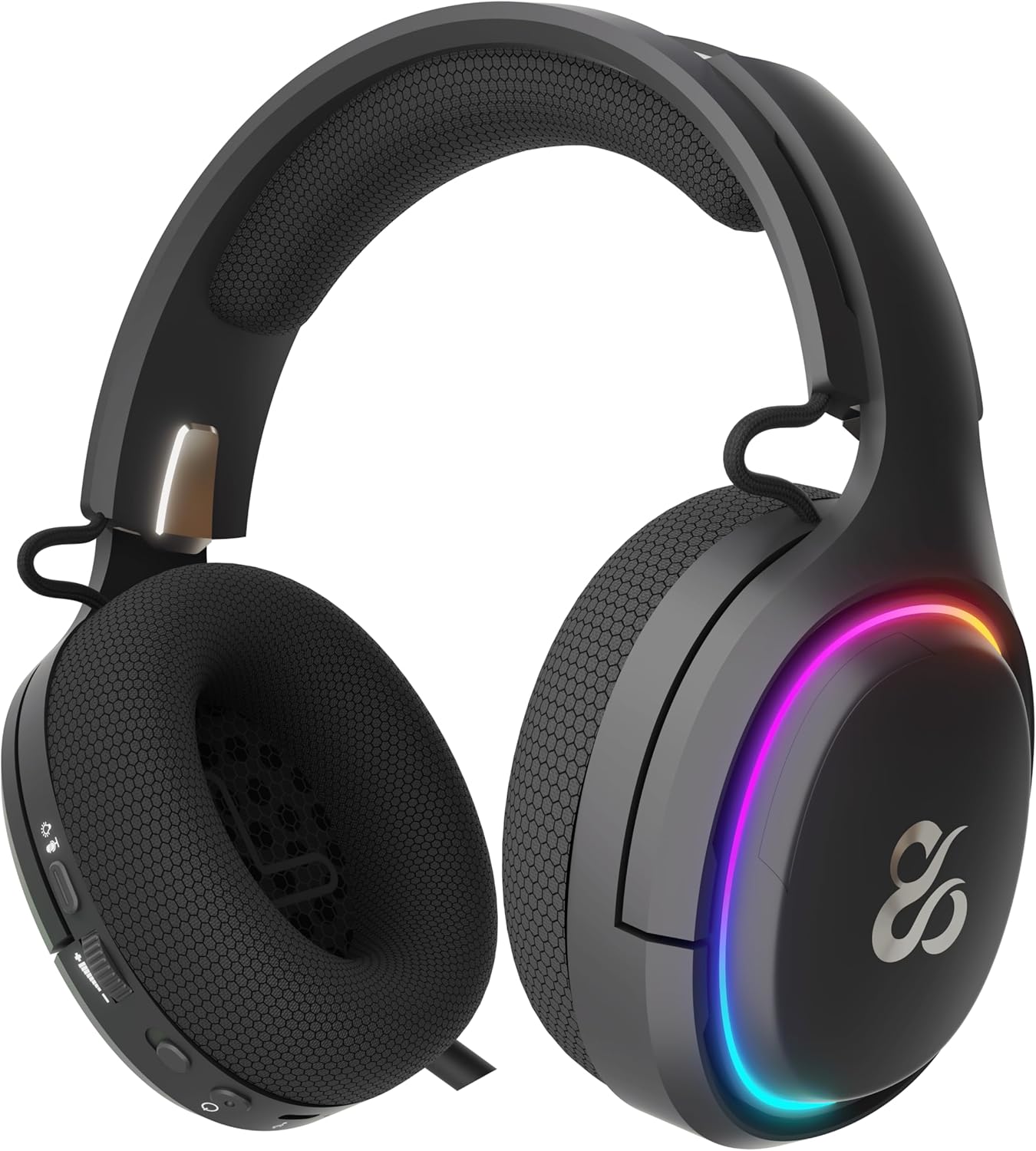
The NEWSKILL Aton V2 Gaming Headset offers versatile connectivity options including 2.4G wireless, Bluetooth 5.0, and a wired USB-C connection, ensuring compatibility across multiple platforms. Designed for an immersive audio experience, it features 50mm neodymium drivers, a flexible retractable microphone for clear communication, and customizable RGB lighting. This manual provides essential information for setting up, operating, and maintaining your headset.
1. Contenuto della confezione
- NEWSKILL Aton V2 Gaming Headset
- Cavo di ricarica/dati da USB-C a USB-A
- Dongle wireless USB 2.4G
- Manuale d'uso
2. Prodotto finitoview (Controlli e porte)
Familiarize yourself with the various controls and ports on your NEWSKILL Aton V2 headset for optimal use.

This image displays the control layout on the left earcup, including the volume adjustment wheel, power button, microphone mute switch, and a button for managing RGB lighting effects.

The underside of the left earcup features the USB-C port for charging and wired connection, alongside the dedicated port for the retractable microphone.
- Pulsante di accensione: Located on the left earcup. Used to power the headset on/off and enter Bluetooth pairing mode.
- Rullo del volume: A scroll wheel on the left earcup for adjusting audio output volume.
- Pulsante di disattivazione del microfono: A dedicated button on the left earcup to quickly mute or unmute the microphone.
- Pulsante di controllo RGB: Cycles through RGB lighting modes or turns the lighting off.
- Porta USB-C: For charging the headset and establishing a wired connection.
- Porta microfono: Where the retractable microphone extends from.
3. Configurazione e connessione
3.1. 2.4G Wireless Connection (PC, PS5, Nintendo Switch Docked)
- Insert the 2.4G USB wireless dongle into an available USB port on your device (PC, PS5, or Nintendo Switch dock).
- Premere e tenere premuto il tasto Pulsante di accensione on the headset for 3 seconds to turn it on.
- The headset will automatically attempt to connect to the dongle. A solid indicator light on the headset signifies a successful connection.
- Assicurati che l'auricolare sia selezionato come dispositivo di input e output audio nelle impostazioni di sistema.
3.2. Bluetooth 5.0 Connection (Mobile Devices, Nintendo Switch Handheld)
- Premere e tenere premuto il tasto Pulsante di accensione on the headset for 3 seconds to turn it on.
- Per accedere alla modalità di accoppiamento Bluetooth, tenere premuto il tasto Pulsante di accensione for an additional 5 seconds until the indicator light flashes rapidly (usually blue/red).
- On your mobile device or Nintendo Switch (in handheld mode), navigate to the Bluetooth settings and search for available devices.
- Select "NEWSKILL Aton V2" from the list to pair. A solid blue indicator light confirms a successful connection.
3.3. Connessione cablata (USB-C)
- Connect one end of the provided USB-C cable to the USB-C port on the headset.
- Connect the other end of the USB-C cable to an available USB-C port on your device.
- The headset will function as a wired audio device. No battery power is required for wired operation.
4. Istruzioni per l'uso
4.1. Accensione/spegnimento
- Accensione: Premere e tenere premuto il tasto Pulsante di accensione per 3 secondi.
- Spegni: Premere e tenere premuto il tasto Pulsante di accensione per 5 secondi finché la spia non si spegne.
4.2. Regolazione del volume
- Ruotare il Rullo del volume upwards to increase the volume.
- Ruotare il Rullo del volume downwards to decrease the volume.
4.3. Utilizzo del microfono
- Microfono esteso: Gently pull the microphone out from its port on the left earcup. Adjust its position for optimal voice pickup.
- Microfono retrattile: Push the microphone back into its port until it is fully stored.
- Disattiva/Attiva audio: Premere il tasto Pulsante di disattivazione del microfono once to toggle mute on or off. An indicator light (if present) may show the mute status.
This image shows the headset with its flexible, omnidirectional microphone extended from the left earcup, positioned for clear voice communication.

The headset is shown with the microphone retracted, demonstrating its discreet storage when not in use.
4.4. Controllo dell'illuminazione RGB
- Premere il tasto Pulsante di controllo RGB to cycle through various lighting effects or to turn the RGB lighting off.

The earcup's outer ring illuminates with a colorful RGB light effect, customizable via the dedicated control button.
4.5. Ricarica
- Connect the provided USB-C cable to the headset's USB-C port and to a power source (e.g., computer USB port, USB wall adapter).
- The indicator light will show the charging status (e.g., red for charging, off or green for fully charged).
- A full charge provides up to 60 hours of use without RGB lighting, or 38 hours with RGB lighting enabled.
5. Manutenzione
5.1. Pulizia
- Per pulire le cuffie, utilizzare un panno morbido, asciutto e privo di lanugine.
- Evitare l'uso di prodotti chimici aggressivi, solventi per la pulizia o detergenti aggressivi.
- Non immergere l'auricolare in acqua né esporlo a umidità eccessiva.
5.2. Conservazione
- Conservare le cuffie in un luogo fresco e asciutto, lontano dalla luce solare diretta e da temperature estreme.
- Evitare di posizionare oggetti pesanti sulle cuffie per evitare danni.
6. Risoluzione Dei Problemi
- Nessun suono:
- Check the headset's volume roller and ensure it is not at the minimum setting.
- Verify the headset is properly connected (2.4G dongle inserted, Bluetooth paired, or USB-C cable secure).
- Confirm the correct audio output device is selected in your computer or console's sound settings.
- Assicurarsi che l'auricolare sia carico.
- Microfono non funzionante:
- Ensure the microphone is extended and not muted (check the mute button).
- Verify the correct audio input device is selected in your computer or console's sound settings.
- Prova il microfono con un'altra applicazione o un altro dispositivo.
- Problemi di connessione:
- For 2.4G wireless, try re-inserting the USB dongle and restarting the headset.
- For Bluetooth, unpair the headset from your device and then re-pair it. Ensure no other Bluetooth devices are interfering.
- For wired connection, ensure the USB-C cable is fully inserted at both ends.
- Problemi di ricarica:
- Assicurarsi che il cavo USB-C non sia danneggiato e che sia collegato saldamente.
- Prova una porta USB o un alimentatore diverso.
7. Specifiche
- Numero modello:
- NS-HS-ATONV2
- Connettività:
- Wireless 2.4G, Bluetooth 5.0, USB-C cablato
- Autisti:
- 50mm Neodymium Magnets
- Microfono:
- Omnidirezionale, Retrattile
- Durata della batteria:
- Up to 60 hours (without RGB), 38 hours (with RGB)
- Porta di ricarica:
- USB-C
- Dispositivi compatibili:
- PC, PlayStation 5 (PS5), Nintendo Switch, Mobile Phones
- Dimensioni:
- Dimensioni: 10 x 270 x 21 cm
- Peso:
- 860 grammi
8. Informazioni sulla sicurezza
- Evitare l'ascolto prolungato ad alto volume per prevenire danni all'udito.
- Non esporre l'auricolare ad acqua, umidità o temperature estreme.
- Non tentare di smontare o modificare le cuffie. Ciò potrebbe invalidare la garanzia e causare danni.
- Tenere l'auricolare e i relativi accessori fuori dalla portata dei bambini e degli animali domestici.
- Smaltire la batteria in modo responsabile, nel rispetto delle normative locali.
9. Garanzia e supporto
This product is covered by a manufacturer's warranty. For detailed warranty information, technical support, or service inquiries, please refer to the official NEWSKILL websito o contattare il servizio clienti. Si prega di conservare la prova d'acquisto per eventuali reclami in garanzia.