1. Getting Started: Unboxing and Components
This section details the contents of your TABWEE T80 package and provides an overview of the tablet's physical features.
1.1 Contenuto della confezione
Verifica che tutti gli articoli elencati di seguito siano presenti nel tuo pacco:
- TABWEE T80 Android Tablet
- Tastiera Bluetooth
- Mouse senza fili
- Penna stilo
- Custodia protettiva
- Pellicola protettiva per lo schermo (pre-applicata o separata)
- Supporto per tablet
- Charger and USB-C Cable

1.2 Prodotto finitoview
Familiarize yourself with the tablet's buttons, ports, and camera locations.
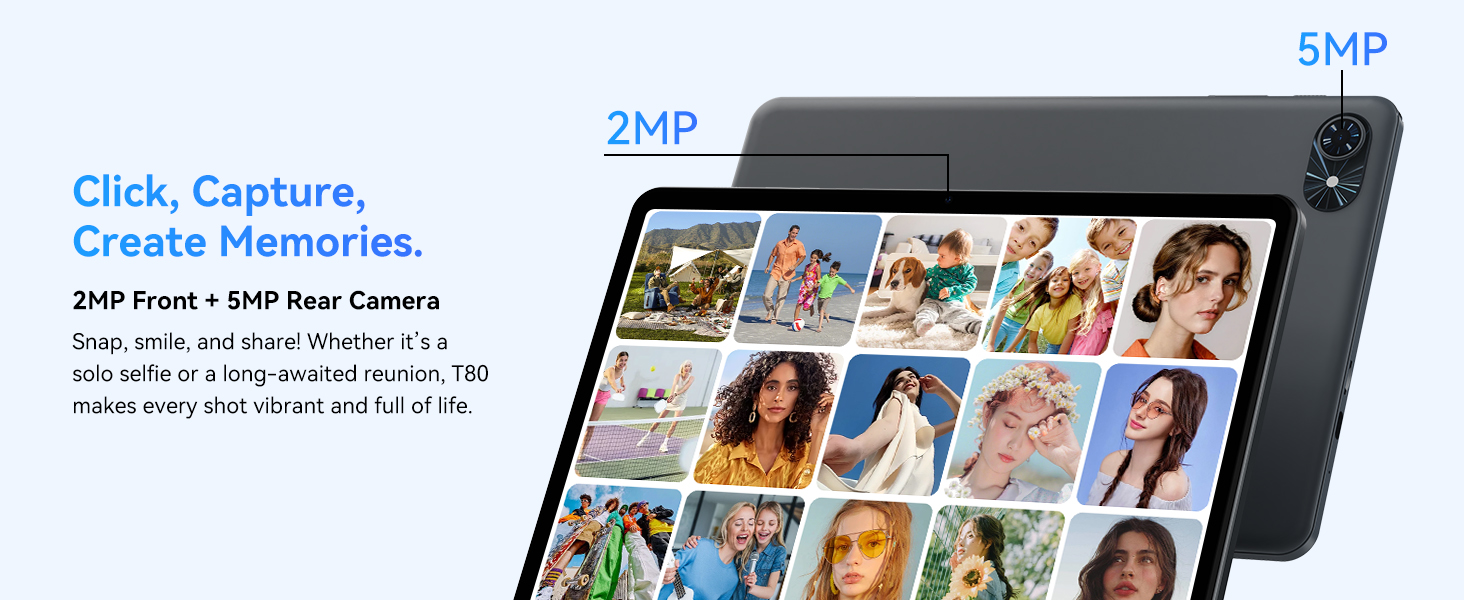
- Fotocamera frontale: Located at the top center when held in landscape orientation. (2MP)
- Telecamera posteriore: Located on the back panel, typically in the upper left corner. (5MP)
- Pulsante di accensione: Used to turn the tablet on/off or wake/sleep the screen.
- Pulsanti del volume: Regola il livello di uscita audio.
- Porta USB-C: Per la ricarica e il trasferimento dei dati.
- Slot per scheda MicroSD: Per espandere lo spazio di archiviazione fino a 2 TB.
- Relatori: Doppi altoparlanti per l'uscita audio.
2. Istruzioni per l'installazione
Follow these steps to set up your TABWEE T80 tablet for first-time use.
2.1 Accensione iniziale e configurazione di base
- Caricare il tablet: Connect the provided USB-C cable and charger to the tablet and a power outlet. Allow the tablet to charge for at least 30 minutes before first use.
- Accensione: Tenere premuto il pulsante di accensione finché non appare sullo schermo il logo TABWEE.
- Lingua e regione: Segui le istruzioni sullo schermo per selezionare la lingua e la regione preferite.
- Connettiti al Wi-Fi: Select your Wi-Fi network from the list and enter the password. A stable internet connection is required for initial setup and updates.
- Account Google: Accedi con il tuo account Google o creane uno nuovo. Questa operazione è necessaria per scaricare app dal Google Play Store.
- Data e ora: Confermare le impostazioni di data e ora.
- Sicurezza: Per motivi di sicurezza, imposta un blocco schermo (PIN, sequenza o password).
2.2 Collegamento degli accessori
The TABWEE T80 comes with several accessories to enhance its functionality.
- Tastiera e mouse Bluetooth:
- Assicurarsi che la tastiera e il mouse siano carichi e accesi.
- Sul tuo tablet, vai a Impostazioni > Dispositivi connessi > Bluetooth.
- Abilita il Bluetooth e cerca nuovi dispositivi.
- Seleziona la tastiera e il mouse dall'elenco per associarli. Segui le istruzioni visualizzate sullo schermo.
- Penna stilografica: The stylus pen can be used directly on the screen for navigation, drawing, or writing. No pairing is typically required for basic capacitive styluses.
- Protective Case and Stand: Attach the protective case to the tablet. The case often includes a foldable stand for hands-free viewing.
3. Istruzioni per l'uso
This section covers the daily operation of your TABWEE T80 tablet.
3.1 Navigazione di base e funzionalità di Android 15
- Schermata iniziale: Swipe left or right to access different home screens. Tap and hold an empty space to customize widgets, wallpaper, and settings.
- Notifiche e Impostazioni rapide: Scorri verso il basso dalla parte superiore dello schermo a view notifiche e accedi a impostazioni rapide come Wi-Fi, Bluetooth e luminosità.
- Cassetto delle applicazioni: Scorri verso l'alto dalla parte inferiore dello schermo per accedere a tutte le applicazioni installate.
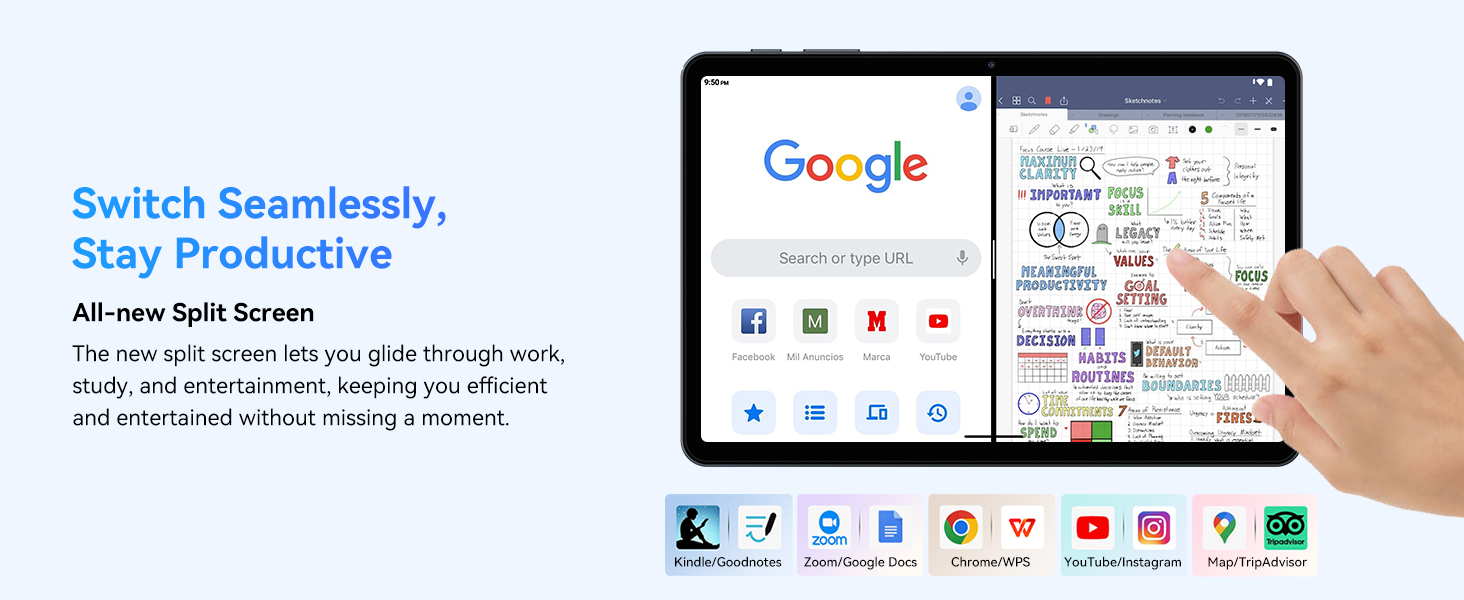
- Multitasking (Split Screen): Android 15 supports enhanced split-screen functionality. To use, open an app, then swipe up from the bottom, hold, and drag another app icon to either side of the screen.
- Gemini AI 2.0: Your tablet integrates Gemini AI 2.0 for enhanced task management, smart chats, text-to-image generation, voice-enabled Q&A, and real-time conversations. Access AI features through compatible apps or dedicated AI interfaces.
- Privacy e sicurezza: Android 15 offers improved privacy controls. Review and adjust app permissions in Impostazioni > Privacy.
3.2 Connettività
- Wifi: Supports 802.11a/b/g/n/ac for fast 5G Wi-Fi connectivity. Manage Wi-Fi connections in Impostazioni > Rete e Internet > Wi-Fi.
- Bluetooth 5.0: For connecting wireless headphones, speakers, keyboards, and mice. Manage Bluetooth devices in Impostazioni > Dispositivi connessi > Bluetooth.
- Posizione GPS: The tablet includes GPS functionality for location services and navigation apps.
- OTG (in movimento): Supports OTG, allowing you to connect USB devices like flash drives or external hard drives using an appropriate adapter.
3.3 Utilizzo della fotocamera
The TABWEE T80 features a 2MP front camera and a 5MP rear camera.
- Apri l'app Fotocamera dalla schermata iniziale o dal menu delle applicazioni.
- Tocca il pulsante di scatto per scattare foto.
- Passa dalla fotocamera anteriore a quella posteriore utilizzando l'icona di attivazione/disattivazione della fotocamera.
- Explore different modes such as video recording or panorama if available.

3.4 Archiviazione e prestazioni
- Memoria RAM: The tablet comes with 6GB of physical RAM, expandable virtually to 18GB for smooth multitasking. Adjust RAM settings in Impostazioni se necessario.
- Memoria interna: 128GB ROM is provided for apps and files.
- Archiviazione espandibile: A MicroSD card slot allows for storage expansion up to 2TB. Insert a compatible MicroSD card into the designated slot.
- Processore: Powered by a Quad-Core Unisoc T310 processor (1x A75 2.0GHz, 3x A55 1.8GHz) and GE8300 GPU for efficient performance.
3.5 Batteria e ricarica
- Capacità della batteria: Equipped with a 6000mAh battery, providing over 10 hours of typical usage.
- Ricarica: Use the provided 10W fast charger and USB-C cable. Connect the cable to the tablet's USB-C port and the charger to a power outlet.
- Ottimizzazione della batteria: Android 15 includes AI Super Power Saving Algorithms to extend battery life. Monitor battery usage in Impostazioni> Batteria.

3.6 Display and Entertainment
- Display: 10-inch IPS display with a resolution of 1280 x 800 pixels.
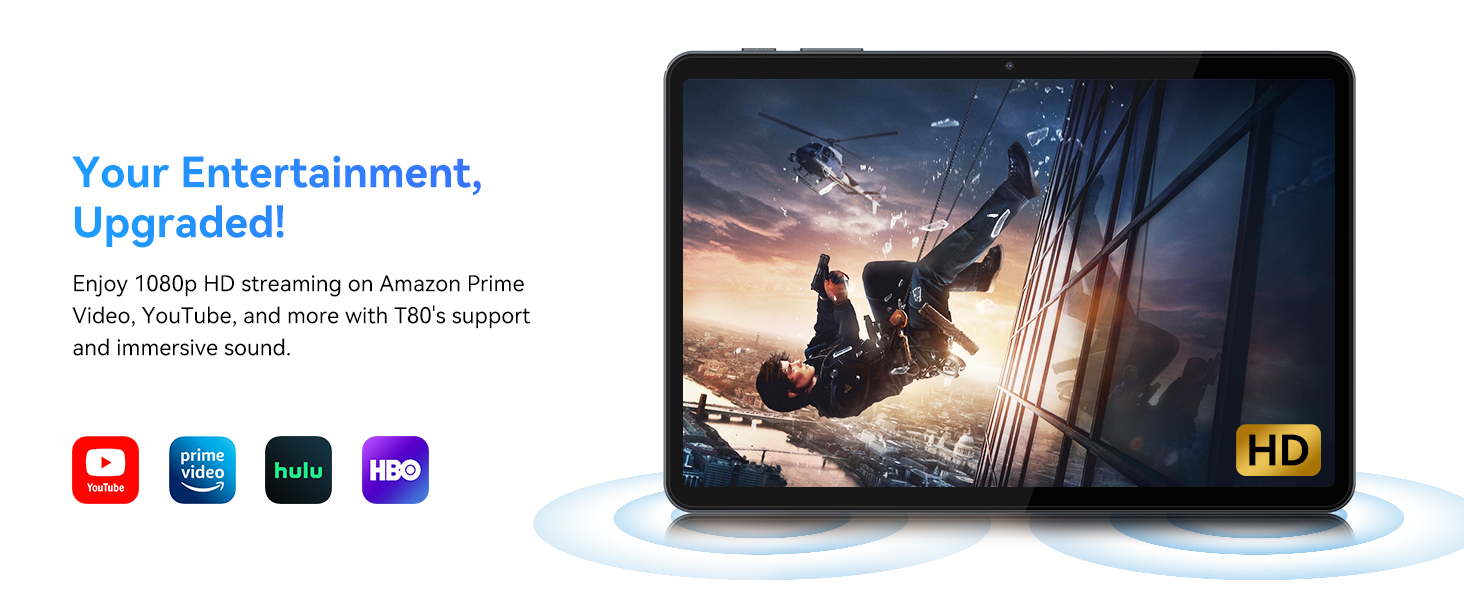
- Riproduzione video: Supports 1080P video playback for streaming services like Amazon Prime Video, YouTube, Hulu, and HBO.
- Audio: Dual speakers provide clear audio for media consumption.
4. Manutenzione
Una corretta manutenzione garantisce la longevità e le prestazioni ottimali del tuo tablet.
4.1 Cura della batteria
- Evitare temperature estreme, poiché possono ridurre la durata della batteria.
- Non lasciare che la batteria si scarichi completamente frequentemente. Caricarla prima che raggiunga lo 0%.
- Per evitare danni, utilizzare solo il caricabatterie e il cavo forniti.
4.2 Pulizia
- Utilizzare un panno morbido e privo di lanugine per pulire lo schermo e il corpo del tablet.
- Per macchie ostinate, leggermente dampImmergere il panno in acqua o in una soluzione detergente per schermi. Evitare prodotti chimici aggressivi.
- Assicurarsi che tutte le porte siano prive di polvere e detriti.
4.3 Aggiornamenti software
- Regularly check for and install system updates. These updates often include performance improvements, security patches, and new features.
- Vai a Impostazioni > Sistema > Aggiornamento di sistema per verificare la disponibilità di aggiornamenti.
5. Risoluzione Dei Problemi
Questa sezione affronta i problemi più comuni che potresti riscontrare con il tuo tablet TABWEE T80.
5.1 Il tablet non si accende
- Assicurati che il tablet sia sufficientemente carico. Collegalo al caricabatterie e attendi qualche minuto prima di riprovare ad accenderlo.
- Prova a tenere premuto il pulsante di accensione per 10-15 secondi per forzare il riavvio.
5.2 Problemi di connettività Wi-Fi
- Attiva e disattiva il Wi-Fi nelle Impostazioni rapide.
- Riavvia il router Wi-Fi.
- Dimentica la rete in Impostazioni > Rete e Internet > Wi-Fi e riconnettersi.
5.3 Prestazioni lente
- Chiudere le applicazioni in background non necessarie.
- Cancella la cache per le app utilizzate di frequente in Impostazioni > App > [Nome app] > Archiviazione e cache > Cancella cache.
- Assicurati di avere sufficiente spazio di archiviazione libero. Elimina i vecchi files or move them to expandable storage.
- Riavviare periodicamente il tablet.
5.4 Accessori non collegati
- For Bluetooth accessories, ensure they are charged, powered on, and in pairing mode.
- Verify Bluetooth is enabled on the tablet and try re-pairing the device.
- Check the battery level of the accessories.
6. Specifiche
Detailed technical specifications for the TABWEE T80 Android 15 Tablet.
| Caratteristica | Specificazione |
|---|---|
| Nome del modello | T80(6+128) |
| Sistema operativo | Androide 15 |
| Dimensioni dello schermo | 10 pollici |
| Risoluzione massima dello schermo | 1280 x 800 pixel |
| Processore | Unisoc T310 Quad-Core (1x A75 2.0GHz, 3x A55 1.8GHz) |
| Memoria RAM | 18 GB (6 GB fisici + 12 GB virtuali) |
| Dimensione della memoria flash (ROM) | 128 GB |
| Archiviazione espandibile | Fino a 2 TB tramite scheda MicroSD |
| Tipo senza fili | 802.11a, 802.11ac, 802.11b, 802.11g, 802.11n (5G WiFi) |
| Bluetooth | Bluetooth 5.0 |
| Capacità della batteria | 6000mAh |
| Durata media della batteria | 480 Hours (Standby) / 10+ Hours (Usage) |
| Fotocamera frontale | 2MP |
| Telecamera posteriore | 5MP |
| Peso dell'articolo | 1.1 libbre |
| Dimensioni del prodotto | 9.5 x 6.3 x 0.3 pollici |
| Colore | Grigio argento |
7. Garanzia e supporto
Information regarding your product warranty and how to obtain customer support.
7.1 Garanzia del prodotto
Il tablet TABWEE T80 è dotato di un Garanzia di 2 anno, covering manufacturing defects and ensuring product reliability. This warranty provides peace of mind and support for your device.
7.2 Assistenza clienti
For any technical assistance, inquiries, or warranty claims, please contact TABWEE customer support:
- E-mail: serviceplus.linda@gmail.com
- Telefono (USA): +1 (717) 896-6060
- Telefono (Regno Unito): +44 7700 156388
- Telefono (CA): +1 (587) 841-0500
- Telefono (DE): +49 157 3598 0115
TABWEE offers 24/7 customer support and lifetime technical assistance to ensure you have the best experience with your product.