Introduzione
Thank you for choosing the BBRKIN CTC01 Fingerprint Biometric Safe. This safe is designed to provide secure storage for your valuables while offering convenient features such as biometric access, a digital display, and integrated wireless charging. Please read this manual thoroughly before operating the safe to ensure proper setup, usage, and maintenance.
Informazioni sulla sicurezza
- Always keep the override keys in a secure location away from the safe and out of reach of children. Do not store them inside the safe.
- Assicurarsi che la cassaforte sia posizionata su una superficie stabile e piana.
- Non tentare di smontare o modificare la cassaforte. Ciò potrebbe comprometterne la sicurezza e invalidarne la garanzia.
- Per prestazioni ottimali, mantenere il sensore delle impronte digitali e la tastiera puliti e asciutti.
- If storing firearms, always follow local laws and regulations regarding firearm storage.
Contenuto della confezione
Si prega di controllare la confezione per verificare la presenza dei seguenti elementi:
- BBRKIN CTC01 Biometric Safe x 1
- Chiave di override x 2
- Adattatore di alimentazione x 1
- Security Cable x 1
- Manuale utente x 1
Prodotto finitoview
The BBRKIN CTC01 safe combines robust security with modern convenience features. Familiarize yourself with its components:

Figura 1: Davanti view of the BBRKIN CTC01 safe, showing the open drawer, digital display, and wireless charging pad on top. A phone, smartwatch, and earbuds are shown charging wirelessly.

Figura 2: Detail of the wireless charging area, highlighting the fast fingerprint access, wireless charging capability, keypad light, and wake-on-touch feature.

Figura 3: The LCD display on the safe's front panel, indicating current time, temperature, humidity, lock status, volume icon, adapter icon, and battery power icon.

Figura 4: Illustration of the safe's drawer storage capacity and dimensions (12.7"D x 9.4"W x 3.2"H exterior), suitable for handguns, jewelry, money, or other valuables.
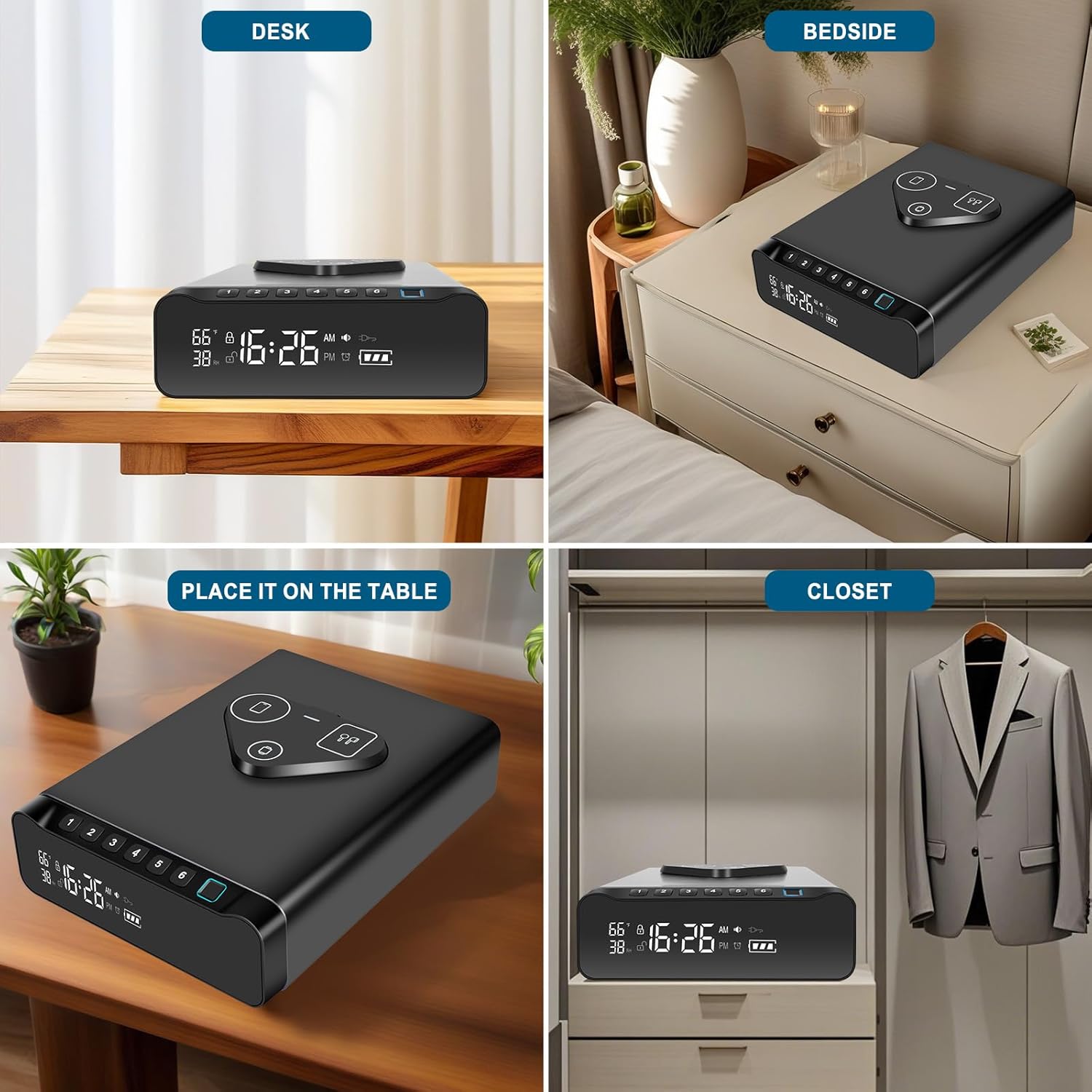
Figura 5: Posteriore view of the safe, indicating the connection points for the power adapter and the steel security cable.
Impostare
1. Powering the Safe
The safe can be powered by the included AC adapter or by batteries (not included) as a backup. For continuous operation and wireless charging functionality, it is recommended to use the AC adapter.
- Alimentazione CA: Connect the provided power adapter to the DC IN port at the back of the safe and plug it into a wall outlet. The display will illuminate.
- Alimentazione a batteria (backup): Locate the battery compartment on the bottom of the safe. Insert 4 AA batteries (not included), ensuring correct polarity. The safe can operate on battery power, but wireless charging will not function.
2. Impostazione dell'ora e della data
Refer to the specific instructions in the included printed manual for detailed steps on setting the time and date on the LCD display.
3. Registrazione delle impronte digitali
The safe can store up to 100 unique fingerprints for quick access.
- Open the safe using the override key or default PIN (if applicable).
- Locate the 'SET' button inside the safe. Press and hold it until the display indicates 'Enroll Fingerprint'.
- Place your finger on the fingerprint sensor. Lift and place your finger multiple times from different angles as prompted by the safe's display or indicator lights. This ensures a comprehensive scan.
- Once registration is complete, the safe will confirm. Test the registered fingerprint immediately to ensure it works correctly.
- Ripetere l'operazione per altre impronte digitali, se desiderato.
4. Setting a PIN Code
You can set a personal identification number (PIN) for keypad access.
- Apri la cassaforte.
- Press the 'SET' button (or equivalent button for PIN setup) inside the safe. The display will prompt for PIN entry.
- Enter your desired 4-8 digit PIN code, then press the '#' or 'Confirm' button.
- Re-enter the same PIN code and press '#' or 'Confirm' again to verify.
- The safe will confirm successful PIN setup. Test the PIN immediately.
5. Using the Override Key
The override key provides mechanical access to the safe in case of battery failure or forgotten codes.
- Locate the keyhole, typically on the side or back of the safe.
- Insert one of the provided override keys into the keyhole.
- Girare la chiave per aprire la cassaforte.
Istruzioni per l'uso
1. Apertura della cassaforte
- Accesso tramite impronta digitale: Place a registered finger on the fingerprint sensor. The safe will unlock and the drawer will open if the fingerprint is recognized.
- Accesso tramite codice PIN: Touch the keypad to activate it. Enter your registered PIN code, then press the '#' or 'Confirm' button. The safe will unlock and the drawer will open.
- Accesso chiave: Use the override key as described in the Setup section.
2. Utilizzo della ricarica wireless
The safe features a 3-in-1 wireless charging pad for compatible devices (phone, smartwatch, earbuds).
- Ensure the safe is connected to AC power using the provided adapter. Wireless charging does not function on battery power.
- Place your compatible device(s) on the designated charging areas on top of the safe.
- For optimal charging, remove phone cases thicker than 2.5mm or those containing metal.
3. Comprensione del display LCD
The front LCD display provides real-time information:
- Tempo: Visualizza l'ora corrente.
- Temperatura: Mostra la temperatura ambiente.
- Umidità: Indicates the relative humidity.
- Livello della batteria: Shows the current battery status when operating on battery power.
- Stato blocco: An icon indicates if the safe is locked or unlocked.
4. Funzione sveglia
The integrated alarm clock can be set via the safe's controls. Refer to the detailed instructions in the included printed manual for setting and managing alarms.
5. Modalità silenziosa
The safe can be set to silent mode to disable keypad beeps and other audible alerts. Consult the printed manual for instructions on activating and deactivating silent mode.
Manutenzione
1. Sostituzione della batteria
When the battery level indicator on the LCD display is low, replace the batteries promptly.
- Locate the battery compartment on the bottom of the safe.
- Unscrew the cover and remove the old batteries.
- Inserire 4 batterie AA nuove, assicurandosi della corretta polarità.
- Replace the cover and screw it securely.
2. Pulizia
Per preservare l'aspetto e la funzionalità della tua cassaforte:
- Pulisci l'esterno con un panno morbido eamp panno. Evitare detergenti abrasivi o solventi.
- Gently clean the fingerprint sensor and keypad with a dry, lint-free cloth.
Risoluzione dei problemi
- La cassaforte non si apre con l'impronta digitale: Ensure your finger is clean and dry. Try re-registering your fingerprint. Ensure you are placing your finger correctly on the sensor.
- La cassaforte non si apre con il codice PIN: Ensure the keypad is active. Double-check the PIN entry. Try resetting the PIN code.
- La ricarica wireless non funziona: Ensure the safe is connected to AC power. Verify your device is wireless charging compatible. Remove thick or metallic phone cases.
- Il display è vuoto: Check AC power connection. If on battery, replace batteries.
- L'allarme suona inaspettatamente: Check alarm settings. Ensure no unauthorized access attempts have occurred.
Specifiche
| Marca | BBRKIN |
| Numero di modello | CTC01 |
| Dimensioni del prodotto | 12.7"P x 9.4"L x 3.2"A |
| Peso dell'articolo | 12.73 libbre |
| Materiale | Acciaio legato |
| Tipo di blocco | Biometrico, Serratura a combinazione elettronica, Chiave |
| Caratteristiche speciali | Alarm System, Anti-Theft, Biometric Fingerprint, Combination Lock, Wireless Charging, Humidity/Temperature Display, Alarm Clock |
| Tipo di montaggio | Floor Mount (also suitable for tabletop) |
| Capacità dell'impronta digitale | 100 impronte digitali |
| Fonte di alimentazione | Adattatore CA (incluso), 4 batterie AA (non incluse) |
Garanzia e supporto
For warranty information or technical support, please refer to the contact details provided with your purchase documentation or visit the official BBRKIN websito. Conservare la ricevuta d'acquisto come prova d'acquisto per eventuali reclami in garanzia.