
POLVCDG BDAMX-16FXH
POLVCDG Bone Conduction Headphones
Modello: BDAMX-16FXH
Manuale di istruzioni per l'utente
Introduzione
Thank you for choosing the POLVCDG Bone Conduction Headphones. These open-ear headphones are designed for comfort and safety, allowing you to enjoy audio while remaining aware of your surroundings. Featuring IPX8 waterproofing, 32GB of built-in memory for MP3 playback, and Bluetooth connectivity, they are suitable for various activities including swimming, running, cycling, and daily use. This manual provides essential information for setting up, operating, maintaining, and troubleshooting your headphones.
Cosa c'è nella scatola
Dopo aver disimballato il prodotto, verificare che siano presenti tutti i seguenti elementi:
- Cuffie a conduzione ossea x1
- Manuale di istruzioni x1
- Corda regolabile in silicone x1
- Cavo di ricarica x1
- Tappi per le orecchie x2

Image: Contents of the POLVCDG Bone Conduction Headphones package. This includes the headphones, a charging cable, and a set of earplugs, neatly arranged.
Impostare
1. Carica delle cuffie
Prima del primo utilizzo, caricare completamente le cuffie.
- Collegare il cavo di ricarica magnetico alla porta di ricarica delle cuffie.
- Collegare l'altra estremità del cavo di ricarica a un adattatore di alimentazione USB (non incluso) o alla porta USB di un computer.
- L'indicatore LED mostrerà lo stato di carica. Una ricarica completa richiede in genere circa 2 ore.
- Once fully charged, the LED indicator will change, indicating the charging is complete. Disconnect the cable.

Image: The magnetic charging connection point on the POLVCDG headphones, illustrating how the charging cable attaches securely.
2. Accensione/Spegnimento
- Per accendere: Press and hold the Power button for approximately 3 seconds until the LED indicator lights up and you hear an audible prompt.
- Per spegnere: Tenere premuto il pulsante di accensione per circa 5 secondi, finché l'indicatore LED non si spegne e non si sente un segnale acustico.
3. Accoppiamento Bluetooth
Per collegare le cuffie a un dispositivo abilitato Bluetooth:
- Assicurati che le cuffie siano spente.
- Tenere premuto il pulsante di accensione per circa 5-7 secondi finché l'indicatore LED non lampeggia alternativamente in rosso e blu, indicando la modalità di associazione.
- Sul tuo dispositivo (smartphone, tablet, computer), attiva il Bluetooth e cerca i dispositivi disponibili.
- Select "POLVCDG BDAMX-16FXH" (or similar name) from the list of found devices.
- Una volta effettuata la connessione, l'indicatore LED diventerà blu fisso e verrà emesso un suono di conferma.
Note: The headphones can connect to multiple devices simultaneously for convenience.
4. Using MP3 Mode (Built-in 32GB Storage)
The headphones feature 32GB of internal storage, allowing you to store up to 8,000 songs for phone-free listening, especially useful for underwater activities where Bluetooth signals cannot transmit.
- Per caricare musica: Connect the headphones to a computer using the charging cable. The headphones will appear as a removable disk drive. Drag and drop your audio files (e.g., MP3 format) into the headphone's storage.
- To Switch to MP3 Mode: While the headphones are on, press the Mode button (refer to button layout in Operating section) to switch between Bluetooth and MP3 modes. An audible prompt will confirm the mode change.
- Important for Swimming: Always switch to MP3 mode when using the headphones for swimming or any underwater activity, as Bluetooth signals do not transmit effectively through water.

Image: Illustration of the dual playback modes: Wireless (Bluetooth) for stable connection and MP3 Mode with 32GB built-in storage for up to 8,000 songs. A warning indicates to switch to MP3 mode for underwater use.
Utilizzo delle cuffie
1. Funzioni dei pulsanti
The headphones are controlled via physical buttons located on the side.
| Pulsante/Azione | Funzione |
|---|---|
| Pulsante di accensione (pressione lunga) | Accensione/spegnimento |
| Pulsante di accensione (pressione breve) | Riproduci/Pausa, Rispondi/Termina chiamata |
| Volume su (+) | Increase Volume, Next Track (Long Press) |
| Volume basso (-) | Decrease Volume, Previous Track (Long Press) |
| Pulsante Modalità (pressione breve) | Passa dalla modalità Bluetooth alla modalità MP3 |
2. Effettuare e ricevere chiamate
The headphones are equipped with Environmental Noise Cancellation (ENC) technology for clear calls.
- Rispondi alla chiamata: Premere brevemente il pulsante di accensione quando si riceve una chiamata.
- Termina chiamata: Premere brevemente il pulsante di accensione durante una chiamata.
- Rifiuta chiamata: Quando arriva una chiamata, tieni premuto a lungo il pulsante di accensione.
3. Waterproof Usage (IPX8 Rating)
The POLVCDG headphones are rated IPX8 waterproof, meaning they can be submerged in water up to two meters deep for one hour.
- Ideal for swimming, showering, and other water sports.
- Nota cruciale: Bluetooth signals do not transmit effectively underwater. Always switch to Modalità MP3 when using the headphones for swimming to ensure uninterrupted audio playback from the built-in 32GB storage.

Image: A man wearing the POLVCDG headphones and swimming goggles, partially submerged in water, highlighting the IPX8 waterproof feature.

Image: A man cycling outdoors while wearing the POLVCDG headphones and a helmet, illustrating the open-ear design for situational awareness during activities.
Manutenzione
Proper care will extend the lifespan of your POLVCDG Bone Conduction Headphones.
- Pulizia: After use, especially after swimming or intense workouts, gently wipe the headphones with a soft, damp stoffa. Non utilizzare prodotti chimici aggressivi o detergenti abrasivi.
- Essiccazione: Ensure the charging port and surrounding areas are completely dry before charging to prevent corrosion. You can gently shake off excess water and then air dry.
- Magazzinaggio: Conservare le cuffie in un luogo fresco e asciutto, lontano dalla luce solare diretta e da temperature estreme. Evitare di appoggiarvi sopra oggetti pesanti.
- Cura della porta di ricarica: The magnetic charging port is designed to be waterproof. However, always ensure it is clean and free of debris before connecting the charging cable.
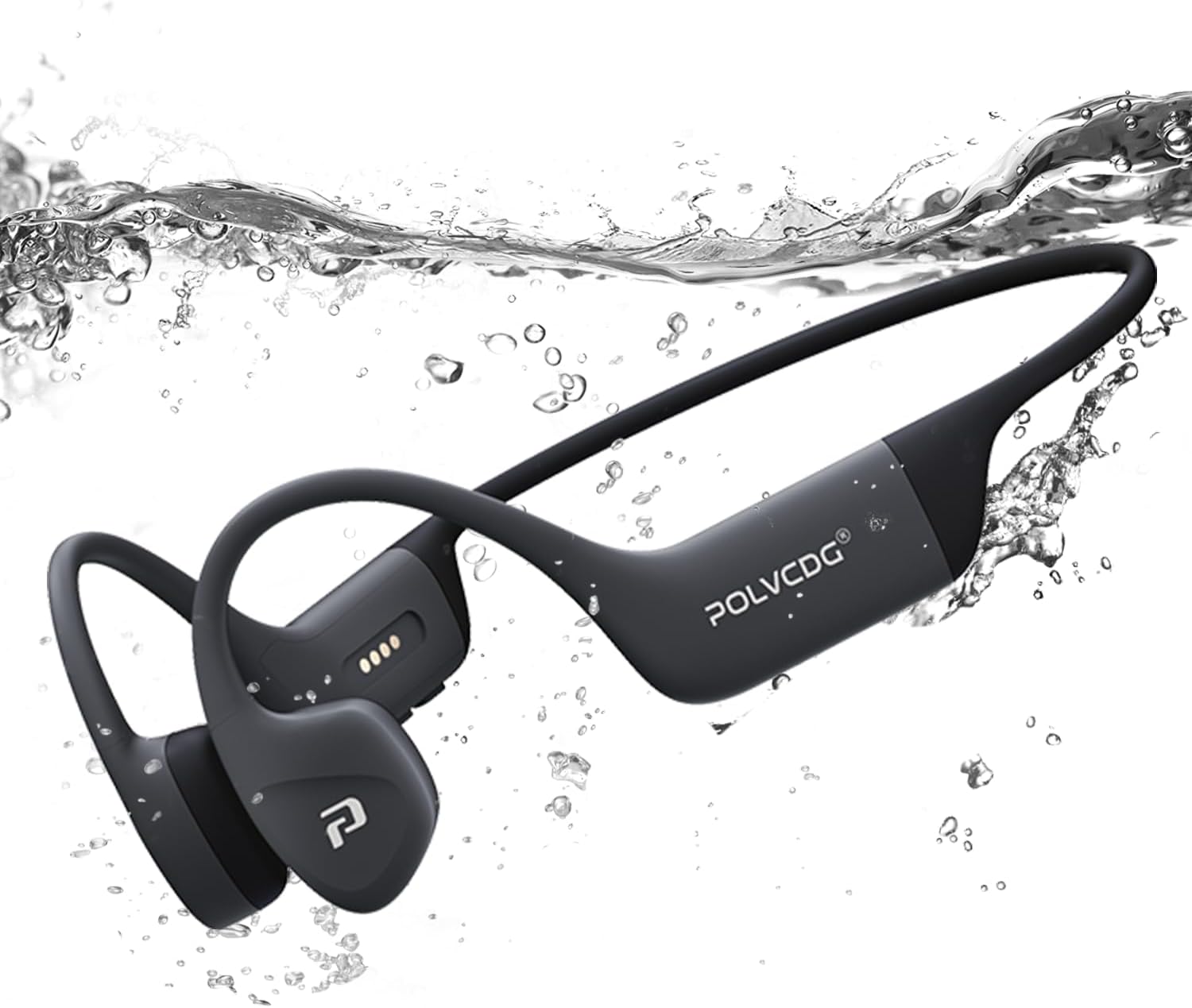
Image: The POLVCDG headphones shown partially submerged in water, demonstrating their robust waterproof construction.
Risoluzione dei problemi
Se riscontri problemi con le cuffie, fai riferimento alle seguenti soluzioni comuni:
| Problema | Possibile causa/soluzione |
|---|---|
| Le cuffie non si accendono. | Battery is depleted. Charge the headphones fully. |
| Impossibile associare il dispositivo. |
|
| Nessun suono o volume basso. |
|
| L'audio si interrompe o è distorto. |
|
| Cannot hear sound underwater. |
|
Specifiche
Key technical specifications for the POLVCDG Bone Conduction Headphones:
| Caratteristica | Dettaglio |
|---|---|
| Nome del modello | BDAMX-16FMC (as per specifications) / BDAMX-16FXH (as per item model number) |
| Tecnologia di connettività | Wireless (Bluetooth) |
| Versione Bluetooth | 5.4 |
| Livello di resistenza all'acqua | IPX8 impermeabile |
| Memoria interna | 32GB (for MP3 Mode) |
| Durata della batteria | Fino a 10 ore |
| Tempo di ricarica | Circa 2 ore |
| Tipo di driver audio | Driver a conduzione ossea |
| Controllo del rumore | Cancellazione del rumore ambientale (ENC) |
| Risposta in frequenza | 20 Hz - 20 KHz |
| Sensibilità | 85 dB |
| Impedenza | 8 Ohm |
| Materiale | Silicone |
| Peso dell'articolo | 7.4 once (circa 0.46 libbre) |
| Dimensioni del prodotto | 5.27 x 2.32 x 6.1 pollici |
Note: There are two model numbers listed in the product data: "BDAMX-16FMC" under 'Model Name' and "BDAMX-16FXH" under 'Item model number'. Please refer to your product packaging for the exact model number.
Garanzia e supporto
For warranty information and customer support, please refer to the documentation included with your product or visit the official POLVCDG websito.
Produttore: POLVCDG
For additional assistance, you may contact the seller directly through the platform where the product was purchased.