
POLVCDG BDAMX-1FMC82
Manuale utente delle cuffie a conduzione ossea POLVCDG
Model: BDAMX-1FMC82
Marca: POLVCDG
1. Introduzione
Thank you for choosing POLVCDG Bone Conduction Headphones. These open-ear headphones are designed to provide a unique audio experience while maintaining environmental awareness, making them ideal for sports, workouts, hiking, and cycling. Featuring IPX6 waterproofing, clear call quality with ENC noise reduction, and a long-lasting battery, these headphones offer comfort and performance for your active life.

Image 1.1: The POLVCDG Bone Conduction Headphones in green, showcasinil loro design a orecchio aperto.
2. Cosa c'è nella scatola
All'apertura del pacco, assicurati che siano inclusi tutti i seguenti articoli:
- Bone Conduction Headset x 1
- Cavo di ricarica (tipo C) x 1
- Adjustable Elastic Band x 1
- Manuale utente x 1
3. Guida all'installazione
3.1 Ricarica delle cuffie
Before first use, fully charge your headphones. The headphones feature a Type-C charging port for quick and convenient power replenishment.
- Collegare il cavo di ricarica Type-C in dotazione alla porta di ricarica delle cuffie.
- Collegare l'altra estremità del cavo a un adattatore di alimentazione USB (non incluso) o alla porta USB di un computer.
- The LED indicator will show charging status (refer to specific light patterns in the manual for details).
- A full charge typically takes approximately 2 hours, providing up to 10 hours of music playback or call time.

Image 3.1: Visual representation of the Type-C charging port and other key features like ENC and battery life.
3.2 Associazione Bluetooth
Per collegare le cuffie a un dispositivo:
- Assicurati che le cuffie siano spente.
- Press and hold the power button until the LED indicator flashes (e.g., blue and red alternately), indicating pairing mode.
- Sul tuo dispositivo (smartphone, tablet, computer), attiva il Bluetooth e cerca i dispositivi disponibili.
- Select "POLVCDG BDAMX-1FMC82" (or similar name) from the list of found devices.
- Una volta connesso, l'indicatore LED in genere emetterà una luce blu fissa o lampeggerà lentamente.
The headphones support connection to two devices simultaneously, allowing seamless switching between them.
3.3 Indossare le cuffie
The flexible titanium frame is designed for a secure and comfortable fit. Place the transducers on your cheekbones, just in front of your ears, with the band resting behind your head. The lightweight design (29 grams) ensures fatigue-free wear.

Image 3.2: Details on the lightweight and secure fit of the headphones, highlighting the flexible titanium frame.
4. Istruzioni per l'uso
4.1 Controlli di base
Le cuffie sono dotate di pulsanti di controllo intuitivi per varie funzioni:
- Accensione/spegnimento: Premere e tenere premuto il pulsante di accensione.
- Riproduci/Pausa: Premi una volta il pulsante multifunzione.
- Volume su/giù: Utilizzare i pulsanti del volume dedicati.
- Traccia successiva: Press and hold the volume up button (or specific button combination).
- Traccia precedente: Press and hold the volume down button (or specific button combination).
4.2 Gestione delle chiamate
The integrated microphone with ENC (Environmental Noise Cancellation) ensures clear calls even in noisy environments.
- Rispondi/Termina chiamata: Premere una volta il pulsante multifunzione durante una chiamata in arrivo o una chiamata attiva.
- Rifiuta chiamata: Tenere premuto il pulsante multifunzione durante una chiamata in arrivo.
- Assistente vocale: Premi due volte il pulsante multifunzione per attivare l'assistente vocale del tuo dispositivo.
4.3 Esperienza audio
Equipped with 16mm drivers and MFR-TURBO Digital Audio Enhancement Technology, these headphones deliver rich, high-fidelity sound for music and podcasts.

Immagine 4.1: Un esploso view illustrating the advanced internal components, including the 16mm drivers and MFR-TURBO technology, responsible for enhanced audio quality.

Image 4.2: A cyclist demonstrating the open-ear design, which allows for environmental awareness during activities.
5. Manutenzione
5.1 Pulizia
Per mantenere la longevità e l'igiene delle tue cuffie:
- Pulisci le cuffie con un panno morbido, damp panno dopo ogni utilizzo, soprattutto dopo l'allenamento.
- Evitare l'uso di prodotti chimici aggressivi o materiali abrasivi.
- Assicurarsi che la porta di ricarica sia asciutta prima di collegare il cavo di ricarica.
5.2 Impermeabilizzazione
The headphones are IPX6 waterproof, meaning they are resistant to sweat and splashes from any direction. This makes them suitable for various outdoor activities and workouts.
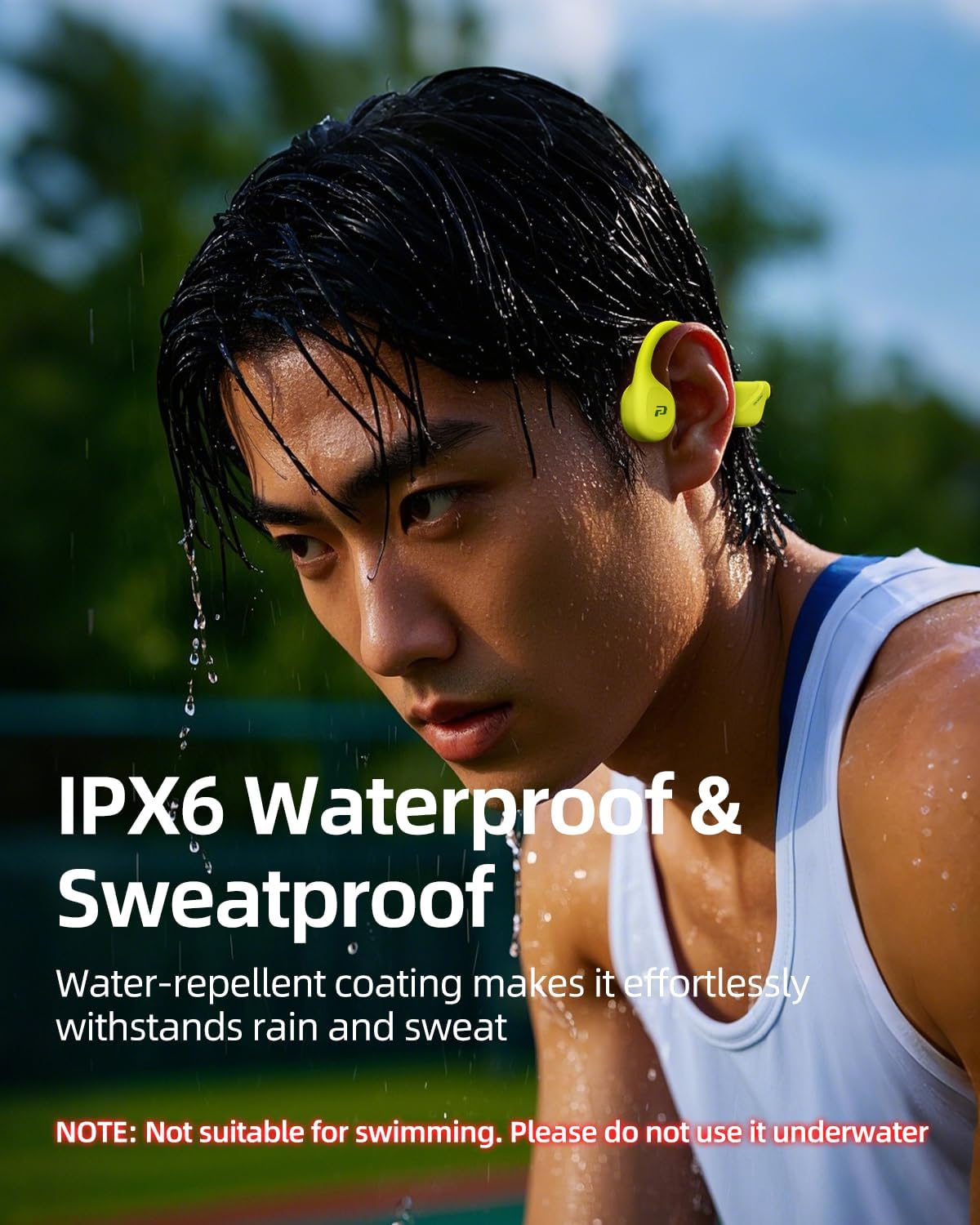
Image 5.1: The headphones are shown with water resistance, highlighting their IPX6 waterproof rating for sweat and rain.
NOTE: These headphones are not designed for swimming or prolonged underwater use. Do not submerge them in water.
6. Risoluzione Dei Problemi
Se riscontri problemi con le cuffie, fai riferimento alle seguenti soluzioni comuni:
| Problema | Possibile soluzione |
|---|---|
| Le cuffie non si accendono | Assicurarsi che le cuffie siano completamente cariche. Collegare a una fonte di alimentazione e controllare l'indicatore di carica. |
| Impossibile associare il dispositivo | Ensure Bluetooth is enabled on your device. Place headphones in pairing mode. Move closer to the device. Clear previous Bluetooth connections on your device. |
| Nessun suono o volume basso | Check headphone and device volume levels. Ensure headphones are properly connected. Try re-pairing. |
| Scarsa qualità delle chiamate | Ensure microphone is not obstructed. Move to a quieter environment. Check network signal on your phone. |
If the issue persists after trying these steps, please contact our customer support team for further assistance.
7. Specifiche
| Caratteristica | Dettaglio |
|---|---|
| Nome del modello | BDAMX-1MN82 |
| Numero modello articolo | BDAMX-1FMC82 |
| Tecnologia di connettività | Wireless (Bluetooth) |
| Tecnologia di comunicazione wireless | Bluetooth |
| Controllo del rumore | Cancellazione del rumore ambientale (ENC) |
| Risposta in frequenza | 20KHz |
| Sensibilità | 90 dB |
| Impedenza | 8 Ohm |
| Posizionamento dell'orecchio | Orecchio aperto |
| Fattore di forma | Sopra l'orecchio |
| Grado di impermeabilità | Grado di protezione IPX6 |
| Durata della batteria | Fino a 10 ore |
| Tempo di ricarica | 2 ore |
| Tipo di controllo | Controllo dei pulsanti |
| Materiale | Plastica, gomma |
| Peso dell'articolo | 7.2 ounces (approx. 29 grams for the headset itself) |
| Dimensioni del prodotto | 5.27 x 2.32 x 6.1 pollici |
| Produttore | POLVCDG |
| Paese di origine | Cina |
8. Garanzia e supporto
Your POLVCDG Bone Conduction Headphones come with a manufacturer's warranty. For any product-related inquiries, technical support, or warranty claims, please contact our dedicated customer support team. We are committed to assisting you within 12 hours.
For the most up-to-date support information, please visit the official POLVCDG store or contact us via the platform where you purchased the product.
Thank you for choosing POLVCDG.