
1. Introduzione
This manual provides comprehensive instructions for the installation, operation, and maintenance of your Real HD 8 Port 2.5G Managed Ethernet Network Switch (Model SW8-25G-MGV2). This device is designed to enhance your network's speed and efficiency with its multi-gigabit capabilities. Please read this manual thoroughly before using the product to ensure proper functionality and safety.
2. Prodotto finitoview
The Real HD SW8-25G-MGV2 is a managed Ethernet network switch featuring 8x 2.5 Gigabit RJ45 ports and 1x 10G SFP+ port. It supports a 60G bandwidth and is designed for plug-and-play operation. The fanless metal housing ensures quiet operation and efficient heat dissipation.
2.1 Caratteristiche principali
- 8x 2.5G RJ45 Ports: Provides high-speed connectivity for 2.5G Ethernet devices.
- 1x 10G SFP+ Port: Offers ultra-fast uplink or downlink capabilities.
- 60G Bandwidth: Ensures high data throughput for demanding network environments.
- Managed Control: Web-based interface for VLAN, QoS, security, multicast, and MAC address table configurations.
- Design senza ventole: Silent operation suitable for various environments.
- Alloggiamento in metallo resistente: Compact and sturdy design with 4KV lightning protection.
- 10Gb SFP+ to RJ45 Module Included: Supports 10GB/5GB/2.5GB/1GB data rates up to 98ft (30m) with CAT6A/CAT7 cable.
2.2 Disposizione del pannello anteriore e posteriore

Immagine: anteriore e posteriore view of the Real HD 8 Port 2.5G Managed Ethernet Network Switch. The front panel displays 8x 2.5G RJ45 ports and status LEDs. The rear panel shows the 1x 10G SFP+ port and the DC 12V 1A power input.

Image: Diagram illustrating the 2.5G network speed capability, which is 2.5 times faster than a regular 1G network. It highlights compatibility with CAT6, CAT6a, and CAT7 cables for optimal performance. The image also shows the included 10Gb SFP+ to RJ45 module and its specifications.
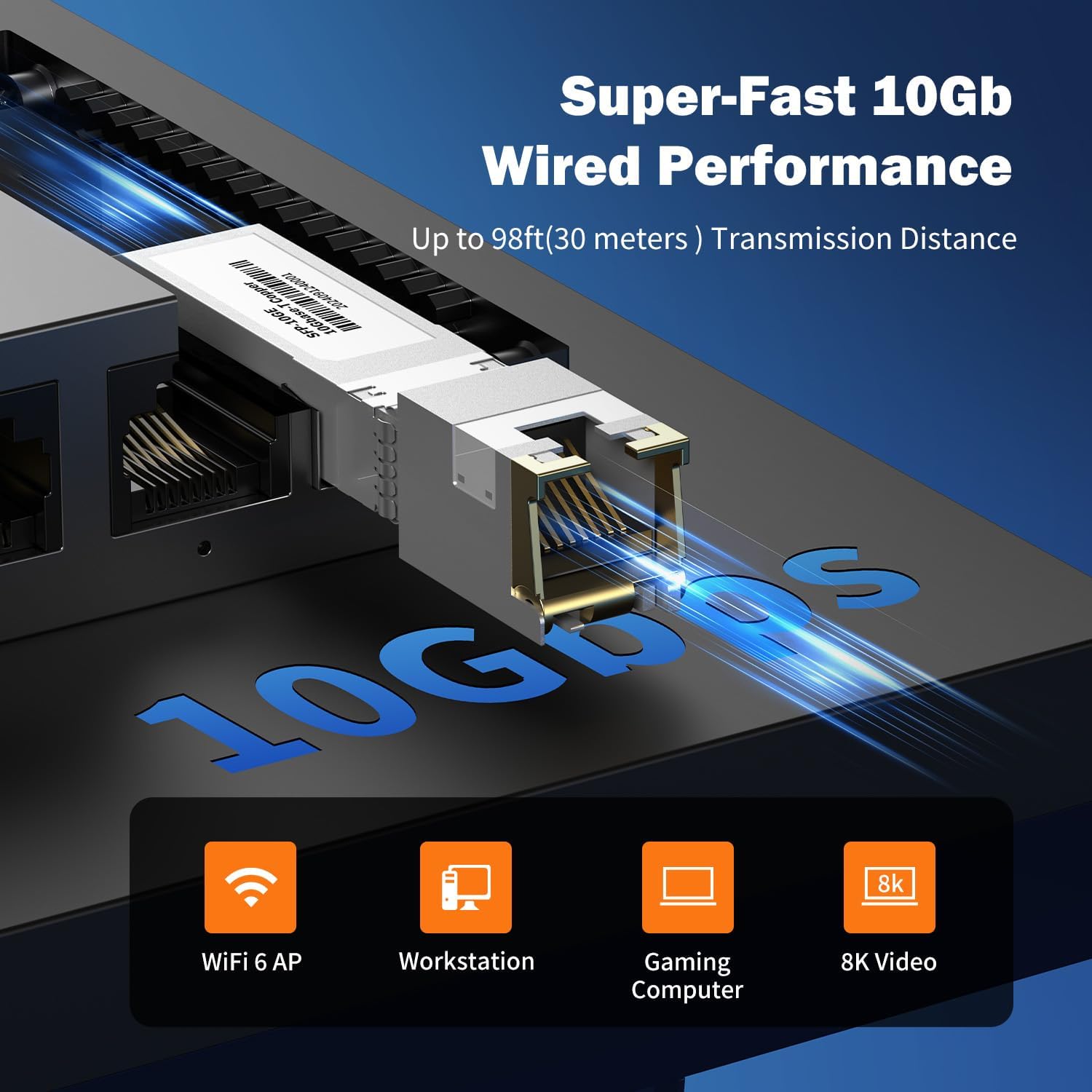
Immagine: Primo piano view of the 10Gb SFP+ module and port, illustrating its capability for super-fast 10Gb wired performance with a transmission distance of up to 98ft (30 meters).
3. Configurazione e installazione
3.1 Contenuto della confezione
Verifica che il pacco contenga i seguenti articoli:
- Real HD 8 Port 2.5G Managed Ethernet Network Switch (SW8-25G-MGV2)
- Adattatore di alimentazione (CC 12V 1A)
- 10Gb SFP+ to RJ45 Module
- Manuale dell'utente (questo documento)
3.2 Collegamento dello switch
- Collegamento elettrico: Connect the provided power adapter to the DC 12V 1A power input port on the switch and then plug it into a standard electrical outlet.
- Connessione del dispositivo di rete:
- Connect your 2.5G compatible devices (e.g., PCs with 2.5G Ethernet adapters, Wi-Fi 6 routers/APs, NAS) to the 8x 2.5G RJ45 ports using CAT6 or higher-level pure copper Ethernet cables.
- For 10G connectivity, insert the included 10Gb SFP+ to RJ45 module into the SFP+ port. Connect a CAT6A or CAT7 cable from the module to your 10G compatible device.
- Verifica: Observe the LED indicators on the front panel. A green light indicates a 2.5G link, while a yellow light indicates a 10/100/1000Mbps link. A flashing light indicates data transmission.
NOTE: To achieve 2.5Gbps or 10Gbps network speeds, ensure all connected network products (network cards, cables, routers) are compatible with these speeds. The network speed will be determined by the slowest component in the chain.
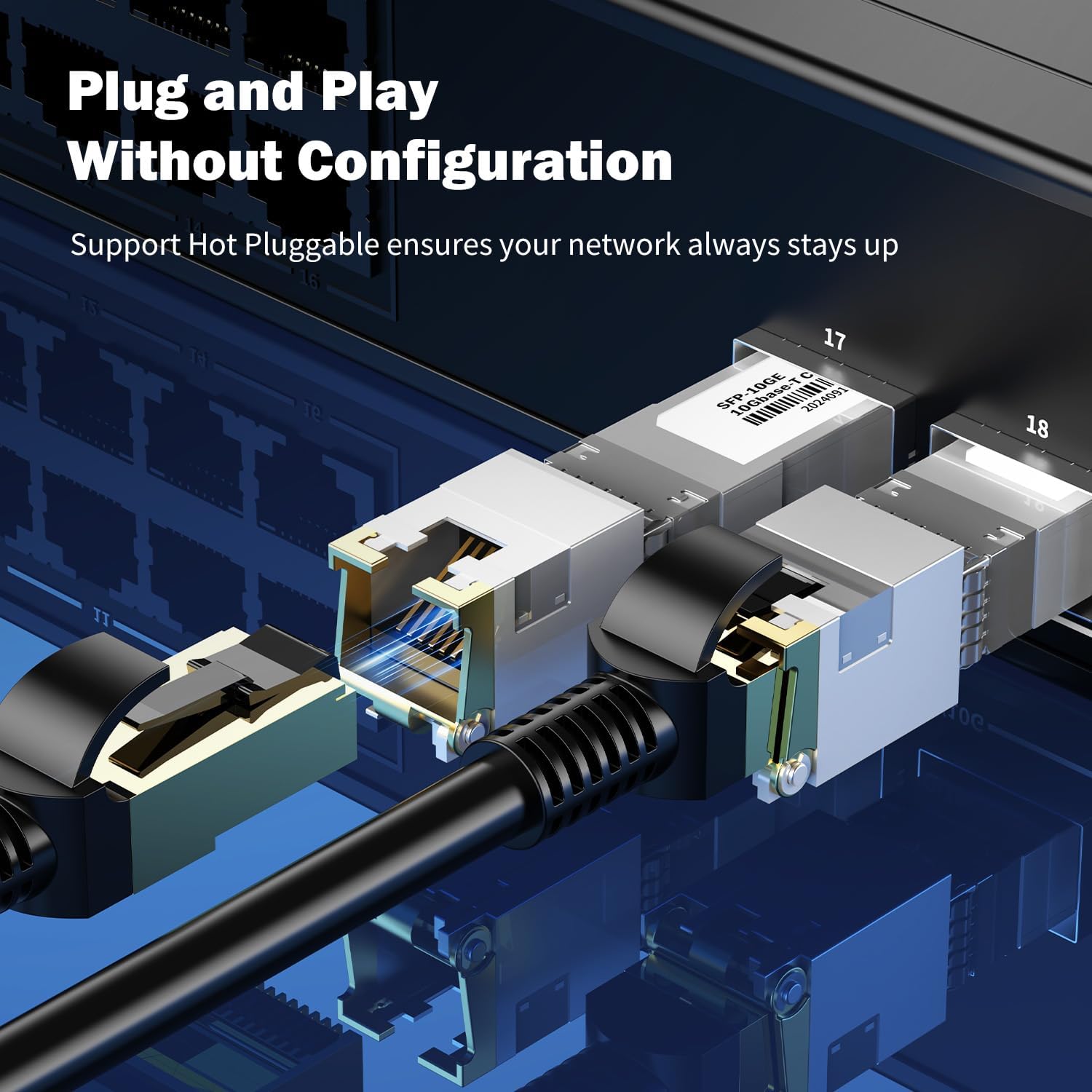
Immagine: Primo piano view of an SFP+ module being inserted into the switch, demonstrating the plug-and-play and hot-pluggable nature of the device, ensuring continuous network operation.
4. Istruzioni per l'uso
4.1 Basic Operation (Plug & Play)
The Real HD switch is designed for plug-and-play operation. Once powered on and connected to your network devices, it will automatically detect and configure the appropriate speeds for connected devices. No initial configuration is required for basic network extension.
4.2 Web Interfaccia di gestione
For advanced configurations, the switch features a webinterfaccia di gestione basata su.
- Assicurati che il computer sia collegato allo switch.
- Aprire un web browser e inserisci l'indirizzo IP predefinito: 192.168.2.1
- Enter the default login credentials:
- Nome utente: amministratore
- Password: amministratore
- Upon successful login, you can access various settings such as VLAN, QoS, security, multicast, and MAC address table configurations.
NOTE: It is highly recommended to change the default password immediately after the first login for security purposes.
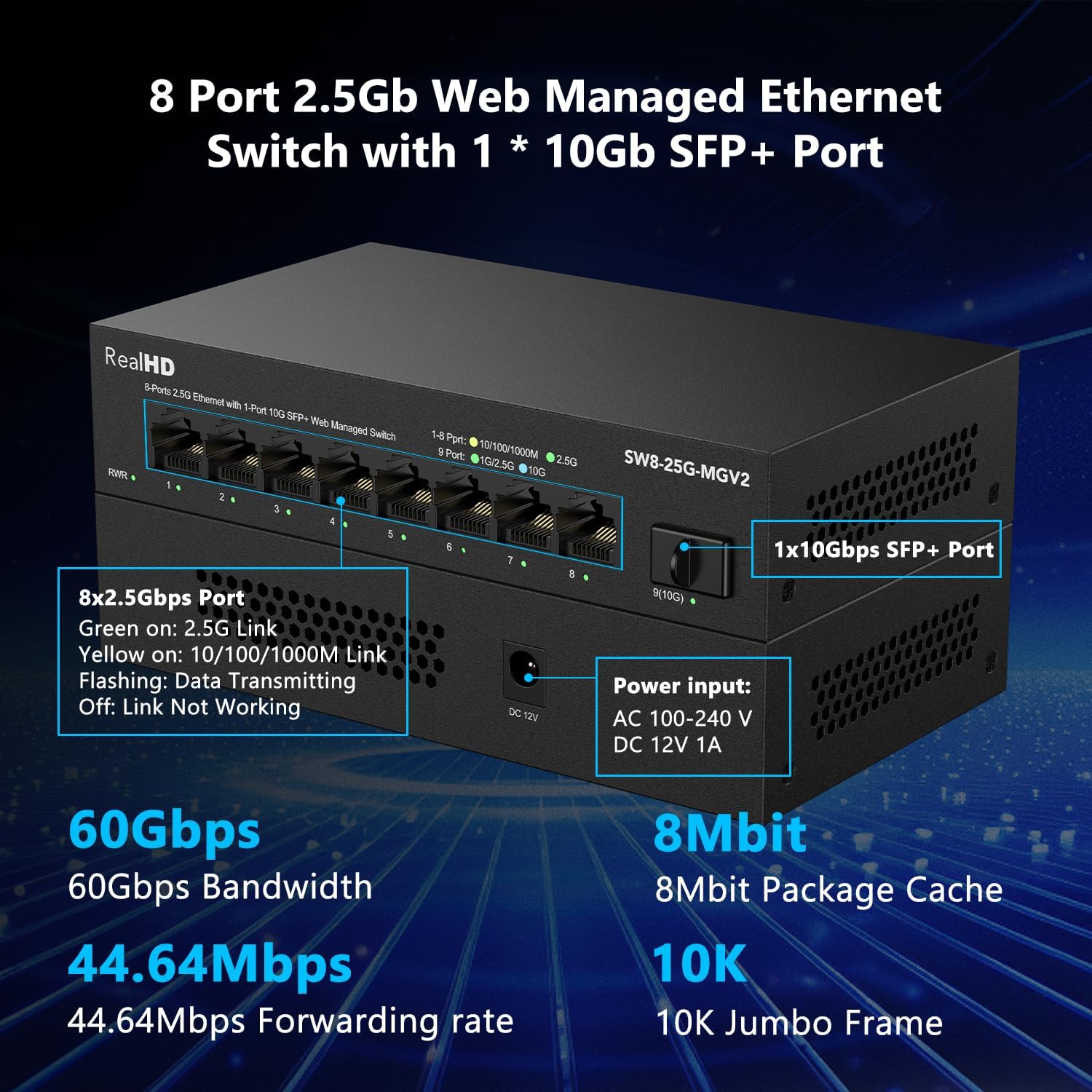
Immagine: Oltreview of the switch's basic management features accessible via the web interface. These include VLAN, QoS, Jumbo Frame, Static Aggregation, LACP, Loop, and Spanning Tree Setting. The default IP address (192.168.2.1) and login credentials (User Name: admin, Password: admin) are also displayed.
4.3 Scenari applicativi
The switch is suitable for various high-bandwidth applications:
- 4K/8K Video Streaming: Provides stable bandwidth for high-resolution media.
- Gaming PCs: Reduces latency and improves online gaming experience.
- NAS (Network Attached Storage): Facilitates fast data transfer for backups and file condivisione.
- Wi-Fi 6 Routers/APs: Maximizes the performance of high-speed wireless networks.
- Postazioni di lavoro: Supports demanding professional applications requiring high network throughput.

Image: Illustration of various 2.5G compatible devices that can benefit from the switch, such as 4K video devices, laptops with 2.5G Ethernet adapters, Wi-Fi 6 routers and access points, 2.5G gaming PCs, and 2.5G NAS systems.

Image: Four panels illustrating diverse application scenarios for the 2.5G network switch, including small and home offices, home entertainment setups, instant data transfer for workstations, and enhanced online gaming experiences.
5. Manutenzione
- Pulizia: Utilizzare un panno morbido e asciutto per pulire l'esterno dell'interruttore. Non utilizzare detergenti liquidi o spray.
- Ventilazione: Assicurarsi che l'interruttore sia posizionato in un'area ben ventilata per evitare il surriscaldamento. Non ostruire le aperture di ventilazione.
- Aggiornamenti del firmware: Controllare periodicamente le istruzioni del produttore websito per gli aggiornamenti del firmware per garantire prestazioni e sicurezza ottimali.
- Gestione dei cavi: Mantenere i cavi di rete in ordine e privi di pieghe o piegature eccessive per preservare l'integrità del segnale.
6. Risoluzione Dei Problemi
- Nessun potere:
- Assicurarsi che l'adattatore di alimentazione sia collegato saldamente allo switch e a una presa di corrente funzionante.
- Verificare che la presa di corrente funzioni collegandovi un altro dispositivo.
- Nessuna luce di collegamento:
- Verificare che il cavo Ethernet sia collegato saldamente sia alla porta dello switch sia al dispositivo di rete.
- Prova un cavo Ethernet diverso.
- Assicurarsi che il dispositivo collegato sia acceso e funzioni correttamente.
- Verify the cable type is appropriate for the desired speed (CAT6 or higher for 2.5G, CAT6A/CAT7 for 10G SFP+ module).
- Bassa velocità di rete:
- Confirm that all devices in the network path (network cards, cables, routers) support 2.5G or 10G speeds. The network will operate at the speed of the slowest component.
- Ensure you are using CAT6 or higher-level pure copper Ethernet cables for 2.5G, and CAT6A/CAT7 for 10G SFP+ connections.
- Verificare la presenza di congestione di rete o di altri dispositivi che consumano una larghezza di banda significativa.
- Impossibile accedere Web Interfaccia di gestione:
- Ensure your computer is directly connected to the switch or on the same network segment.
- Verify your computer's IP address is in the same subnet as the switch (e.g., if switch is 192.168.2.1, your computer could be 192.168.2.x).
- Confirm you are using the correct default IP address (192.168.2.1) and credentials (admin/admin).
- If the password was changed and forgotten, a factory reset might be necessary (refer to advanced management documentation if available, or contact support).
7. Specifiche
| Modello | SW8-25G-MGV2 |
| Porti | 8x 2.5G RJ45 Ports, 1x 10G SFP+ Port |
| Larghezza di banda | 60 Gbps |
| Tasso di inoltro | 44.64 Mpps |
| Jumbo Frame | 10K |
| Package Cache | 8 Mbit |
| Potenza in ingresso | AC 100-240 V, DC 12V 1A |
| Temperatura di esercizio | -20 a 50 ℃ |
| Protezione contro i fulmini | 4KV |
| Gestione | Web Managed (VLAN, QoS, Security, Multicast, MAC Address Table) |
| Included Module | 10Gb SFP+ to RJ45 Copper Module (up to 98ft/30m) |
Immagine: Un dettaglio view of the Real HD 8 Port 2.5G Managed Ethernet Switch, highlighting its physical ports, power input specifications, and key performance metrics such as 60Gbps bandwidth, 8Mbit package cache, 44.64Mpps forwarding rate, and 10K Jumbo Frame support.
8. Informazioni sulla sicurezza
- Non esporre il dispositivo all'acqua o a umidità eccessiva.
- Non tentare di aprire o riparare il dispositivo da soli. Per qualsiasi intervento di assistenza, rivolgersi a personale qualificato.
- Utilizzare solo l'adattatore di alimentazione fornito. L'utilizzo di un adattatore non corretto potrebbe danneggiare il dispositivo e invalidare la garanzia.
- Place the device on a stable, flat surface away from direct sunlight, heat sources, and strong electromagnetic fields.
- Assicurare una corretta messa a terra se richiesto dalle normative elettriche locali.
9. Garanzia e supporto
For warranty information and technical support, please refer to the official Real HD webo contattare il distributore locale. Conservare la ricevuta d'acquisto per eventuali reclami in garanzia.
Informazioni sui contatti: Si prega di visitare il Real HD Store on Amazon for further support or product information.