
1. Introduzione
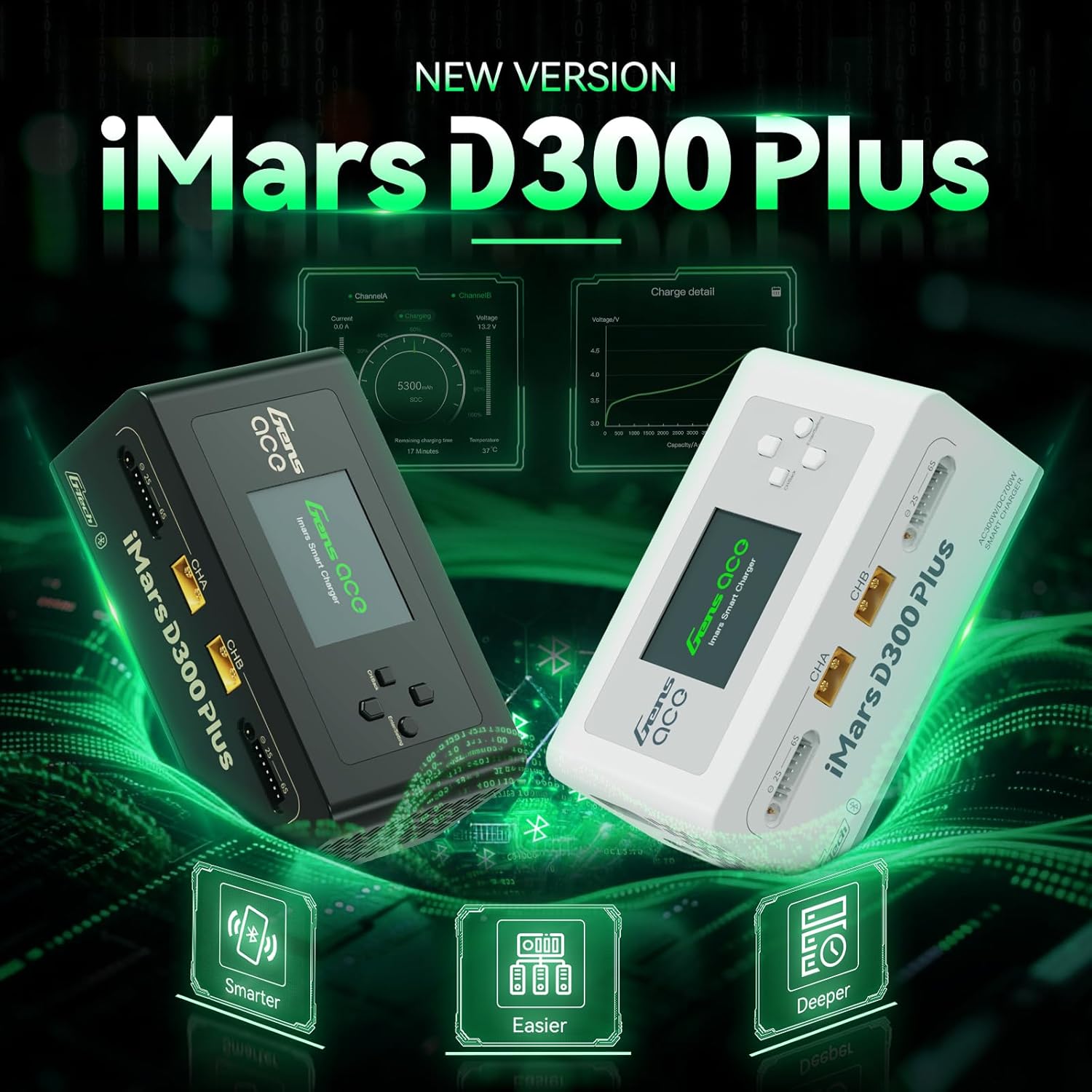
Image: The Gens ace iMars D300 Plus smart charger, showcasing il suo design.
The Gens ace iMars D300 Plus is an advanced dual-channel smart charger designed for various battery chemistries, including LiPo, Li-ion, LIHV, LiFe, NiMH, and NiCd. This charger features integrated Bluetooth connectivity, allowing users to monitor and control charging processes via a dedicated mobile application. It incorporates the G-Tech system for automatic battery parameter detection, simplifying operation for compatible batteries. This manual provides essential information for the safe and efficient use of your iMars D300 Plus charger.

Image: The compact and lightweight design of the iMars D300 Plus, suitable for travel.
2. Caratteristiche principali
- Funzionamento a doppio canale: Capable of charging two batteries simultaneously with independent settings.
- Connettività Bluetooth: Remote control and real-time monitoring via the Gens Ace mobile application.
- G-Tech System: Automatic parameter detection for G-Tech batteries, enabling "Plug and Charge" functionality without manual setup.
- Protezione completa: Features 8-level protection including overheating, current limiting, over voltage, wire break, reverse polarity, short circuit, cell count mismatch alert, and abnormal voltage avviso.
- Registrazione dei dati: Records charging history and battery information for detailed analysis.
- Supporto versatile per batterie: Compatible with LiPo/Li-ion/LIHV/LiFe (1-6S) and NiMH/Cd (1-16S) batteries.
- Design compatto: Built-in power supply for portability and ease of use.
3. Contenuto della confezione
Verifica che tutti gli articoli elencati di seguito siano inclusi nel tuo pacchetto:
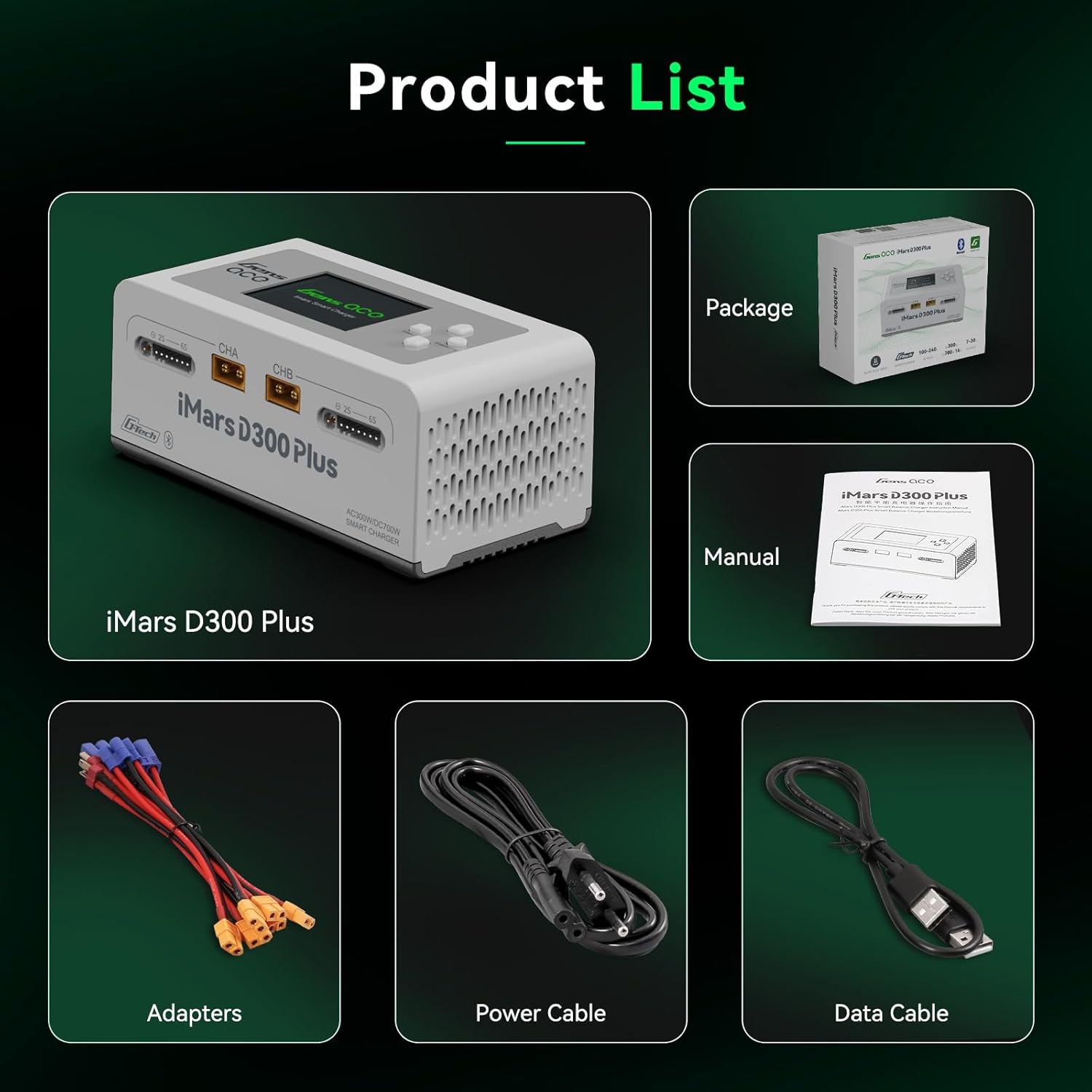
Image: Gens ace iMars D300 Plus charger and its included accessories.
- Gens ace iMars D300 Plus Lipo Charger
- Cavo di ingresso CA
- XT60-T Adapter (x2)
- XT60-EC5 Adapter (x2)
- XT60-EC3 Adapter (x2)
- Manuale d'uso
4. Configurazione e connessione
- Collegamento elettrico: Connect the AC input cable to the charger's AC input port and then to a suitable power outlet (AC 100-240V). Alternatively, for DC input, connect a DC power source (DC 7-30V) to the DC input port.
- Collegamento della batteria:
- Identify the main charging port (CHA or CHB) and the balance port for your battery.
- For G-Tech batteries, simply connect the main power lead and the balance lead. The charger will automatically detect battery parameters.
- For non-G-Tech batteries, connect the main power lead and the balance lead. You will need to manually set the battery type, cell count, and charging parameters on the charger's interface or via the app.
- Ensure all connections are secure. The XT60 ports may be tight initially; gently wiggle the connectors to ensure proper seating without excessive force on the cables.
- Accensione iniziale: Once connected, the charger's display will activate.

Image: The iMars D300 Plus charger showing connected batteries, highlighting its "Plug and Play" feature for G-Tech batteries.
5. Istruzioni per l'uso
5.1 Basic Charging (On-Device)
- After connecting the battery, the charger will display detected parameters (for G-Tech) or prompt for manual input (for non-G-Tech).
- Use the navigation buttons on the charger to select the desired charging mode (e.g., Charge, Balance Charge, Storage, Discharge).
- Adjust parameters such as battery type, cell count, charge current, and cutoff voltage secondo necessità.
- Confirm settings and start the charging process. The display will show real-time charging status, including voltage, tempo corrente e rimanente.
Video: Un breve preview demonstrating the unboxing and basic connection of the Gens ace iMars D300 Plus charger, showing the display and cable connections.
5.2 Using the Gens Ace Mobile Application
The iMars D300 Plus can be controlled and monitored via the Gens Ace mobile application, available for both iOS and Android devices. Ensure Bluetooth is enabled on your mobile device.
- Scarica e installa: Cercare "Gens Ace" in your device's app store and install the application.
- Abbinamento: Open the app and follow the on-screen instructions to pair with your iMars D300 Plus charger via Bluetooth.
- Monitoraggio in tempo reale: The app provides a detailed overview of the charging process for both channels, including current, voltage, state of charge (SOC), temperature, and remaining charging time.
- Regolazione dei parametri: Easily adjust charging parameters, select task types (Charge, Discharge, Storage), and view cell data directly from your phone.
- Documenti storici: Access historical charging data and battery information, including total charge cycles, battery capacity, and recommended settings.

Image: The Gens ace mobile application interface, showing real-time charging data and control options for the iMars D300 Plus.
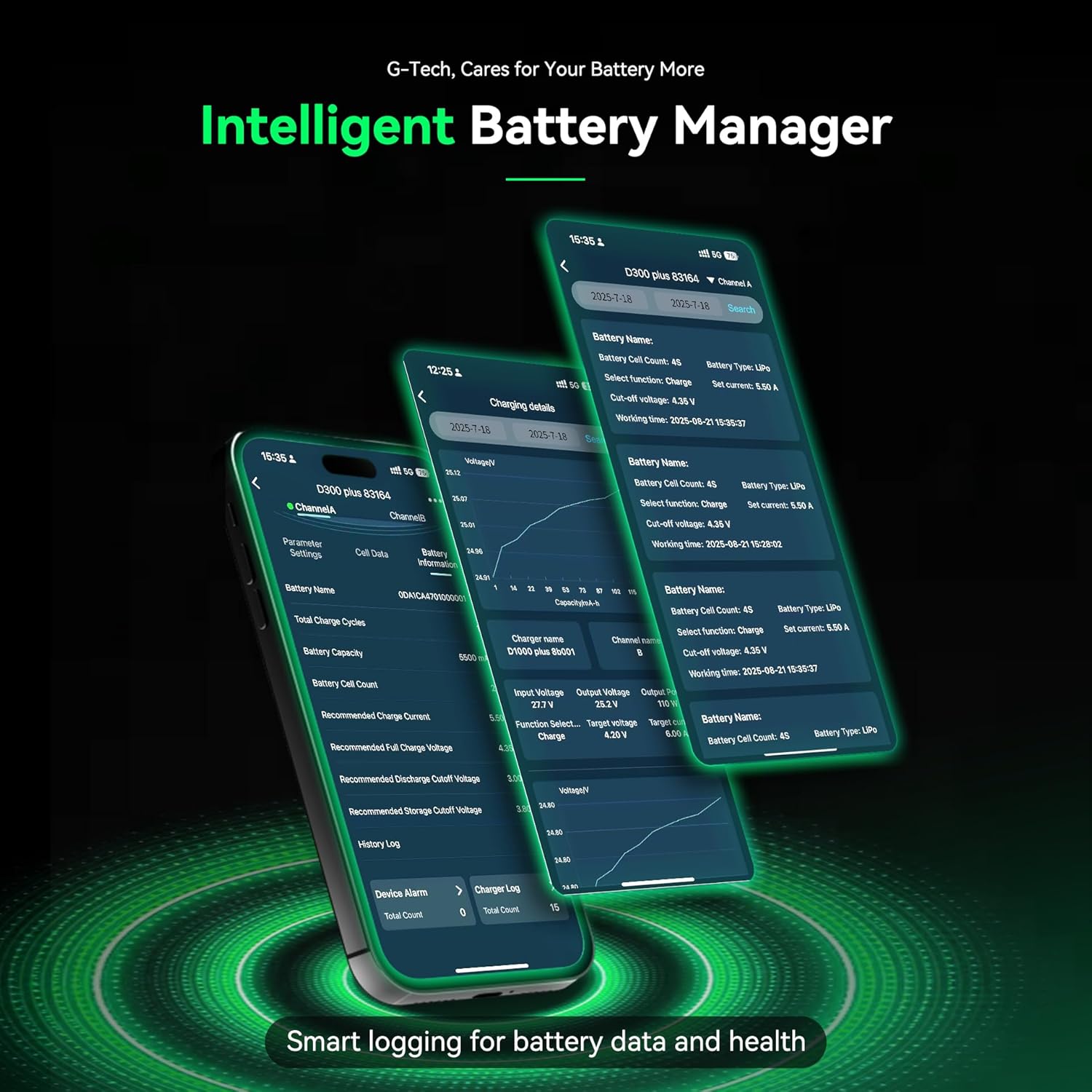
Image: Detailed battery management features within the Gens ace app, including history logs and battery health information.
Video: Un breve preview demonstrating the Gens ace iMars D300 Plus charger's app control and monitoring capabilities, showing battery charging status and data records.
6. Informazioni sulla sicurezza e caratteristiche di protezione
The Gens ace iMars D300 Plus charger is equipped with multiple safety features to ensure secure operation. Always adhere to general battery safety guidelines when charging.
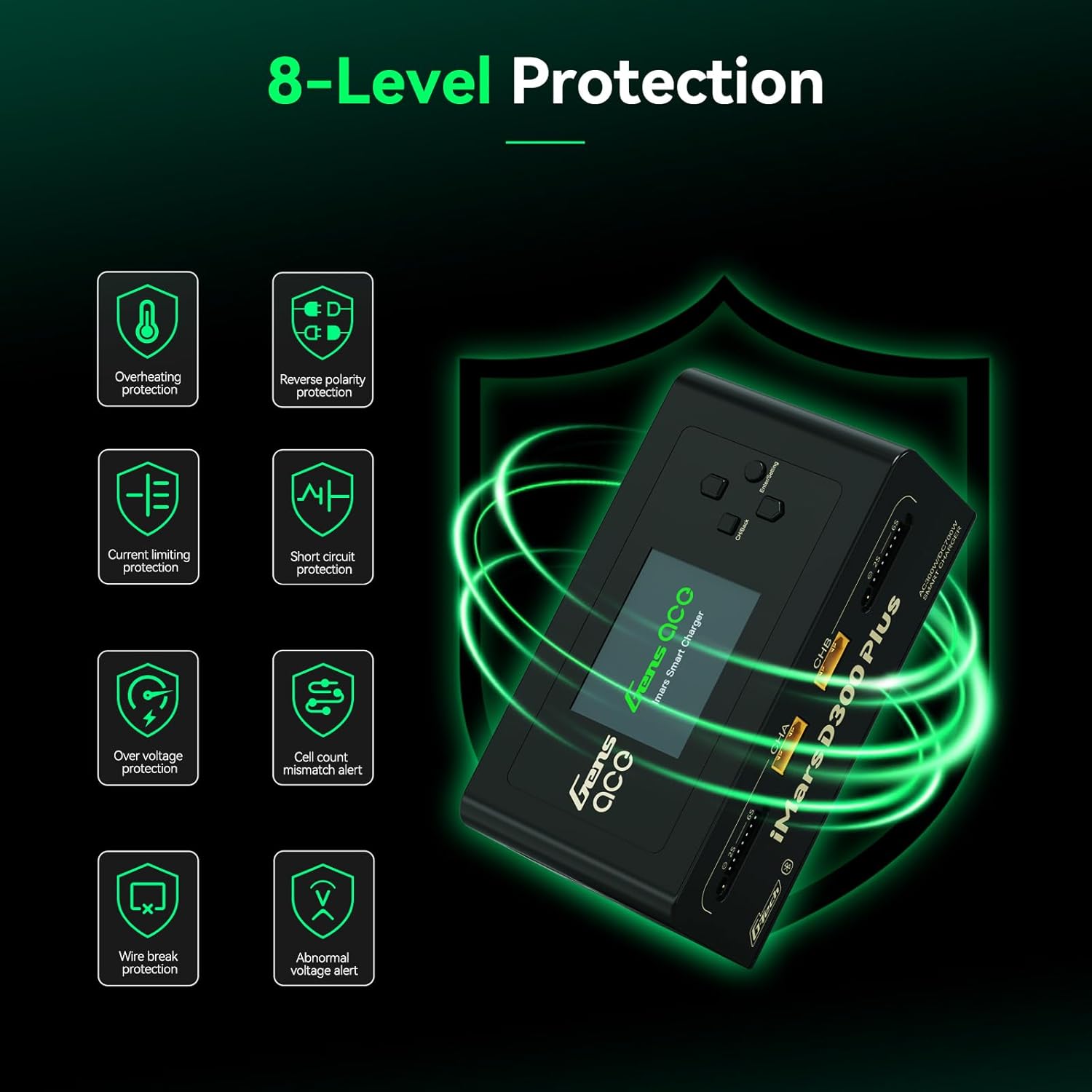
Image: Visual representation of the 8-level protection system integrated into the iMars D300 Plus charger.
- Protezione contro il surriscaldamento: Previene i danni causati da temperature eccessive.
- Protezione con limitazione di corrente: Regulates current to prevent overcurrent conditions.
- oltre il volumetage Protezione: Misure di salvaguardia contro il voltage picchi.
- Wire Break Protection: Detects and alerts for disconnected wires.
- Protezione da inversione di polarità: Prevents damage from incorrect battery connection.
- Protezione da cortocircuito: Si spegne automaticamente in caso di cortocircuito.
- Cell Count Mismatch Alert: Warns if the detected cell count does not match the battery.
- Volume anormaletage Avviso: Notifies users of unusual voltage letture.
7. Specifiche

Image: Detailed product specifications including input/output voltage, power, and supported battery types.
| Articolo | Specificazione |
|---|---|
| Ingresso volumetage | CA 100-240 V, CC 7-30 V |
| Volume di uscitatage | DC 1-30V |
| Corrente di ingresso massima | DC 34A |
| Massimo. Potenza di scarica | 15W x 2 (Main port 6W x 2, Balance port 9W x 2) |
| Potenza di carica massima | AC 300W x 2, DC 350W x 2 |
| Corrente di carica | 0.1-16A x 2 |
| Corrente di scarica | 0.1-3A x 2 |
| Bilanciamento cellulare | 1-6S |
| Uscita USB | 5V / 2.4A |
| Tipo di visualizzazione | 2.4 inch IPS LCD Display |
| Chimiche delle batterie supportate | LiPo/Li-ion/LIHV/LiFe 1-6S; NiMH/Cd 1-16S |
| Dimensioni | 145 x 76 x 62 mm (5.7 x 3 x 2.4 pollici) |
| Peso netto del prodotto | 530 g (1.17 libbre) |
8. Manutenzione
- Mantenere il caricabatterie pulito e privo di polvere e detriti. Utilizzare un panno morbido e asciutto per la pulizia.
- Conservare il caricabatterie in un luogo fresco e asciutto, lontano dalla luce solare diretta e dall'umidità.
- Regularly inspect cables and connectors for any signs of wear or damage. Replace damaged components immediately.
- Assicurare un'adeguata ventilazione attorno al caricabatterie durante il funzionamento per evitare il surriscaldamento.
9. Risoluzione Dei Problemi
- Il caricabatterie non si accende: Ensure the AC input cable is securely connected to both the charger and the power outlet. Check the power source.
- Batteria non rilevata o in carica: Verify that the main power lead and balance lead are correctly and securely connected to the charger and battery. For non-G-Tech batteries, confirm that parameters are manually set correctly.
- Problemi di connettività dell'app: Ensure Bluetooth is enabled on your mobile device and the charger. Try restarting both the app and the charger. Check for app updates.
- Tight XT60 ports: The XT60 ports can be tight initially. Ensure a firm, straight connection. Avoid pulling on the cables directly; grasp the connector housing.
- Messaggi di errore: Refer to the charger's display or the app for specific error codes or messages. Consult the full user manual for detailed explanations of error codes.
10. Garanzia e supporto
For warranty information, technical support, or service inquiries, please contact Gens ace customer support through their official websito o le informazioni di contatto fornite sulla confezione del prodotto. Conservare la ricevuta d'acquisto come prova d'acquisto per eventuali reclami in garanzia.