
1. Introduzione
The Tiqvi 10-inch Digital Photo Frame is designed to help you easily store and share your most cherished memories. Featuring a vibrant IPS touch screen and seamless WiFi connectivity, this frame allows you to receive photos and videos directly from family and friends via the Frameo app. With ample internal storage and a rechargeable battery, it offers a convenient and elegant way to display your digital photos.
Caratteristiche principali:
- WiFi & Frameo App Compatibility: Effortlessly share photos and videos through the Frameo application, supporting up to 500 users.
- Grande capacità di memoria: Equipped with expandable internal memory, capable of storing thousands of photos and videos.
- Display chiaro e luminoso: The IPS screen delivers vivid colors and sharp details for a beautiful viewesperienza dei tuoi ricordi.
- Controllo touch intuitivo: Provides easy and intuitive navigation for all users.
- Design elegante e pratico: Includes a stand, offers wall-mounting options, and features an energy-efficient design.
2. Cosa c'è nella scatola
Si prega di controllare il contenuto della confezione per assicurarsi che siano presenti tutti gli articoli:
- Tiqvi 10-inch Digital Photo Frame (with WiFi and Frameo App)
- Adattatore di alimentazione
- Supporto da tavolo
- Manuale dell'utente (questo documento)
3. Prodotto finitoview
Prendi familiarità con i componenti della tua cornice digitale.
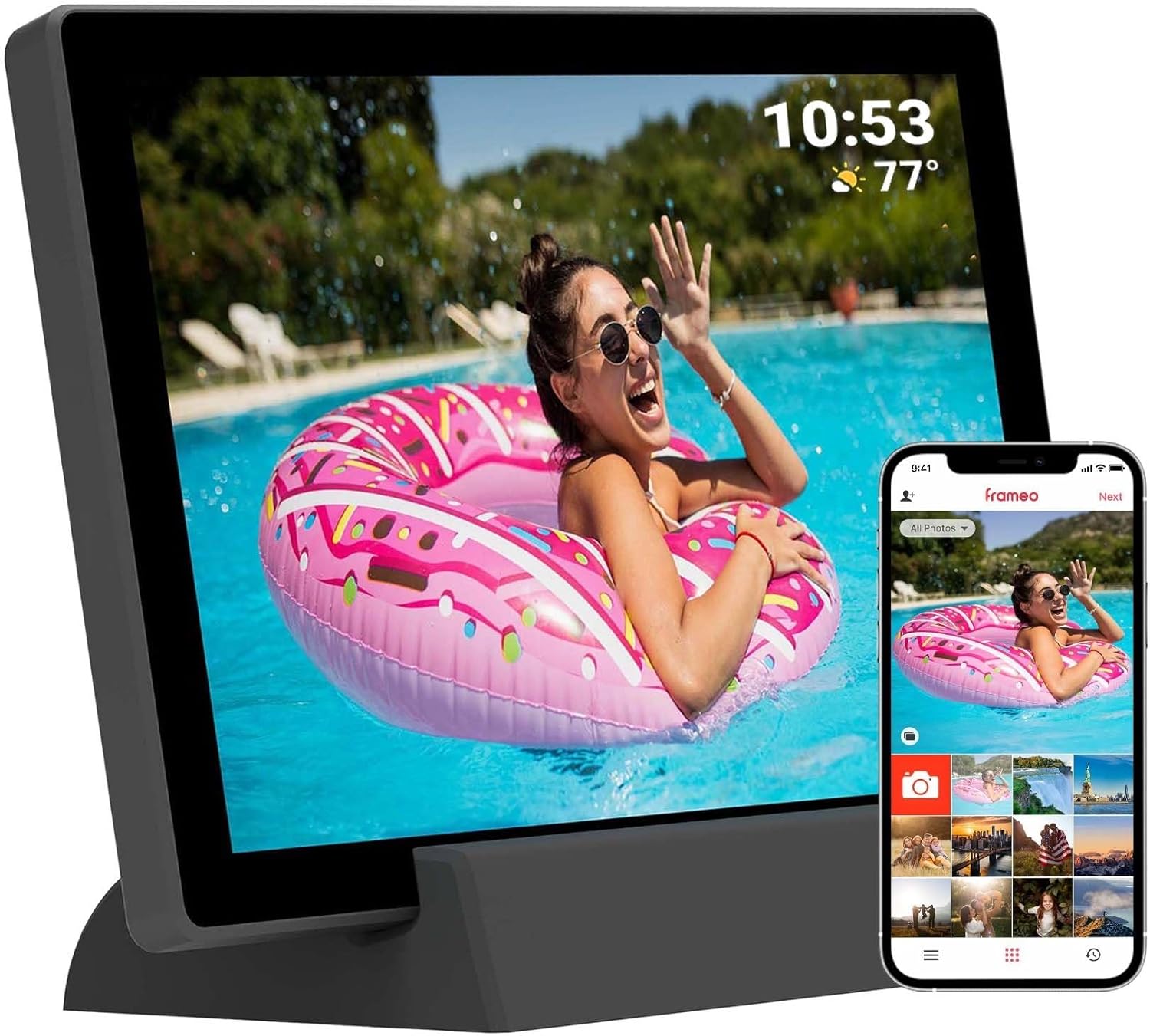
Figura 3.1: Fronte view of the Tiqvi 10-inch Digital Photo Frame, showcasing its display and the accompanying Frameo app on a smartphone. The frame is designed for easy photo sharing and display.

Figure 3.2: The Tiqvi 10-inch Digital Photo Frame positioned on a surface, illustrating its dimensions and how it fits into a home environment. A "10"" label indicates its screen size.
Componenti fisici:
- Schermo touch IPS da 10 pollici: Main display for photos and videos, with touch functionality for navigation.
- Pulsante di accensione: Located on the back or side, used to turn the frame on/off or put it to sleep.
- Porta di alimentazione: Per collegare l'adattatore di alimentazione.
- Slot per scheda MicroSD: For expanding storage or importing photos directly.
- Ripristina foro: A small pinhole for factory reset.
- Built-in Stand/Mounting Holes: For desktop placement or wall mounting.
4. Impostazione
4.1 Accensione iniziale e impostazioni di base
- Charge the Frame: Before first use, connect the power adapter to the frame's power port and plug it into a wall outlet. Allow the frame to charge fully. The frame has a 3000mAh rechargeable battery.
- Accensione: Press and hold the power button on the back of the frame for a few seconds until the screen lights up.
- Selezione della lingua: Segui le istruzioni sullo schermo per selezionare la lingua preferita.
- Fuso orario e data: Imposta il fuso orario, la data e l'ora corretti.
4.2 Connessione al Wi-Fi
- From the initial setup wizard or the settings menu, select "Wi-Fi".
- The frame will scan for available Wi-Fi networks. Select your network from the list.
- Enter your Wi-Fi password using the on-screen keyboard and tap "Connect".
- Una volta effettuata la connessione, sulla barra di stato apparirà l'icona Wi-Fi.
4.3 Setting Up the Frameo App
L'app Frameo è essenziale per inviare foto e video alla tua cornice digitale.
- Scarica l'App: On your smartphone or tablet, download the "Frameo" app from the App Store (iOS) or Google Play Store (Android).
- Creare un account: Open the Frameo app and follow the instructions to create a new account or log in if you already have one.
- Connettiti al tuo Frame:
- On your Tiqvi frame, go to "Add Friend" or "Connect to App" in the settings.
- A unique code will be displayed on the frame's screen.
- In the Frameo app on your phone, enter this code to link your device to the frame.
- Add Users/Friends: You can invite family and friends to send photos to your frame by sharing the unique code with them. The frame supports adding up to 500 users.
5. Istruzioni per l'uso
5.1 Navigazione sul touch screen
The Tiqvi frame features an intuitive touch screen interface:
- Rubinetto: To select an item or open a menu.
- Scorri: To scroll through photos or menu options.
- Pizzica per ingrandire: To zoom in or out on a photo (if supported by software).
5.2 Aggiunta di foto e video
There are two primary ways to add media to your frame:
- Via Frameo App (Recommended):
- Apri l'app Frameo sul tuo smartphone.
- Seleziona le foto o i video che desideri inviare.
- Choose the recipient frame(s) and tap "Send". The media will appear on your frame once downloaded.
- Tramite scheda MicroSD:
- Insert a MicroSD card containing your photos/videos into the frame's MicroSD card slot.
- The frame will prompt you to import the media. Follow the on-screen instructions to transfer files to the frame's internal memory.
- The frame has 32GB internal memory and supports expansion via microSD.
5.3 Managing Photos and Settings
Access the frame's settings by tapping the gear icon (⚙️) on the home screen or during a slideshow.
- My Photos: View all photos stored on the frame. You can delete individual photos or select multiple for deletion.
- Amici: Manage connected users and add new ones.
- Impostazioni:
- Display: Adjust brightness, sleep mode, and slideshow interval.
- Presentazione: Customize transition effects and display order.
- Wifi: Change or reconnect to Wi-Fi networks.
- Magazzinaggio: View storage usage and manage imported media.
- Di: Check firmware version and device information.
- Rotazione automatica: The frame supports automatic rotation, adjusting the display orientation based on how it's positioned.
6. Manutenzione
Proper care will extend the life of your digital photo frame.
- Pulizia dello schermo: Use a soft, lint-free cloth (e.g., microfiber cloth) to gently wipe the screen. For stubborn smudges, slightly dampInumidire il panno con acqua o con una soluzione detergente per schermi. Do not spray liquids directly onto the screen.
- Pulizia generale: Wipe the frame's body with a dry, soft cloth. Avoid abrasive cleaners or solvents.
- Aggiornamenti software: Periodically check for software updates in the frame's settings menu (if available). Updates can improve performance and add new features.
- Battery Care (for Rechargeable Model): To prolong battery life, avoid fully discharging the battery frequently. If storing the frame for an extended period, charge it to about 50% before storage and recharge every few months.
- Condizioni ambientali: Keep the frame away from extreme temperatures, direct sunlight, and high humidity. Ensure proper ventilation.
7. Risoluzione Dei Problemi
If you encounter issues with your Tiqvi digital photo frame, refer to the following common problems and solutions:
| Problema | Possibile causa | Soluzione |
|---|---|---|
| La cornice non si accende. | Problema con la batteria scarica o con l'adattatore di alimentazione. | Ensure the power adapter is securely connected and plugged into a working outlet. Allow the frame to charge for at least 30 minutes before attempting to power on again. |
| Impossibile connettersi al Wi-Fi. | Password errata, segnale debole o problema con il router. | Double-check the Wi-Fi password. Move the frame closer to the Wi-Fi router. Restart your router and the frame. Ensure your Wi-Fi network is 2.4GHz (most frames do not support 5GHz). |
| Photos are not appearing on the frame. | Not sent correctly via app, or storage issues. | Verify that photos were successfully sent from the Frameo app. Check the frame's storage capacity in settings. Ensure the frame is connected to Wi-Fi to receive new photos. |
| Il touch screen non risponde. | Problema temporaneo del software. | Restart the frame by holding the power button until it turns off, then power it back on. If the issue persists, perform a factory reset (refer to the manual for specific instructions, usually involves a pinhole reset button). |
| Batteria non in carica. | Faulty adapter or cable, or battery issue. | Ensure the power adapter and cable are not damaged. Try a different power outlet. If the issue persists, contact customer support. |
If the problem persists after trying these solutions, please contact Tiqvi customer support for further assistance.
8. Specifiche
| Caratteristica | Dettaglio |
|---|---|
| Numero di modello | TVH10009 |
| Dimensioni dello schermo | 10 pollici |
| Tipo di visualizzazione | IPS Touch Screen |
| Memoria interna | 32 GB (memorizza fino a 80,000 foto) |
| Archiviazione espandibile | Slot MicroSD Card |
| Connettività | WiFi (Frameo App compatible) |
| Batteria | Batteria ricaricabile da 3000 mAh |
| Dimensioni | Dimensioni: 29 x 19 x 2.51 cm |
| Peso | 7.1 grammi |
| Colore | Nero |
| Paese di origine | Cina |
9. Garanzia e supporto
Informazioni sulla garanzia: This product comes with a standard manufacturer's warranty. Please refer to the purchase documentation or contact your retailer for specific warranty terms and conditions. Keep your proof of purchase for warranty claims.
Assistenza clienti: For technical assistance, troubleshooting beyond this manual, or warranty inquiries, please contact Tiqvi customer support. Contact information can typically be found on the product packaging, the manufacturer's official websito o tramite il tuo punto vendita.
We recommend visiting the official Frameo website for app-specific support and updates: https://frameo.net/