
Introduzione
This manual provides detailed instructions for the installation, operation, and maintenance of your Mcezdy Ebike LCD Display, model M5C-2(BLE)-6-Pin. This display is designed to enhance your electric bike experience by providing essential riding data and smart connectivity features. Please read this manual thoroughly before use to ensure proper functionality and safety.
Nota importante sulla compatibilità: This ebike display operates exclusively with the UART No. 2 protocol. Ensure your ebike controller also uses the UART No. 2 protocol for proper functionality. Incompatibility with other UART protocols will prevent the display from working correctly.
Impostare
1. Contenuto della confezione
Prima dell'installazione, verificare che tutti i componenti siano presenti:
- Mcezdy Ebike LCD Display (M5C-2(BLE)-6-Pin)
- Manuale dell'utente
- Descrizione del codice di errore
2. Montaggio del display
The display is designed for handlebar mounting. It features an adjustable mount compatible with handlebar diameters of 22.2mm, 25.4mm, 28.6mm, and 31.8mm, ensuring a secure fit for most bicycles.
- Allentare le viti sulla staffa di montaggio del display.
- Position the display on your ebike's handlebar at a comfortable viewangolo di ing.
- Tighten the screws to secure the display firmly in place.
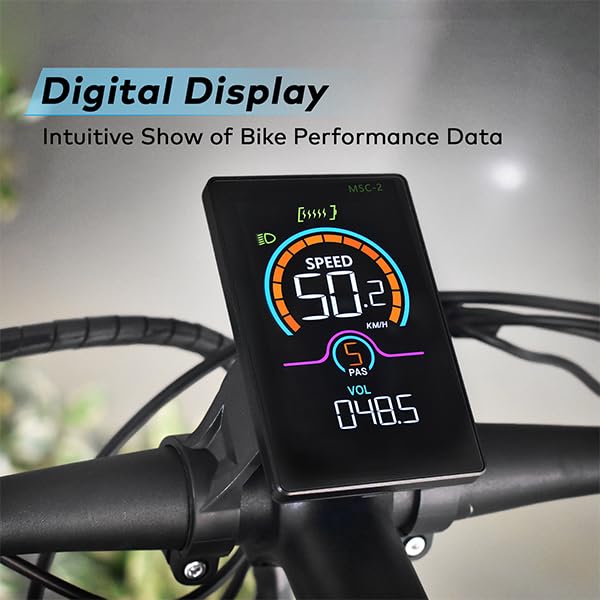
Image: The Mcezdy Ebike LCD Display mounted on a bicycle handlebar, showing its position and visibility.

Image: The Mcezdy Ebike LCD Display with an illustration highlighting its compatibility with various handlebar diameters (22.2mm, 25.4mm, 28.6mm, 31.8mm).
3. Collegamento dei cavi
The display comes with a 150mm waterproof cable. Ensure your ebike's connector type matches the display's connector (5-pin or 6-pin) before connecting.

Image: The Mcezdy Ebike LCD Display showing a warning about UART No. 2 protocol compatibility and illustrating the difference between 5-pin and 6-pin connectors. Please confirm your e-bike's connector type before purchase.

Immagine: Un dettaglio view of the Mcezdy Ebike LCD Display, highlighting the waterproof 5-pin and 6-pin connector types and the external keyboard for easy adjustment of display settings.
Carefully align the connectors and push them together until they click into place. Ensure the connection is secure and waterproof.
Istruzioni per l'uso
1. Accensione/spegnimento
Press and hold the power button on the display or the external control panel to turn the display on or off.
2. Funzioni di visualizzazione
The vibrant color screen provides real-time information about your ride:
- Velocità: Current riding speed (KM/H).
- Livello PAS: Livello del sistema di assistenza alla pedalata.
- Voltage (VOL): Batteria in tempo reale voltage.
- ODORE: Chilometraggio totale.
- Viaggio: Single trip mileage.
- Durata: Durata della corsa attuale.
- COSATAGE: Potenza di uscita.
- Livello della batteria: Rappresentazione grafica della carica residua della batteria.
- Indicatore dei fari: Indicates if the ebike's headlight is on.
- Avviso di guasto: Displays fault codes if an issue is detected. Refer to the "Fault Code Description" document for details.

Image: The Mcezdy Ebike LCD Display illustrating its various functions, including Cruise, ODO, PAS, Trip, Speed, Fault Warning, Headlight, Battery Level, Voltage, Wattage, Running Time, and Walking Assist.
3. Modalità e caratteristiche speciali
- Modalità di assistenza alla camminata: Provides assistance when pushing the ebike.
- Controllo della velocità di crociera: Mantiene una velocità impostata senza dover continuamente azionare l'acceleratore.
- Modifica dei parametri: Access settings to customize parameters such as wheel diameter and speed limits. Refer to the detailed user manual for navigation through these settings.
4. Smart Connectivity (Bluetooth APP)
The display supports Bluetooth connectivity, allowing you to sync with cycling applications. This enables recording of routes, statistics, and other ride data.
- Scan the QR code provided in the product packaging or on the display's screen to download the "LINGHUI" app from your device's app store.
- Follow the in-app instructions to connect your display via Bluetooth.
- Once connected, you can monitor and record your cycling data.

Image: The Mcezdy Ebike LCD Display demonstrating LINGHUI APP support. A smartphone screen shows the app interface, and a QR code is provided for downloading the "LINGHUI" app to record cycling data.
5. Porta di ricarica di tipo C
The display includes a built-in Type-C charging port, allowing you to charge compatible devices, such as your smartphone, during your rides. This ensures you stay connected and can navigate safely without worrying about phone battery depletion.
Manutenzione
- Pulizia: Pulisci lo schermo e il corpo del display con un panno morbido e asciutto.amp cloth. Avoid using abrasive cleaners or solvents that could damage the screen or housing.
- Resistenza all'acqua: The display has an IPX65 waterproof rating, providing protection against water splashes and rain. However, avoid submerging the device in water.
- Magazzinaggio: Quando non viene utilizzato per lunghi periodi, conservare il display in un luogo asciutto e fresco, lontano dalla luce solare diretta.
- Ispezione dei cavi: Controllare periodicamente tutti i cavi e i connettori per verificare la presenza di segni di usura, danni o collegamenti allentati.
Risoluzione dei problemi
If you encounter issues with your Mcezdy Ebike LCD Display, consider the following:
- Il display non si accende:
- Assicurarsi che la batteria della bici elettrica sia carica e collegata correttamente.
- Controllare che tutti i collegamenti dei cavi tra il display e il controller non siano allentati o danneggiati.
- Letture errate o nessun dato:
- Verify that the display's protocol (UART No. 2) matches your ebike controller's protocol.
- Controllare che i collegamenti dei cavi siano sicuri.
- Ensure wheel diameter settings are correctly configured in the display's parameters.
- Fault Codes Displayed:
If a fault code appears on the screen, refer to the "Fault Code Description" document included with your product for an explanation of the code and recommended actions.
- Problemi di connettività Bluetooth:
- Assicurati che il Bluetooth sia abilitato sul tuo smartphone.
- Riavvia sia il display che lo smartphone.
- Ensure the "LINGHUI" app is updated to the latest version.
If problems persist, contact Mcezdy customer support or your retailer for further assistance.
Specifiche
| Caratteristica | Specificazione |
|---|---|
| Marca | Mcezdy |
| Numero di modello | M5C-2(BLE)-6 pin |
| Tipo di visualizzazione | LCD (Color Screen) |
| Tecnologia di connettività | Bluetooth |
| Protocollo | UART n. 2 |
| Volume di lavorotage | Corrente continua 24 V, 36 V, 48 V, 60 V |
| Cable Length (Exposed) | 150mm (Waterproof 5-pin/6-pin) |
| Grado di impermeabilità | Grado di protezione IPX65 |
| Materiale dell'alloggiamento | ABS + PC |
| Materiale dello schermo | Vetro temperato |
| Tipo di montaggio | Handlebar Mount (22.2mm, 25.4mm, 28.6mm, 31.8mm compatible) |
| Peso dell'articolo | 222 grammi |
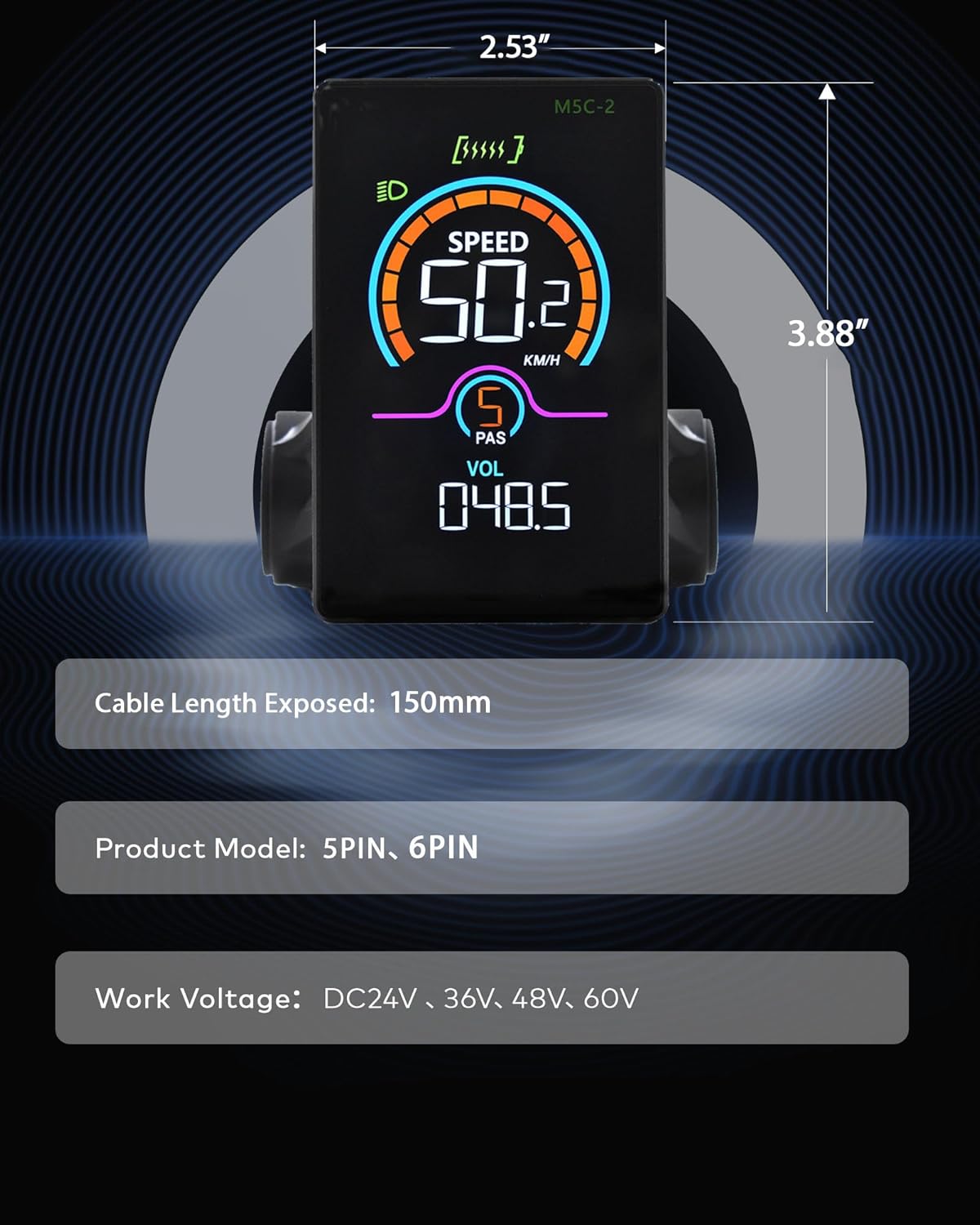
Image: The Mcezdy Ebike LCD Display showing its approximate dimensions (2.53" width, 3.88" height), exposed cable length (150mm), product model (5PIN, 6PIN), and work voltage compatibility (DC24V, 36V, 48V, 60V).
Garanzia e supporto
Informazioni sulla garanzia
Specific warranty details for the Mcezdy Ebike LCD Display are typically provided at the point of purchase or within the product packaging. Please retain your proof of purchase for warranty claims. For detailed warranty terms and conditions, refer to the documentation provided by your retailer or contact Mcezdy customer service.
Assistenza clienti
Se hai bisogno di ulteriore assistenza, hai domande non trattate in questo manuale o hai bisogno di supporto tecnico, contatta:
- Il rivenditore del tuo prodotto.
- Mcezdy customer service (contact information may be available on the official Mcezdy websito o confezione del prodotto).
Ensure you have your product model number (M5C-2(BLE)-6-Pin) and proof of purchase ready when contacting support.