
1. Introduzione
The UGREEN Revodok USB-C Hub (Model 75775) is a 6-in-1 multi-port adapter designed to expand the connectivity of your USB-C enabled devices. It provides a 4K@60Hz video output, high-speed 10Gbps data transfer through multiple USB ports, and up to 100W Power Delivery pass-through charging. This manual provides essential information for proper setup, operation, maintenance, and troubleshooting.
2. Prodotto finitoview
The UGREEN Revodok USB-C Hub features a compact design with an integrated USB-C cable. It includes the following ports:
- 1x USB-C PD Port: For power input, supporting up to 100W Power Delivery (85W output to host device).
- 2 porte USB-A 3.2 Gen 2: Per il trasferimento dati fino a 10 Gbps.
- 2x USB-C 3.2 Gen 2 Ports: Per il trasferimento dati fino a 10 Gbps.
- 1x USB-C Video Port: For video output up to 4K@60Hz.

Figure 1: UGREEN Revodok USB-C Hub with labeled ports for 6-in-1 connectivity.
3. Istruzioni per l'installazione
- Connetti al dispositivo host: Plug the integrated USB-C cable of the hub into a fully functional USB-C port on your laptop, tablet, or smartphone. Ensure your device's USB-C port supports video output (DisplayPort Alternate Mode) for display functionality.
-
Connetti le periferiche: Connect your USB-A and USB-C devices (e.g., external hard drives, keyboards, mice, cameras) to the corresponding data ports on the hub.

Figure 2: Connecting a keyboard and mouse to the hub for expanded peripheral use.
-
Collega il display (facoltativo): For video output, connect a USB-C to USB-C cable from your monitor or AR glasses to the USB-C Video port on the hub. Ensure the display supports USB-C video input.

Figure 3: Using the USB-C Video port to connect an external display.
-
Collegare l'adattatore di alimentazione (facoltativo): To charge your host device and power the hub simultaneously, connect a USB-C power adapter (up to 100W, not included) to the USB-C PD port on the hub. The hub will deliver up to 85W to your host device.
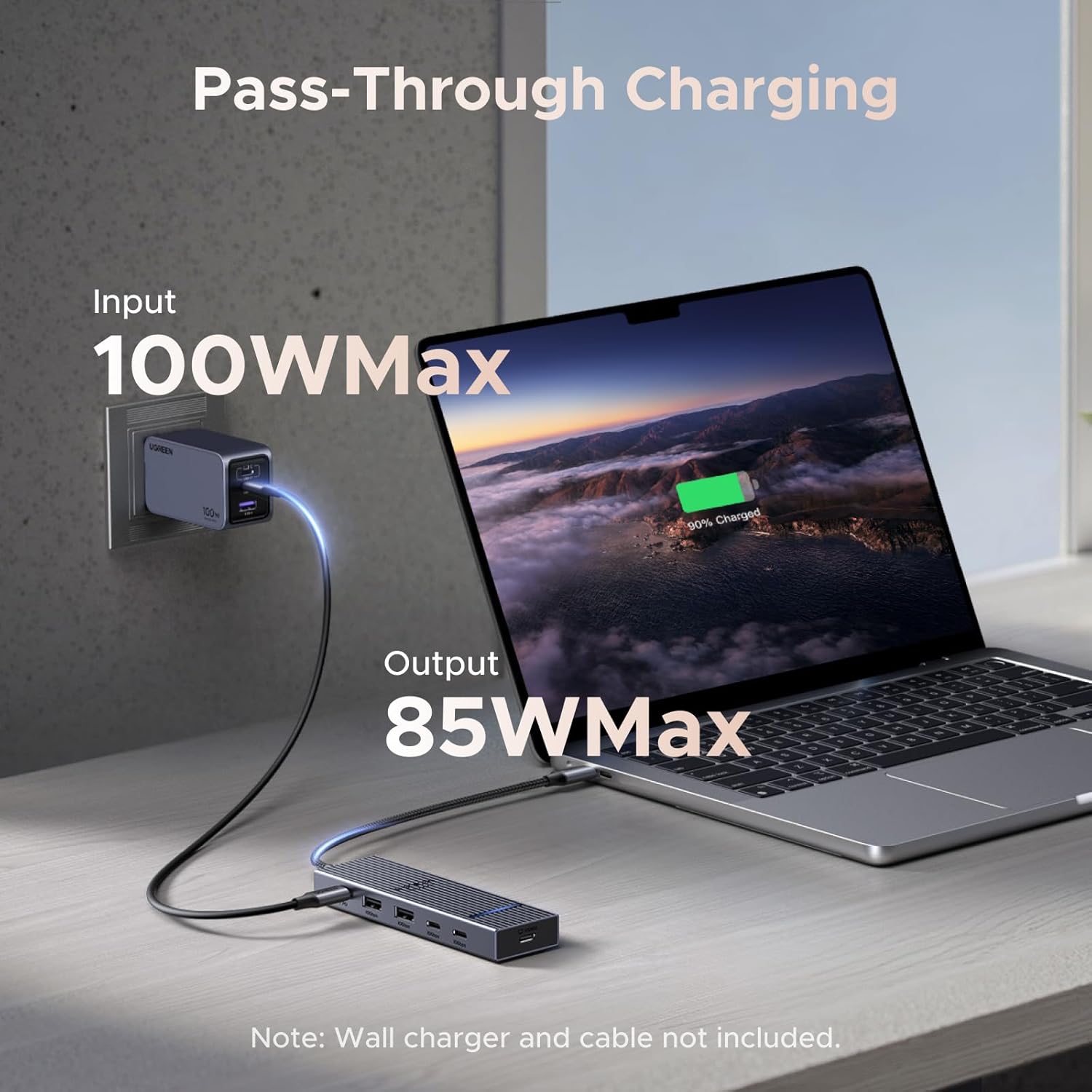
Figure 4: Pass-through charging setup with a 100W input and 85W output to the laptop.
4. Istruzioni per l'uso
4.1 Funzionalità Plug and Play
The UGREEN Revodok USB-C Hub is designed for universal plug-and-play operation. No drivers are typically required for most operating systems, including macOS, iOS, and SteamOS. Simply connect the hub to your device, and it should be recognized automatically.
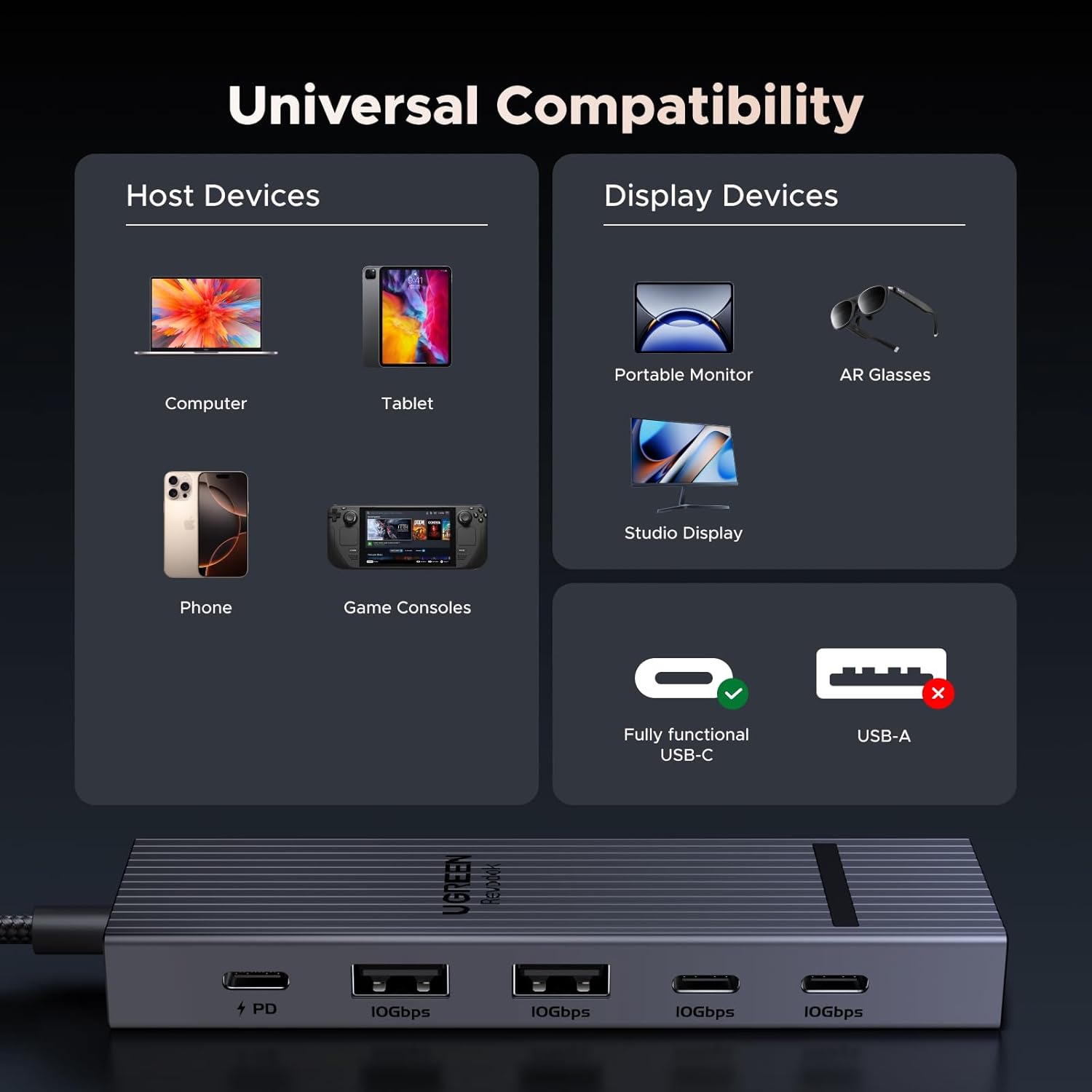
Figure 5: Universal compatibility with various host and display devices.
4.2 Trasferimento dati
The two USB-A 3.2 Gen 2 ports and two USB-C 3.2 Gen 2 ports support data transfer speeds up to 10Gbps. This allows for rapid transfer of large files, such as 1GB in approximately 1 second. These ports are for data transfer only and do not support video output or charging.

Figure 6: 10Gbps data transfer capabilities and port limitations.
4.3 uscita video
The dedicated USB-C Video port supports 4K resolution at a 60Hz refresh rate, providing a smooth and clear display experience. This port is specifically for video output and does not support charging or data transfer.

Figure 7: Visual representation of Ultra-Clear 4K@60Hz display quality.
4.4 Erogazione di potenza
The USB-C PD port allows for pass-through charging of your host device. When connected to a 100W USB-C power adapter, the hub intelligently distributes power, providing up to 85W to your laptop or other compatible device while reserving 15W for the hub's operation and connected peripherals.
5. Manutenzione
- Pulizia: Disconnect the hub from all devices before cleaning. Use a soft, dry cloth to wipe the surface. Avoid liquid cleaners or abrasive materials.
- Magazzinaggio: Conservare l'hub in un luogo fresco e asciutto, lontano dalla luce solare diretta e da temperature estreme.
- Temperatura: The aluminum shell is designed to dissipate heat efficiently, maintaining an operating temperature of approximately 45 °C under full load. This is normal for electronic devices.
- Cura del cavo: Avoid bending or twisting the integrated cable excessively to prevent damage.
6. Risoluzione Dei Problemi
-
Nessuna uscita video:
- Assicurati che la porta USB-C del dispositivo host supporti la modalità alternativa DisplayPort (uscita video). Non tutte le porte USB-C hanno questa funzionalità.
- Verify the USB-C cable connecting the hub to the display is fully functional and supports video transmission.
- Check display settings on your host device to ensure the external monitor is detected and configured correctly.
-
Trasferimento dati lento:
- Confirm that your connected devices (e.g., external SSD) and cables support USB 3.2 Gen 2 (10Gbps) speeds.
- Ensure the hub is connected directly to your host device's USB-C port, avoiding additional adapters or extension cables that may degrade performance.
-
Nessuna ricarica tramite porta PD:
- Ensure you are using a compatible USB-C power adapter (e.g., 100W) and a USB-C to USB-C cable that supports Power Delivery.
- Verificare che l'adattatore di alimentazione sia collegato a una presa a muro funzionante.
- Check if your host device supports USB-C Power Delivery input.
-
Il mozzo è caldo:
- It is normal for the hub to become warm during operation, especially under heavy load (e.g., 4K video output, high-speed data transfer, and charging simultaneously). The aluminum casing is designed for heat dissipation. If the hub becomes excessively hot to touch or malfunctions, disconnect it immediately.
7. Specifiche
| Caratteristica | Dettaglio |
|---|---|
| Marca | Non verde |
| Numero di modello | 75775 |
| Interfaccia Hardware | USB di tipo C |
| Uscita video | 1x USB-C (4K@60Hz) |
| Porte dati | 2x USB-A 3.2 Gen 2 (10Gbps), 2x USB-C 3.2 Gen 2 (10Gbps) |
| Erogazione di potenza | 1x USB-C PD (100W input, 85W output to host) |
| Totale porte | 6 (1x PD, 4x Data, 1x Video) |
| Velocità di trasferimento dati | 10 Gigabit al secondo |
| Sistemi operativi compatibili | SteamOS, iOS, macOS (and other USB-C compatible OS) |
| Materiale di recinzione | Alluminio |
| Peso dell'articolo | 0.1 chilogrammi |
8. Garanzia e supporto
8.1 Informazioni sulla garanzia
The UGREEN Revodok USB-C Hub (Model 75775) comes with a Garanzia del produttore di 2 anniSi prega di conservare la prova d'acquisto per eventuali reclami in garanzia. La garanzia copre difetti di materiali e fabbricazione in normali condizioni d'uso.
8.2 Assistenza clienti
Per assistenza tecnica, risoluzione dei problemi o richieste di garanzia, contattare l'assistenza clienti UGREEN tramite il loro sito ufficiale webo il rivenditore presso cui è stato acquistato il prodotto. Si prega di tenere a portata di mano il numero di modello (75775) e i dettagli dell'acquisto quando si contatta l'assistenza.