
1. Introduzione
This manual provides essential information for the safe and effective use of your Sportstech sProRun foldable treadmill. Please read all instructions carefully before assembly, operation, or maintenance. Retain this manual for future reference.
2. Istruzioni di sicurezza
- Assicurarsi che il tapis roulant sia posizionato su una superficie piana e stabile.
- Tenere i bambini e gli animali domestici lontani dal tapis roulant durante il funzionamento.
- Prima di avviare il tapis roulant, fissare sempre la clip di sicurezza ai vestiti.
- Non utilizzare il tapis roulant se è danneggiato o non funziona correttamente.
- Consultare un medico prima di iniziare qualsiasi nuovo programma di esercizi.
- Capacità massima di peso dell'utente: 120 kg.
3. Installazione e assemblaggio
The Sportstech sProRun treadmill is designed for easy setup and compact storage. Follow these steps to prepare your treadmill for use:
3.1 Apertura del tapis roulant
Carefully unfold the treadmill from its compact storage position. The hydraulic folding system assists in lowering the running deck. Ensure the deck is fully lowered and locked into place before use.
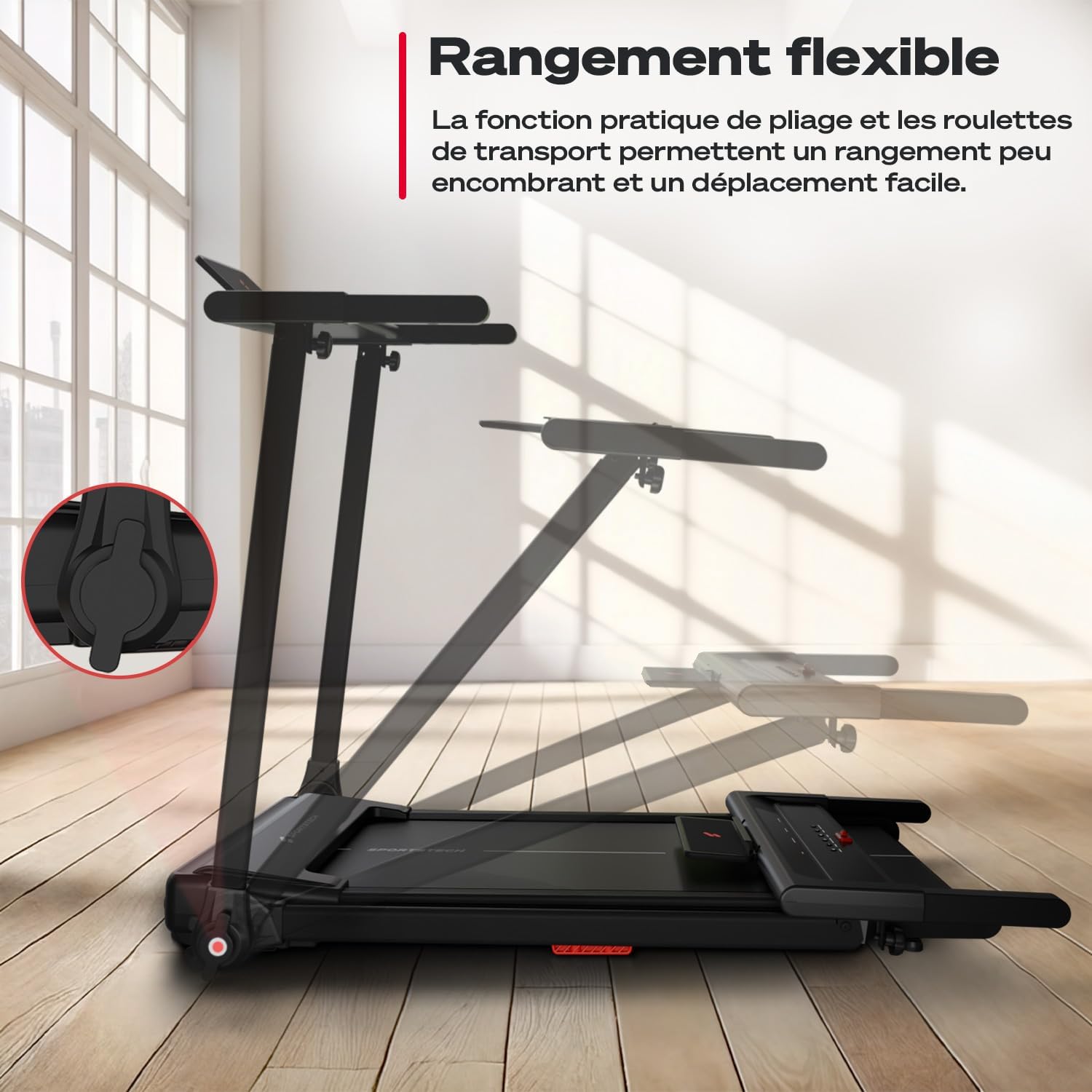
Image: The treadmill's flexible storage feature, showing the folding mechanism and transport wheels for easy movement and compact storage.

Image: Visual guide demonstrating the quick and easy unfolding, transport, and storage of the Sportstech sProRun treadmill.
3.2 Regolazione dell'inclinazione manuale
The sProRun offers a manual incline of up to 9% to increase workout intensity. Locate the incline adjustment points at the rear of the treadmill deck and manually set your desired incline level before starting your workout.
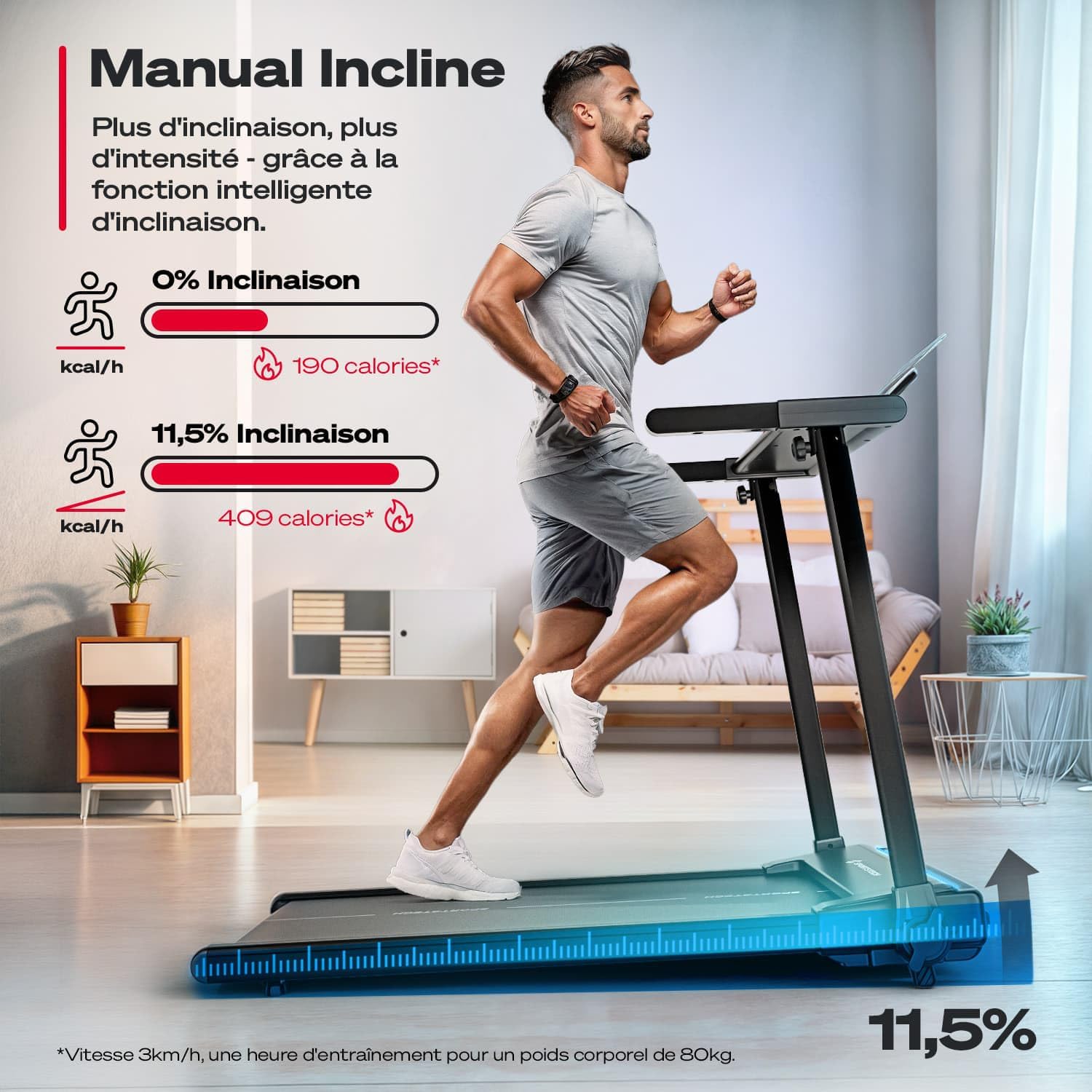
Image: A user running on the treadmill, illustrating the manual incline feature and its effect on calorie burn compared to a flat surface.

Immagine: Primo piano view of the manual incline adjustment mechanism on the Sportstech sProRun treadmill, highlighting the 9% incline capability.
4. Istruzioni per l'uso
Familiarize yourself with the control console and its functions for an optimal workout experience.
4.1 Control Console Overview
The treadmill features an LCD display that shows key metrics such as speed, time, distance, and calories burned. The console also includes quick-speed buttons and program selection.

Image: The intuitive LCD control display of the Sportstech sProRun, showing buttons for easy operation and settings adjustment, with a tablet holder above.

Image: The treadmill's smart control panel with tablet support, displaying various metrics like time, speed, heart rate, calories, distance, and programs.
4.2 Iniziare un allenamento
- Ensure the safety key is properly attached to your clothing and inserted into the console.
- Premere il tasto INIZIO pulsante. Il tapis roulant inizierà a bassa velocità.
- Regolare la velocità utilizzando il +/- buttons or the quick-speed buttons (e.g., 3, 6, 9 km/h). The maximum speed is 12 km/h.
- Per interrompere, premere il FERMARE pulsante o tirare la chiave di sicurezza.
4.3 App Connectivity (Sportstech Live)
The sProRun treadmill is compatible with the Sportstech Live app, offering video tutorials and workout programs. Connect your device via Bluetooth for an interactive training experience.
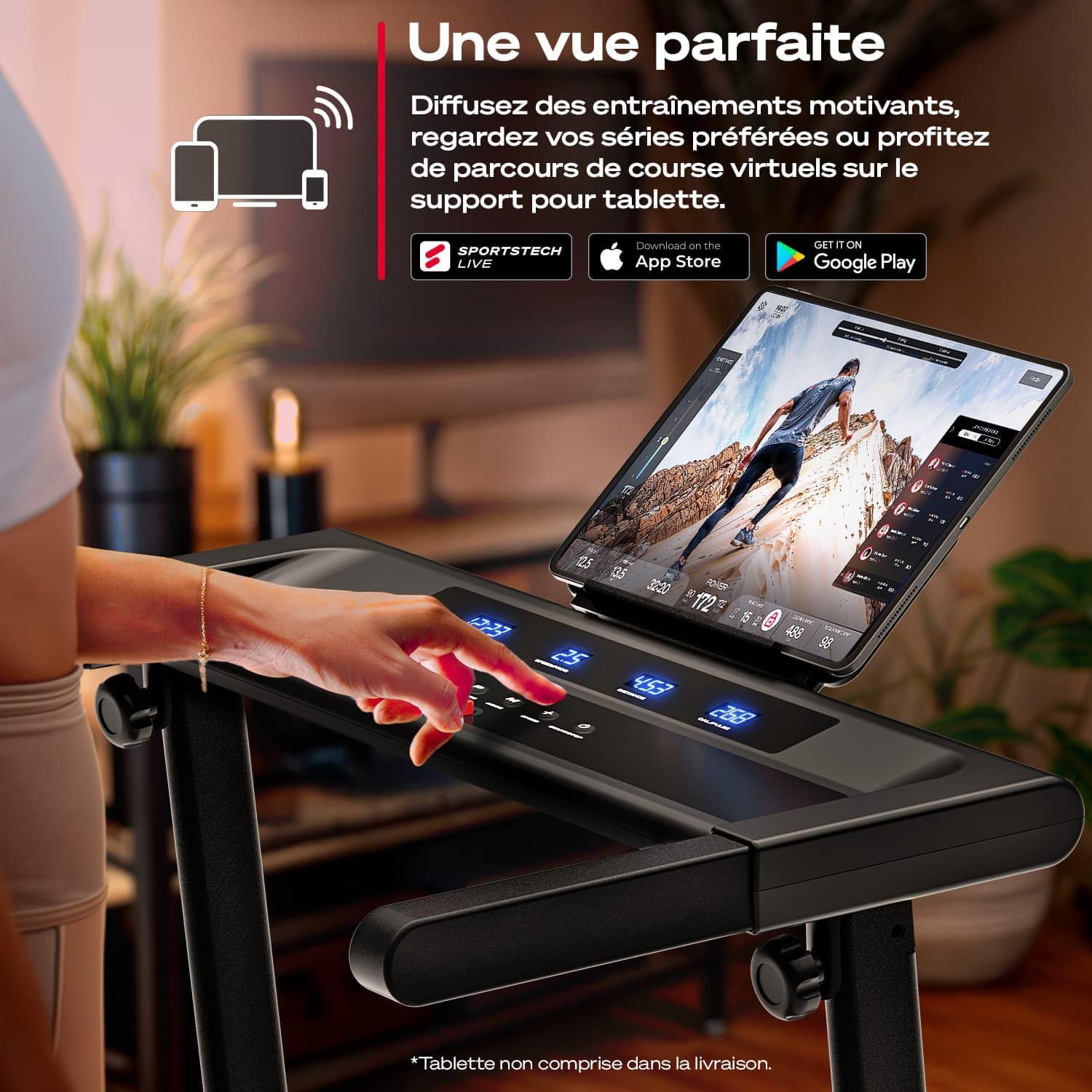
Image: A user interacting with the Sportstech Live app on a tablet mounted on the treadmill, accessing motivational workouts and virtual running routes.

Immagine: Oltreview of the Sportstech Live app integration, showing how it connects with wearables and smartphones for personalized training and tracking.
4.4 LED Pulse Training
The treadmill features dynamic LED lighting that changes color based on your running speed or pulse, providing visual feedback on your workout intensity.

Image: Close-up of the treadmill's LED lights, illustrating how they indicate pulse zones or speed with 7 different colors.

Image: The LED lights on the treadmill deck changing color from blue to magenta, indicating speed from 1 km/h up to 6 km/h.
5. Manutenzione
Una manutenzione regolare garantisce la longevità e le prestazioni ottimali del tuo tapis roulant.
- Pulizia: Pulisci la console e le superfici esterne con un pannoamp panno dopo ogni utilizzo. Evitare detergenti abrasivi.
- Lubrificazione della cinghia: Refer to the detailed instructions in the full product manual for proper lubrication of the running belt. This is crucial for smooth operation and to prevent wear.
- Tensione e allineamento della cinghia: Periodically check the running belt for proper tension and alignment. Adjust as needed according to the full manual's guidelines.
6. Risoluzione Dei Problemi
If you encounter issues with your Sportstech sProRun treadmill, refer to the following common solutions:
- Il tapis roulant non si avvia: Ensure the power cord is securely plugged in and the safety key is correctly inserted into the console. Check the main power switch.
- Scivolamento del nastro da corsa: This may indicate improper belt tension or insufficient lubrication. Adjust the belt tension as per the manual or apply lubricant.
- Rumori insoliti: Check for loose parts or foreign objects under the running belt. If the noise persists, contact customer support.
- Schermo non funzionante: Assicurarsi che tutti i collegamenti siano ben saldi. Se il problema persiste, spegnere e riaccendere il tapis roulant.
For more complex issues, please contact Sportstech customer support.
7. Specifiche
| Caratteristica | Dettaglio |
|---|---|
| Marca | Tecnologia sportiva |
| Numero di modello | sProCorsa |
| Colore | Nero |
| Dimensioni del prodotto (L x P x A) | Dimensioni: 122 x 63.5 x 105 cm |
| Dimensioni piegate (L x P x A) | Dimensioni: 128 x 63.5 x 12.8 cm |
| Peso dell'articolo | 40 kg |
| Peso massimo dell'utente | 120 kg |
| Velocità massima | 12 chilometri all'ora |
| Inclinazione | Manuale, fino al 9% |
| Tipo di visualizzazione | LCD (Speed, Distance, Calorie, Time) |
| Potenza del motore | 1 cavalli |
| Connettività | Bluetooth, Sportstech Live App compatible |
| Materiale | Telaio in metallo |
| Caratteristiche speciali | Foldable design, LED pulse training, cushioning system |
| Componenti inclusi | Tapis roulant |

Image: The Sportstech sProRun treadmill in use, highlighting its compact dimensions (122 cm length, 63.5 cm width) and German design.
8. Garanzia e supporto
Your Sportstech sProRun treadmill comes with a 30-day return policy and legal warranties. For any questions, technical assistance, or warranty claims, please contact Sportstech's specialized customer support team.
Contact information can typically be found on the official Sportstech websito o tramite la tua piattaforma di acquisto.