
Introduzione
Thank you for choosing the Monster Clarity 101 AirLinks Wireless Earbuds. This manual provides essential information on how to set up, operate, and maintain your earbuds to ensure optimal performance and longevity. Please read this manual thoroughly before use.
Cosa c'è nella scatola
- Monster Clarity 101 AirLinks Wireless Earbuds (Left and Right)
- Custodia di ricarica
- Cavo di ricarica USB-C
- Diverse misure di inserti auricolari (S, M, L)
- Manuale d'uso

The package includes the wireless earbuds, a portable charging case, a USB-C cable for charging, various eartip sizes for a comfortable fit, and this user manual.
Prodotto finitoview
The Monster Clarity 101 AirLinks are true wireless in-ear headphones designed for an active lifestyle. They feature powerful 6mm dynamic drivers for clear sound and deep bass, touch controls for easy management, and an IPX5 waterproof rating.

Each earbud is lightweight and ergonomically designed to provide a secure and comfortable fit, even during sports and exercise. The included charging case is compact and features a magnetic closure to keep your earbuds safe and charged.
Impostare
1. Ricarica degli auricolari e della custodia
Before first use, fully charge the earbuds and the charging case. Place the earbuds into the charging case. Connect the USB-C charging cable to the charging port on the case and the other end to a USB power source. The charging indicators on the case will show the charging status.

A quick 5-minute charge can provide up to 1.5 hours of playback. A full charge of the earbuds provides approximately 5 hours of play time, and the charging case extends this to a total of 25 hours.
2. Associazione con il tuo dispositivo
- Assicurati che gli auricolari siano carichi.
- Aprire la custodia di ricarica. Gli auricolari si accenderanno automaticamente ed entreranno in modalità di associazione.
- Sul tuo dispositivo (smartphone, tablet, ecc.), attiva il Bluetooth.
- Cercare Bluetooth devices and select "Clarity 101" from the list.
- Una volta effettuata la connessione, sentirai un tono di conferma e gli auricolari saranno pronti per l'uso.

The earbuds feature one-step pairing for quick and convenient connection to your Bluetooth-enabled devices.
Istruzioni per l'uso
1. Indossare gli auricolari
Select the eartips that provide the most comfortable and secure fit for your ears. Gently insert the earbuds into your ear canal and rotate them slightly to ensure a snug fit. This helps optimize sound quality and noise isolation.

2. Toccare Controlli
The earbuds are equipped with multi-function touch controls on the outer surface. These controls allow you to manage music playback, calls, and voice assistant activation.
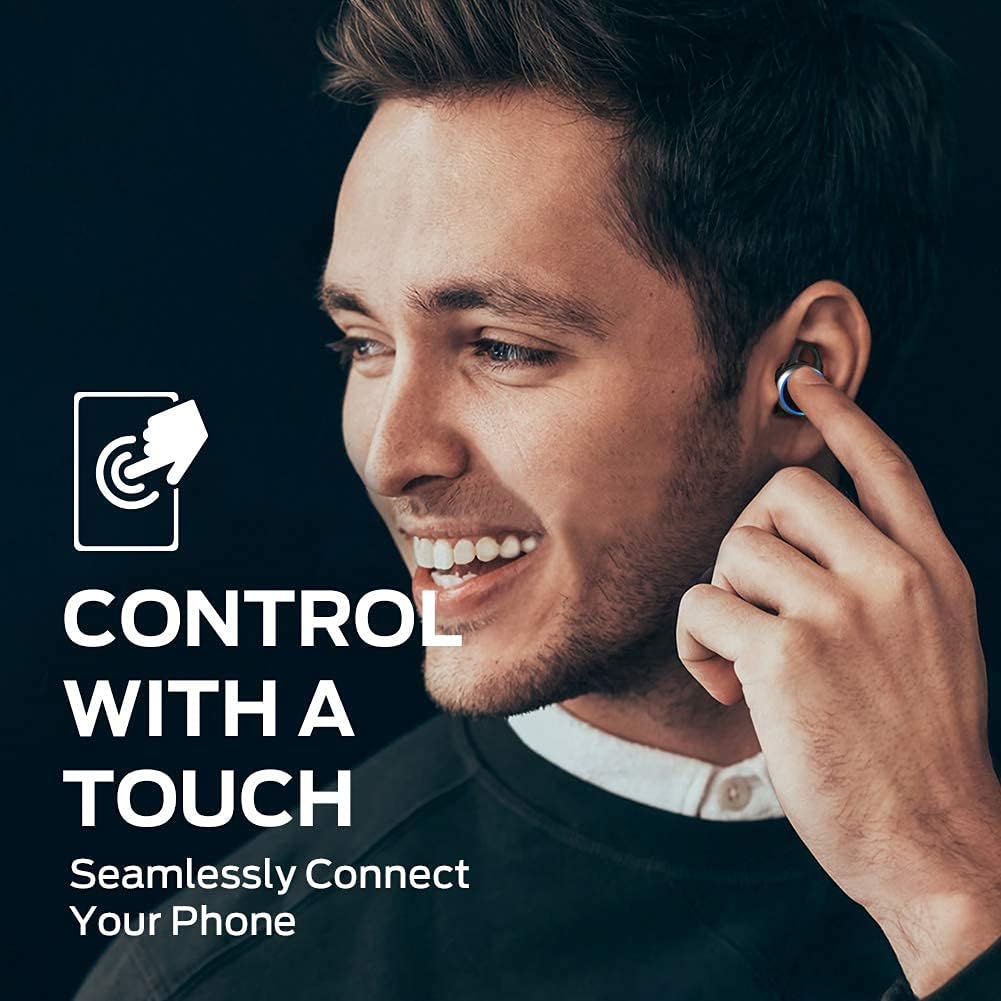
| Azione | Funzione |
|---|---|
| Tocco singolo (sinistra/destra) | Riproduci/Metti in pausa la musica, Rispondi/Termina chiamata |
| Doppio tocco (a destra) | Traccia successiva |
| Doppio tocco (sinistra) | Traccia precedente |
| Triplo tocco (sinistra/destra) | Attiva l'Assistente Vocale |
| Tieni premuto (sinistra/destra) | Rifiuta chiamata |
3. Effettuare e ricevere chiamate
The earbuds support hands-free stereo calls. You can use either earbud independently or both together for calls. The built-in microphone provides clear voice quality, even in moderately noisy environments.
- Rispondi/Termina chiamata: Tocca una volta uno degli auricolari.
- Rifiuta chiamata: Tieni premuto uno degli auricolari.
- Attiva l'assistente vocale: Tocca tre volte uno degli auricolari.
Manutenzione
1. Pulizia
Regularly clean your earbuds and charging case to maintain optimal performance and hygiene. Use a soft, dry, lint-free cloth to wipe the surfaces. For the eartips, remove them from the earbuds and clean with a mild soap solution if necessary, then rinse and dry thoroughly before reattaching. Do not use harsh chemicals or abrasive materials.
2. Conservazione
When not in use, always store the earbuds in their charging case. This protects them from dust, damage, and keeps them charged. Store the charging case in a cool, dry place away from direct sunlight and extreme temperatures.
Risoluzione dei problemi
| Problema | Possibile soluzione |
|---|---|
| Gli auricolari non si accoppiano | Ensure earbuds are charged. Turn off and on Bluetooth on your device. Forget "Clarity 101" from your device's Bluetooth list and re-pair. |
| Nessun suono da un auricolare | Place both earbuds back in the charging case, close the lid, then open again to reset. Check device's audio output settings. |
| Basso volume | Increase volume on both your device and the earbuds (if applicable via touch controls). Clean eartips and earbud mesh. |
| Scarsa qualità delle chiamate | Ensure microphone is not obstructed. Move closer to your connected device. Check network signal on your phone. |
| La custodia di ricarica non si ricarica | Ensure USB-C cable is properly connected and power source is active. Try a different cable or power adapter. |
Specifiche
| Caratteristica | Dettaglio |
|---|---|
| Marca | Mostro |
| Numero di modello | 101 |
| Posizionamento dell'orecchio | Nell'orecchio |
| Tecnologia di connettività | Senza fili (Bluetooth 5.0) |
| Portata Bluetooth | Fino a 10 metri (33 piedi) |
| Tipo di controllo | Controllo touch |
| Dimensioni del driver audio | Driver dinamico da 6 mm |
| Gamma di frequenza | Da 20 Hz a 20,000 Hz |
| Impedenza | 140 Ohm |
| Durata della batteria (auricolari) | Fino a 5 ore |
| Durata totale della batteria (con custodia) | Fino a 25 ore |
| Tempo di carica della batteria | Approximately 1.5 hours (for case) |
| Livello di resistenza all'acqua | IPX5 (impermeabile) |
| Controllo del rumore | Cancellazione attiva del rumore (per le chiamate) |
| Materiale | Metal (Enclosure & Carrying Case) |
| Peso dell'articolo | 0.14 chilogrammi |
Garanzia e supporto
The Monster Clarity 101 AirLinks Wireless Earbuds come with a 1-year limited warranty from the date of purchase. This warranty covers manufacturing defects under normal use. It does not cover damage caused by misuse, accidents, unauthorized modifications, or normal wear and tear.
For warranty claims, technical support, or further assistance, please refer to the contact information provided on the official Monster website or your purchase documentation. Please have your proof of purchase and product model number (101) ready when contacting support.