
DigiLand DigiLand-S10
Manuale utente del tablet Android S10 DigiLand
Model: DigiLand-S10
1. Introduzione
This manual provides essential information for the proper use and maintenance of your DigiLand Android Tablet S10. Please read it thoroughly before operating the device to ensure optimal performance and longevity. The DigiLand S10 is a 10.1-inch Android 14 tablet designed for versatile use, featuring an Octa-Core processor, ample memory, and a high-definition display.
2. Informazioni sulla sicurezza
- Non esporre il tablet a temperature estreme, alla luce solare diretta o a elevata umidità.
- Evitare di far cadere o di sottoporre il tablet a forti urti.
- Use only the original charger and accessories provided with the tablet.
- Non tentare di smontare o riparare il tablet da soli. Rivolgersi a personale qualificato.
- Tenere la compressa lontana dall'acqua e da altri liquidi.
- Smaltire il tablet e la batteria in modo responsabile, nel rispetto delle normative locali.
3. Contenuto della confezione
Dopo aver aperto la confezione, verificare che tutti gli articoli elencati di seguito siano presenti e in buone condizioni:
- DigiLand Android Tablet S10 (Blue)
- Cavo di ricarica USB di tipo C.
- Adattatore di alimentazione
- Guida rapida

Figure 3.1: Items included in the DigiLand Tablet S10 package. This image displays the tablet itself, its packaging box, a USB Type-C charging cable, a power adapter, and a quick start guide, ensuring users can confirm all components are present.
4. Prodotto finitoview
The DigiLand S10 tablet features a sleek design with essential ports and controls for user convenience.
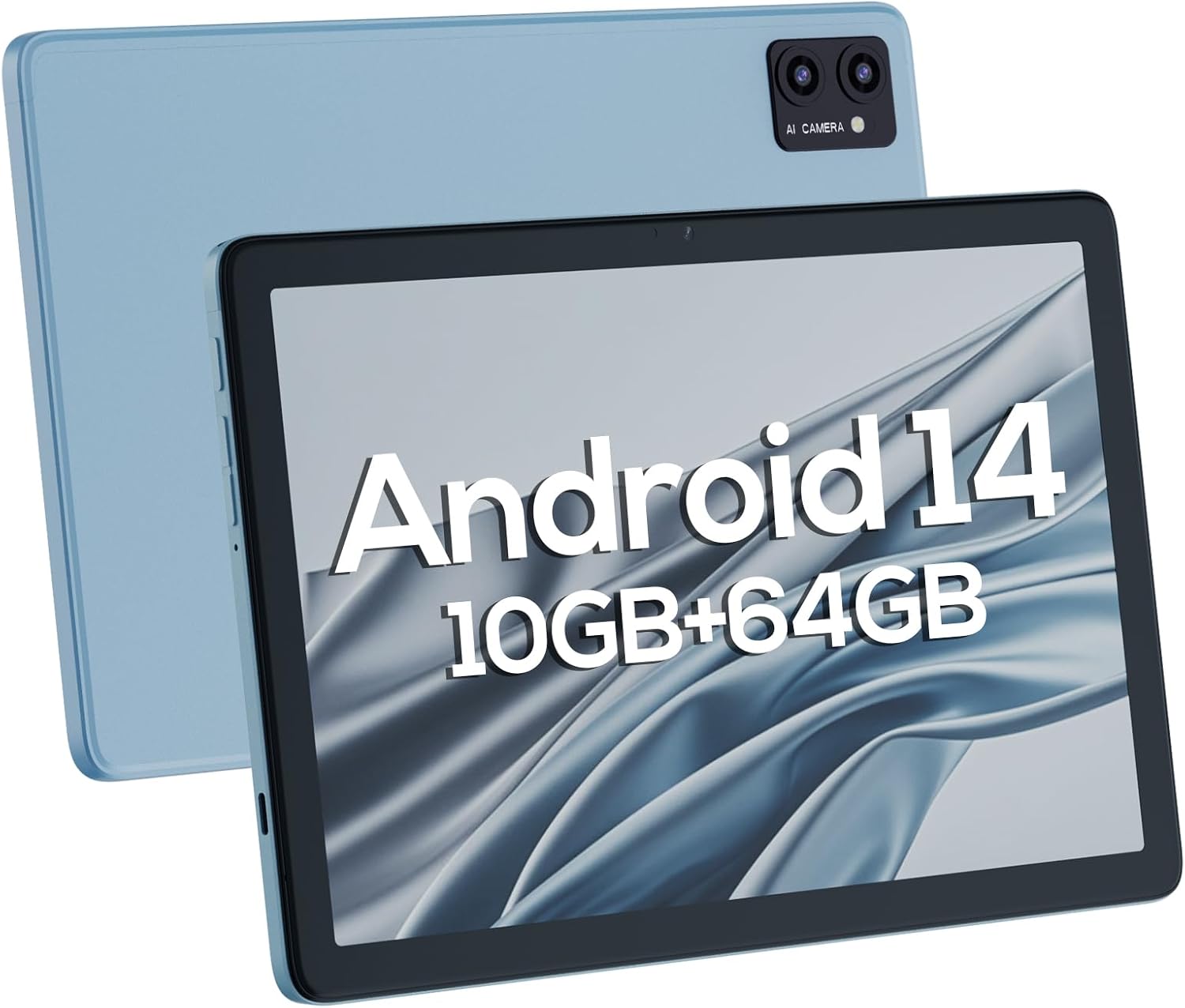
Figura 4.1: Anteriore e posteriore views of the DigiLand Android Tablet S10. The image highlights the tablet's 10.1-inch display on the front and the dual camera module on the blue-colored back panel.
Componenti chiave:
- Schermo IPS HD da 10.1 pollici: Provides vibrant visuals with 800x1280 resolution.
- Fotocamera frontale (5 MP): Located on the front bezel, suitable for video calls and selfies.
- Fotocamera posteriore (8 MP): Located on the back, for capturing photos and videos.
- Pulsante di accensione: Used to turn the tablet on/off or put it to sleep/wake.
- Pulsanti del volume: Regola il volume dell'audio.
- Porta USB di tipo C: Per la ricarica e il trasferimento dei dati.
- Jack per cuffie da 3.5 mm: Per collegare cuffie cablate.
- Slot per scheda MicroSD: Per espandere lo spazio di archiviazione fino a 256 GB.
- Doppi altoparlanti: Fornire uscita audio.
5. Impostazione
5.1 Carica iniziale
Before first use, fully charge your tablet. Connect the USB Type-C cable to the tablet's charging port and the power adapter to a wall outlet. The battery indicator on the screen will show charging status. A full charge typically takes several hours.
5.2 Accensione/Spegnimento
- Per accendere: Press and hold the Power button until the DigiLand logo appears.
- Per spegnere: Tenere premuto il pulsante di accensione finché non viene visualizzato un menu di spegnimento. Selezionare "Spegni" e confermare.
- Per dormire/svegliarsi: Premi brevemente il pulsante di accensione.
5.3 Procedura guidata di configurazione iniziale
Alla prima accensione, la procedura guidata di configurazione di Android 14 ti guiderà attraverso le configurazioni di base:
- Seleziona la tua lingua.
- Connettersi a una rete Wi-Fi.
- Accedi con il tuo account Google o creane uno nuovo.
- Review e accettare i termini e le condizioni.
- Imposta il blocco schermo (PIN, sequenza o password).
- Configurare le altre impostazioni come richiesto.
5.4 Espansione dello spazio di archiviazione
The tablet supports MicroSD cards up to 256GB for additional storage. Locate the MicroSD card slot (often near the headphone jack or power button, as shown in Figure 4.1) and insert the card gently until it clicks into place. You may need to format the card via the tablet's settings for optimal use.
6. Utilizzo del tablet
6.1 Navigazione di base
- Schermata iniziale: La schermata principale da cui puoi accedere alle app e ai widget.
- Cassetto delle applicazioni: Scorri verso l'alto dalla schermata iniziale a view tutte le applicazioni installate.
- Pannello notifiche: Scorri verso il basso dalla parte superiore dello schermo per accedere alle notifiche e alle impostazioni rapide.
- Applicazioni recenti: Tap the square navigation button (or swipe up and hold from the bottom if using gestures) to see recently opened applications.
6.2 Connessione a Wi-Fi e Bluetooth
- Wifi: Vai a Impostazioni > Rete e Internet > Wi-FiAttiva il Wi-Fi e seleziona la rete desiderata. Inserisci la password, se richiesta.
- Bluetooth: Vai a Impostazioni > Dispositivi connessi > Preferenze di connessione > BluetoothAttiva il Bluetooth e associalo ai dispositivi disponibili.
6.3 Utilizzo delle telecamere
Il tablet è dotato di una fotocamera frontale da 5 MP e di una posteriore da 8 MP.
- Apri l'app Fotocamera.
- Tocca l'icona di commutazione della fotocamera per passare dalla fotocamera anteriore a quella posteriore e viceversa.
- Tocca il pulsante di scatto per scattare una foto o avviare/interrompere la registrazione video.

Figure 6.1: Visual representation of the tablet's camera capabilities, showing sample images captured by both the 5MP front and 8MP rear cameras.
6.4 Gestione della batteria
La batteria da 6000 mAh garantisce un utilizzo prolungato. Per ottimizzare la durata della batteria:
- Ridurre la luminosità dello schermo.
- Disattivare il Wi-Fi e il Bluetooth quando non vengono utilizzati.
- Chiudere le applicazioni non utilizzate in esecuzione in background.
- Attiva la modalità Risparmio batteria nelle Impostazioni.

Figure 6.2: Battery performance details for the DigiLand Tablet S10. This graphic illustrates the 6000mAh battery capacity and provides estimated usage durations for various activities like video playback (9 hours), music (14 hours), and browsing (15 hours).
7. Manutenzione
- Pulizia: Use a soft, lint-free cloth to clean the screen and body. Avoid abrasive cleaners.
- Aggiornamenti software: Controlla regolarmente e installa gli aggiornamenti di sistema per garantire prestazioni e sicurezza ottimali. Vai a Impostazioni > Sistema > Aggiornamento di sistema.
- Gestione della memoria: Svuota periodicamente la cache, elimina le informazioni non necessarie filee disinstallare le app non utilizzate per liberare spazio di archiviazione.
- Dati di backup: Eseguire regolarmente il backup dei dati importanti su un servizio cloud o su un dispositivo di archiviazione esterno per evitare la perdita di dati.
8. Risoluzione Dei Problemi
| Problema | Possibile soluzione |
|---|---|
| Il tablet non si accende | Assicurati che la batteria sia carica. Tieni premuto il pulsante di accensione per 10-15 secondi per forzare il riavvio. |
| Prestazioni lente | Close unused apps, clear cache, restart the tablet. Consider a factory reset if issues persist (backup data first). |
| Problemi di connessione Wi-Fi | Riavvia il tablet e il router. Ignora la rete e riconnettiti. Assicurati che il Wi-Fi sia abilitato. |
| App che si bloccano | Clear app cache/data (Settings > Apps), update the app, or reinstall it. |
| Lo schermo non risponde | Force restart the tablet. If issue persists, contact support. |
9. Specifiche
Below are the detailed technical specifications for the DigiLand Android Tablet S10:
| Caratteristica | Dettaglio |
|---|---|
| Marca | DigiLand |
| Nome del modello | DigiLand-S10 |
| Sistema operativo | Androide 14 |
| Dimensioni dello schermo | 10.1 pollici |
| Risoluzione dello schermo | 800 x 1280 (IPS HD Display) |
| Processore | A523, Octa core, Cortex A55@1.8 GHz, 22nm |
| Memoria RAM | 10 GB (4+6 GB) |
| Memoria interna | 64 GB |
| Archiviazione espandibile | Up to 256GB via TF card (MicroSD) |
| Fotocamera frontale | 5MP |
| Telecamera posteriore | 8MP |
| Capacità della batteria | 6000mAh |
| Connettività | Wi-Fi (2.4G+5G), Bluetooth 5.0, USB Type-C, 3.5mm Headphone Jack |
| Dimensioni (LxWxH) | 7 x 4 x 0.5 pollici |
| Peso dell'articolo | 2.42 libbre (circa 510 g) |
| Colore | Blu |

Figura 9.1: Oltreview of the DigiLand Tablet S10's core specifications. This graphic highlights features such as Android 14, MTK Helio A523 Octa-Core Processor, 10GB RAM, 64GB ROM (expandable to 256GB), 10.1-inch HD display, 6000mAh battery, 5MP front camera, 8MP rear camera, 510g weight, and 8.8mm thickness.
10. Garanzia e supporto
10.1 Informazioni sulla garanzia
DigiLand products typically come with a limited manufacturer's warranty. Please refer to the warranty card included in your product packaging or visit the official DigiLand website for detailed terms and conditions regarding warranty coverage, duration, and limitations. Keep your proof of purchase for warranty claims.
10.2 Assistenza clienti
For technical assistance, troubleshooting, or any inquiries regarding your DigiLand Android Tablet S10, please contact DigiLand customer support. Contact information can usually be found in the Quick Start Guide or on the official DigiLand website. When contacting support, please have your product model (DigiLand-S10) and purchase details ready.
Thank you for choosing DigiLand. We hope you enjoy your new tablet!
Ask a question about this manual
Ask about setup, troubleshooting, compatibility, parts, safety, or missing instructions. Manuals+ will review the question and use this page’s manual context to help answer it.