
Coucur DY-201
Manuale utente del caricabatterie portatile Coucur DY-201 da 10000 mAh
Modello: DY-201
1. Introduzione
Thank you for choosing the Coucur 10000mAh Portable Charger. This device is designed to provide reliable and fast charging for your electronic devices on the go. Featuring a 10000mAh capacity, 22.5W fast charging, and a clear LED display, it ensures your devices remain powered throughout the day. Please read this manual thoroughly to understand the product's features and ensure safe and optimal use.
2. Informazioni sulla sicurezza
Per evitare lesioni o danni al dispositivo, osservare le seguenti precauzioni di sicurezza:
- Non esporre il power bank a temperature estreme (superiori a 60°C/140°F o inferiori a 0°C/32°F).
- Evitare di far cadere, smontare o tentare di riparare autonomamente il dispositivo.
- Tenere lontano da acqua, umidità e materiali infiammabili.
- Utilizzare solo cavi di ricarica e adattatori certificati.
- Tenere fuori dalla portata dei bambini.
- Smaltire il power bank in modo responsabile, nel rispetto delle normative locali.
- The power bank is safe for air travel and complies with international aviation safety standards.
3. Contenuto della confezione
Verifica che tutti gli articoli siano presenti nel tuo pacco:
- Coucur 10000mAh Portable Charger (Model DY-201) x1
- USB-C to USB-C Charging Cable x1 (for recharging the power bank)
- Manuale utente x1
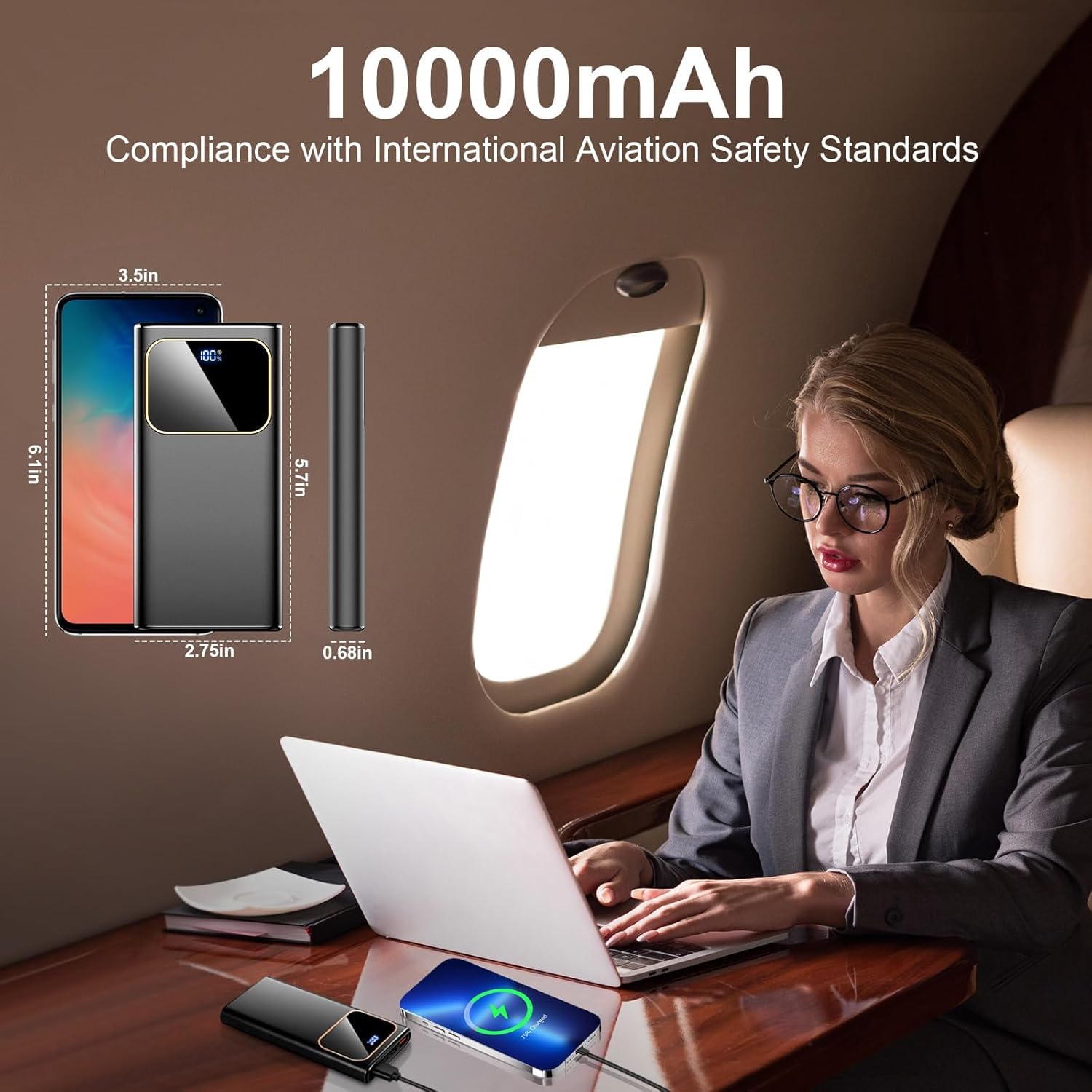
Image: The Coucur portable charger, a USB-C cable, and the user manual are shown as included items.
4. Prodotto finitoview
Familiarizza con i componenti del tuo caricabatterie portatile:

Immagine: Un dettaglio view of the power bank highlighting its ports and LED display.
- Display digitale a LED: Mostra la percentuale residua della batteriatage (0-100%).
- Pulsante di accensione: Press once to check battery level; press and hold to turn on/off (if applicable, some power banks are auto-on/off).
- Porte di uscita USB-A (x2): Deliver up to 22.5W fast charging.
- USB-C Port (Input & Output): Supports 18W input and 20W output for fast charging and recharging.
- Porta di ingresso Micro USB: Supporta un ingresso da 18 W per la ricarica del power bank.
5. Impostazione
5.1 Ricarica iniziale del Power Bank
Before first use, fully charge your Coucur portable charger. This ensures optimal battery performance.
- Collegare il cavo USB-C in dotazione alla porta USB-C del power bank.
- Connect the other end of the USB-C cable to a compatible USB wall adapter (not included). For fastest charging, use a 22.5W PD adapter.
- The LED display will show the charging progress. It will display "100%" when fully charged.
Note: Recharging the power bank with a 22.5W PD adapter takes approximately 2 hours. Using a standard 2A charger via Micro USB or USB-C will take approximately 4 hours.

Image: The power bank connected to a charger, illustrating the LED display showing full charge.
6. Istruzioni per l'uso
6.1 Ricarica dei dispositivi
The Coucur power bank can charge up to three devices simultaneously.
- Connect your device's charging cable to one of the available output ports (USB-A or USB-C) on the power bank.
- Collega l'altra estremità del cavo al tuo dispositivo.
- Il power bank inizierà automaticamente a caricare il tuo dispositivo. Il display LED mostrerà la percentuale di batteria rimanente.tage del power bank.
- Per interrompere la ricarica, è sufficiente scollegare il cavo dal dispositivo o dal power bank.
Note: For optimal fast charging, ensure your device and charging cable support PD 3.0 or QC 4.0 protocols. The USB-C port functions as both input and output, allowing you to charge compatible USB-C devices directly.
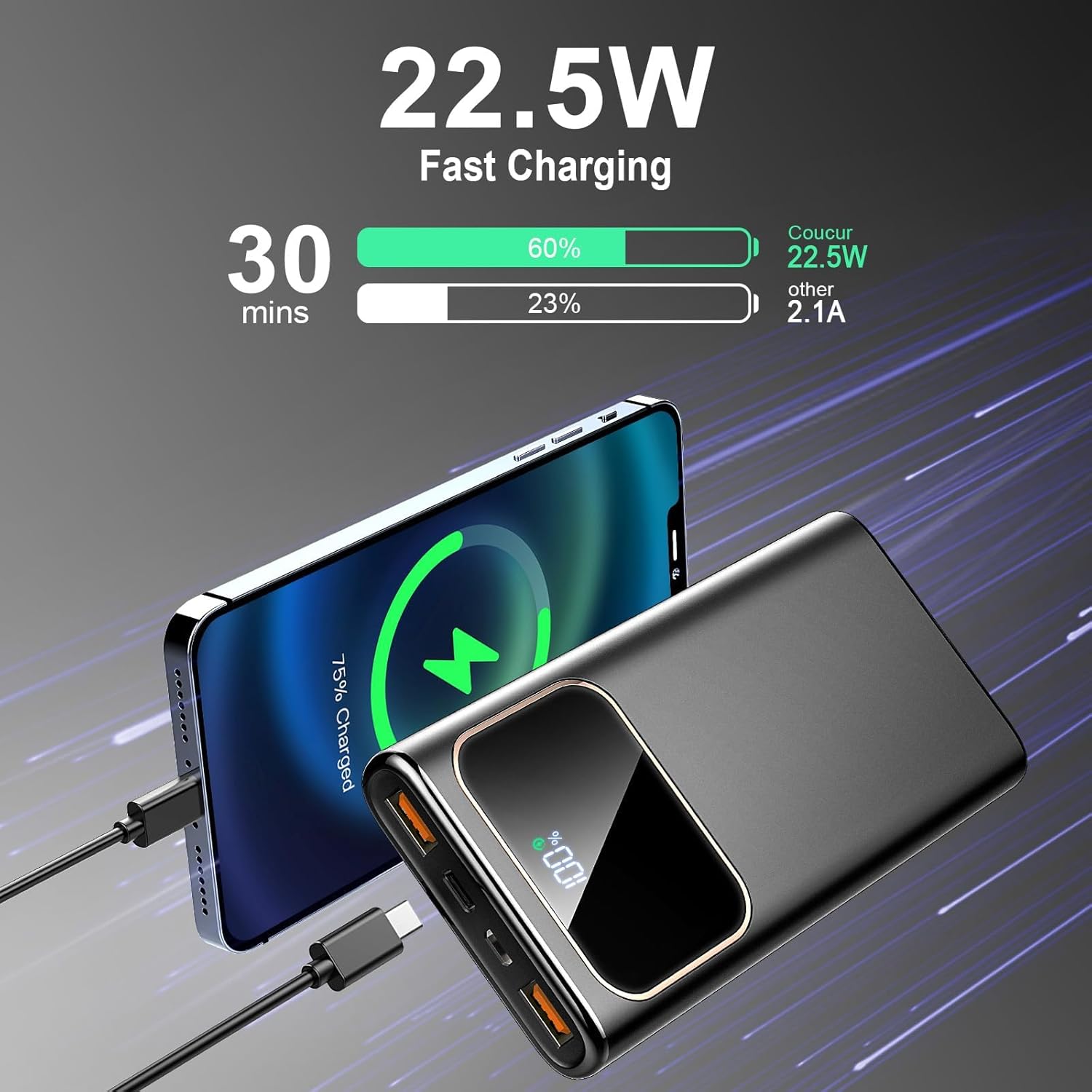
Image: An iPhone being fast-charged by the Coucur power bank, showing charging speed comparison.

Image: Visual representation of the USB-C port's dual functionality for both input and output.
6.2 Controllo del livello della batteria
Premere una volta il pulsante di accensione per attivare il display digitale a LED, che mostrerà la percentuale attuale della batteriatage del power bank.
Video: An official product video demonstrating the Coucur power bank's features, including its fast charging capabilities and LED display.
7. Manutenzione
- Pulisci il power bank con un panno asciutto e morbido. Non utilizzare prodotti chimici aggressivi o materiali abrasivi.
- Conservare il dispositivo in un luogo fresco e asciutto, lontano dalla luce solare diretta.
- If not used for extended periods, recharge the power bank every 3 months to maintain battery health.
8. Risoluzione Dei Problemi
| Problema | Possibile causa | Soluzione |
|---|---|---|
| Il power bank non carica i dispositivi. | Batteria scarica sul power bank; cavo difettoso; dispositivo non compatibile. | Ricarica il power bank; prova un cavo diverso; assicurati che il dispositivo sia compatibile. |
| Il power bank non si ricarica. | Faulty charging cable or adapter; port issue. | Prova un cavo USB-C e un adattatore da parete diversi; assicurati che i collegamenti siano saldi. |
| Ricarica lenta. | Cable or adapter does not support fast charging; device does not support fast charging. | Use a PD 3.0/QC 4.0 compatible cable and adapter; verify device fast charging capability. |
| Il display LED non funziona. | Il power bank è completamente scarico; guasto interno. | Attempt to recharge the power bank; if issue persists, contact support. |
9. Specifiche
| Caratteristica | Dettaglio |
|---|---|
| Numero di modello | DY-201 |
| Capacità della batteria | 10000mAh |
| Ingresso USB-C | 18W (PD) |
| Ingresso micro USB | 18W |
| Uscita USB-C | 20W (PD) |
| Uscita USB-A (x2) | 22.5 W (QC 4.0) |
| Dimensioni | 5.70'' x 2.75'' x 0.68'' (approx. 14.5cm x 7cm x 1.7cm) |
| Peso | 0.5 libbre (circa 227 g) |
| Caratteristiche speciali | Accurate LED power display, MultiProtect safety system, Airline approved. |
10. Garanzia e supporto
The Coucur 10000mAh Portable Charger comes with a Garanzia di 24 mesi dalla data di acquisto. La presente garanzia copre difetti di fabbricazione e di lavorazione. Non copre danni causati da uso improprio, incidenti, modifiche non autorizzate o normale usura.
For technical support, warranty claims, or any questions regarding your product, please contact Coucur customer service through the retailer where you purchased the product or visit the official Coucur websito per le informazioni di contatto.
Viene fornito supporto tecnico a vita.