1. Introduzione
Thank you for choosing the havit OWS915 Open Ear Headphones. These headphones are designed to provide a comfortable and secure listening experience while maintaining awareness of your surroundings. Featuring Bluetooth 5.4 connectivity, 64 hours of total playtime with the charging case, IPX5 water resistance, and Environmental Noise Cancellation (ENC) for clear calls, the OWS915 is suitable for various activities.
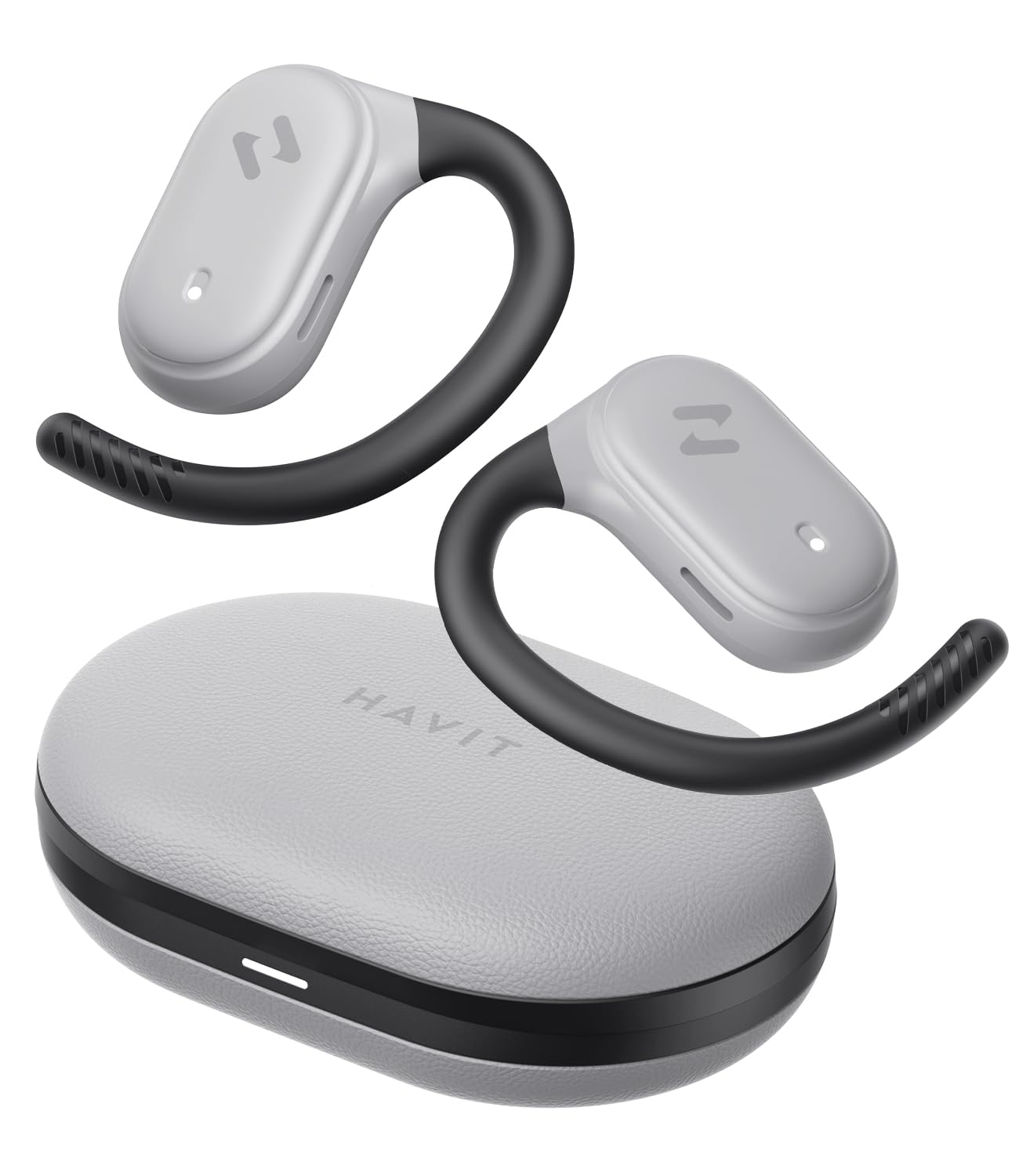
Image: havit OWS915 Open Ear Headphones and their charging case, showcasing il design del prodotto.
2. Cosa c'è nella scatola
- havit OWS915 Open Ear Headphones (Left and Right)
- Custodia di ricarica
- Cavo di ricarica USB-C
- Manuale d'uso

Image: A visual representation of all items included in the havit OWS915 product packaging.
3. Istruzioni per l'uso
Per un comfort e una qualità audio ottimali, assicurarsi di indossare le cuffie correttamente.
- Apri la custodia di ricarica e rimuovi gli auricolari.
- Place the earhook over the top of your ear.
- Adjust the earbud so that the speaker rests comfortably outside your ear canal, directing sound towards your ear.

Image: A three-step visual guide demonstrating the proper way to position the open-ear headphones on the ear.
4. Impostazione
4.1 Abbinamento iniziale
- Assicurati che le cuffie siano cariche.
- Aprire la custodia di ricarica. Gli auricolari entreranno automaticamente in modalità di associazione, indicata da una luce LED lampeggiante.
- Sul tuo dispositivo (smartphone, tablet, computer), attiva il Bluetooth e cerca i dispositivi disponibili.
- Select "havit OWS915" from the list of devices.
- Una volta effettuata la connessione, l'indicatore LED sugli auricolari smetterà di lampeggiare.
4.2 Ricarica delle cuffie e della custodia
The headphones provide up to 8.5 hours of playtime on a single charge, with the charging case extending this to a total of 64 hours.
- Ricarica auricolari: Inserisci gli auricolari nella custodia di ricarica. Inizieranno automaticamente a caricarsi. Le spie luminose sugli auricolari mostreranno lo stato di carica.
- Custodia di ricarica: Connect the provided USB-C cable to the charging port on the case and to a power source. The indicator light on the case will show charging progress.

Image: The havit OWS915 headphones in their charging case, highlighting the 8.5 hours of playtime per charge and 64 hours total with the case.
5. Istruzioni per l'uso
5.1 Comandi touch
The havit OWS915 headphones feature intuitive touch controls on each earbud.
| Funzione | Azione |
|---|---|
| Riproduci/Pausa | Tocca uno degli auricolari due volte |
| Canzone precedente | Touch and hold left earbud for 1 second |
| Prossima canzone | Touch and hold right earbud for 1 second |
| Rispondi/Termina chiamata | Tocca uno degli auricolari due volte |
| Rifiuta chiamata | Touch and hold either earbud for 1 second |
| Assistente vocale | Tocca tre volte l'auricolare sinistro |
| Modalità gioco/Modalità musica | Tocca tre volte l'auricolare destro |

Image: A visual guide detailing the various touch control functions on the havit OWS915 earbuds.
5.2 HAVIT LIFE APP
Enhance your listening experience by downloading the HAVIT LIFE APP. The app allows you to:
- Customize EQ settings to match your audio preferences.
- Regola le funzioni di controllo touch.
- Monitor headphone battery levels.
- Switch between game and music modes.

Image: Screenshots of the HAVIT LIFE APP, demonstrating options for equalizer settings and other customizations.
6. Caratteristiche e tecnologia
6.1 Design e comfort dell'orecchio aperto
The OWS915 headphones feature an open-ear design with lightweight (7.9 grams) and soft TPU materials, ensuring a comfortable and secure fit for extended wear without fatigue. This design allows you to remain aware of your surroundings.

Image: A person wearing the havit OWS915 headphones, illustrating the comfortable and secure open-ear design.
6.2 Powerful Sound Performance
Equipped with advanced 14.2mm dynamic drivers and bass enhancement technology, these headphones deliver rich bass and vibrant 3D surround sound for an immersive audio experience.

Image: An illustration of the 14.2mm dynamic drivers, highlighting their role in delivering powerful bass.
6.3 Crystal Clear Calls with 4-Microphone ENC
The integrated 4-microphone Environmental Noise Cancellation (ENC) technology ensures your voice is transmitted clearly during calls, even in noisy environments.
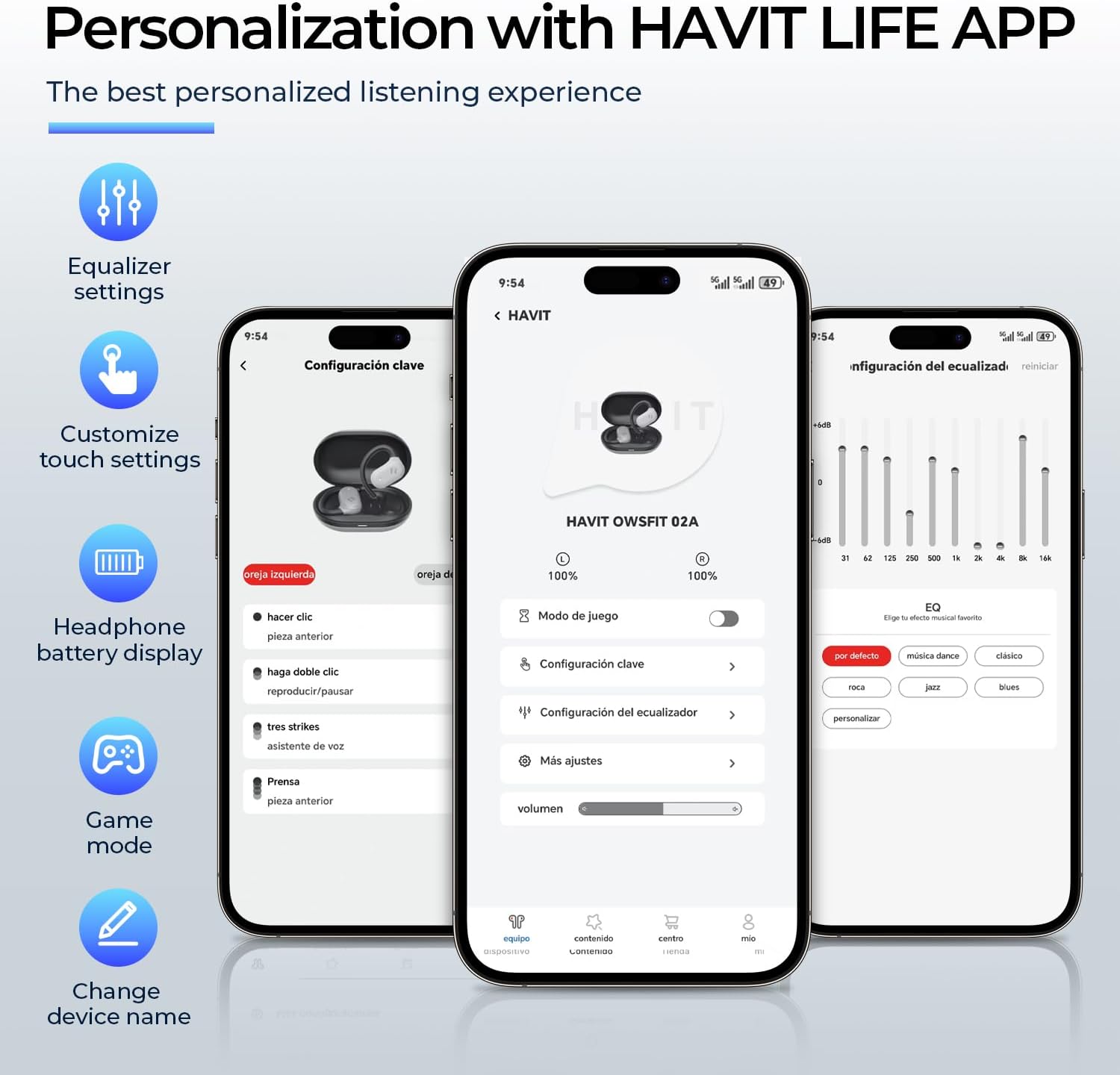
Image: A person using the havit OWS915 headphones for a call, illustrating the clear communication provided by 4-microphone ENC technology.
6.4 Cutting-Edge Directional Audio Technology
Innovative directional audio technology provides precise sound placement, minimizing sound leakage while improving bass quality. This allows you to enjoy your audio without disturbing others and without compromising your awareness.

Image: A visual representation of the directional audio technology, showing sound waves directed towards the ear with minimal leakage.
6.5 Resistenza all'acqua IPX5
With an IPX5 rating, the OWS915 headphones are resistant to sweat and splashes, making them suitable for workouts, outdoor activities, and light rain.
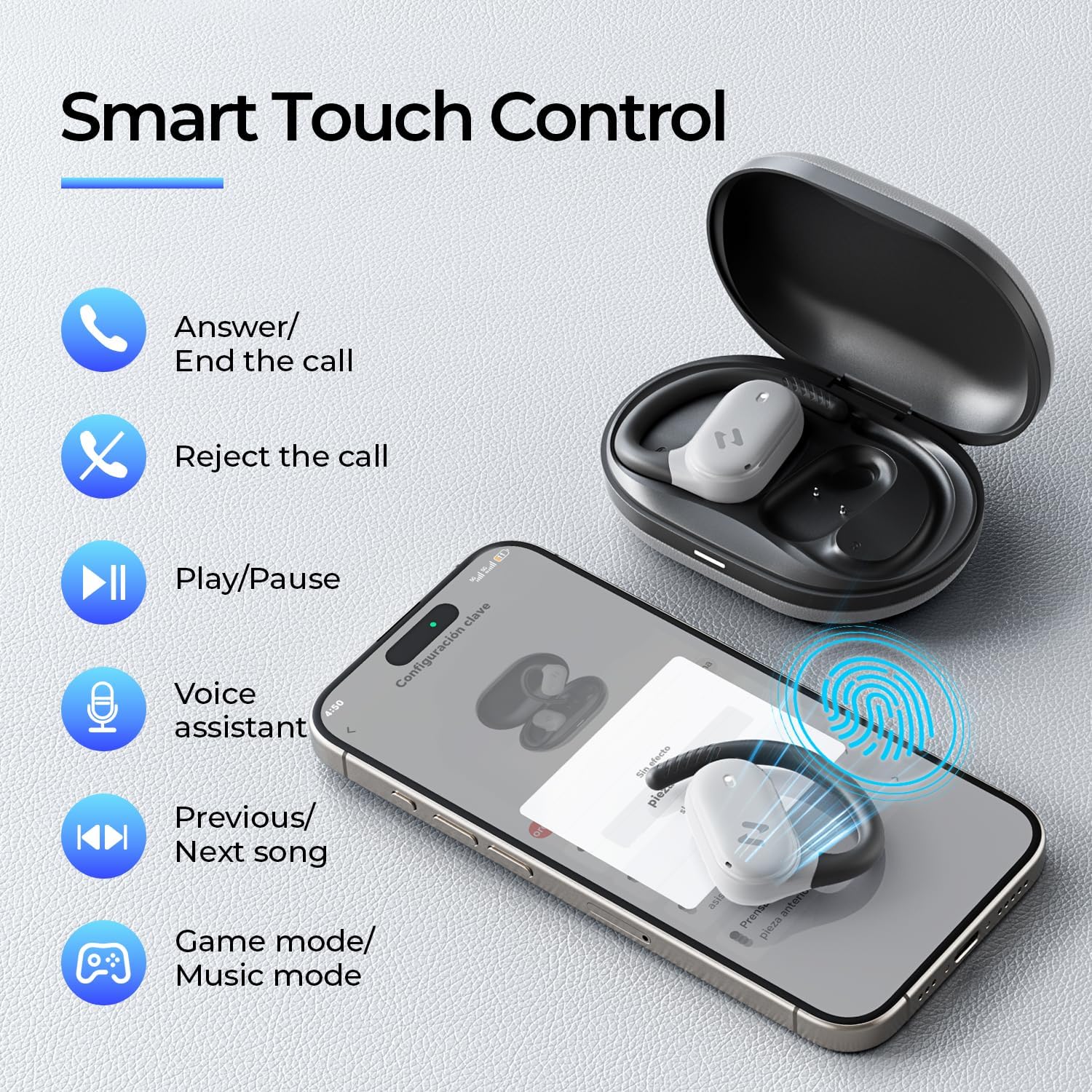
Image: The havit OWS915 headphones partially submerged in water, demonstrating their IPX5 water and sweat resistance.
7. Manutenzione
- Pulizia: Pulisci regolarmente gli auricolari e la custodia di ricarica con un panno morbido e asciutto. Evita di utilizzare materiali abrasivi o sostanze chimiche aggressive.
- Esposizione all'acqua: While IPX5 rated, avoid submerging the headphones in water. If exposed to sweat or splashes, wipe them dry before placing them back in the charging case.
- Magazzinaggio: Quando non le usi, conserva le cuffie nella custodia di ricarica per proteggerle e assicurarti che rimangano cariche.
- Cura della batteria: To prolong battery life, avoid fully discharging the headphones or charging case frequently. Charge them regularly.
8. Risoluzione Dei Problemi
- Nessun potere: Assicurarsi che gli auricolari e la custodia di ricarica siano completamente carichi.
- Errore di accoppiamento:
- Assicurati che il Bluetooth sia abilitato sul tuo dispositivo.
- Assicurarsi che gli auricolari siano in modalità di associazione (LED lampeggiante).
- Disattiva il Bluetooth sugli altri dispositivi nelle vicinanze che potrebbero tentare di connettersi.
- Prova a reimpostare gli auricolari (se necessario, consulta il manuale completo per istruzioni specifiche sul reimpostazione).
- Nessun suono:
- Controlla il livello del volume sia sul dispositivo che sulle cuffie.
- Assicurati che le cuffie siano collegate correttamente al dispositivo.
- Prova a riprodurre l'audio da un'applicazione o una sorgente diversa.
- Scarsa qualità della chiamata:
- Assicurarsi che i microfoni non siano ostruiti.
- Spostatevi in una zona con meno rumore di fondo.
- Controlla la connessione di rete del tuo dispositivo.
9. Specifiche
| Caratteristica | Specificazione |
|---|---|
| Nome del modello | OWS915 |
| Tecnologia di connettività | Senza fili (Bluetooth 5.4) |
| Portata Bluetooth | 10 metri |
| Durata della batteria (auricolari) | 8.5 ore (carica singola) |
| Tempo di riproduzione totale (con custodia) | 64 ore |
| Livello di resistenza all'acqua | IPX5 (impermeabile) |
| Dimensioni del driver audio | 14.2 millimetri |
| Metodo di controllo | App, tocco |
| Componenti inclusi | Microfono |
| Peso dell'articolo (auricolari) | 7.9 grammi (ciascuno) |
| Peso della custodia per il trasporto | 77.8 grammi |
| Materiale | PC + ABS + TPU |
| Risposta in frequenza | 20KHz |
| Sensibilità | 118 dB |
| Impedenza | 32 Ohm |
10. Guida video
Guarda questo video ufficiale per una panoramica visivaview of the havit OWS915 Open Ear Headphones.
Video: An official product video from HAVIT Direct showcasing the havit OWS915 Open Ear Headphones, including their design and features.
11. Garanzia e supporto
havit products come with a standard warranty. For detailed warranty information, technical support, or customer service inquiries, please refer to the warranty card included in your product packaging or visit the official havit websito. Puoi anche contattare direttamente il venditore per assistenza.
Supporto online: www.havit.com/support