
1. Introduzione
This manual provides detailed instructions for the installation, operation, and maintenance of your KUNFINE 10.25-inch Android Car Stereo. Designed specifically for Audi A3 models from 2014 to 2020, this head unit integrates advanced features like CarPlay, Android Auto, GPS navigation, and multimedia playback to enhance your driving experience. Please read this manual thoroughly before use to ensure proper functionality and safety.
2. Informazioni sulla sicurezza
- Installazione professionale consigliata: Due to the complexity of vehicle electronics, professional installation is highly recommended to prevent damage to the unit or your vehicle.
- Sicurezza di guida: Non utilizzare l'unità in modo da distrarti dalla guida. Dare sempre priorità alla sicurezza stradale.
- Alimentazione elettrica: Ensure the unit is connected to the correct vehicle power supply to avoid electrical damage.
- Temperatura: Evitare di esporre l'unità a temperature estreme o alla luce solare diretta per periodi prolungati.
- Pulizia: Per la pulizia, utilizzare un panno morbido e asciutto. Non utilizzare detergenti abrasivi o solventi.
3. Contenuto della confezione
Verifica che tutti gli articoli elencati di seguito siano inclusi nel tuo pacchetto:

Immagine: Oltreview of the KUNFINE Android Head Unit package contents, including the main unit, cables, and accessories.
- 1x unità principale Android per auto con maschera
- 1x antenna GPS
- 1x cavo di alimentazione (Plug & Play)
- Cavo porta USB 2x
- 1x cavo di espansione RCA
- 1x connettore RCA per telecamera di retromarcia
- 1x Install Kit (GIFT)
- 1x External Mic (GIFT)
- 1x AHD 720 Reverse Camera (GIFT)
4. Caratteristiche del prodotto
Your KUNFINE Android Car Stereo is equipped with a range of advanced features:
- Sistema operativo: Sistema Android
- Processore: CPU Octa Core
- Memoria: 8GB RAM, ROM 128GB
- Display: Touchscreen IPS da 10.25 pollici
- Connettività: Built-in CarPlay & Android Auto (Wireless & Wired), Internal WIFI, Bluetooth, USB input
- Navigazione: Supports various Android navigation apps
- Multimedia: Supports all audio formats, USB interface camera, USB DVR, 4K UHD Video Playback
- Integrazione del veicolo: Supports steering wheel control, car rear view camera (aftermarket RCA type), retains original car settings.
- Audio: Built-in AKM DSP for enhanced sound experience.
- Rete: Integrated 4G LTE Solution (SIM card needed for 4G networks).

Image: The KUNFINE Android Car Stereo displaying various Android applications, showcasing its smart system capabilities.
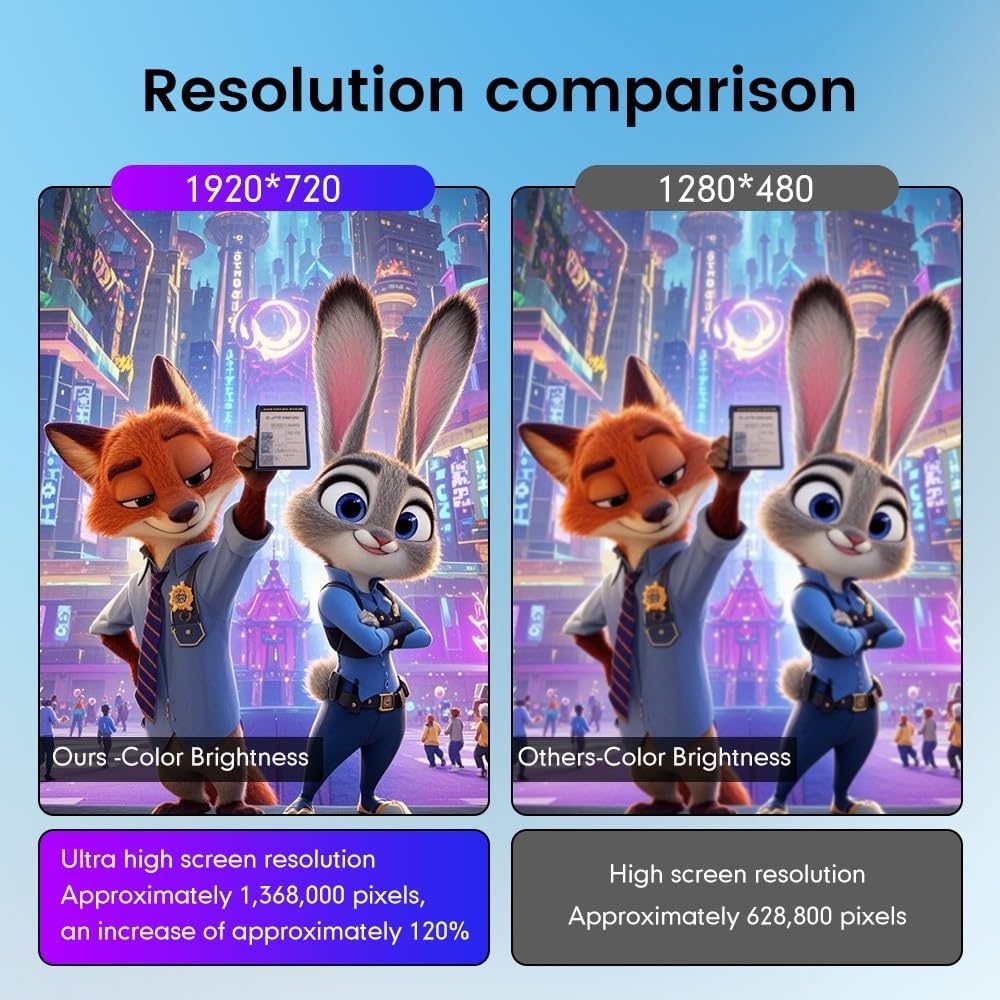
Image: A visual comparison highlighting the superior 1920x720 resolution and color brightness of the KUNFINE unit compared to standard 1280x480 displays.
5. Guida all'installazione
Installation of the KUNFINE Android Car Stereo requires careful attention to detail. It is strongly recommended to have this unit installed by a qualified professional to avoid damage to the product or your vehicle's electrical system. The following is a general overview:
- Preparazione: Scollegare la batteria del veicolo prima di iniziare qualsiasi lavoro elettrico.
- Rimuovere l'unità originale: Carefully remove the existing car stereo and trim panels. Refer to your vehicle's specific service manual for detailed instructions.
- Collegare il cablaggio: Connect the provided power cable, RCA cables, USB cables, and other necessary wiring harnesses to the new head unit and the vehicle's existing connections. Ensure all connections are secure.
- Installare le antenne: Connect the GPS antenna and any other external antennas (e.g., 4G antenna if applicable) and route them appropriately.
- Montare la nuova unità: Secure the KUNFINE Android Head Unit into the dashboard using the provided installation kit and mask.
- Ricollegare la batteria: Una volta effettuati e fissati tutti i collegamenti, ricollegare la batteria del veicolo.
- Funzionalità di prova: Power on the unit and test all functions, including audio, video, navigation, Bluetooth, CarPlay/Android Auto, and steering wheel controls.

Image: A visual representation of the car dashboard before and after the installation of the KUNFINE Android Car Stereo, showing a seamless integration.
6. Istruzioni per l'uso
6.1. Funzionamento di base
- Accensione/spegnimento: Tenere premuto il pulsante di accensione sull'unità oppure utilizzare l'accensione del veicolo.
- Schermo tattile: Navigate the interface by tapping, swiping, and pinching on the IPS touchscreen.
- Controllo del volume: Regola il volume utilizzando i pulsanti fisici sull'unità o i comandi al volante.
- Pulsante Home: Ritorna alla schermata principale di Android.
- Pulsante Indietro: Ritorna alla schermata o al menu precedente.
6.2. CarPlay e Android Auto
The unit supports both wireless and wired CarPlay/Android Auto for seamless smartphone integration.
- Connessione wireless:
- Enable Bluetooth on your smartphone and pair it with the car stereo.
- Open the "Zlink5" app on the car stereo.
- Follow the on-screen prompts to connect to Apple CarPlay or Android Auto.
- Connessione cablata:
- Collega il tuo smartphone all'unità tramite un cavo USB.
- Il sistema dovrebbe rilevare e avviare automaticamente CarPlay o Android Auto.

Image: Instructions for connecting wirelessly to Apple CarPlay and Android Auto, showing the steps for Bluetooth pairing and app usage.
6.3. Navigazione
Utilize the built-in GPS and pre-installed navigation apps or download your preferred navigation software from the Google Play Store.
- Access navigation via the main menu or CarPlay/Android Auto.
- Inserisci la tua destinazione e segui le indicazioni vocali.

Image: The car stereo screen displaying various navigation applications, demonstrating voice command integration for directions.
6.4. Riproduzione multimediale
Riproduci audio e video fileda varie fonti:
- USB: Connect USB drives to the provided USB ports.
- Bluetooth: Riproduci musica in streaming wireless dal tuo smartphone.
- Memoria interna: Store media files directly on the unit's 128GB ROM.
- Streaming online: Use Wi-Fi or 4G (with SIM card) to access online music and video streaming services.
6.5. Bluetooth
Collega il tuo smartphone tramite Bluetooth per effettuare chiamate in vivavoce e riprodurre contenuti audio in streaming.
- Vai alle impostazioni Bluetooth sull'unità e sul tuo telefono.
- Pair your device. Once connected, you can make/receive calls and play music.
6.6. Connettività Wi-Fi e 4G
Connect to the internet via Wi-Fi or an optional 4G SIM card.
- Wifi: Access Wi-Fi settings to connect to available networks or use your phone's hotspot.
- 4G: Insert a compatible SIM card into the designated slot to enable 4G connectivity.
6.7. Controllo del volante (SWC)
L'unità supporta i comandi al volante originali del veicolo per un utilizzo più pratico.
- After installation, the SWC should function automatically. If not, refer to the unit's settings for SWC configuration.

Image: A collage showing various original car functions and settings, such as steering wheel control, safety belt reminder, and iDrive support, which are retained with the KUNFINE unit.
6.8. Posteriore View Telecamera
The unit supports aftermarket RCA type backup cameras, including the provided AHD 720 Reverse Camera.
- Quando si inserisce la retromarcia, le immagini della telecamera vengono visualizzate automaticamente sullo schermo.

Image: An illustration of a car with optional 360-degree rear view cameras, showing how the system can provide a comprehensive view per il parcheggio e le manovre.
6.9. Supporto OBD2 (facoltativo)
Grazie all'adattatore OBD2 opzionale, puoi recuperare dati e codici di errore in tempo reale dal computer del tuo veicolo.
- Connect a compatible OBD2 adapter (not included) to your vehicle's OBD port.
- Use a compatible app on the head unit to monitor vehicle parameters.
6.10. DAB+ Tuner Ready (Optional)
Enjoy digital radio with an optional DAB+ tuner stick.
- Connect a compatible XTRONS USB DAB radio receiver stick (not included) to a USB port.
- Access the DAB+ app on the unit to scan for and listen to digital radio stations.
6.11. Dimostrazione video
Guarda questo video per una panoramica completaview of the unit's features and operation:
Video: A detailed demonstration of the XTRONS Octa Core 8GB+256GB Car Stereo for Audi A3, showcasing its Android system, IPS screen, 4G LTE, CarPlay, Android Auto, DSP, and other features.
7. Manutenzione
- Pulizia dello schermo: Utilizzare un panno morbido e privo di lanugine per pulire delicatamente lo schermo. Per macchie ostinate, leggermente dampLavare il panno con acqua; evitare prodotti chimici aggressivi.
- Aggiornamenti software: Controllare periodicamente la presenza di aggiornamenti software tramite le impostazioni dell'unità o tramite il sito del produttore websito per garantire prestazioni ottimali e accesso a nuove funzionalità.
- Backup dei dati: Regularly back up important data stored on the unit to prevent loss.
8. Risoluzione Dei Problemi
| Problema | Possibile causa | Soluzione |
|---|---|---|
| L'unità non si accende. | Cablaggio errato, fusibile bruciato, problemi alla batteria del veicolo. | Check power connections, inspect vehicle fuses, ensure battery is charged. Consult a professional if issues persist. |
| Nessun suono. | Volume troppo basso, sorgente audio errata, problemi di cablaggio degli altoparlanti. | Increase volume, select correct audio input, check speaker connections. |
| CarPlay/Android Auto non si connette. | Bluetooth not paired, incorrect app selected, phone software issues. | Ensure Bluetooth is on and paired, open "Zlink5" app, update phone OS. Try wired connection. |
| Segnale GPS debole o impreciso. | Antenna GPS ostruita o installata in modo non corretto. | Assicurarsi che l'antenna GPS abbia una visuale libera view del cielo ed è saldamente collegato. |
| Lo schermo non risponde. | Problema software, blocco temporaneo. | Perform a soft reset (refer to the unit's specific reset procedure). If unresponsive, power cycle the vehicle. |
9. Specifiche
| Caratteristica | Dettaglio |
|---|---|
| Marca | KUNFINE |
| Nome del modello | KUNFINE Octa Core 8G+128G |
| Sistema operativo | Sistema Android |
| processore | Octa-core |
| Memoria RAM | 8 GB |
| ROM | 128 GB |
| Dimensioni dello schermo | 10.25 pollici |
| Tipo di visualizzazione | LED IPS |
| Tipo di schermo tattile | Capacitivo |
| Tecnologia di connettività | USB, Bluetooth, Wi-Fi |
| Caratteristiche speciali | CarPlay/Android Auto Integration, GPS, Steering Wheel Control, Rear View Supporto della fotocamera |
| Tipo di veicolo compatibile | Audi A3 (2014-2020) |
10. Garanzia e supporto
Your KUNFINE Android Car Stereo comes with a garanzia di un anno covering non-human damage. For any questions, technical support, or warranty claims, please contact the seller directly through your purchase platform. Your consultation is always welcomed.
Manufacturer: KUNFINE