
1. Introduzione
This manual provides essential information for the safe and efficient operation, maintenance, and troubleshooting of your OMTech 60W CO2 Laser Engraver, Model SH-G570. Please read this manual thoroughly before operating the machine to ensure proper usage and to prevent injury or damage.
2. Prodotto finitoview
The OMTech 60W CO2 Laser Engraver is a versatile machine designed for precision cutting and engraving across a wide range of materials. It features a 28"x20" working area, autofocus, air assist, and 4-way pass-through capabilities, making it suitable for various creative and industrial applications.
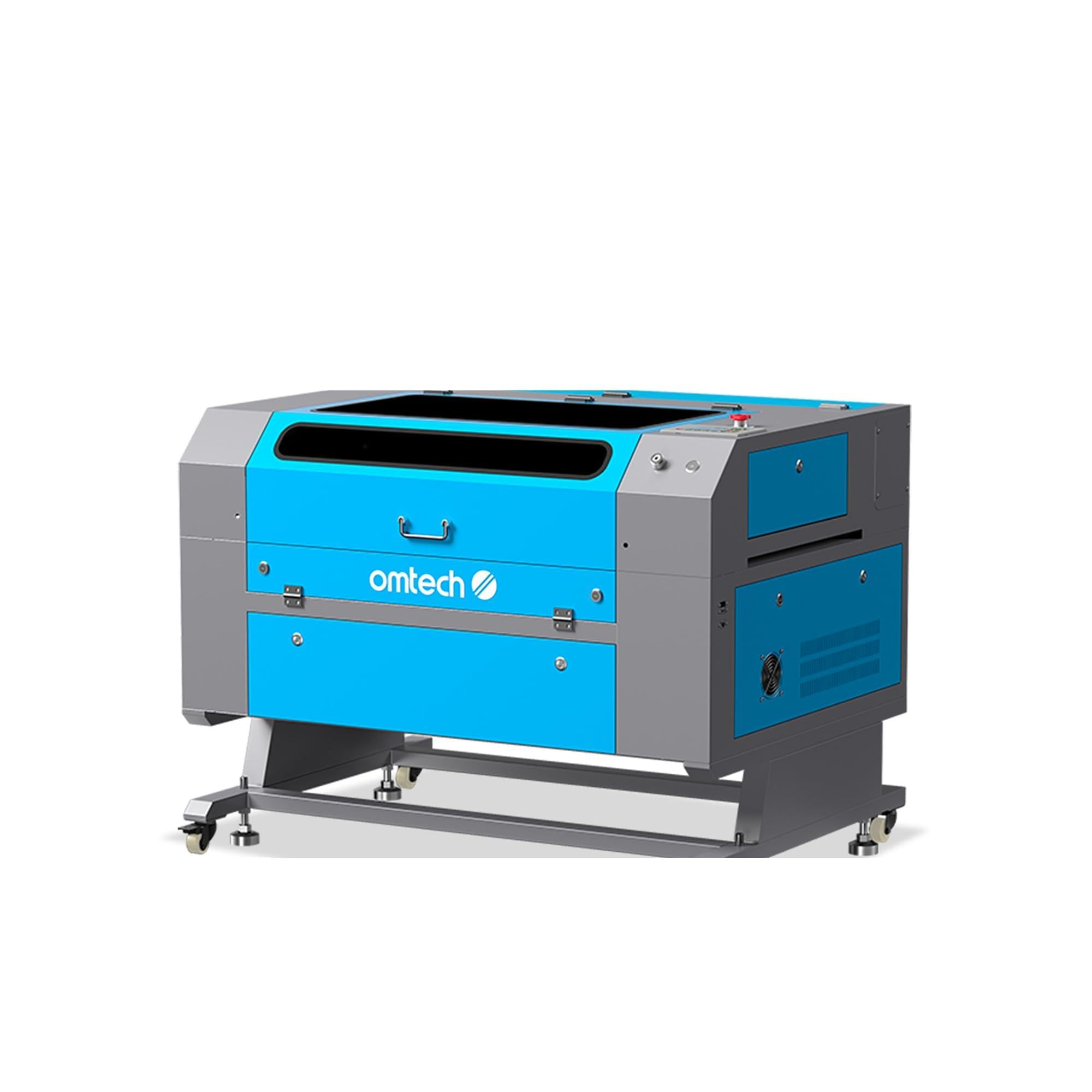
Figure 2.1: OMTech 60W CO2 Laser Engraver, Model SH-G570.
Caratteristiche principali:
- Tubo laser CO2 da 60 W: Provides sufficient power for engraving and cutting various materials.
- 28"x20" Working Area: Accommodates a wide range of project sizes.
- Autofocus Function: Simplifies setup by automatically adjusting the laser focal distance.
- Assistenza aerea: Helps to clear debris and reduce scorching during operation, resulting in cleaner cuts and engravings.
- 4-Way Pass-Through: Allows for processing of oversized materials.
- Compatibilità software: Supports LightBurn, RDWorks, CorelDRAW, and AutoCAD.

Figura 2.2: Oltreview of the laser engraver's main features including laser power, working area, engraving speed, autofocus, and software compatibility.

Figure 2.3: The built-in autofocus and air assist system ensures precise focusing and efficient debris removal for optimal results.

Figure 2.4: The machine offers wide compatibility with popular software like RDWorks, LightBurn, CorelDRAW, and AutoCAD.
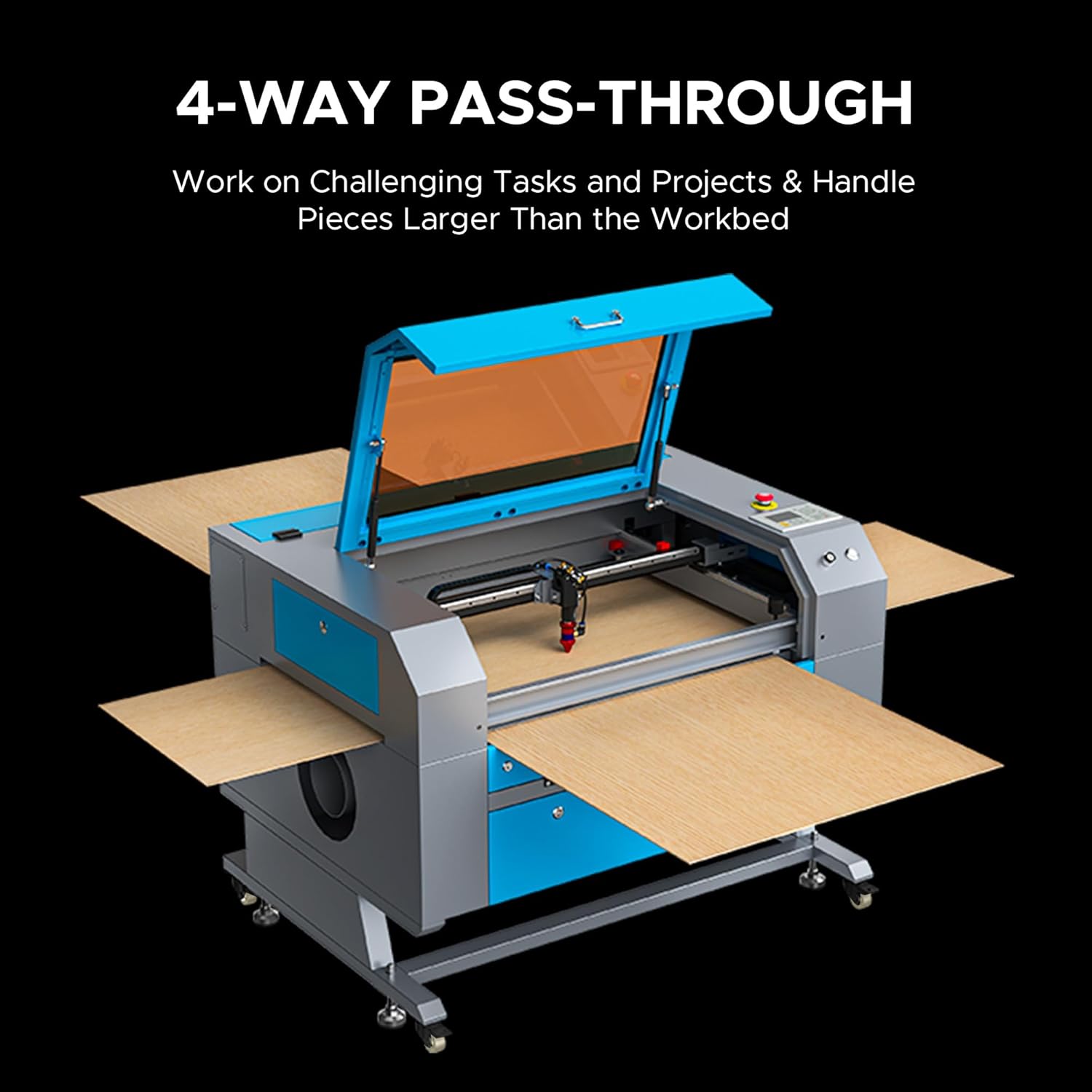
Figure 2.5: The 4-way pass-through design allows for working with materials larger than the internal workbed.
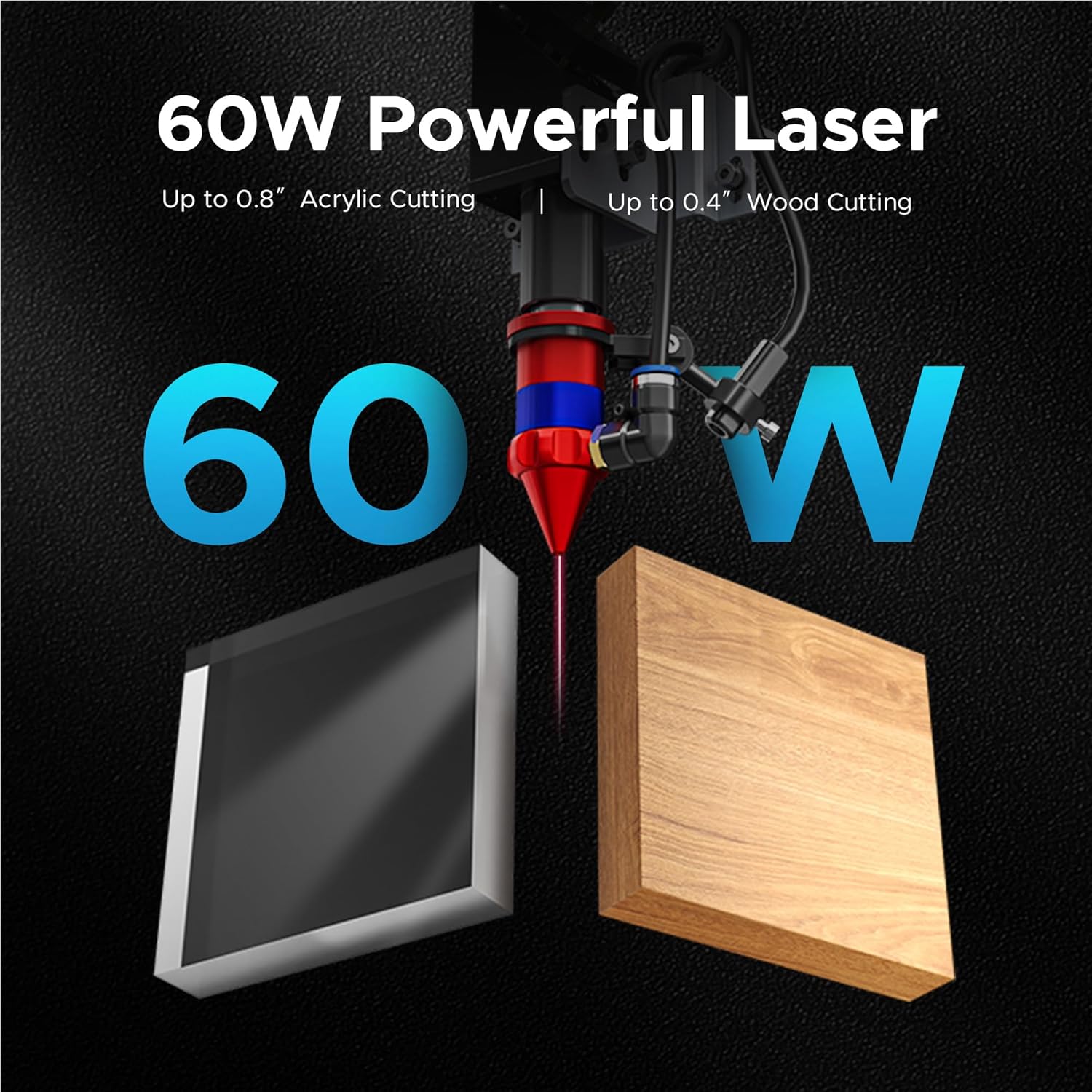
Figure 2.6: The 60W laser is capable of cutting up to 0.8 inches of acrylic and 0.4 inches of wood.

Figure 2.7: The laser head precisely engraves text onto a wooden surface, demonstrating its detailed capabilities.
3. Informazioni sulla sicurezza
L'utilizzo di un incisore laser comporta rischi intrinseci. Rispettare tutte le linee guida di sicurezza per prevenire incidenti e garantire un funzionamento sicuro.
- Protezione degli occhi: Always wear appropriate laser safety glasses when the laser is in operation.
- Ventilazione: Ensure adequate ventilation to remove fumes and smoke generated during engraving and cutting. An efficient exhaust system is crucial.
- Sicurezza antincendio: Tenere un estintore a portata di mano. Non lasciare mai la macchina incustodita durante il funzionamento.
- Compatibilità dei materiali: Only engrave or cut materials approved for CO2 lasers. Avoid materials that produce toxic fumes or are highly flammable.
- Sicurezza elettrica: Ensure the machine is properly grounded and connected to a suitable power supply.
- Arresto di emergenza: Familiarizzare con la posizione e il funzionamento del pulsante di arresto di emergenza.

Figure 3.1: An efficient exhaust system is vital for directing hazardous debris and fumes away from the engraving surface and into a ventilation system.
4. Impostazione
Follow these steps to set up your OMTech 60W CO2 Laser Engraver.
4.1 Disimballaggio e posizionamento
- Estrarre con cautela la macchina dall'imballaggio.
- Posizionare l'incisore su una superficie stabile e piana, in un'area ben ventilata.
- Garantire uno spazio sufficiente attorno alla macchina per consentirne il funzionamento e la manutenzione.
4.2 Collegamento dei componenti
- Connect the exhaust fan and ducting to the machine and vent outdoors.
- Connect the water pump/chiller to the laser tube's inlet and outlet ports. Ensure the water reservoir is filled with distilled water.
- Connect the air pump to the air assist inlet.
- Collegare il cavo di alimentazione a una presa di corrente dotata di messa a terra.
4.3 Installazione del software
Your OMTech laser engraver is compatible with LightBurn and RDWorks. Refer to the software-specific installation guides provided with your machine or available on the OMTech websito per istruzioni dettagliate.
Video 4.1: Questo video fornisce una panoramica generaleview of OMTech laser engravers, demonstrating their capabilities and ease of use, which can be helpful during initial setup and understanding the machine's potential.
5. Istruzioni per l'uso
Questa sezione descrive i passaggi fondamentali per utilizzare l'incisore laser.
5.1 Accensione e controlli iniziali
- Turn on the water chiller/pump and air pump. Verify water flow and air pressure.
- Accendere l'interruttore principale della macchina.
- The control panel will initialize.
5.2 Posizionamento e focalizzazione del materiale
- Place your material on the honeycomb or blade workbed.
- Chiudere il coperchio della macchina.
- Use the autofocus function by pressing the designated button on the control panel. The laser head will automatically adjust to the correct focal distance.
5.3 Software Operation and Job Execution
- Open your design software (e.g., LightBurn) on your computer.
- Importa o crea il tuo design.
- Set appropriate power and speed settings for your material. Refer to the material compatibility chart below for general guidelines.
- Send the job to the laser engraver.
- On the machine's control panel, select the job and press 'Start'.
- Monitor the engraving/cutting process through the flame-resistant window.

Figure 5.1: This table illustrates the wide range of materials compatible with the OMTech 60W CO2 laser for both engraving and cutting applications.

Figure 5.2: The machine's maximum engraving speed of 600 mm/s significantly enhances productivity.
6. Manutenzione
Regular maintenance is crucial for the longevity and optimal performance of your laser engraver.
6.1 Manutenzione giornaliera
- Clean the workbed and interior of the machine to remove debris.
- Check the water level in the chiller and ensure proper circulation.
- Inspect the laser lens and mirrors for dust or residue.
6.2 Manutenzione settimanale
- Clean the laser lens and mirrors using a specialized lens cleaning solution and wipes.
- Clean the exhaust fan and ducting.
- Lubricate the guide rails and bearings.
6.3 Cura del tubo laser
The CO2 laser tube has a lifespan of up to 1,000 hours, which can be extended with efficient use at lower power settings. Ensure the water chiller maintains a stable temperature to prevent overheating.

Figure 6.1: The high-performance laser tube is designed for long-lasting operation, providing up to 1,000 hours of use.
7. Risoluzione Dei Problemi
Questa sezione affronta i problemi più comuni che potresti incontrare e le loro possibili soluzioni.
7.1 Nessuna uscita laser
- Controlla la potenza: Ensure the machine is powered on and connected to a working outlet.
- Water Chiller: Verify the water chiller is on and circulating water. The laser will not fire if the water protection sensor is triggered.
- Impostazioni software: Confirm that the laser power and speed settings in your software are correctly configured and not set to zero.
- Arresto di emergenza: Assicurarsi che il pulsante di arresto di emergenza non sia premuto.
7.2 Scarsa qualità di incisione/taglio
- Messa a fuoco: Re-run the autofocus function or manually adjust the focal distance. An incorrect focus is a common cause of poor quality.
- Lens/Mirrors: Clean the laser lens and mirrors. Dirt or smudges can significantly degrade laser performance.
- Potenza/Velocità: Adjust laser power and speed settings. Different materials require different settings.
- Qualità del materiale: Ensure the material itself is suitable and consistent in thickness.
7.3 La macchina non risponde
- Connessione software: Check the USB or network connection between the computer and the machine.
- Ricomincia: Try restarting both the machine and the computer.
- Pannello di controllo: Ensure no error messages are displayed on the control panel.
8. Specifiche
Detailed technical specifications for the OMTech 60W CO2 Laser Engraver, Model SH-G570.

Figure 8.1: Summary of rated power, max engraving speed, machine weight, pass sizes, and machine dimensions.
| Specificazione | Valore |
|---|---|
| Numero di modello | SH-G570 |
| Potenza laser | 60W |
| Area di lavoro | 28" x 20" (700 x 500 mm) |
| Max. Velocità di incisione | 600 millimetri/secondo |
| Profondità di taglio (legno) | Fino a 0.4" |
| Cutting Depth (Acrylic) | Fino a 0.8" |
| Classe laser | Class 2 (0.874 mW output power) |
| Messa a fuoco automatica | SÌ |
| Assistenza aerea | SÌ |
| Passaggio attraverso | 4 vie |
| Compatibilità software | LightBurn, RDWorks, CorelDRAW, AutoCAD |
| Peso della macchina | 249.1 libbre. |
| Dimensioni della macchina | 47.2" x 34.3" x 36.6" |
9. Garanzia e supporto
OMTech fornisce un supporto completo per i suoi prodotti.
9.1 Informazioni sulla garanzia
Your OMTech 60W CO2 Laser Engraver comes with a two-year support period. For specific warranty terms and conditions, please refer to the documentation included with your purchase or visit the official OMTech websito.
9.2 Assistenza clienti
For technical assistance, troubleshooting, or any inquiries regarding your laser engraver, please contact OMTech customer support. They offer U.S.-based technical support and 24/7 online customer service.

Figure 9.1: OMTech offers a demo room program with hosts across the United States for hands-on experience and support.
Video 9.1: This video features 'Laser Guys from OMTech' discussing their experience with OMTech lasers, highlighting the quality, pricing, and how the machines have supported their business growth and product development.