Introduzione
This manual provides comprehensive instructions for the installation, operation, maintenance, and troubleshooting of your new Fuluku Android Car Radio. Please read this manual thoroughly before using the product to ensure proper functionality and safety. This unit is designed to enhance your driving experience with advanced features like wireless CarPlay, Android Auto, GPS navigation, and multimedia capabilities.
Specifiche del prodotto
| Caratteristica | Dettaglio |
|---|---|
| Sistema | Androide 13 |
| processore | RK3326S, 4 core |
| Memoria | 4 GB di RAM + 64 GB di ROM |
| Dimensioni dello schermo | 8 pollici |
| Risoluzione dello schermo | Schermo IPS da 1024 x 600 |
| Chip radiofonico | UMW2652 |
| Potenza di uscita | 4 x 45 W (YD7388 AmpChip di lificazione) |
| Versione Bluetooth | 5.0 |
| Temperatura di esercizio | -20 ℃ a 75 ℃ |
| Banda radiofonica | FM/RDS |
| Ingresso telecamera posteriore | AHD / CVBS Support |
| Microfono esterno | Supportato |
| Schermo diviso | Supportato |
| Mappe | Mappe offline integrate (richiede Internet per il download dei dati) |
| Wifi | Supportato |
| CarPlay / Android Auto | Wireless connection (USB only for some functions) |
| Interfaccia USB | Doppia USB |
| Formati audio | APE / FLAC / WAV / MP3 / WMA ecc. |
| Formati video | MKV / RMVB / AVI / MP4 / MDV ecc. |
| Formati immagine | PNG / JPEG / JPG / GIF / WBMP / BNP ecc. |
| Parola chiave Impostazioni di fabbrica | 8317 |
| Lingue supportate | Cinese, inglese, francese, italiano, coreano, giapponese, arabo, spagnolo, portoghese, russo, turco, vietnamita, ebraico, polacco, tedesco |
Contenuto della confezione
Nella confezione del prodotto sono inclusi i seguenti articoli:
- Unità principale
- Cavo di alimentazione
- Radio Antenna
- RCA
- Cavo di ingresso della telecamera
- Antenna GPS
- Cavo USB (doppia interfaccia)
- Scatola Canbus
- Telecamera posteriore
- Microfono esterno

Guida all'installazione
1. Controllo pre-installazione
Before beginning installation, verify that your vehicle's central console is compatible with this unit. This car radio is specifically designed for Renault Dacia Duster, Sandero, Dokker, Logan, Lodgy, and Captur models. No additional accessories are typically required due to its plug-and-play wiring.

2. Schema elettrico
Refer to the detailed wiring diagram provided with your unit for precise connections. Ensure all cables are securely connected to their corresponding ports (power, speakers, antenna, USB, camera input, etc.).
3. Montaggio dell'unità
Carefully insert the head unit into the designated slot in your vehicle's dashboard. Secure it using the provided mounting brackets and screws. Ensure the unit is firmly in place and does not obstruct any vehicle controls.
Istruzioni per l'uso
1. Funzionamento di base
- Accensione/spegnimento: Press and hold the power button on the front panel to turn the unit on or off.
- Controllo del volume: Utilizzare i pulsanti del volume o i controlli sullo schermo per regolare il livello audio.
- Navigazione sullo schermo: The 8-inch IPS touchscreen allows for intuitive navigation through menus and applications. Swipe, tap, and pinch to zoom as you would on a smartphone.

2. Connettività
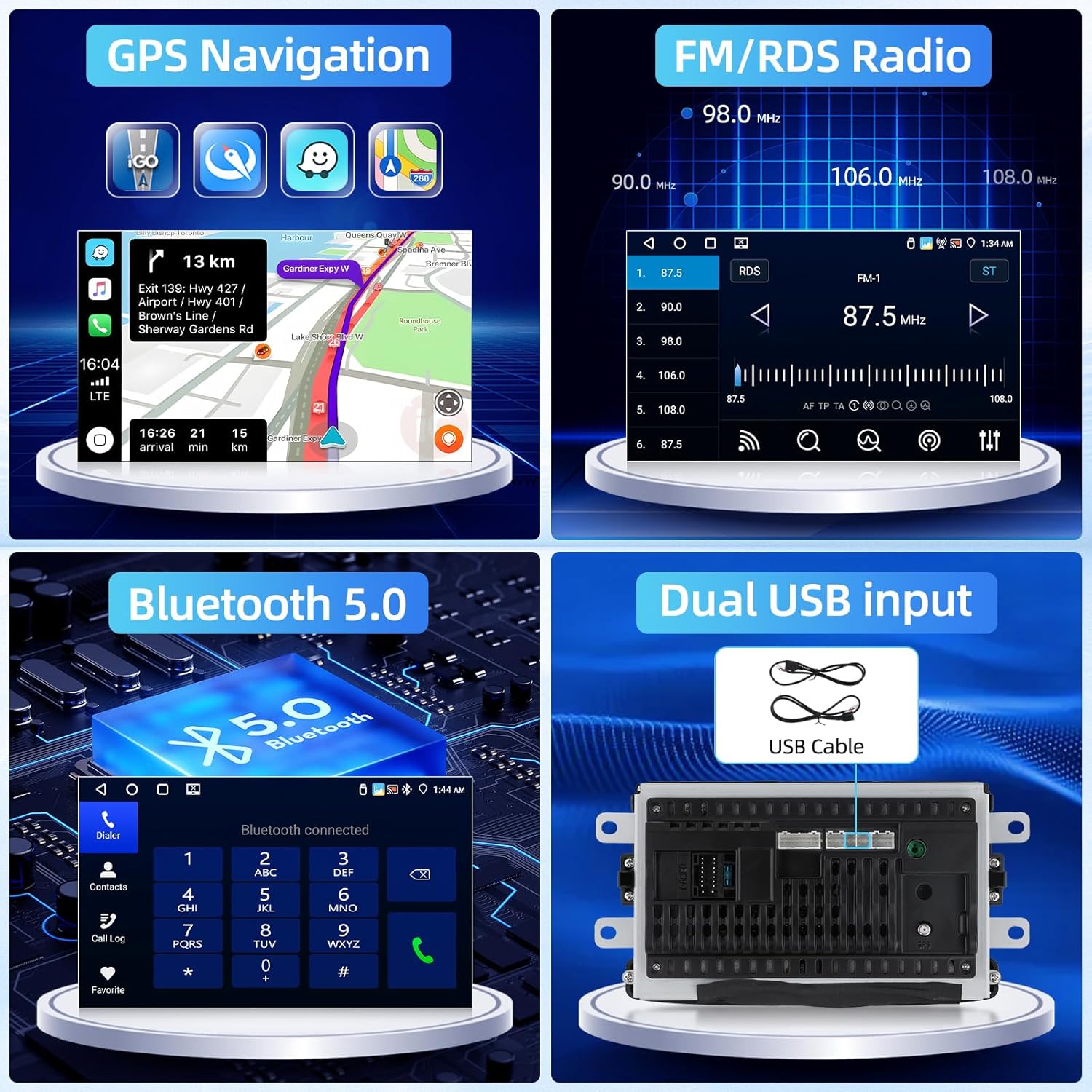
Bluetooth 5.0
To pair your smartphone or other Bluetooth devices, go to the Bluetooth settings menu on the car radio. Enable Bluetooth on your device and select the car radio from the list of available devices. Confirm the pairing code if prompted. Once connected, you can make hands-free calls, stream audio, and sync contacts.
Connessione Wi-Fi
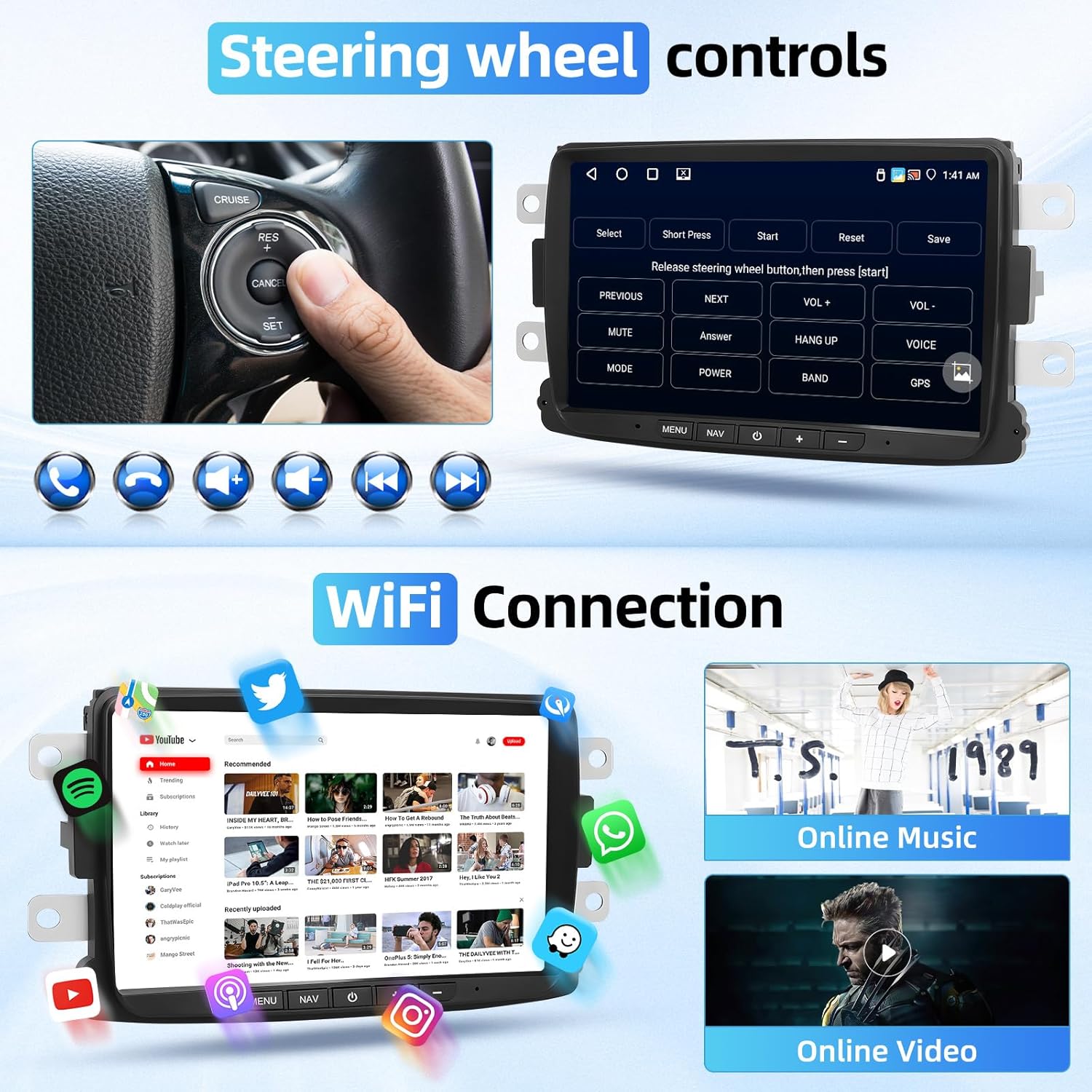
Connect the car radio to a Wi-Fi hotspot (e.g., from your smartphone) to access online features, download apps, and stream content. Navigate to Wi-Fi settings, select your network, and enter the password.
Doppio ingresso USB
The unit features dual USB interfaces. Connect USB drives for media playback (audio/video/images) or use them for charging compatible devices. Ensure your media files are in supported formats (APE, FLAC, WAV, MP3, WMA for audio; MKV, RMVB, AVI, MP4, MDV for video; PNG, JPEG, JPG, GIF, WBMP, BNP for images).
3. Funzionalità intelligenti
Wireless CarPlay e Android Auto
Connect your iPhone or Android smartphone wirelessly to access CarPlay or Android Auto. This allows you to use navigation, make calls, send messages, and listen to music directly from your car's display. Follow the on-screen prompts for initial setup, typically involving Bluetooth pairing and Wi-Fi connection.
Collegamento specchio
The Mirror Link function allows you to mirror your iOS or Android phone's screen onto the car radio display. This enables you to view and control your phone's applications directly from the car stereo. Refer to the specific Mirror Link app on the unit for connection instructions.

Navigazione GPS
The unit comes with built-in offline maps. For updated map data or online navigation, connect to Wi-Fi. The GPS antenna ensures accurate positioning. Access the navigation application from the main menu to plan routes and receive turn-by-turn directions.
Radio FM/RDS
Tune into your favorite FM radio stations. The RDS (Radio Data System) feature displays station information, song titles, and traffic announcements where available.
Comandi al volante (SWC)
If your vehicle supports steering wheel controls, you can program them to operate the car radio's functions (e.g., volume, track change, mode). This provides convenient and safe control while driving. Access the SWC settings in the unit's menu to configure.
Ingresso telecamera posteriore
The unit supports AHD/CVBS rear camera input. When the vehicle is shifted into reverse gear, the screen will automatically display the rear camera feed, assisting with parking and maneuvering.
Audio Equalizer (32-band EQ)
Customize your audio experience with the built-in 32-band equalizer. Adjust frequency levels to suit your preferences and optimize sound quality for different music genres. The Digital Sound Processor (DSP) further enhances audio output.

Funzione schermo diviso
La funzione schermo diviso consente di eseguire due applicazioni contemporaneamente sul display. Ad esempioample, you can have navigation on one side and music playback on the other. This enhances multitasking and convenience.

Manutenzione
- Pulizia dello schermo: Utilizzare un panno morbido e privo di lanugine per pulire delicatamente il touchscreen. Evitare detergenti abrasivi o sostanze chimiche aggressive che potrebbero danneggiare il display.
- Aggiornamenti software: Periodically check for software updates through the unit's system settings (requires Wi-Fi connection). Keeping the software updated ensures optimal performance and access to new features.
Risoluzione dei problemi
Problemi comuni e soluzioni
- Nessun potere: Assicurarsi che tutti i cavi di alimentazione siano collegati saldamente. Controllare la scatola dei fusibili del veicolo per eventuali fusibili bruciati relativi all'autoradio.
- Nessun suono: Verify that the volume is not muted or set too low. Check speaker connections and ensure they are properly wired.
- Perdita del segnale GPS: Assicurarsi che l'antenna GPS sia installata in una posizione con una vista libera view of the sky and is not obstructed by metal objects.
- Problemi di accoppiamento Bluetooth: Try restarting both the car radio and your Bluetooth device. Clear any previous pairings on both devices and attempt to pair again.
- Touchscreen non reattivo: Perform a soft reset of the unit (refer to the power button instructions). If the issue persists, contact support.
Garanzia e supporto
Fuluku provides comprehensive customer support for its products. For technical assistance, warranty claims, or any inquiries regarding your car radio, please utilize the following contact methods:
You can contact Fuluku Direct via the Amazon platform's messaging system or send an email to fulukusupports@126.com.
Fuluku offers a 60-day no-worry return policy, 365-day replacement availability, and lifetime technical support. Customer inquiries typically receive a quick reply within 24 hours.