
TABWEE T20 Tablet Tabwee
Manuale utente del tablet TABWEE T20
Model: T20 Tablet Tabwee
Marca: TABWEE
Introduzione
Thank you for choosing the TABWEE T20 Tablet. This manual provides essential information for setting up, operating, and maintaining your device. The T20 Tablet is designed for versatile use, featuring the latest Android 15 with Gemini AI, a powerful Octa-Core processor, and a comprehensive accessory kit for enhanced productivity and entertainment.
Cosa c'è nella scatola
Controlla il contenuto del pacco. Se qualche articolo risulta mancante o danneggiato, contatta l'assistenza clienti.
- Compressa TABWEE T20
- Tastiera
- Topo
- Stilo
- Custodia protettiva
- Supporto per tablet
- Pellicola protettiva per lo schermo
- Caricabatterie
- Cavo USB
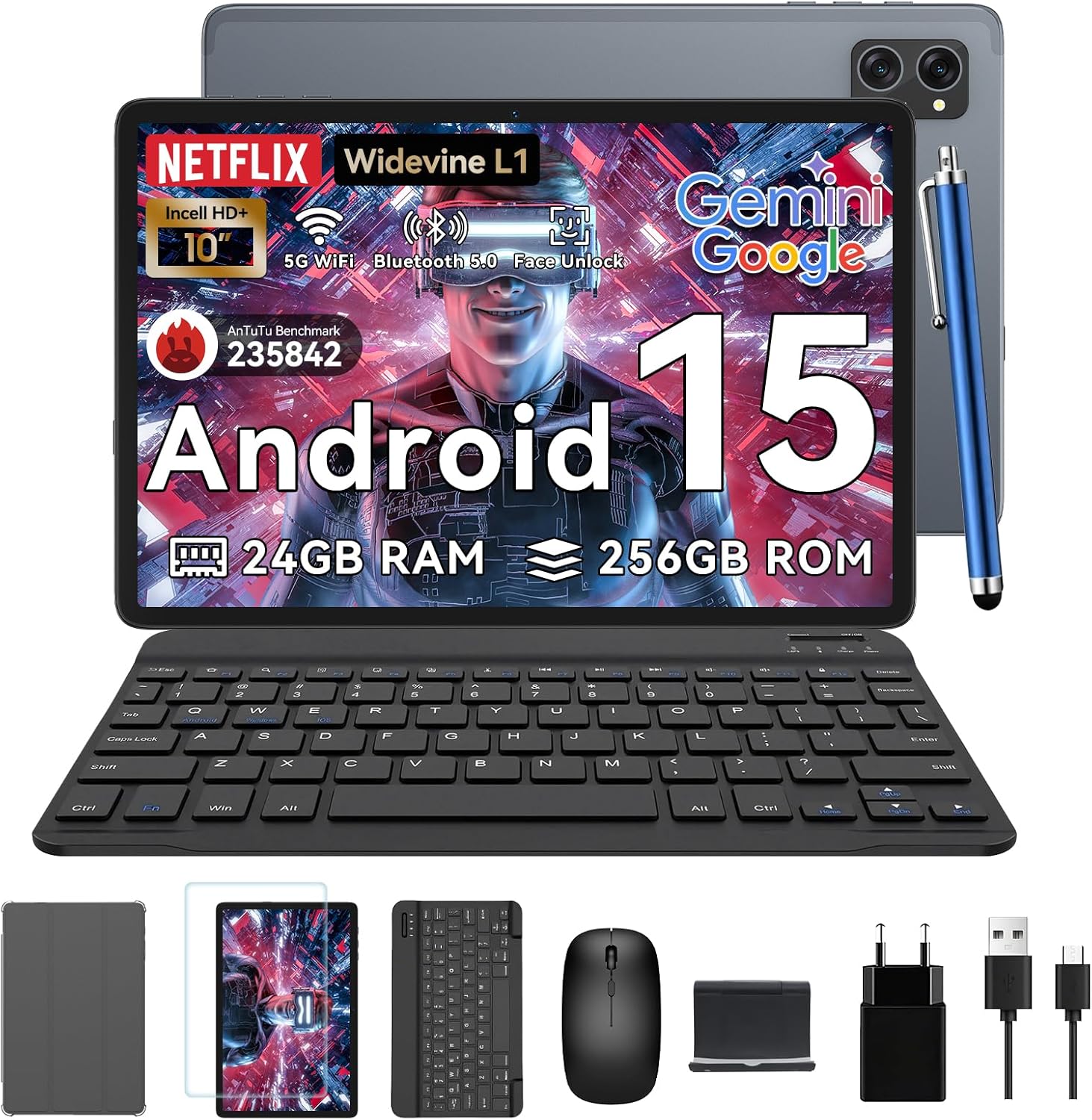
Image: All items included in the TABWEE T20 Tablet package, neatly arranged.
Prodotto finitoview
Familiarize yourself with the physical components of your TABWEE T20 Tablet.

Immagine: anteriore e posteriore view of the TABWEE T20 Tablet, showing the display and camera module.
Componenti chiave:
- Display Full HD da 10.1 pollici: Main screen for interaction and content viewing.
- Fotocamera frontale (8 MP): Located on the top bezel for video calls and selfies.
- Rear Camera (8MP AI): Located on the back for high-quality photos and Smart Scan functions.
- Pulsante di accensione: Typically on the side, used to turn the tablet on/off or wake/sleep.
- Pulsanti del volume: Regola i livelli audio.
- Porta USB-C: Per la ricarica e il trasferimento dei dati.
- Griglie degli altoparlanti: Dual Smart-K BOX speakers for immersive audio.
- Slot per scheda MicroSD: Per espandere lo spazio di archiviazione fino a 2 TB.
Configurazione iniziale
- Caricare il Tablet:
Connect the provided charger and USB cable to the tablet's USB-C port. Plug the charger into a power outlet. The battery indicator will show charging status. Fully charge the tablet before first use.
- Accensione/spegnimento:
Press and hold the Power button until the TABWEE logo appears to turn on. To turn off, press and hold the Power button, then select "Power off" from the options.
- Configurazione iniziale:
Upon first power-on, follow the on-screen prompts to select your language, connect to a Wi-Fi network, sign in with your Google account, and set up security features like Face Unlock.
- Inserting a MicroSD Card (Optional):
Locate the MicroSD card slot. Gently insert a compatible MicroSD card (up to 2TB) until it clicks into place. This expands your tablet's storage capacity.
Utilizzo del tablet
Android 15 con Gemini AI
Your TABWEE T20 runs on Android 15, enhanced with Gemini AI for an intuitive and efficient experience. Features include real-time language translation, intelligent task management, and personalized widget previews.

Image: Visual representation of Android 15 features, including app management and connectivity options.

Immagine: Oltreview of Gemini AI 2.0 experimental features, including voice control and smart assistance.
Schermo e audio
The 10.1-inch Full HD display with Widevine L1 certification provides vibrant 1080p visuals. Enjoy immersive sound with the Smart-K dual BOX speakers.
- Widevine L1: Enables high-definition streaming from platforms like Netflix, Prime Video, and Hulu.
- Modalità per la protezione degli occhi: Access Reading Mode, Night Light, and Dark Mode in display settings for comfortable viewing.

Immagine: Il display del tablet mostraasing Widevine L1 certification and different eye-friendly viewmodalità di ing.

Image: Illustration of the tablet's dual Smart-K Box speakers, emphasizing sound quality.
Funzioni della fotocamera
The tablet features 8MP front and rear AI cameras. Utilize the Smart Scan camera for efficient document scanning.
- Scansione intelligente: Automatically detects and enhances documents, receipts, or whiteboards.
- Integrazione di Google Lens: Use Google Lens for smart scanning, searching, and exploring.

Image: The tablet's camera system, highlighting 5MP front and 8MP rear AI cameras, along with Google Lens and Face Unlock capabilities.
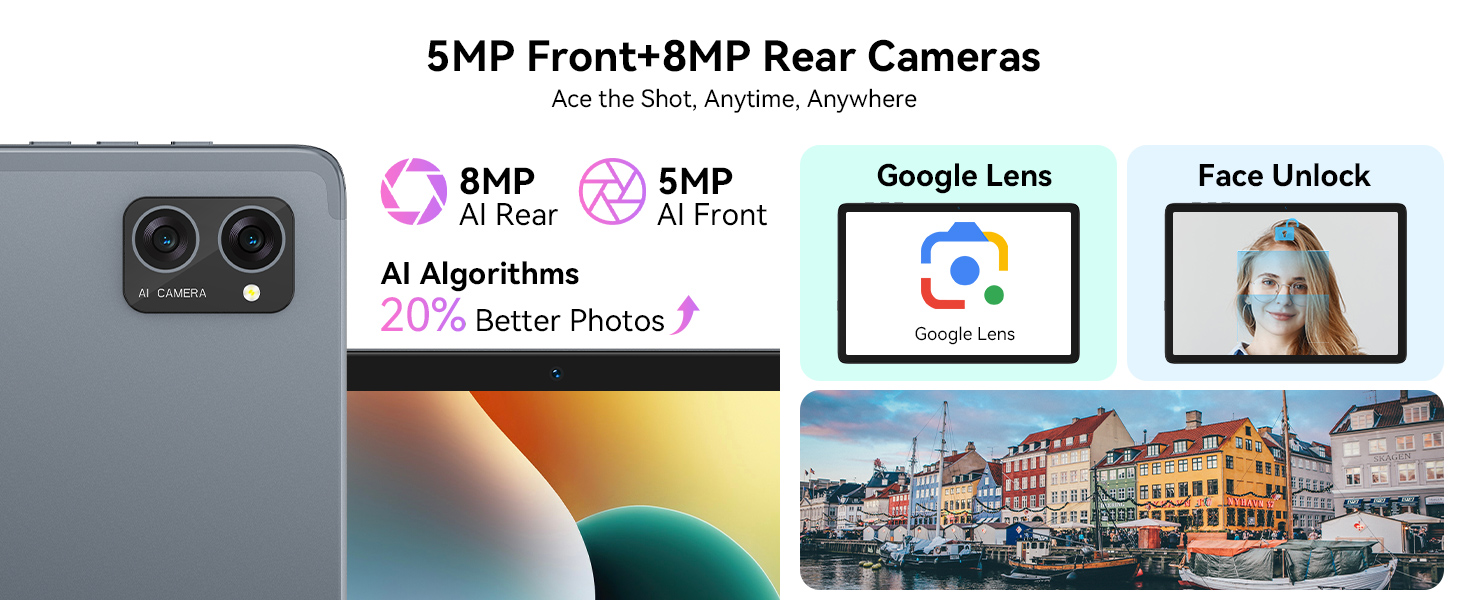
Image: Various applications of Smart Google Lens for scanning, searching, and exploring.
Connettività
- 5G Dual-Band WiFi: Connect to high-speed wireless networks for fast browsing and streaming.
- Bluetooth 5.0: Abbinalo a cuffie wireless, altoparlanti e altri dispositivi abilitati Bluetooth.

Image: The tablet demonstrating fast WiFi 5 connectivity, shown with connected keyboard and mouse.

Image: A user enjoying audio content with wireless earbuds connected to the tablet via Bluetooth 5.0.
Using Included Accessories
The TABWEE T20 Tablet comes with a suite of accessories to enhance your experience.
- Tastiera: Connect the keyboard via Bluetooth. Refer to the keyboard's specific instructions for pairing. It transforms your tablet into a mini-laptop for typing.
- Topo: Connect the mouse via Bluetooth. This provides precise navigation, similar to a desktop computer.
- Stilo: Use the stylus for precise input, drawing, or note-taking on the touchscreen. No pairing required for basic touch functionality.
- Protective Case & Tablet Stand: The case provides protection, and the integrated stand allows for comfortable viewing angles for media consumption or typing.
- Pellicola protettiva per lo schermo: Apply the screen protector to guard against scratches and minor impacts. Follow the instructions provided with the screen protector for proper application.

Image: The TABWEE T20 Tablet configured with its keyboard and mouse, demonstrating its 2-in-1 versatility.
Cura e manutenzione
- Pulizia: Utilizzare un panno morbido e privo di lanugine per pulire lo schermo e il corpo. Per le macchie ostinate, leggermente dampPulisci il panno con acqua o un detergente per schermi. Evita prodotti chimici aggressivi.
- Cura della batteria: To prolong battery life, avoid extreme temperatures. Do not let the battery fully drain frequently. For long-term storage, charge the tablet to about 50% and power it off.
- Aggiornamenti software: Controlla regolarmente la disponibilità di aggiornamenti di sistema e installali per garantire prestazioni e sicurezza ottimali. Vai su Impostazioni > Sistema > Aggiornamento di sistema.
- Gestione della memoria: Cancellare periodicamente ciò che non è necessario files and apps to maintain performance. Utilize the 2TB expandable storage for large media files.

Image: The tablet's internal battery, illustrating its 5000mAh capacity and estimated usage durations.
Risoluzione dei problemi
| Problema | Possibile soluzione |
|---|---|
| Il tablet non si accende. | Ensure the tablet is charged. Connect to charger for at least 30 minutes. Try holding the Power button for 10-15 seconds. |
| Problemi di connessione Wi-Fi. | Restart the tablet and your Wi-Fi router. Forget the network and reconnect. Ensure you are within range. |
| Il tablet è lento o non risponde. | Close unused apps. Clear cache. Restart the tablet. Check for available system updates. |
| Gli accessori (tastiera/mouse) non si collegano. | Ensure Bluetooth is enabled on the tablet. Put the accessory in pairing mode. Check battery levels of accessories. |
| Apps crashing frequently. | Clear the app's cache and data (Settings > Apps > [App Name] > Storage). Reinstall the app. Ensure sufficient storage space. |
Specifiche tecniche
| Caratteristica | Dettaglio |
|---|---|
| Modello | T20 Tablet Tabwee |
| Sistema operativo | Android 15 (with Gemini AI) |
| Processore | UNISOC T606 Octa-Core (2 GHz) |
| Memoria RAM | 24 GB (8 GB base + 16 GB espansione) |
| Memoria interna | 256 GB |
| Archiviazione espandibile | Fino a 2 TB tramite scheda MicroSD |
| Dimensioni dello schermo | 10.1 pollici |
| Risoluzione dello schermo | 1280 x 800 Pixels (Full HD, Widevine L1) |
| Telecamera posteriore | Fotocamera AI da 8 MP |
| Fotocamera frontale | 8MP |
| Batteria | Polimero di litio da 5000 mAh |
| Connettività | 5G Dual-Band Wi-Fi (802.11ac), Bluetooth 5.0 |
| Dimensioni | Dimensioni: 24.64 x 15.49 x 0.76 cm |
| Peso | 500 grammi |

Image: Internal memory architecture of the TABWEE T20 Tablet, detailing RAM and ROM capacities.

Image: The Unisoc T606 Octa-Core processor, highlighting its core configuration and GPU.
Garanzia e supporto
Your TABWEE T20 Tablet comes with a 2-year UK warranty, ensuring peace of mind. TABWEE is committed to quality and customer satisfaction.
- Garanzia di riparazione gratuita di 24 mesi: Covers manufacturing defects and ensures free repairs for two years from the date of purchase.
- Supporto tecnico a vita: Expert assistance is available whenever you need it.
- Hassle-Free Service: Support is provided through the TABWEE Official Flagship Store.
For technical support, warranty claims, or general inquiries, please contact TABWEE customer service through the official channels provided at the point of purchase or on the TABWEE brand websito.

Image: Information regarding TABWEE's 2-year warranty and lifetime customer support.
Ask a question about this manual
Ask about setup, troubleshooting, compatibility, parts, safety, or missing instructions. Manuals+ will review the question and use this page’s manual context to help answer it.