
1. Introduzione
The MARVO KG955W Shogo 63 is a compact 60% mechanical gaming keyboard designed for versatility and performance. It features tri-mode connectivity (wired, 2.4GHz wireless, and Bluetooth), yellow linear pre-lubed switches, customizable RGB backlighting, and full-key anti-ghosting. This manual provides instructions for setting up, operating, and maintaining your keyboard.
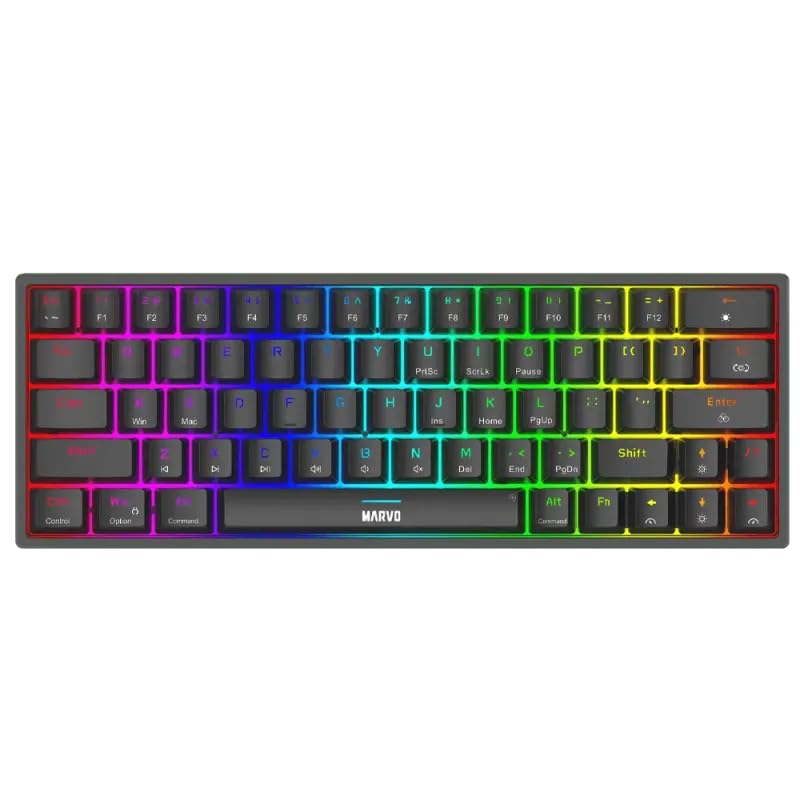
Immagine 1.1: Dall'alto verso il basso view of the MARVO KG955W keyboard showcasingrazie al suo layout compatto al 60% e alla vivace retroilluminazione RGB.
2. Contenuto della confezione
Si prega di controllare la confezione per verificare la presenza dei seguenti elementi:
- MARVO KG955W Shogo 63 Wireless Mechanical Gaming Keyboard
- Detachable 1.6m braided Type-C USB Cable
- Ricevitore wireless da 2.4 GHz (dongle USB)
- Manuale dell'utente (questo documento)
3. Configurazione e connettività
The KG955W keyboard offers three connectivity modes: Wired, 2.4GHz Wireless, and Bluetooth.
3.1. Connessione cablata
- Connect the detachable Type-C USB cable to the keyboard's USB-C port.
- Collegare l'altra estremità del cavo USB a una porta USB disponibile sul computer.
- The keyboard will automatically be detected and ready for use. The keyboard will also charge in wired mode.
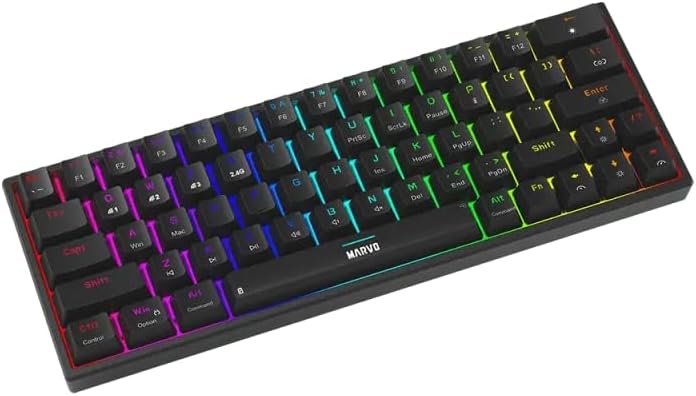
Immagine 3.1: Lato view of the keyboard showing the USB-C port for wired connection and charging.
3.2. Connessione wireless a 2.4 GHz
- Individuare il ricevitore USB da 2.4 GHz (dongle) nella confezione.
- Collega il ricevitore USB da 2.4 GHz a una porta USB disponibile sul tuo computer.
- On the keyboard, switch the mode selector (usually on the back or side) to the 2.4G wireless mode.
- La tastiera dovrebbe connettersi automaticamente. In caso contrario, premere Fn + R per avviare l'accoppiamento.
3.3. Connessione Bluetooth
- Sulla tastiera, impostare il selettore di modalità su Bluetooth.
- Premere e tenere premuto Fn + Q, Fn + W, O Fn + E per 3-5 secondi per entrare in modalità di associazione rispettivamente per il dispositivo Bluetooth 1, 2 o 3. La spia luminosa lampeggerà rapidamente.
- Sul tuo computer o dispositivo, attiva il Bluetooth e cerca nuovi dispositivi.
- Select "MARVO KG955W" (or similar name) from the list of available devices to pair.
- Una volta effettuata l'associazione, la spia luminosa sulla tastiera smetterà di lampeggiare e rimarrà fissa.
La tastiera può memorizzare fino a tre dispositivi Bluetooth professionalifiles, allowing quick switching between devices using Fn + Q/W/E.
4. Istruzioni per l'uso
The KG955W is a 60% compact keyboard, meaning some functions are accessed via the Fn combinazioni di tasti.
4.1. Combinazioni di tasti funzione (tasto Fn)
Tieni premuto il tasto Fn key and press the corresponding key for secondary functions:
- Fn + 1-0, -, =: F1-F12 functions (check keycaps for specific mappings).
- Fn + P: Stampa schermo
- Fn + [ {: Casa
- Fn + ] }: Fine
- Fn+; :: Pagina su
- Fn + ' ": Pagina giù
- Fn + tasti freccia: Media controls (e.g., volume up/down, play/pause, next/previous track). Refer to keycap legends.
- Fn + Win: Tasto Blocca/Sblocca Windows.
4.2. Controllo della retroilluminazione RGB
The keyboard features customizable RGB backlighting. Use the following combinations to control the lighting effects:
- Fn + \ |: Change lighting mode.
- Fn+↑: Aumenta la luminosità.
- Fn + ↓: Ridurre la luminosità.
- Fn+←: Riduce la velocità di illuminazione.
- F + →: Aumenta la velocità di illuminazione.
- Fn + Barra spaziatrice: Cambia il colore della retroilluminazione (per le modalità statiche).
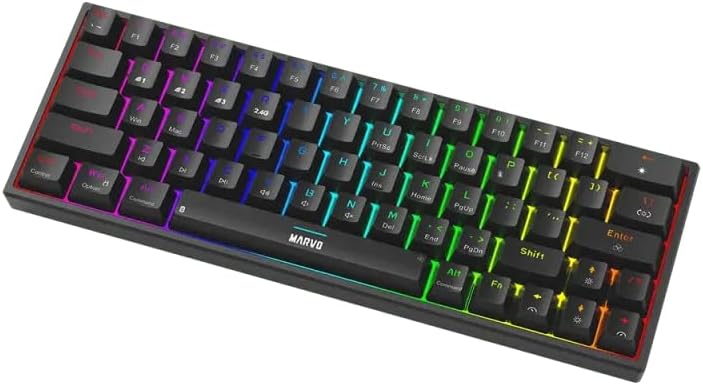
Image 4.1: The keyboard displaying its customizable RGB backlighting in a dynamic pattern.
4.3. Stato della batteria
The keyboard has an integrated battery for wireless operation. An indicator light will typically show low battery status or charging status. Refer to the specific LED indicators on your keyboard for details.
5. Manutenzione
Una corretta manutenzione garantisce la longevità e le prestazioni della tastiera.
- Pulizia: Utilizzare un panno morbido e asciutto per pulire la superficie della tastiera. Per una pulizia più profonda, utilizzare aria compressa per rimuovere polvere e detriti dagli spazi tra i tasti. Evitare l'uso di prodotti chimici aggressivi o materiali abrasivi.
- Magazzinaggio: Conservare la tastiera in un luogo fresco e asciutto, lontano dalla luce solare diretta e da temperature estreme.
- Cura del cavo: Handle the detachable USB-C cable carefully. Avoid bending or twisting it excessively.

Image 5.1: Illustration of a hot-swappable switch, demonstrating the ease of maintenance and customization for individual key switches.
6. Risoluzione Dei Problemi
If you encounter issues with your MARVO KG955W keyboard, refer to the following common solutions:
| Problema | Soluzione |
|---|---|
| La tastiera non risponde (cablata) |
|
| La tastiera non risponde (wireless a 2.4 GHz) |
|
| La tastiera non risponde (Bluetooth) |
|
| Illuminazione RGB non funzionante o errata |
|
| Le chiavi non vengono registrate o digitate due volte |
|
7. Specifiche
| Caratteristica | Dettaglio |
|---|---|
| Nome del modello | MARVO KG955W Shogo 63 |
| Tipo di tastiera | Mechanical, 60% TKL (Tenkeyless) |
| Interruttori | Yellow Linear, Pre-lubed, Hot-swappable |
| Connettività | Wired (USB-C), 2.4GHz Wireless, Bluetooth (Tri-mode) |
| Anti-ghosting | Full-key Anti-Ghosting |
| Retroilluminazione | Customizable RGB |
| Cavo | Detachable 1.6m braided Type-C USB |
| Materiale | Plastica |
| Peso | 460 grammi |
| Sistema operativo compatibile | Windows (also compatible with other systems via Bluetooth/2.4G) |
| Numero di chiavi | 63 |
8. Informazioni sulla garanzia
The MARVO KG955W Shogo 63 Wireless Mechanical Gaming Keyboard comes with a Garanzia 6 mesi dalla data di acquisto. La presente garanzia copre difetti di fabbricazione e malfunzionamenti in condizioni di normale utilizzo. Non copre danni causati da uso improprio, incidenti, modifiche non autorizzate o normale usura. Si prega di conservare la prova d'acquisto per eventuali reclami in garanzia.
9. Supporto
For technical support, troubleshooting assistance beyond this manual, or warranty inquiries, please contact MARVO customer service through their official website or the retailer where the product was purchased. Please have your product model number (KG955W) and proof of purchase ready when contacting support.