
1. Introduzione
This manual provides detailed instructions for the operation and maintenance of your LEOTEC FM Radio with Bluetooth. Please read this manual thoroughly before using the device to ensure proper function and to prevent damage.

Figura 1: Fronte view of the LEOTEC FM Radio with Bluetooth. The radio features a wooden exterior, a black speaker grille, a digital display, and a numeric keypad with function buttons.
2. Informazioni sulla sicurezza
- Non esporre il dispositivo all'acqua o a umidità eccessiva.
- Evitare temperature estreme, luce solare diretta e ambienti polverosi.
- Non smontare o tentare di riparare il dispositivo autonomamente. Rivolgersi a personale qualificato.
- Tenere fuori dalla portata dei bambini.
- Utilizzare solo il cavo di ricarica e l'adattatore di alimentazione specificati.
- Assicurare una ventilazione adeguata durante il funzionamento del dispositivo.
3. Contenuto della confezione
Si prega di controllare la confezione per verificare la presenza dei seguenti elementi:
- LEOTEC FM Radio with Bluetooth (Model: LT-1812)
- Cavo di ricarica di tipo C.
- Manuale d'uso
- cordino
- Antenna (pre-attached or included separately)
4. Prodotto finitoview
The LEOTEC FM Radio with Bluetooth is a versatile device combining multiple audio functions with emergency features. Key components include:
- Display digitale: Shows frequency, time, and mode.
- Tastiera numerica: For direct frequency input and other functions.
- Pulsanti funzione: Power, Mode, Play/Pause, Skip, Volume, Alarm, SOS.
- Antenna estensibile: Per la ricezione radio FM.
- Oratore: Uscita audio integrata.
- Porta di ricarica di tipo C: Per la ricarica della batteria.
- Porta USB: Per la riproduzione da unità USB.
- Ingresso AUX: Per dispositivi audio esterni.
- Jack per cuffie da 3.5 mm: Per l'ascolto privato.
- Lanterna LED: Sorgente luminosa integrata.
- Pulsante SOS: Attiva l'allarme di emergenza.

Figura 2: Oltreview of the radio's main features and connectivity options.
5. Impostazione
5.1. Carica della batteria
The radio is equipped with a built-in 1800mAh rechargeable battery. Before first use, or when the battery indicator on the display shows low power, charge the device.
- Connect the provided Type-C charging cable to the Type-C port on the side of the radio.
- Collegare l'altra estremità del cavo a un adattatore di alimentazione USB (non incluso) o alla porta USB di un computer.
- The charging indicator on the display will show charging status. A full charge typically takes approximately 2.5 hours.

Figure 3: The radio connected to a power source for charging via its Type-C port.
5.2. Estensione dell'antenna
For optimal FM radio reception, fully extend the telescopic antenna located on the top of the radio.
6. Istruzioni per l'uso
6.1. Accensione/spegnimento
To power on the radio, press and hold the power button (usually marked with a power symbol or integrated with the mode button). The display will light up, and a voice prompt will indicate 'Power on'. To power off, press and hold the same button again.
6.2. Funzionamento della radio FM
After powering on, the radio typically defaults to FM mode. If not, press the 'M' (Mode) button to switch to FM mode. The display will show the current FM frequency.
- Scansione automatica: Press and hold the 'Play/Pause' button to initiate an automatic scan for available FM stations. The radio will scan and save stations with strong signals.
- Sintonizzazione manuale: Utilizzare 'Precedente' (|<) e 'Avanti' (>>|) buttons to fine-tune the frequency step by step.
- Ingresso di frequenza diretto: Use the numeric keypad (0-9) to directly enter the desired FM frequency (e.g., 98.5).
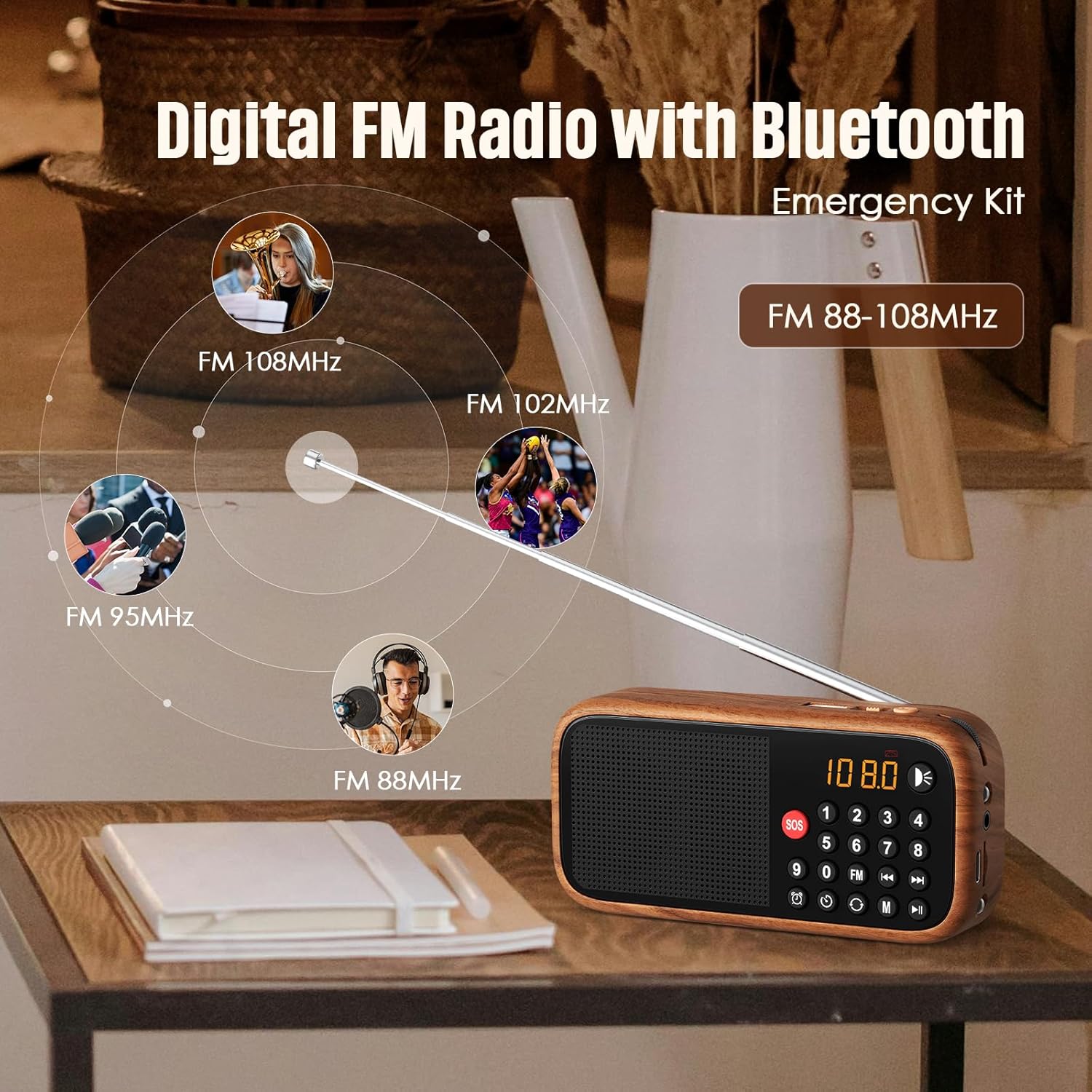
Figure 4: The radio's extendable antenna helps in receiving various FM frequencies.
6.3. Accoppiamento Bluetooth
Press the 'M' (Mode) button to switch to Bluetooth mode. The radio will enter pairing mode, indicated by a flashing Bluetooth icon on the display or a voice prompt.
- Abilita il Bluetooth sul tuo smartphone o altro dispositivo audio.
- Cercare available Bluetooth devices and select 'LEOTEC LT-1812' (or similar name).
- Once paired, the radio will confirm with a voice prompt, and the Bluetooth icon will stop flashing.
- Ora puoi riprodurre l'audio dal tuo dispositivo connesso tramite la radio.
6.4. AUX/USB Playback
The radio supports audio playback via AUX input and USB drives.
- Modalità AUX: Connect an external audio device (e.g., MP3 player, phone) to the 3.5mm AUX input port using an audio cable (not included). Press the 'M' (Mode) button until 'AUX' mode is selected.
- Modalità USB: Inserisci un'unità flash USB contenente audio files into the USB port. The radio should automatically switch to USB mode and begin playback. If not, press the 'M' (Mode) button to select USB mode.
6.5. Impostazione della sveglia
Per impostare l'ora della sveglia:
- Press the 'Alarm' button (often indicated by a clock icon).
- Use the numeric keypad or navigation buttons to set the desired hour and minute.
- Confirm the setting by pressing the 'Alarm' button again or a designated 'Set' button.
6.6. Funzione SOS
The SOS function activates a loud emergency alarm.
- To activate, press and hold the red 'SOS' button.
- To deactivate, press the 'SOS' button again or power off the device.

Figure 5: The SOS button for emergency alerts and the integrated LED light for illumination.
6.7. LED Lantern Operation
The radio includes a built-in LED lantern for illumination.
- To turn on the LED light, press the 'Light' button (often indicated by a light bulb icon).
- Premere nuovamente il pulsante per spegnere la luce LED.
7. Manutenzione
- Pulire la radio con un panno morbido e asciutto. Non utilizzare detergenti abrasivi o solventi.
- Evitare di esporre il dispositivo a temperature estreme o alla luce solare diretta per periodi prolungati.
- When not in use for an extended period, store the radio in a cool, dry place.
8. Risoluzione Dei Problemi
| Problema | Possibile causa | Soluzione |
|---|---|---|
| La radio non si accende. | La batteria è scarica o esaurita. | Caricare la batteria utilizzando il cavo Type-C. |
| Scarsa ricezione FM. | Antenna not fully extended or weak signal area. | Fully extend the antenna. Try repositioning the radio for better signal. |
| Il Bluetooth non si connette. | Radio not in Bluetooth pairing mode or device too far. | Ensure radio is in Bluetooth mode. Move device closer to the radio. Restart both devices. |
| Nessun suono dall'altoparlante. | Il volume è troppo basso o disattivato. | Increase the volume. Check if headphones are connected. |
9. Specifiche
| Caratteristica | Dettaglio |
|---|---|
| Numero di modello | LT-1812 |
| Dimensioni del prodotto | 5.63"L x 1.73"W x 4.02"H (14.3 x 4.4 x 10.2 cm) |
| Peso dell'articolo | 4.2 once (119 grammi) |
| Tecnologia di connettività | Bluetooth |
| Tecnologia sintonizzatore | FM |
| Bande radio supportate | FM |
| Fonte di alimentazione | Battery Powered (1800mAh rechargeable battery included) |
| Porta di ricarica | Tipo C 5V |
| Caratteristiche speciali | Portable, Digital Display, Alarm Clock, SOS Function, LED Lantern, USB/AUX Input |

Figure 6: The compact dimensions of the radio, emphasizing its portability.
10. Garanzia e supporto
For warranty information and customer support, please refer to the documentation included with your product packaging or visit the official LEOTEC websito. Conservare la ricevuta d'acquisto come prova d'acquisto per eventuali reclami in garanzia.