
Introduzione
Thank you for choosing the SWOFY D26 MP3 Player. This device combines advanced audio and video playback capabilities with the versatility of the Android 13 operating system, offering a comprehensive portable entertainment experience. This manual provides essential information for setting up, operating, and maintaining your device.
Prodotto finitoview
Caratteristiche principali
- Sistema operativo Android 13: Powered by an MTK 8-core chip for fast and smooth operation.
- App preinstallate: Includes Spotify, Deezer, Amazon Music, and access to the Play Store.
- Audio ad alta fedeltà: Powerful audio decoding chip for original sound quality, supporting MP3, WAV, FLAC, APE, OGG, M4A, AAC, WMA, and more.
- Touchscreen HD da 4.7 pollici: Full touch display with HiFi sound module for clear visuals, supporting RM, RMVB, FLV, MP4, DAT, MKV, MPG, MOV, TS video formats without conversion.
- Bluetooth 5.0 e Wi-Fi: Stable and fast two-way Bluetooth connection for headphones/speakers, and Wi-Fi for online streaming and app downloads.
- Grande spazio di archiviazione: 160GB (32GB ROM + 128GB TF card) internal storage, expandable up to 1TB via external storage.
- Batteria a lunga durata: 2500 mAh battery providing up to 50 hours of music playback or 8 hours of video playback.
Contenuto della confezione
The SWOFY D26 MP3 Player package typically includes the following items:
- SWOFY D26 MP3 Player (160GB)
- Cavo di ricarica USB
- Auricolari cablati
- Custodia protettiva
- Pellicola protettiva per lo schermo
- Manuale dell'utente (questo documento)

Immagine: Contenuto della confezione del lettore MP3 SWOFY D26.
Impostare
1. Carica del dispositivo
Before first use, fully charge your SWOFY D26 MP3 Player. Connect the provided USB cable to the device's charging port and the other end to a USB power adapter (not included) or a computer's USB port. The battery indicator on the screen will show charging status. A full charge provides approximately 50 hours of music playback or 8 hours of video playback.
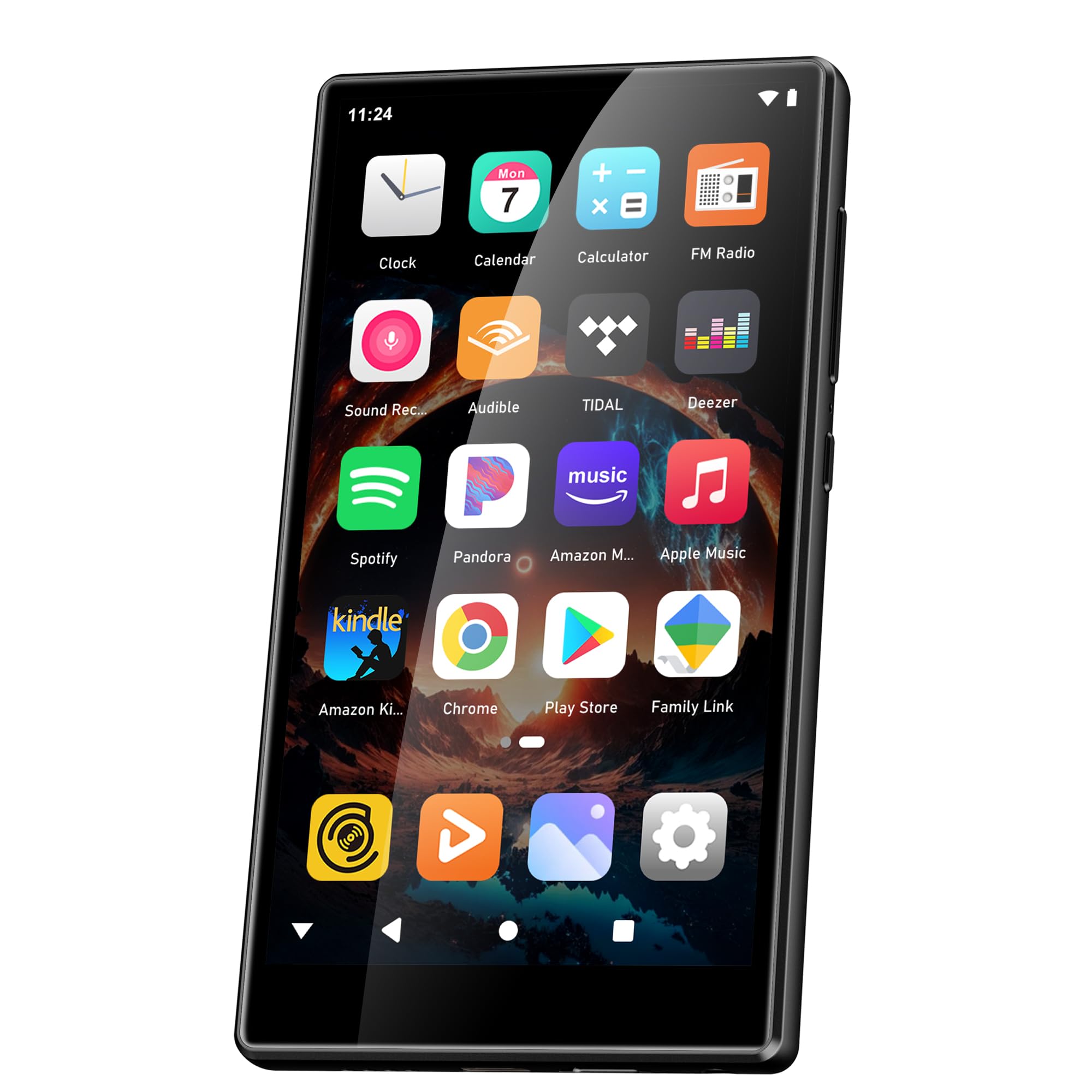
Immagine: Capacità della batteria e tempi di utilizzo stimati.
2. Accensione/spegnimento
- Per accendere: Tieni premuto il pulsante di accensione (solitamente sul lato) finché lo schermo non si illumina.
- Per spegnere: Press and hold the Power button, then select "Power Off" from the options that appear on the screen.
- Ricominciare: Tieni premuto il pulsante di accensione, quindi seleziona "Riavvia" dalle opzioni.
3. Configurazione iniziale
Alla prima accensione, seguire le istruzioni sullo schermo per configurare il dispositivo:
- Selezione della lingua: Scegli la tua lingua preferita.
- Connessione Wi-Fi: Connettiti a una rete Wi-Fi per abilitare l'accesso a Internet per il download e lo streaming di app.
- Account Google: Accedi con il tuo account Google per accedere al Google Play Store e sincronizzare i dati.
4. Espansione della memoria
The device comes with 160GB of storage (32GB ROM + 128GB TF card). You can expand the storage further by inserting a microSD card (up to 1TB) into the designated slot.

Image: Device screen showing app icons and storage capacity details.
Istruzioni per l'uso
1. Navigazione sul touchscreen
The SWOFY D26 features a responsive 4.7-inch HD touchscreen.
- Rubinetto: To open an app, select an item, or confirm an action.
- Scorri: To scroll through lists, switch between home screens, or navigate within apps.
- Pizzico: Per ingrandire o rimpicciolire le immagini o web pagine.

Image: The 4.7-inch HD touchscreen in operation.
2. Riproduzione di musica
The device supports various music formats including MP3, WAV, FLAC, APE, OGG, M4A, AAC, WMA.
- Musica locale: Trasferisci musica files to the device's internal storage or microSD card via USB. Use the pre-installed music player app to browse and play your library.
- Servizi di streaming: Open pre-installed apps like Spotify, Deezer, or Amazon Music. Log in to your accounts to stream music.
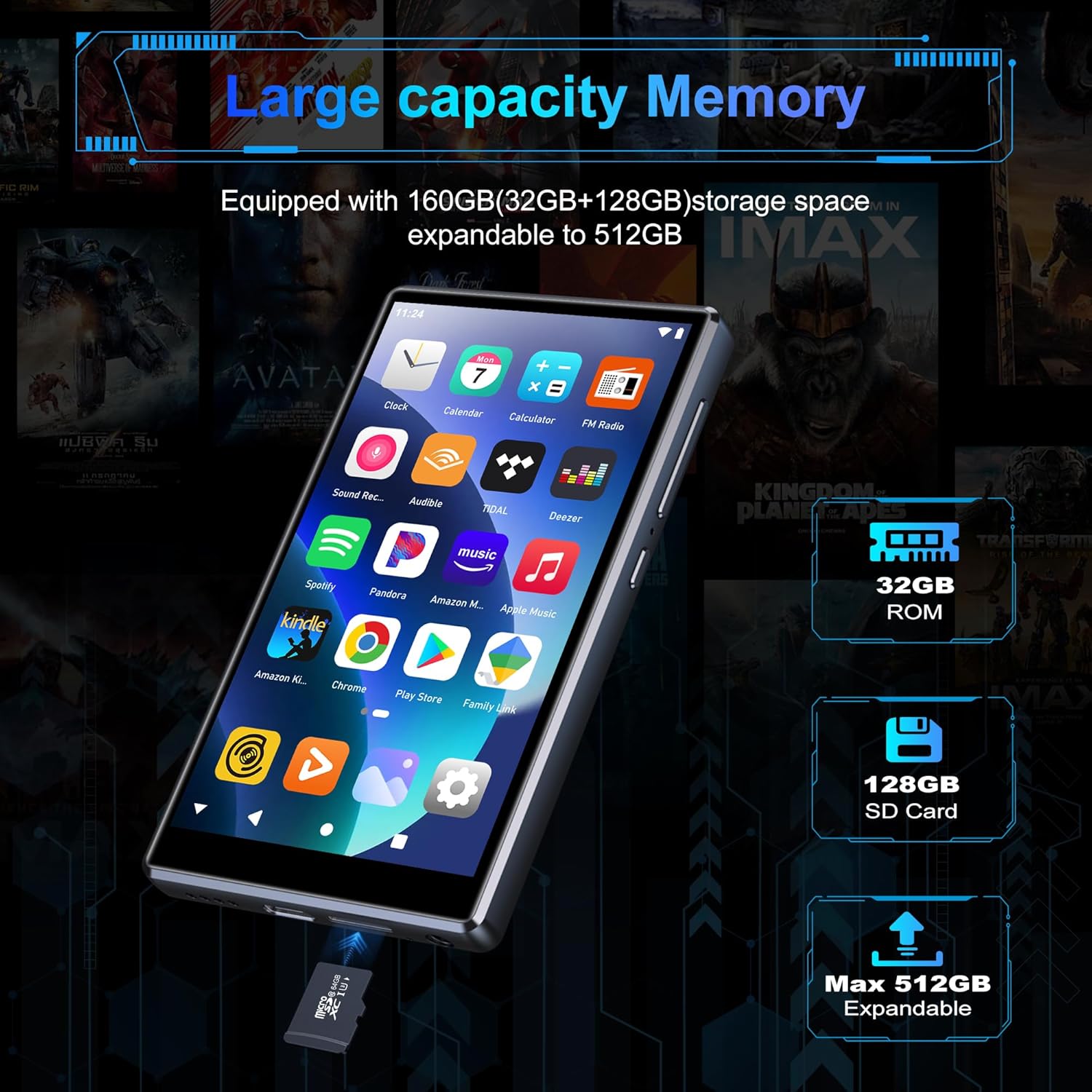
Image: Pre-installed popular applications on the device.
3. Riproduzione video
The SWOFY D26 supports video formats such as RM, RMVB, FLV, MP4, DAT, MKV, MPG, MOV, TS directly, without requiring conversion. Use the default video player app to watch your videos.
4. Connessione Bluetooth
Connect your device to Bluetooth headphones, speakers, or other compatible devices using Bluetooth 5.0.
- Vai a Impostazioni > Dispositivi connessi > Bluetooth.
- Attiva Bluetooth On.
- Assicurati che l'accessorio Bluetooth sia in modalità di associazione.
- Seleziona l'accessorio dall'elenco dei dispositivi disponibili per l'associazione.
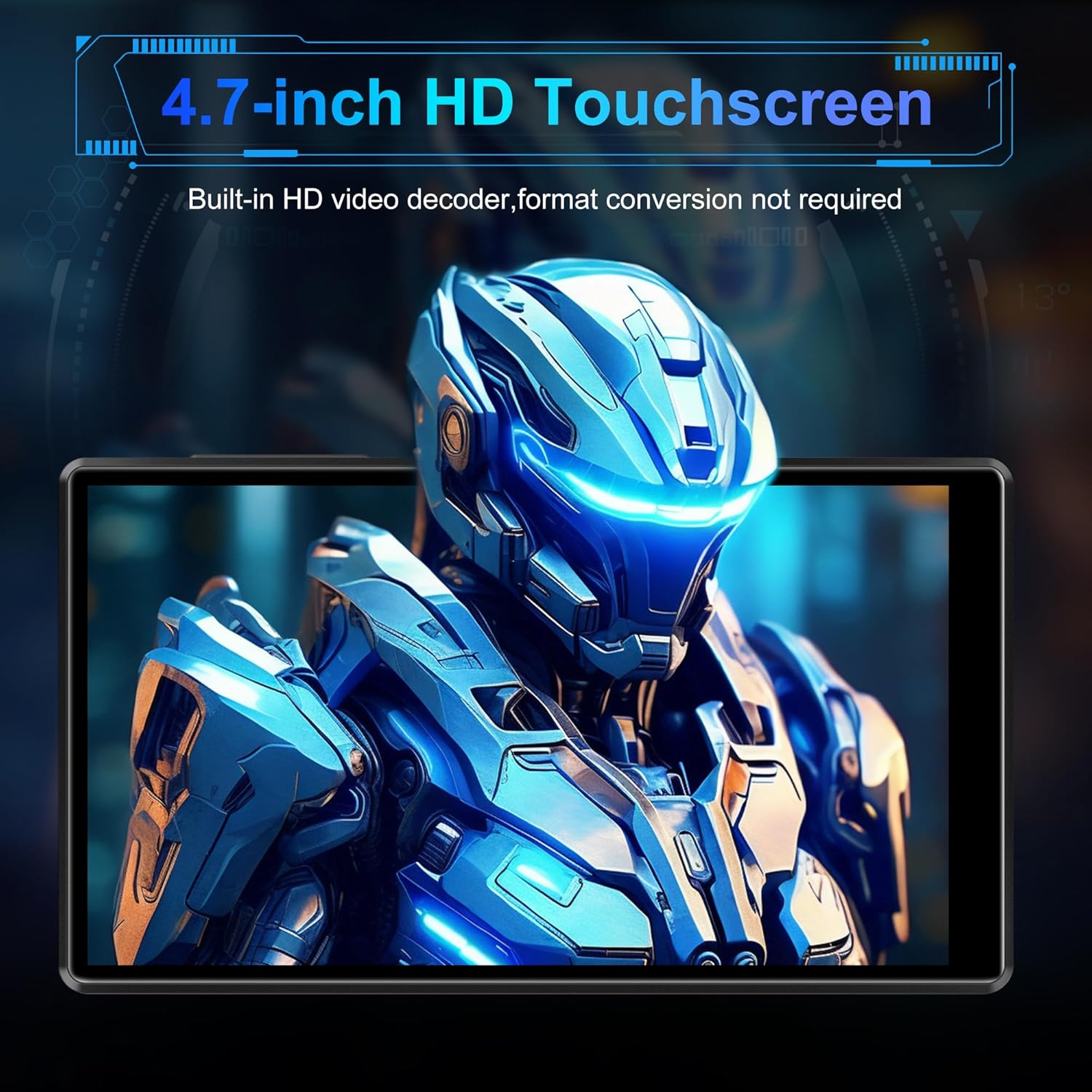
Image: Bluetooth connectivity with wireless earbuds.
5. Connessione wifi
Connect to a Wi-Fi network to access the internet for streaming, app downloads, and web la navigazione.
- Vai a Impostazioni > Rete e Internet > Wifi.
- Attiva/disattiva Wi-Fi On.
- Seleziona la rete Wi-Fi desiderata dall'elenco e inserisci la password se richiesta.
6. Installazione dell'app
Utilize the Google Play Store to download and install additional applications.
- Ensure you are connected to Wi-Fi and logged into your Google account.
- Aprire il Negozio di giochi applicazione.
- Cercare the desired app and follow the on-screen instructions to install it.
7. File Trasferire
Connect the SWOFY D26 to a computer using the provided USB cable to transfer music, videos, and other files.
- Collega il dispositivo al computer.
- On the device, swipe down from the top of the screen to open the notification panel.
- Tap the "USB charging this device" notification, then select "File transfer" or "MTP".
- Your device will appear as a removable drive on your computer, allowing you to drag and drop files.
Manutenzione
Pulizia
Utilizzare un panno morbido e privo di lanugine per pulire lo schermo e il corpo del dispositivo. Evitare l'uso di prodotti chimici aggressivi o materiali abrasivi.
Aggiornamenti software
Controlla periodicamente la disponibilità di aggiornamenti software per garantire prestazioni ottimali e l'accesso alle funzionalità più recenti.
- Assicurarsi che il dispositivo sia connesso al Wi-Fi.
- Vai a Impostazioni > Sistema > Aggiornamento del sistema.
- Seguire le istruzioni visualizzate sullo schermo per scaricare e installare gli aggiornamenti disponibili.
Cura della batteria
Per prolungare la durata della batteria:
- Evitare temperature estreme.
- Non lasciare che la batteria si scarichi completamente frequentemente.
- Scollegare il caricabatterie quando il dispositivo è completamente carico.
Risoluzione dei problemi
Il dispositivo non si accende
- Assicurarsi che la batteria sia carica. Collegare il dispositivo a un caricabatterie per almeno 30 minuti.
- Per forzare il riavvio, tenere premuto il pulsante di accensione per 10-15 secondi.
Impossibile connettersi al Wi-Fi/Bluetooth
- Ensure Wi-Fi/Bluetooth is enabled in Settings.
- Riavvia il dispositivo e prova a connetterti di nuovo.
- For Wi-Fi, verify the password and ensure the router is working correctly.
- Per quanto riguarda il Bluetooth, assicurati che l'accessorio sia in modalità di associazione e nel raggio d'azione.
App che si bloccano o si bloccano
- Chiudere e riaprire l'app.
- Svuota la cache dell'app: vai su Impostazioni > Applicazioni > [Nome dell'app] > Archiviazione e cache > Cancella cache.
- Riavviare il dispositivo.
- Se il problema persiste, valuta la possibilità di disinstallare e reinstallare l'app.
Scarsa qualità audio
- Check the volume settings on the device and any connected audio accessories.
- Garantire l'audio files non sono danneggiati.
- Try different headphones or speakers.
Specifiche
| Nome del modello | D26 |
| Sistema operativo | Androide 13 |
| Processore | MTK 8-core |
| Display | 4.7-inch HD Touchscreen (LCD) |
| Memoria interna | 160GB (32GB ROM + 128GB TF Card) |
| Archiviazione espandibile | Fino a 1 TB (Micro SD) |
| Memoria RAM | 4 GB |
| Capacità della batteria | 2500 mAh |
| Tempo di riproduzione della musica | Fino a 50 ore |
| Tempo di riproduzione video | Fino a 8 ore |
| Connettività | Bluetooth 5.0, Wi-Fi, USB |
| Formati audio supportati | MP3, WAV, FLAC, APE, OGG, M4A, AAC, WMA |
| Formati video supportati | RM, RMVB, FLV, MP4, DAT, MKV, MPG, MOV, TS |
| Caratteristiche speciali | Built-in speaker, Equalizer, FM Radio, Voice Recorder |
| Dispositivi compatibili | Bluetooth headphones, Personal computer, Bluetooth speakers |
Informazioni sulla garanzia
Specific warranty details for the SWOFY D26 MP3 Player may vary by region and retailer. Please refer to the warranty card included with your purchase or visit the official SWOFY website for comprehensive warranty terms and conditions. Information regarding spare parts availability and software update guarantees is not provided in the product specifications.
Supporto
For further assistance, technical support, or inquiries regarding your SWOFY D26 MP3 Player, please visit the official SWOFY websito o contattare il loro servizio clienti.
Produttore: SWOFY