
1. Introduzione
The DigiLand R10 PRO is a 10.1-inch Android 14 tablet designed for versatile use, from entertainment to productivity. It features an MTK Helio G80 Octa-Core processor, 12GB RAM, and 128GB internal storage, expandable via TF card. This manual provides essential information to help you get started and make the most of your tablet.
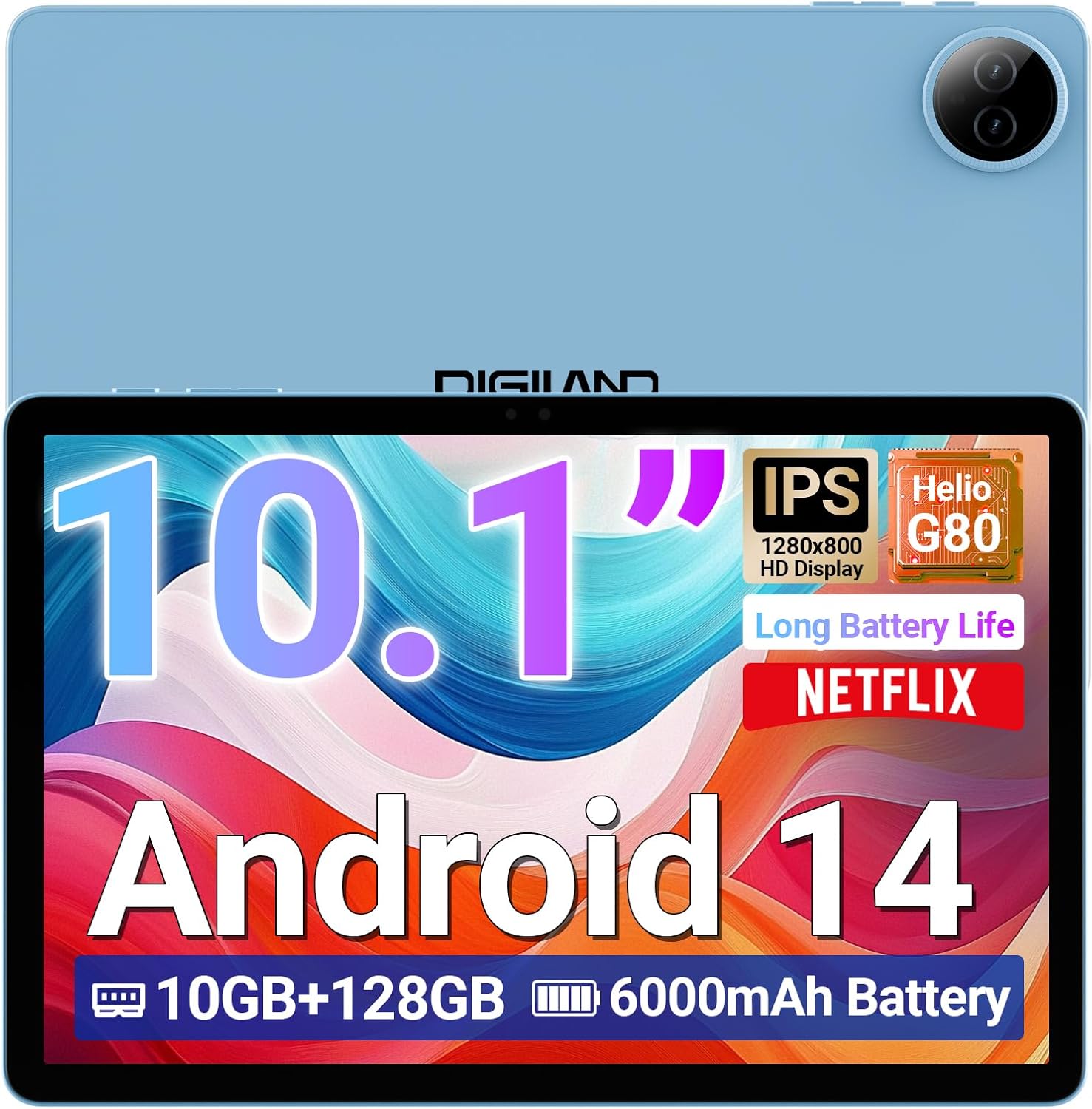
Image 1.1: DigiLand R10 PRO Tablet. This image displays the tablet's front screen, highlighting its 10.1-inch display, Android 14 operating system, 10GB RAM, 128GB ROM, and 6000mAh battery capacity.
2. Cosa c'è nella scatola
Upon unpacking your DigiLand R10 PRO tablet, please verify that all the following items are included:
- R10 PRO Tablet
- R10 PRO Stand Case
- Caricabatterie
- Cavo di ricarica (USB tipo C)
- Manuale dell'utente (questo documento)

Image 2.1: Box Contents. This image illustrates the tablet, charger, charging cable, stand case, and user manual included in the product packaging.
3. Prodotto finitoview
Familiarize yourself with the physical components of your DigiLand R10 PRO tablet.
3.1 Front View
- Touchscreen HD IPS da 10.1 pollici: Display principale per l'interazione.
- Fotocamera frontale (8 MP): Posizionato sopra lo schermo, utilizzato per videochiamate e selfie.
3.2 Posteriore View
- Fotocamera posteriore (13 MP): Situato sul retro, serve per scattare foto e registrare video.
3.3 Lato Views (General Layout)
- Pulsante di accensione: Utilizzato per accendere/spegnere il tablet o per metterlo in modalità sospensione/riattivazione.
- Pulsanti del volume: Regola il volume dell'audio.
- Porta USB di tipo C: Per la ricarica e il trasferimento dei dati.
- Griglie degli altoparlanti: Per l'uscita audio.
- Slot per scheda MicroSD: For expanding storage (supports up to 256GB).

Image 3.1: Tablet Features Overview. This infographic highlights key specifications including screen size, resolution, RAM, ROM, processor, battery, and camera details.
4. Impostazione
4.1 Carica iniziale
Before first use, fully charge your tablet. Connect the provided USB Type-C cable to the tablet's charging port and the other end to the power adapter. Plug the adapter into a wall outlet. The charging indicator will show the charging status.
4.2 Accensione/spegnimento
- Per accendere: Press and hold the Power button until the DigiLand logo appears on the screen.
- Per spegnere: Tieni premuto il pulsante di accensione finché non viene visualizzato il menu di accensione. Seleziona "Spegni" e conferma.
- Per dormire/svegliarsi: Premi brevemente il pulsante di accensione.
4.3 Procedura guidata di configurazione iniziale
The first time you power on the tablet, you will be guided through an initial setup process. Follow the on-screen prompts to:
- Seleziona la tua lingua.
- Connettersi a una rete Wi-Fi.
- Configura il tuo account Google (facoltativo, ma consigliato per il download di app e servizi).
- Imposta il blocco schermo (PIN, sequenza o password).
- Review e accettare i termini e le condizioni.
4.4 Connessione Wi-Fi
Per connettersi a una rete Wi-Fi:
- Vai a Impostazioni > Rete e Internet > Internet.
- Attiva/disattiva Wi-Fi On.
- Seleziona la rete desiderata dall'elenco.
- Inserisci la password se richiesta e tocca Collegare.
5. Utilizzo del tablet
5.1 Navigazione di base
- Rubinetto: Seleziona un elemento o apri un'app.
- Tocca e tieni premuto: Accedi ai menu contestuali o sposta gli elementi.
- Scorri: Scorrere le schermate o gli elenchi.
- Pizzico: Ingrandisci o rimpicciolisci le immagini e web pagine.
5.2 Home Screen
The home screen provides quick access to your favorite apps, widgets, and notifications. You can customize it by adding or removing app icons and widgets.
5.3 Notifiche e impostazioni rapide
Scorri verso il basso dalla parte superiore dello schermo per accedere alle notifiche e alle impostazioni rapide (Wi-Fi, Bluetooth, luminosità, ecc.).
5.4 Utilizzo della fotocamera
The tablet features an 8MP front camera and a 13MP rear camera. To use the camera:
- Aprire il Telecamera applicazione.
- Tocca il pulsante di scatto per scattare una foto.
- Passa dalla fotocamera anteriore a quella posteriore utilizzando l'icona di attivazione/disattivazione della fotocamera.
- Selezionare la modalità video per registrare video.

Image 5.1: Camera Functionality. This image highlights the 8MP front and 13MP rear cameras, showing examples of photos taken with the tablet.
5.5 Gestione dell'archiviazione
Your tablet comes with 128GB of internal storage. You can expand this by inserting a MicroSD card (up to 256GB) into the dedicated slot. To manage storage, go to Impostazioni > Magazzinaggio.

Image 5.2: Memory and Storage. This image details the 12GB RAM, 128GB ROM, and the option for 256GB expansion via MicroSD card.
5.6 Connettività Bluetooth
Per connettere i dispositivi Bluetooth:
- Vai a Impostazioni > Dispositivi connessi > Preferenze di connessione > Bluetooth.
- Attiva Bluetooth On.
- Selezionare Associa nuovo dispositivo e scegli il tuo dispositivo dall'elenco.
- Seguire le istruzioni di associazione visualizzate sullo schermo.
6. Manutenzione
6.1 Cura della batteria
- Evitare temperature estreme, che possono ridurre la durata della batteria.
- Non lasciare la compressa completamente scarica per periodi prolungati.
- Per una ricarica ottimale, utilizzare il caricabatterie e il cavo forniti.

Image 6.1: Battery Performance. This image illustrates the 6000mAh battery's estimated usage times for video playback, e-books, music, and gaming.
6.2 Pulizia
Utilizzare un panno morbido e privo di lanugine per pulire lo schermo e il corpo del tablet. Evitare materiali abrasivi o sostanze chimiche aggressive.
6.3 Aggiornamenti software
Regularly check for and install software updates to ensure your tablet has the latest features and security patches. Go to Impostazioni > Sistema > Aggiornamento del sistema.
6.4 Backup dei dati
Periodically back up important data to a cloud service or external storage device to prevent data loss.
7. Risoluzione Dei Problemi
7.1 Il tablet non si accende
- Assicurarsi che la batteria sia carica. Collegare il caricabatterie e attendere qualche minuto prima di provare ad accendere il dispositivo.
- Per eseguire un riavvio forzato, tenere premuto il pulsante di accensione per 10-15 secondi.
7.2 Problemi di connessione Wi-Fi
- Riavvia il router Wi-Fi e il tablet.
- Assicurati di trovarti nel raggio d'azione del segnale Wi-Fi.
- Verificare che la password Wi-Fi sia corretta.
- Dimentica la rete nelle impostazioni Wi-Fi e riconnettiti.
7.3 Prestazioni lente
- Chiudere le applicazioni non utilizzate in esecuzione in background.
- Cancella i dati della cache per le app.
- Assicurarsi che vi sia spazio di archiviazione sufficiente.
- Riavviare il tablet.
7.4 Ripristino delle impostazioni di fabbrica
Se si verificano problemi persistenti, un ripristino delle impostazioni di fabbrica potrebbe risolverli. Attenzione: questa operazione cancellerà tutti i dati presenti sul tablet. Esegui il backup dei dati importanti prima di procedere.
- Vai a Impostazioni > Sistema > Reimposta opzioni.
- Selezionare Cancella tutti i dati (ripristino delle impostazioni di fabbrica).
- Conferma la tua decisione e inserisci il tuo PIN/sequenza/password se richiesto.
8. Specifiche
Detailed technical specifications for the DigiLand R10 PRO Tablet:
| Caratteristica | Specificazione |
|---|---|
| Numero di modello | R10 PRO |
| Sistema operativo | Androide 14 |
| Processore | MediaTek Helio G80 Octa-Core (2.0GHz A75 + 1.8GHz A55) |
| Memoria RAM | 12 GB |
| Memoria interna | 128 GB |
| Archiviazione espandibile | Fino a 256 GB tramite scheda MicroSD |
| Dimensioni dello schermo | 10.1 pollici |
| Risoluzione dello schermo | Schermo IPS HD 1280x800 |
| Telecamera posteriore | 13 MP |
| Fotocamera frontale | 8 MP |
| Capacità della batteria | 6000 mAh (utilizzo medio di 12 ore) |
| Connettività wireless | Wi-Fi 5 (802.11a/b/g/n/ac), Bluetooth 5.0 |
| Porti | USB di tipo C |
| Dimensioni (LxWxH) | 9.54 x 6.35 x 0.31 pollici |
| Peso dell'articolo | 1.07 libbre |

Image 8.1: Detailed Specifications. This image provides a visual summary of the tablet's core features, including Android 14, RAM, ROM, screen size, resolution, cameras, processor, and battery.
9. Garanzia e supporto
DigiLand is committed to providing quality products and customer satisfaction. For any issues or inquiries regarding your R10 PRO tablet, please contact DigiLand customer support.
9.1 Assistenza clienti
If you encounter any problems or have questions not covered in this manual, please reach out to our support team. Contact information can typically be found on the DigiLand official websito o tramite la tua piattaforma di acquisto.

Image 9.1: After-Sales Support. This image represents DigiLand's commitment to customer service and support.