
1. Introduzione
This manual provides detailed instructions for the installation, operation, and maintenance of your TMEZON MZ-IP-V728TW IP 4-Wire Intercom Monitor. Please read this manual thoroughly before using the product to ensure proper function and to prevent damage.
The TMEZON MZ-IP-V728TW is an advanced IP-enabled 4-wire intercom monitor designed for home and office security systems, offering reliable communication and video monitoring capabilities.
2. Informazioni sulla sicurezza
- Assicurarsi che tutti i collegamenti elettrici siano effettuati da un elettricista qualificato e siano conformi alle normative elettriche locali.
- Non esporre il monitor ad acqua, umidità o temperature estreme.
- Avoid placing the monitor near strong magnetic fields or sources of interference.
- Scollegare l'alimentazione prima di eseguire qualsiasi procedura di manutenzione o installazione.
- Use only the power adapter and accessories supplied or recommended by TMEZON.
- Tenere il dispositivo fuori dalla portata dei bambini.
3. Contenuto della confezione
Verifica che tutti gli articoli elencati di seguito siano presenti nel tuo pacco:
- TMEZON MZ-IP-V728TW IP 4-Wire Intercom Monitor
- Staffa di fissaggio
- Adattatore di alimentazione (CA/CC)
- Connection Cables (4-wire, network cable)
- Viti di montaggio e tasselli
- Manuale dell'utente (questo documento)
4. Prodotto finitoview
4.1. Componenti del monitor
The TMEZON MZ-IP-V728TW monitor features a high-resolution display, touch-sensitive buttons, and various ports for connectivity.
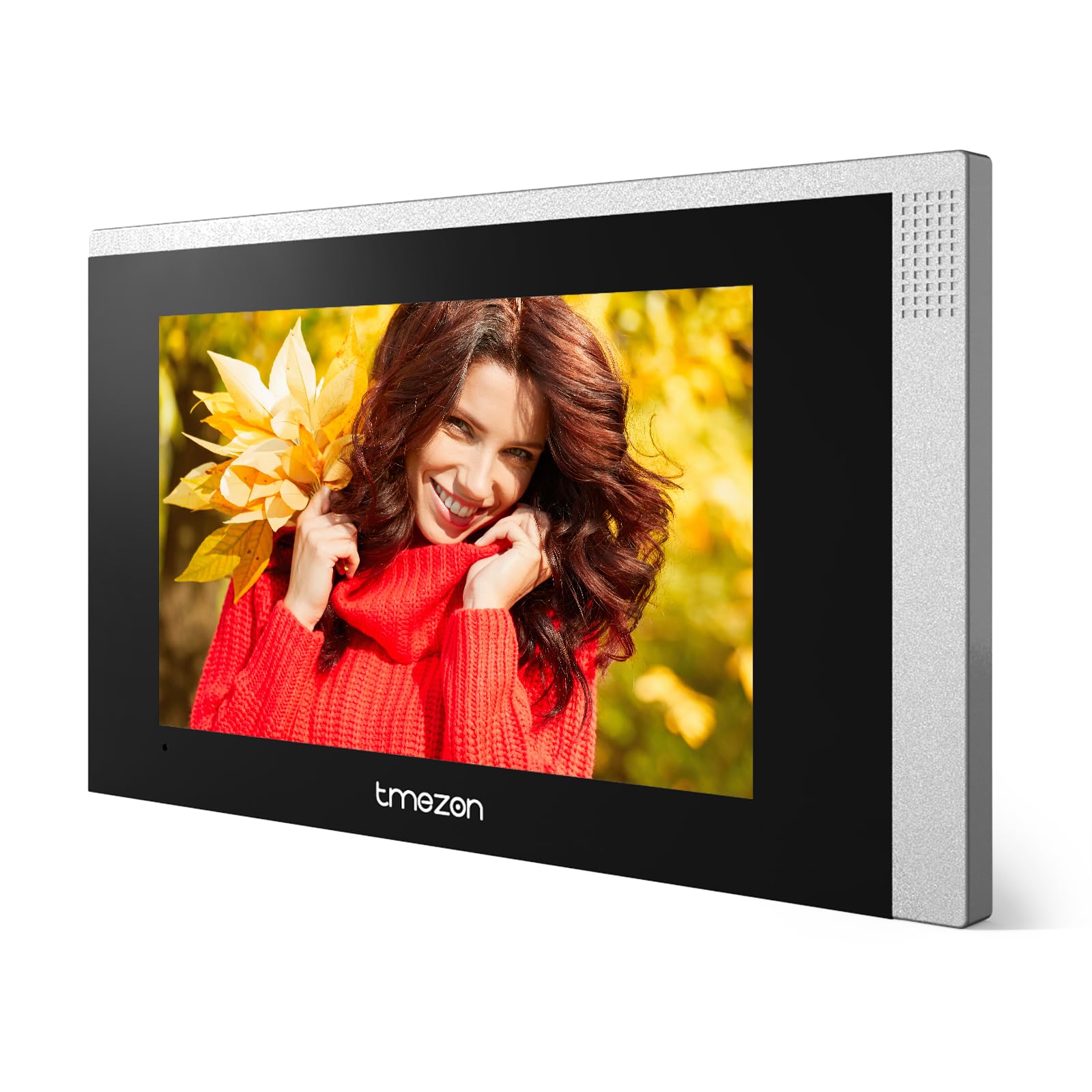
Immagine 1: anteriore view of the TMEZON MZ-IP-V728TW IP 4-Wire Intercom Monitor, showing the display and control buttons.
- Schermo di visualizzazione: Main interface for video and menu navigation.
- Pulsanti funzione: (e.g., Answer, Door Release, Monitor, Menu, Talk) - specific functions may vary slightly based on firmware.
- Microfono: Per la comunicazione audio bidirezionale.
- Oratore: Per l'uscita audio.
- Porte posteriori: Power input, 4-wire terminal, Ethernet port (RJ45), alarm inputs/outputs (if applicable).
4.2. Caratteristiche principali
- IP-enabled for remote access and integration with smart home systems.
- 4-wire connection for reliable power and data transmission.
- High-resolution color display for clear video.
- Comunicazione audio bidirezionale.
- Door release function.
- Multiple indoor monitor support.
- Recording and snapshot capabilities (if equipped with storage).
5. Impostazione
5.1. Luogo di installazione
Choose a suitable indoor location for the monitor, typically at eye level, away from direct sunlight, heat sources, and areas with high humidity. Ensure there is sufficient space for wiring and ventilation.
5.2. Montaggio del monitor
- Segnare sulla parete la posizione di montaggio desiderata.
- Utilizzare la staffa di montaggio come modello per contrassegnare i fori delle viti.
- Praticare i fori nei punti contrassegnati e inserire i tasselli.
- Fissare la staffa di montaggio alla parete utilizzando le viti fornite.
- Assicurarsi che la staffa sia livellata e fissata saldamente.
5.3. Collegamenti elettrici
The MZ-IP-V728TW uses a 4-wire connection system. Proper wiring is crucial for system functionality. Refer to the wiring diagram provided with your outdoor station and other system components.
- Wire 1 (Video): Connects to the video signal output of the outdoor station.
- Wire 2 (Audio): Connects to the audio signal output/input of the outdoor station.
- Wire 3 (Power +): Connects to the positive power supply from the outdoor station or power distributor.
- Wire 4 (Ground -): Connects to the ground/negative power supply.
- Ethernet (RJ45): Connect to your local network router for IP functionality and remote access.
- Potenza in ingresso: Connect the AC/DC power adapter to the monitor's power input port.
Note: A detailed wiring diagram specific to your complete intercom system (including outdoor station, additional monitors, and power supply) should be consulted. If you are unsure, consult a professional installer.
5.4. Accensione iniziale
- After all wiring is complete and secure, plug in the power adapter.
- The monitor will power on and display the TMEZON logo.
- Follow the on-screen prompts for initial setup, including language selection, date/time, and network configuration.
6. Istruzioni per l'uso
6.1. Rispondere a una chiamata
When a visitor presses the call button on the outdoor station, the monitor will ring and display the visitor's video. Press the Risposta button to establish two-way audio communication.
6.2. Sblocco porta
Durante una chiamata o durante il monitoraggio, premere il tasto Apriporta button to unlock the connected electronic lock. Ensure the door is clear before activating the release.
6.3. Monitoraggio
Premere il tasto Monitor pulsante per view the live video feed from the outdoor station without an incoming call. Press it again to end monitoring.
6.4. Navigazione nel menu
Premere il tasto Menu button to access the monitor's settings. Use the arrow buttons (if physical) or touch screen gestures to navigate through options. Common settings include:
- Impostazioni di sistema: Language, Date/Time, Ringtone, Volume.
- Impostazioni di rete: Wi-Fi configuration, IP address.
- Registrazione/riproduzione: View recorded videos or snapshots (if storage is installed).
- Impostazioni di allarme: Configure external alarm sensors (if connected).
7. Manutenzione
- Pulizia: Utilizzare un panno morbido e asciutto per pulire lo schermo e il corpo del monitor. Non utilizzare detergenti abrasivi o solventi.
- Aggiornamenti del firmware: Controllare periodicamente il sito ufficiale TMEZON websito per gli aggiornamenti del firmware per garantire prestazioni e sicurezza ottimali.
- Ciclo di alimentazione: If the monitor becomes unresponsive, disconnect the power adapter for 10 seconds and then reconnect it.
8. Risoluzione Dei Problemi
| Problema | Possibile causa | Soluzione |
|---|---|---|
| Il monitor non si accende. | Nessuna alimentazione; adattatore difettoso; collegamento allentato. | Check power adapter connection; ensure outlet has power; try a different adapter if available. |
| Nessun video dalla postazione esterna. | Incorrect wiring; faulty outdoor station; damaged cable. | Verify 4-wire connections; check outdoor station power; inspect cable for damage. |
| Nessun audio durante la chiamata. | Volume too low; incorrect wiring; faulty microphone/speaker. | Adjust monitor volume; check audio wire connection; test with another monitor if possible. |
| L'apertura della porta non funziona. | Incorrect wiring to electric lock; faulty lock; insufficient power. | Verify door release wiring; check electric lock functionality; ensure adequate power supply to the lock. |
| Cannot connect to network (IP function). | Incorrect network settings; faulty Ethernet cable; router issue. | Check network cable connection; verify IP settings (DHCP/Static IP); restart router. |
9. Specifiche
| Caratteristica | Specificazione |
|---|---|
| Numero di modello | MZ-IP-V728TW |
| Produttore | TMEZONE |
| Tipo di alimentazione | Corrente alternata/corrente continua |
| Connettività | 4-Wire, IP (Ethernet) |
| Componenti inclusi | Monitor (schermo) |
| ASIN | B0DRJJFFP8 |
10. Garanzia e supporto
TMEZON products are designed for reliability and performance. This product comes with a standard manufacturer's warranty. Please refer to the warranty card included in your package or visit the official TMEZON websito per termini e condizioni di garanzia dettagliati.
Per supporto tecnico, assistenza per la risoluzione dei problemi o reclami in garanzia, contattare il servizio clienti TMEZON tramite il loro sito ufficiale website or the contact information provided with your purchase. When contacting support, please have your product model number (MZ-IP-V728TW) and purchase details ready.
Per maggiori informazioni, visita il Negozio TMEZON su Amazon.