
MCHOSE M7 ULTRA
Manuale utente del mouse da gioco wireless MCHOSE M7 Ultra
Model: M7 ULTRA
Introduzione
The MCHOSE M7 Ultra Wireless Gaming Mouse is designed for high-performance gaming, offering advanced features such as 8K polling rate, a lightweight ergonomic design, and versatile connectivity options. This manual provides detailed instructions for setting up, operating, and maintaining your M7 Ultra mouse to ensure optimal performance and longevity.
Cosa c'è nella scatola
- MCHOSE M7 Ultra Wireless Gaming Mouse
- Cavo di ricarica USB-C
- Wireless 8K Receiver (USB Dongle)
- Manuale dell'utente (questo documento)
- Optional: Mouse Grips (if included with specific models)
Prodotto finitoview
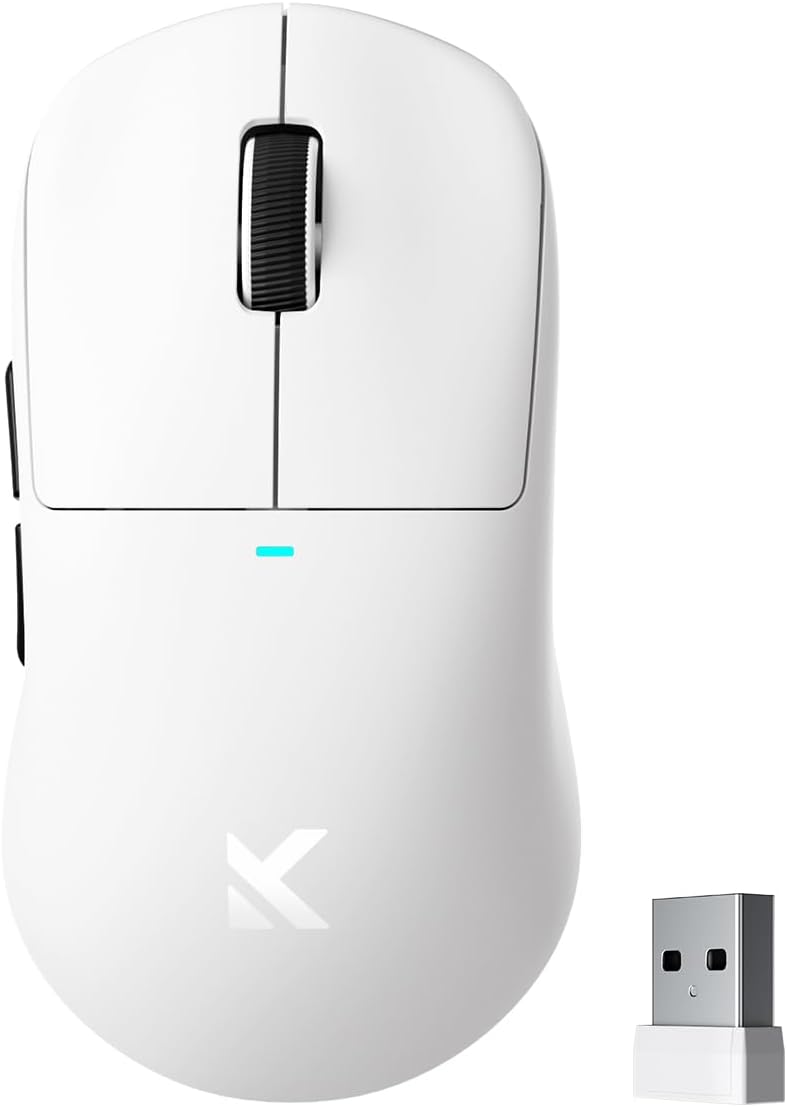
Figure 1: MCHOSE M7 Ultra Wireless Gaming Mouse with its USB receiver.

Figure 2: Fully programmable 6-button layout of the M7 Ultra, including Left/Right, Middle, Mode Switch, Forward, and Back buttons, along with the Indicator Light, DPI Switch Button, and USB Dongle storage.
The M7 Ultra features a symmetrical design with an ergonomic dual-sided waist for ultimate comfort, supporting palm, claw, and fingertip grips. It is incredibly lightweight at approximately 55g, ensuring swift and effortless movement during intense gaming sessions.

Figure 3: Ergonomic design suitable for various grip modes: Palm Grip, Finger Grip, and Claw Grip.
Equipped with a Realtek high-performance processor and the cutting-edge PAW 3950 optical sensor, the M7 Ultra delivers unmatched responsiveness and precision. It boasts up to 42000 DPI sensitivity, 750 IPS tracking speed, and 50G acceleration.

Figure 4: Internal components of the M7 Ultra, highlighting the MCHOSE Pro Optical Switches, Realtek Premium Processor, PAW 3950 Sensor, and 500mAh battery.
Impostare
Modalità di connettività
The M7 Ultra supports tri-mode connectivity: 2.4GHz Wireless, Bluetooth 5.0, and USB-C Wired.

Figure 5: Tri-mode connectivity options: 2.4GHz Wireless for low-latency, Bluetooth 5.0 for longer battery life, and USB-C Wired for stable connection and charging.
Connessione wireless 2.4GHz
- Locate the USB 8K receiver (dongle) stored inside the mouse's bottom cover.
- Collega il ricevitore USB a una porta USB disponibile sul tuo computer.
- Turn on the mouse using the switch on the bottom. The mouse will automatically connect to the receiver.
- For optimal performance, ensure the receiver is close to the mouse and free from obstructions.
Connessione Bluetooth
- Turn on the mouse and switch it to Bluetooth mode (refer to the button layout in Product Overview).
- Sul tuo computer o dispositivo, attiva il Bluetooth e cerca nuovi dispositivi.
- Select "MCHOSE M7 Ultra" from the list of available devices to pair.
- If prompted, confirm the pairing code.
Connessione cablata USB-C
- Collegare il cavo USB-C in dotazione alla porta anteriore del mouse.
- Collega l'altra estremità del cavo USB-C a una porta USB disponibile sul tuo computer.
- Il mouse funzionerà in modalità cablata e si caricherà contemporaneamente.
Istruzioni per l'uso
Funzioni dei pulsanti
The M7 Ultra features 6 programmable buttons. Refer to Figure 2 for the button layout.
- Clic sinistro/destro: Funzioni standard del mouse.
- Pulsante centrale (clic della rotellina di scorrimento): Typically used for opening links in new tabs or specific in-game actions.
- Pulsante di cambio modalità: Cycles through different connectivity modes (2.4GHz, Bluetooth, Wired).
- Pulsanti Avanti/Indietro: Utilizzato per la navigazione in web browser o funzioni personalizzate nei giochi.
- Pulsante di commutazione DPI: Scorre i livelli DPI preimpostati.
Regolazione DPI
Press the DPI Switch Button (located on the bottom of the mouse) to cycle through the available DPI settings. The M7 Ultra supports up to 42000 DPI with multiple adjustable levels.
Tasso di sondaggio
The M7 Ultra supports a wired 1K polling rate and a wireless 8K polling rate, providing ultra-low latency for competitive gaming. This can be configured via the custom driver software.

Figure 6: The M7 Ultra features an 8K Hz Hyperpolling Rate for ultra-low-latency response, utilizing TOPSPEED Wireless Technology.
Software driver personalizzato
For advanced customization, download the MCHOSE Custom Driver from the official MCHOSE websito. Questo software ti consente di:
- Edit and remap up to five mouse buttons.
- Regola i livelli DPI e la frequenza di polling.
- Configure Esports mode settings.
- Manage and create macros for complex actions.
- Utilize onboard storage to save your profiledirettamente al mouse.

Figure 7: MCHOSE Custom Driver HUB Software for comprehensive customization of mouse settings and macros.
Video del prodotto
Video 1: Official MCHOSE M7 Series Mouse overview, mostraasing its design, features, and performance capabilities.
Manutenzione
Pulizia
- Use a soft, lint-free cloth to wipe the mouse surface.
- Per sporco ostinato, leggermente dampPulisci il panno con acqua o una soluzione detergente delicata. Evita prodotti chimici aggressivi.
- Per garantire un tracciamento accurato, pulire regolarmente il sensore ottico con un batuffolo di cotone.
Cura della batteria
The M7 Ultra houses a 500mAh rechargeable internal battery, providing excellent battery life.
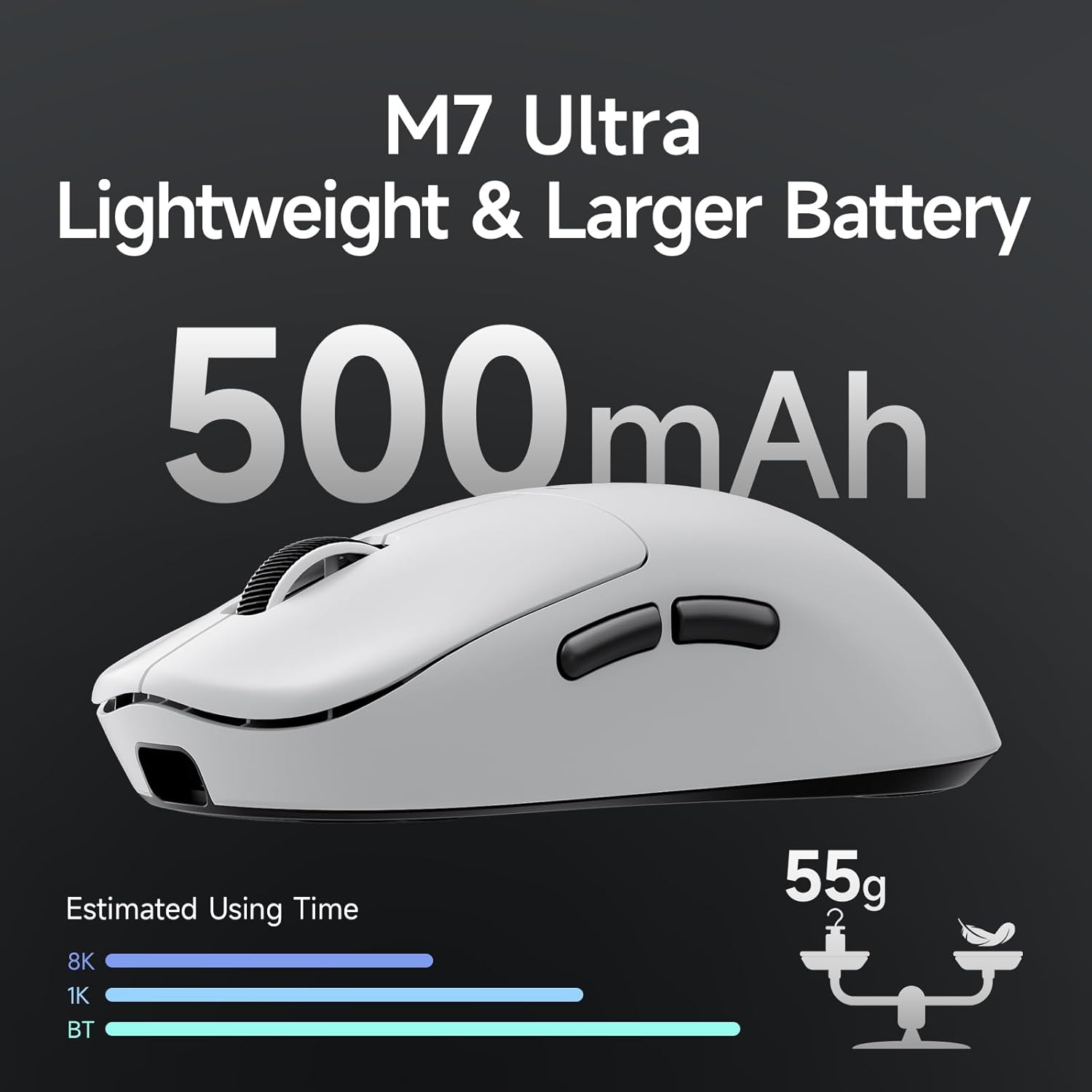
Figure 8: The M7 Ultra features a large 500mAh battery for extended usage.
- Charge the mouse using the provided USB-C cable when the battery indicator light signals low power.
- Evitare di scaricare completamente la batteria frequentemente per prolungarne la durata.
- Quando non si utilizza il mouse per lunghi periodi, conservarlo in un luogo fresco e asciutto.
Risoluzione dei problemi
| Problema | Possibile causa | Soluzione |
|---|---|---|
| Il mouse non risponde (wireless) | Low battery; Receiver not connected; Incorrect mode; Interference. | Charge the mouse; Ensure receiver is securely plugged in; Switch to 2.4GHz or Bluetooth mode; Move closer to receiver or reduce interference. |
| Ritardo o movimento irregolare | Dirty sensor; Surface issues; Low battery; Interference. | Clean the optical sensor; Use on a clean, uniform surface (mouse pad recommended); Charge the mouse; Reduce wireless interference. |
| Pulsanti non funzionanti | Software issue; Physical damage. | Restart computer; Reinstall custom driver; Check for physical damage. |
| Problemi di associazione Bluetooth | Mouse not in pairing mode; Device Bluetooth off. | Ensure mouse is in Bluetooth pairing mode (refer to manual for specific key combination if needed); Enable Bluetooth on your device. |
Specifiche
- Modello: M7 ULTRA
- Connettività: Tri-mode (2.4GHz Wireless, Bluetooth 5.0, USB-C Wired)
- Sensore: Sensore ottico PAW 3950
- DPI: Fino a 42000 DPI
- IPS: 750 IPS
- Accelerazione: 50G
- Tasso di sondaggio: Wired 1K Hz, Wireless 8K Hz
- Interruttori: MCHOSE PRO Optical Switches
- Pulsanti: 6 Controlli programmabili
- Peso: Circa 55 g
- Batteria: Batteria ricaricabile agli ioni di litio da 500 mAh
- Dimensioni: 5 x 2.5 x 0.1 pollici
Garanzia e supporto
MCHOSE products come with a standard manufacturer's warranty. For detailed warranty information, technical support, or service inquiries, please visit the official MCHOSE webo contattare l'assistenza clienti. Conservare la prova d'acquisto per eventuali reclami in garanzia.
Websito: Visit the MCHOSE Store on Amazon
Ask a question about this manual
Ask about setup, troubleshooting, compatibility, parts, safety, or missing instructions. Manuals+ will review the question and use this page’s manual context to help answer it.