
Celly 08021735212188
Manuale utente dello smartwatch Celly
Modello: 08021735212188
Introduzione
This manual provides essential information for the proper setup, operation, and maintenance of your Celly Smartwatch, model 08021735212188. Please read this manual thoroughly before using your device to ensure optimal performance and longevity.

Figura 1: Fronte view of the Celly Smartwatch, displaying various health metrics on its circular screen.
Impostare
1. Unboxing e componenti
Dopo aver aperto la confezione, assicurarsi che siano presenti tutti i componenti:
- Celly Smartwatch (Model: 08021735212188)
- Cavo di ricarica magnetico
- Manuale dell'utente (questo documento)
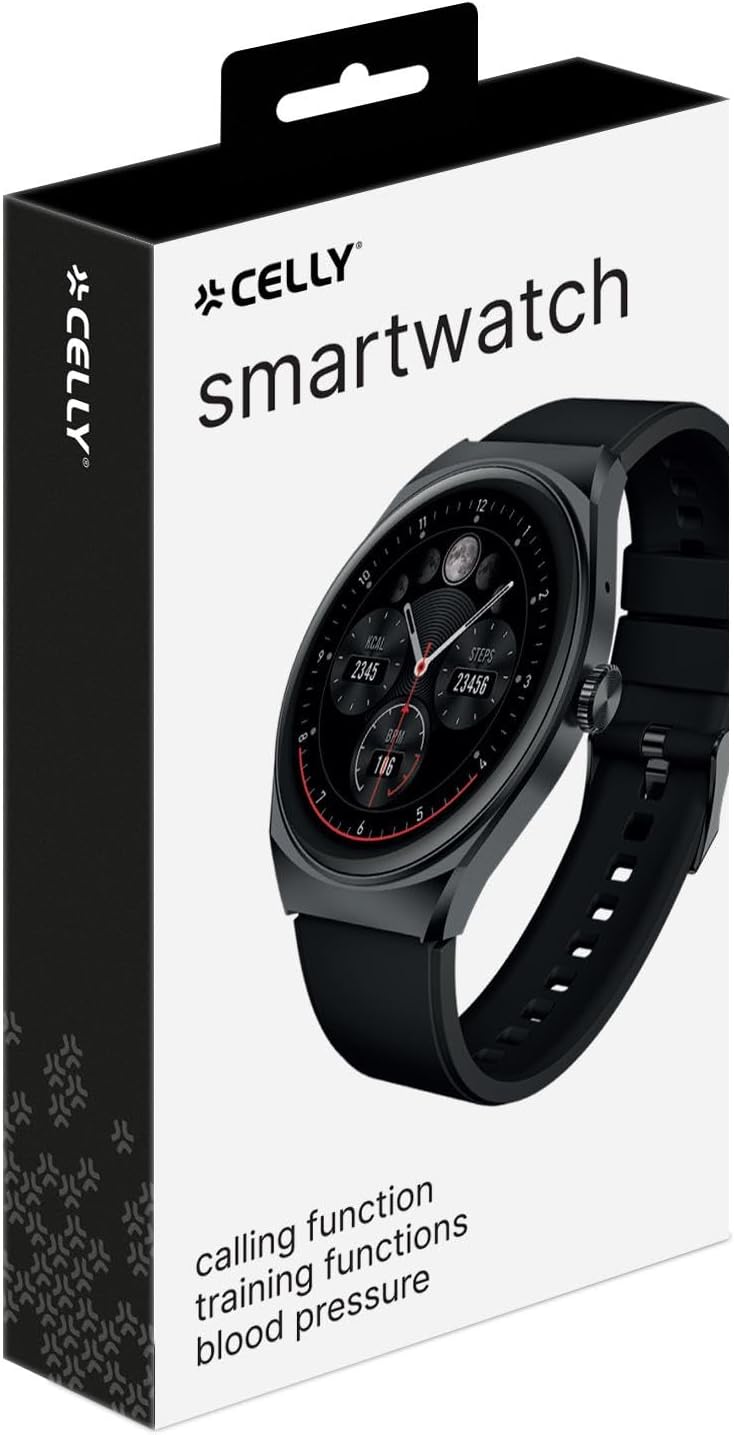
Figure 2: The retail packaging of the Celly Smartwatch, indicating the product and its brand.
2. Ricarica iniziale
Before first use, fully charge your smartwatch. Connect the magnetic charging cable to the charging points on the back of the watch and plug the USB end into a compatible USB power adapter (not included) or a computer USB port.
- Tempo di ricarica: circa 2.5 ore per una carica completa.
- Battery Life: Up to 5 days of typical use.
- Tempo di standby: fino a 9 giorni.

Figura 3: Posteriore view of the smartwatch, highlighting the optical sensors for health monitoring and the magnetic charging contacts.
3. Associazione con lo smartphone
To unlock the full potential of your Celly Smartwatch, pair it with your smartphone via Bluetooth. Ensure Bluetooth is enabled on your phone.
- Download the official Celly Smartwatch application from your smartphone's app store (iOS or Android).
- Apri l'applicazione e segui le istruzioni sullo schermo per creare un account o effettuare l'accesso.
- Accedere alla sezione di associazione dei dispositivi all'interno dell'app.
- Select "Celly Smartwatch" or the specific model number (08021735212188) from the list of available devices.
- Se richiesto, conferma la richiesta di associazione sia sullo smartphone che sullo smartwatch.
Istruzioni per l'uso
1. Navigazione di base
The Celly Smartwatch features a 1.38'' color touch display for intuitive interaction.
- Schermo tattile: Tap to select, swipe to navigate through menus and notifications.
- Pulsante laterale: Solitamente utilizzato per riattivare lo schermo, tornare alla schermata iniziale o accedere all'elenco delle app. Consultare la guida in-app per le funzioni specifiche dei pulsanti.

Figura 4: dettagliata view of the smartwatch display, showcasing its vibrant color and touch capabilities.
2. Funzionalità di monitoraggio della salute
Your smartwatch is equipped with advanced sensors to monitor your health metrics:
- Monitoraggio della frequenza cardiaca: Tiene traccia costantemente della tua frequenza cardiaca. View dati in tempo reale sull'orologio o cronologia dettagliata nell'app.
- Monitoraggio della pressione sanguigna: Provides estimates of blood pressure. For medical accuracy, consult a professional medical device.
- Monitoraggio dell'ossigeno nel sangue (SpO2): Misura il livello di saturazione dell'ossigeno nel sangue.
- Pedometro: Conta i tuoi passi giornalieri.
- Monitoraggio delle calorie: Stima le calorie bruciate in base all'attività e ai dati personali.
- Monitoraggio del sonno: Monitora i tuoi schemi di sonno, inclusi sonno profondo, sonno leggero e orari di veglia.
3. Fitness Tracking and GPS
Utilize the integrated GPS and various sports modes to track your workouts:
- Integrazione GPS: Tracks distance and routes for outdoor activities.
- Modalità multi-sport: Select specific modes for activities like running, walking, cycling, etc., for tailored data collection.
- Personalizzazione dell'allenamento: Personalize your training settings through the companion app.
4. Funzionalità di comunicazione
Rimani connesso direttamente dal tuo polso:
- Chiamate Bluetooth: Make and receive calls directly from the smartwatch when connected to your smartphone.
- Notifiche: Ricevi avvisi per chiamate, messaggi e notifiche delle app dallo smartphone associato.
Manutenzione
1. Pulizia dello smartwatch
Per mantenere l'aspetto e la funzionalità del tuo dispositivo:
- Pulire lo schermo e il corpo con un panno morbido e privo di lanugine.
- Per segni ostinati, leggermente dampLavare il panno con acqua. Evitare l'uso di prodotti chimici aggressivi o materiali abrasivi.
- Clean the charging contacts and sensors on the back of the watch regularly to ensure proper charging and accurate readings.
2. Resistenza all'acqua (IP67)
The Celly Smartwatch is IP67 water-resistant, meaning it is protected against dust and can withstand immersion in water up to 1 meter for up to 30 minutes. While it is resistant to splashes and brief immersion, it is not recommended for swimming, showering with hot water, or diving.
- Non premere i pulsanti mentre l'orologio è immerso.
- Dopo l'esposizione all'acqua, asciugare accuratamente l'orologio, in particolare i contatti di ricarica.
3. Cura della batteria
Per prolungare la durata della batteria:
- Evitare temperature estreme.
- Caricare regolarmente il dispositivo, ma evitare di lasciarlo completamente scarico per periodi prolungati.
- Se si conserva il dispositivo per un lungo periodo, caricarlo fino a circa il 50% prima di riporlo.
Risoluzione dei problemi
| Problema | Possibile causa | Soluzione |
|---|---|---|
| Il dispositivo non si accende. | Batteria scarica. | Caricare lo smartwatch per almeno 30 minuti. |
| Impossibile effettuare l'associazione con lo smartphone. | Bluetooth off on phone; app issue; watch not in pairing mode. | Ensure Bluetooth is on. Restart both devices. Reinstall the app. Check watch settings for pairing mode. |
| Letture sanitarie imprecise. | Montaggio non corretto; sensori sporchi; movimento durante la misurazione. | Ensure watch is snug but comfortable. Clean sensors. Remain still during measurement. |
| Notifiche non ricevute. | Autorizzazioni app; Bluetooth disconnesso; impostazioni di notifica. | Check app permissions on phone. Verify Bluetooth connection. Ensure notifications are enabled in the app and on the watch. |
| Durata breve della batteria. | Frequent use of power-intensive features (GPS, calls); high screen brightness. | Reduce screen brightness. Limit continuous GPS use. Disable unnecessary features. |
Specifiche
| Caratteristica | Dettaglio |
|---|---|
| Nome del modello | Celly Smartwatch TRAINERHALOBK |
| Numero di modello | 08021735212188 |
| Display | 1.38-inch Color Touch OLED |
| Risoluzione | 320 x 320 pixels (Assumed from "Scanner resolution") |
| Capacità della batteria | Polimeri di litio da 300 mAh |
| Durata della batteria (uso tipico) | Fino a 5 giorni |
| Tempo di standby | Fino a 9 giorni |
| Tempo di ricarica | Circa 2.5 ore |
| Resistenza all'acqua | IP67 (resistente alla polvere e all'acqua fino a 1 metro per 30 minuti) |
| Connettività | Bluetooth (for smartphone pairing and calling) |
| GPS | GPS integrato |
| Dispositivi compatibili | Smartphone (iOS e Android) |
| Componenti inclusi | Smartwatch, Magnetic Charging Cable, User Manual |
| Dimensioni (confezione) | Dimensioni: 19.5 x 10 x 4.2 cm |
| Peso (articolo) | 180 grammi |
Garanzia e supporto
1. Garanzia del prodotto
Your Celly Smartwatch comes with a Garanzia di 24 mesi dalla data di acquisto. La presente garanzia copre difetti di fabbricazione e difetti dei materiali in condizioni di normale utilizzo. Non copre danni causati da uso improprio, incidenti, modifiche non autorizzate o normale usura.
Conservare la prova d'acquisto per eventuali richieste di garanzia.
2. Assistenza clienti
For technical assistance, warranty claims, or further inquiries, please contact Celly customer support. Refer to the official Celly website or the contact information provided on your product packaging for the most up-to-date support channels.
Puoi anche visitare il Negozio Celly su Amazon per ulteriori informazioni e risorse sul prodotto.