
CHROX TX98 PRO+
CHROX TX98 PRO+ Android 14.0 TV Box User Manual
Model: TX98 PRO+
1. Introduzione
This manual provides detailed instructions for the setup, operation, and maintenance of your CHROX TX98 PRO+ Android 14.0 TV Box. Please read this guide thoroughly before using the device to ensure proper functionality and to maximize your viewing experience. The CHROX TX98 PRO+ is designed to transform your television into a smart entertainment hub, offering access to a wide range of applications, streaming services, and media content.
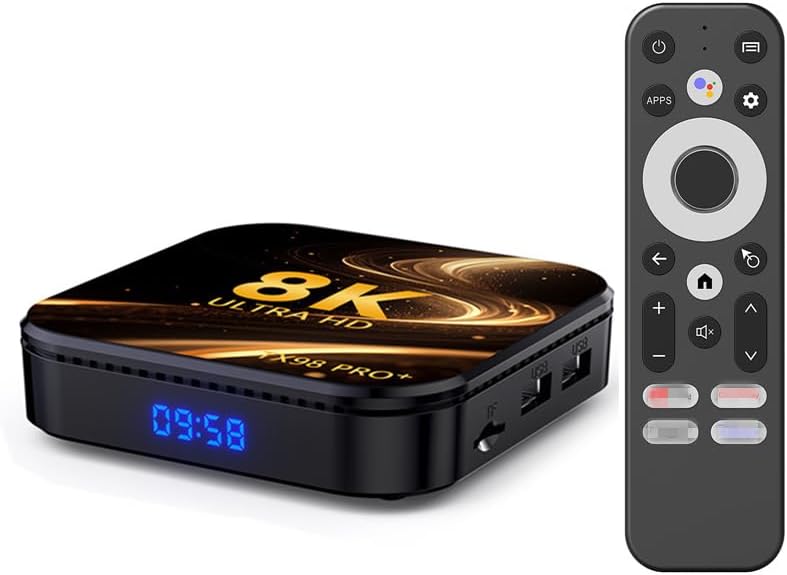
Image 1.1: The CHROX TX98 PRO+ Android TV Box and its accompanying remote control.
2. Contenuto della confezione
Before proceeding with the setup, please verify that all items listed below are included in your package. If any items are missing or damaged, please contact customer support.
- 1 x CHROX TX98 PRO+ Android 14.0 TV Box
- 1 x telecomando
- 1 cavo HD (cavo HDMI)
- 1 x adattatore di alimentazione (CC 5V/2.5A)
- 1 x Manuale utente (questo documento)

Immagine 2.1: Rappresentazione visiva degli articoli inclusi nella confezione del prodotto.
3. Prodotto finitoview
The CHROX TX98 PRO+ features a compact design with various ports for connectivity. Familiarize yourself with the device's layout and available interfaces.
3.1 Componenti del dispositivo
- Pannello frontale: Digital display (time/status).
- Pannello laterale: USB ports, TF Card slot.
- Pannello posteriore: Power input, HDMI output, Ethernet port, AV port, SPDIF port.
3.2 Available Interfaces

Image 3.1: Illustration of the various input and output ports on the CHROX TX98 PRO+ TV Box.
- Porta USB 3.0: For high-speed data transfer with external storage devices.
- Porta USB 2.0: For connecting peripherals like keyboards, mice, or USB drives.
- Slot per schede TF: Supports Micro SD cards for expanded storage.
- HDMI 2.0a Output: Connects to your TV or display for video and audio output (supports up to 4K@60Hz).
- Porta AV: Per il collegamento a televisori più vecchi tramite cavo AV (non incluso).
- Porta LAN (Ethernet): For wired network connection (10/1000M).
- Ingresso alimentazione CC 5 V: Si collega all'adattatore di alimentazione fornito.
- Porta SPDIF: For digital audio output to compatible audio systems.
4. Guida all'installazione
Follow these steps to set up your CHROX TX98 PRO+ Android TV Box.
- Collegamento alla TV: Connect one end of the provided HDMI cable to the HDMI port on the TV Box and the other end to an available HDMI input on your television.
- Connetti alimentazione: Collegare l'adattatore di alimentazione alla porta DC 5V del TV Box, quindi collegare l'adattatore a una presa a muro.
- Accensione: The TV Box should automatically power on. If not, press the power button on the remote control or the device.
- Seleziona ingresso: Sul televisore, seleziona la sorgente di ingresso HDMI corretta utilizzando il telecomando del televisore.
- Configurazione iniziale: Seguire le istruzioni visualizzate sullo schermo per completare la configurazione iniziale, inclusa la selezione della lingua, la connessione di rete e l'accesso all'account Google.
5. Istruzioni per l'uso
5.1 Funzioni del telecomando
Il telecomando incluso consente di navigare nell'interfaccia Android e di controllare la riproduzione multimediale.
- Pulsante di accensione: Accende o spegne il dispositivo.
- Pad di navigazione: Use the directional arrows to move through menus and select items.
- Pulsante OK: Conferma le selezioni.
- Pulsante Indietro: Ritorna alla schermata precedente.
- Pulsante Home: Ritorna alla schermata principale.
- Pulsanti del volume: Regola il volume dell'audio.
- Pulsante App: Accede all'elenco delle applicazioni installate.
- Pulsante Impostazioni: Opens the system settings menu.
5.2 Navigazione nell'interfaccia Android
The CHROX TX98 PRO+ runs on Android 14.0, providing a user-friendly interface.
- Schermata iniziale: Displays frequently used apps, recommended content, and system information.
- Cassetto delle applicazioni: Accedi a tutte le applicazioni installate.
- Impostazioni: Customize network, display, sound, and other system preferences.
5.3 Installazione delle applicazioni
You can download and install applications from the Google Play Store or other compatible sources.
- Ensure the TV Box is connected to the internet.
- Navigate to the Google Play Store app on the home screen or app drawer.
- Cercare l'applicazione desiderata.
- Select the app and choose "Install".
6. Connettività
6.1 Connessione Wi-Fi
The device supports dual-band 2.4G/5G Wi-Fi 6 for fast and stable wireless internet access.
- Vai a Impostazioni > Rete e Internet > Wifi.
- Attiva il Wi-Fi On.
- Seleziona la rete Wi-Fi desiderata dall'elenco.
- Immettere la password di rete se richiesta e selezionare Collegare.
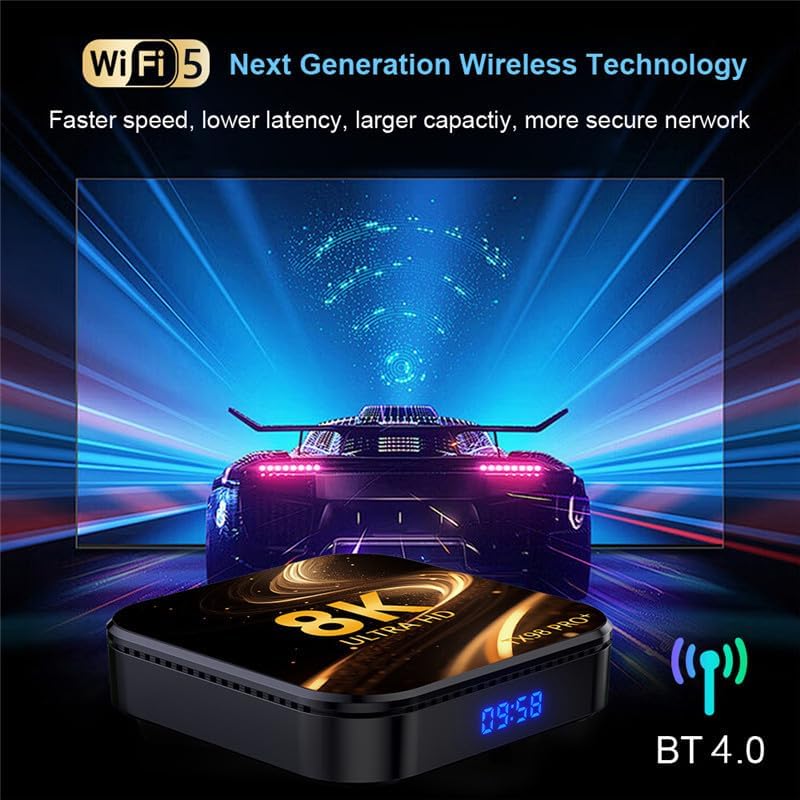
Image 6.1: The TV Box supports advanced wireless technologies for network connectivity. Note: While the image shows "Wi-Fi 5", the product supports Wi-Fi 6 for enhanced performance.
6.2 Connessione Ethernet
For a more stable internet connection, you can use a wired Ethernet connection.
- Connect an Ethernet cable from your router or modem to the LAN port on the TV Box.
- Il dispositivo rileverà automaticamente la rete cablata e si connetterà ad essa.
6.3 Associazione Bluetooth
The TV Box features Bluetooth 4.0 for connecting wireless accessories like headphones, speakers, or game controllers.
- Vai a Impostazioni > Dispositivi connessi > Associa nuovo dispositivo.
- Metti il tuo dispositivo Bluetooth in modalità di associazione.
- Seleziona il dispositivo dall'elenco sullo schermo della TV per associarlo.
6.4 Interazione multischermo
The CHROX TX98 PRO+ supports multi-screen interaction technologies like DLNA and Miracast, allowing you to cast content from your mobile phone or tablet to your TV.
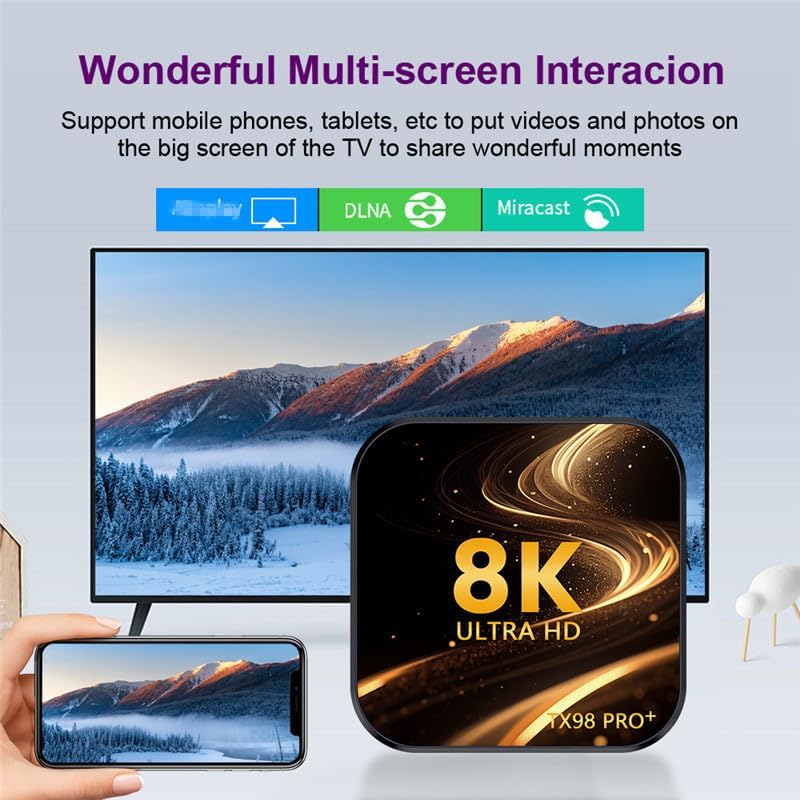
Image 6.2: Demonstrates the ability to share content from mobile devices to the TV via the TV Box.
7. Riproduzione multimediale
The CHROX TX98 PRO+ supports a wide range of media formats and high-resolution video playback, including 8K and 4K content.
Video ad alta risoluzione 7.1
Experience stunning visuals with support for 8K and 4K video decoding. The device utilizes H.265 technology for efficient playback, reducing bandwidth and storage requirements.

Image 7.1: The TV Box is capable of decoding and displaying 8K resolution video content.
7.2 Supporto HDR10
With HDR10 support, the TV Box delivers a wider range of colors and deeper contrast, resulting in a more vivid and immersive viewesperienza di acquisizione.

Image 7.2: Comparison illustrating the enhanced visual quality with HDR10 enabled.
7.3 Formati multimediali supportati
- Decoder Formats: 4K VP9, H.265/H.264, 1080P (VC-1, MPEG-1/2/4, VP6/8).
- Formati multimediali: Avi, Ts, Vob, Mkv, Mov, ISO, wmv, asf, flv, dat, mpg, mpeg.
- Formati musicali: MP3, WMA, AAC, WAV, OGG, DDP, HD, FLAC, APE.
- Formati foto: JPEG, BMP, GIF, PNG, TIFF ad alta definizione.
8. Manutenzione
To ensure the longevity and optimal performance of your CHROX TX98 PRO+ TV Box, follow these maintenance guidelines:
- Pulizia: Utilizzare un panno morbido e asciutto per pulire il dispositivo. Evitare detergenti liquidi o materiali abrasivi.
- Ventilazione: Assicurarsi che il dispositivo sia posizionato in un'area ben ventilata per evitare il surriscaldamento. Non ostruire le aperture di ventilazione.
- Spegni: Quando non si utilizza il dispositivo per lunghi periodi, scollegare l'adattatore di alimentazione dalla presa a muro.
- Aggiornamenti software: Periodically check for and install system updates to ensure the latest features and security patches.
9. Risoluzione Dei Problemi
If you encounter issues with your CHROX TX98 PRO+ TV Box, refer to the following common problems and solutions.
| Problema | Possibile causa | Soluzione |
|---|---|---|
| Nessun potere | Adattatore di alimentazione non collegato o difettoso. | Assicurati che l'adattatore di alimentazione sia collegato saldamente al dispositivo e a una presa di corrente funzionante. Prova una presa diversa. |
| Nessun segnale sulla TV | È stato selezionato un ingresso HDMI errato o il cavo HDMI è allentato. | Verify the TV is on the correct HDMI input. Check that the HDMI cable is securely connected to both the TV Box and the TV. |
| Problemi di connessione Wi-Fi | Password errata, segnale debole o problema con il router. | Re-enter the Wi-Fi password carefully. Move the TV Box closer to the router. Restart your router and the TV Box. |
| Il telecomando non risponde | Batterie scariche o ostruzione. | Replace the batteries in the remote control. Ensure there are no obstructions between the remote and the TV Box. |
| Applicazioni che si bloccano o si bloccano | Insufficient memory or app compatibility issues. | Close background applications. Clear app cache (Settings > Apps > [App Name] > Clear Cache). Restart the TV Box. |
If the problem persists after trying these solutions, please contact CHROX customer support for further assistance.
10. Specifiche
Detailed technical specifications for the CHROX TX98 PRO+ Android 14.0 TV Box.
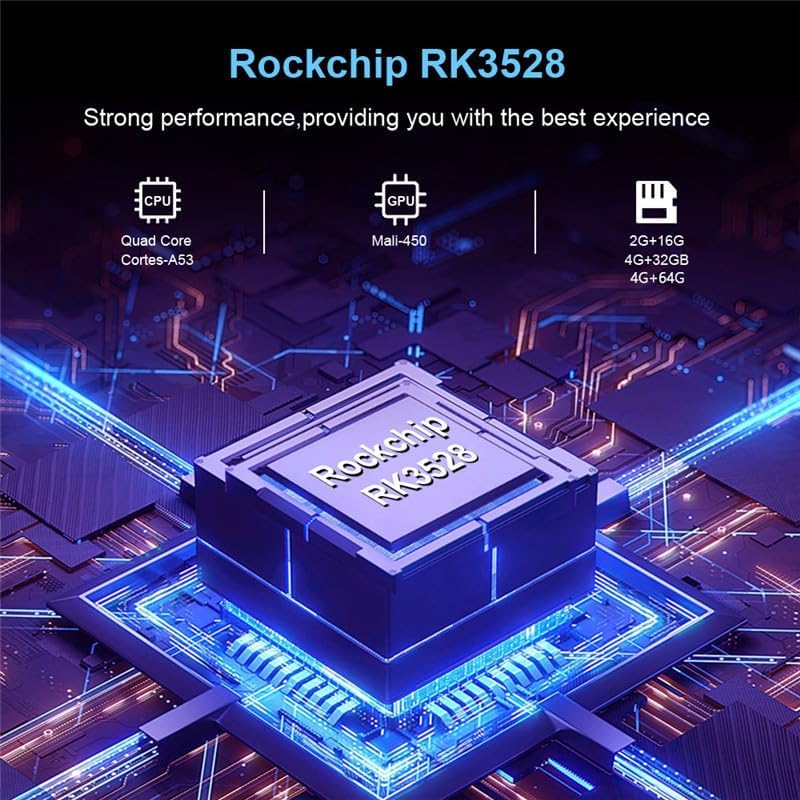
Immagine 10.1: Passoview of the Rockchip RK3528 processor, highlighting its CPU, GPU, and memory configurations.
| Caratteristica | Dettaglio |
|---|---|
| Sistema operativo | Androide 14.0 |
| processore | RK3528 Quad-Core 64-bit ARM Cortex-A53 |
| Scheda grafica | Penta-Core Mali-450 |
| Memoria SDRAM | 4 GB |
| Flash della ROM | 32 GB (available in 32GB/64GB variants) |
| Wifi | 2.4G/5G Dual-band Wi-Fi 6 (802.11 a/b/g/n/ac/ax) |
| Bluetooth | 4.0 |
| Rete Ethernet | Standard RJ-45 10/1000M |
| Porte USB | 1 x USB 3.0, 1 x USB 2.0 |
| Uscita HDMI | HDMI 2.0a per 4K a 60 Hz |
| Altre porte | 1 x AV, 1 x Micro SD Card Reader, 1 x Power DC 5V/2.5A, 1 x SPDIF |
| Supporto decoder video | 4K VP9, H.265/H.264, 1080P (VC-1, MPEG-1/2/4, VP6/8) |
| Supporto HDR | L'HDR10 |
| Lingue OSD | Inglese, francese, tedesco, spagnolo, italiano, ecc. |
11. Informazioni sulla sicurezza
Per evitare danni al dispositivo o lesioni personali, osservare le seguenti precauzioni di sicurezza:
- Non esporre il dispositivo ad acqua, umidità o temperature estreme.
- Evitare di far cadere o di sottoporre il dispositivo a urti violenti.
- Non tentare di aprire o riparare il dispositivo da soli. Per qualsiasi intervento di assistenza, rivolgersi a personale qualificato.
- Utilizzare solo l'adattatore di alimentazione fornito. L'utilizzo di adattatori non autorizzati potrebbe danneggiare il dispositivo e invalidare la garanzia.
- Tenere il dispositivo lontano dalla luce solare diretta e da fonti di calore.
12. Garanzia e supporto
Your CHROX TX98 PRO+ Android 14.0 TV Box comes with a standard manufacturer's warranty. For specific warranty terms and conditions, please refer to the documentation included with your purchase or contact your retailer.
For technical support, troubleshooting assistance beyond what is provided in this manual, or inquiries regarding your product, please contact CHROX customer service.
Assistenza clienti: Please refer to your purchase receipt or the CHROX official websito per le informazioni di contatto.