
Introduzione
Thank you for choosing the CREATE Speaker Retro. This portable Bluetooth speaker combines a classic retro design with modern audio technology, offering versatile connectivity and powerful sound. This manual will guide you through the setup, operation, and maintenance of your new speaker to ensure optimal performance and longevity.

Image: The CREATE Speaker Retro, highlighting its elegant retro aesthetic and compact form factor.
Importanti istruzioni di sicurezza
- Leggere attentamente tutte le istruzioni prima di utilizzare il prodotto.
- Conservare questo manuale per riferimento futuro.
- Do not expose the speaker to water or excessive moisture. This product is non impermeabile.
- Non posizionare vicino a fonti di calore come radiatori, bocchette di riscaldamento, stufe o altri apparecchi (inclusi amplificatori) che producono calore.
- Utilizzare solo gli accessori specificati dal produttore.
- Scollegare l'apparecchio durante i temporali o quando non viene utilizzato per lunghi periodi.
- Affidare tutti gli interventi di assistenza a personale qualificato.
Contenuto della confezione
The CREATE Speaker Retro package includes:
- CREATE Speaker Retro Portable Bluetooth Speaker (1 unit)
- Cavo di ricarica USB-C
- Manuale dell'utente (questo documento)
Controlli e porte oltreview
Familiarizzare con i comandi e le porte di connessione dell'altoparlante:

Immagine: dettagliata view del pannello di controllo superiore dell'altoparlante.
- Manopola del volume: Adjusts the overall sound volume.
- Manopola dei bassi: Regola il livello dei bassi.
- Manopola degli alti: Regola il livello degli alti.
- Selettore di ingresso: Toggles between AUX, Bluetooth (BT), and USB input modes.
- Interruttore di alimentazione: Accende/spegne l'altoparlante.
- Ingresso AUX (3.5 mm): Per collegare dispositivi audio esterni tramite un cavo audio.
- Porta USB: Per la riproduzione da unità USB.
- Porta DC-IN 5V: Per caricare l'altoparlante.
- Spia luminosa: Mostra lo stato di alimentazione, lo stato di carica e lo stato di associazione Bluetooth.
Impostare
1. Ricarica dell'altoparlante
Before first use, fully charge the speaker. Connect the provided USB-C charging cable to the DC-IN 5V port on the speaker and the other end to a compatible USB power adapter (not included) or a computer's USB port. The indicator light will show the charging status. A full charge takes approximately 4-5 hours.
- Ricarica: Indicator light glows (color may vary).
- Completamente carica: Indicator light turns off or changes color.
2. Accensione/Spegnimento
To power on the speaker, flip the Interruttore di alimentazione to the "ON" position. To power off, flip the switch to the "OFF" position.
Istruzioni per l'uso
1. Modalità Bluetooth
The speaker features Bluetooth 5.2 for wireless audio streaming with a range of up to 10 meters.
- Accendi l'altoparlante.
- Imposta il Selettore di ingresso to "BT/AUX" and then ensure it's in Bluetooth mode (indicator light will blink, indicating pairing mode).
- Sul tuo smartphone, tablet o altro dispositivo abilitato Bluetooth, attiva il Bluetooth e cerca i dispositivi disponibili.
- Select "CREATE Speaker Retro" from the list.
- Once paired, the indicator light will stop blinking and remain solid. You can now play music wirelessly.
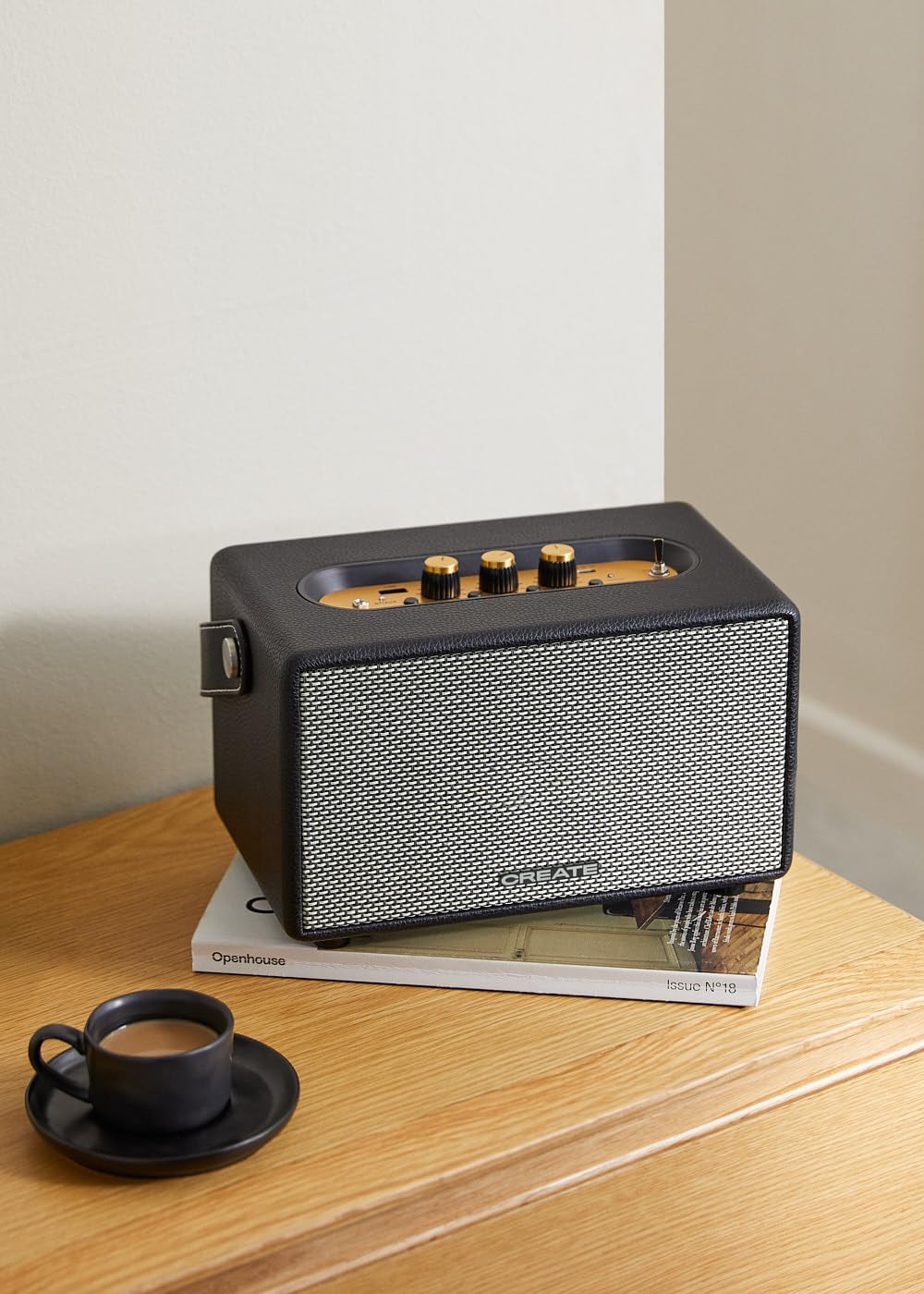
Image: Connecting to the speaker via Bluetooth from a mobile device.
2. USB Playback Mode
Riproduci audio fileÈ direttamente da un'unità flash USB.
- Accendi l'altoparlante.
- Inserisci un'unità flash USB contenente audio files nel Porta USB.
- Imposta il Selettore di ingresso to "USB". The speaker will automatically begin playing music from the USB drive.

Image: Inserting a USB drive for direct audio playback.
3. Modalità di ingresso AUX
Collegare dispositivi audio esterni tramite un cavo audio da 3.5 mm.
- Accendi l'altoparlante.
- Collegare un'estremità di un cavo audio da 3.5 mm (non incluso) al Ingresso AUX porta sull'altoparlante.
- Connect the other end of the cable to the headphone jack or audio output of your external device (e.g., MP3 player, laptop).
- Imposta il Selettore di ingresso to "AUX". The speaker will now play audio from your connected device.
4. Regolazione del suono
Use the dedicated knobs on the control panel to fine-tune your audio experience:
- Ruotare il Manopola del volume to increase or decrease the overall sound level.
- Ruotare il Manopola del basso to adjust the low-frequency sounds.
- Ruotare il Manopola degli alti to adjust the high-frequency sounds.
Manutenzione
Pulizia
To clean the speaker, use a soft, dry cloth. Do not use abrasive cleaners, waxes, or solvents as they may damage the finish. Avoid spraying liquids directly onto the speaker.
Magazzinaggio
When not in use for extended periods, store the speaker in a cool, dry place away from direct sunlight and extreme temperatures. Ensure the speaker is fully charged before storing to preserve battery health.
Cura della batteria
The speaker is equipped with a built-in rechargeable battery. To maximize battery life:
- Evitare di scaricare completamente la batteria frequentemente.
- Recharge the battery regularly, even if the speaker is not used often.
- Do not expose the speaker to temperatures above 45°C (113°F) or below 0°C (32°F).
Risoluzione dei problemi
If you encounter any issues with your CREATE Speaker Retro, please refer to the following common problems and solutions:
| Problema | Possibile causa | Soluzione |
|---|---|---|
| L'altoparlante non si accende. | La batteria è scarica. | Charge the speaker for 4-5 hours using the USB-C cable. |
| Nessun suono dall'altoparlante. | Il volume è troppo basso; modalità di input errata; dispositivo non collegato correttamente. | Increase volume. Ensure the correct input mode (BT, USB, AUX) is selected. Reconnect Bluetooth device or AUX cable. |
| L'associazione Bluetooth non riesce. | L'altoparlante non è in modalità di associazione; il dispositivo è fuori portata; interferenza. | Ensure speaker is in Bluetooth pairing mode (blinking indicator). Move device closer to speaker (within 10m). Turn off other Bluetooth devices. |
| La riproduzione USB non funziona. | Incorrect input mode; USB drive not formatted correctly or no compatible files. | Ensure "USB" input mode is selected. Check USB drive for compatible audio files (ad esempio, MP3). Prova un'altra unità USB. |
| Play/Pause button not responding. | Potenziale problema hardware o glitch software. | Restart the speaker. If the issue persists, contact customer support. (Nota: un utente review mentioned this issue.) |
Specifiche
| Nome del modello | SPEAKER RETRO |
| Numero di modello | 181643_452174 |
| Dimensioni (P x L x A) | Dimensioni: 17 x 26 x 15 cm |
| Peso | 2.5 kg |
| Potenza massima di uscita dell'altoparlante | 40 L |
| Modalità di uscita audio | Stereo (2.0 canali) |
| Tecnologia di connettività | Bluetooth 5.2, USB, AUX (3.5 mm) |
| Portata Bluetooth | Fino a 10 metri |
| Capacità della batteria | 3000 mAh |
| Durata della batteria | Fino a 5 ore (a seconda dell'utilizzo) |
| Tempo di ricarica | Circa 4-5 ore |
| Metodo di controllo | Touch (knobs and switches) |
| Colore | Nero |
| Impermeabile | NO |
Garanzia e supporto
Informazioni sulla garanzia
The CREATE Speaker Retro comes with a standard manufacturer's warranty. Please retain your proof of purchase for warranty claims. The warranty covers defects in materials and workmanship under normal use. It does not cover damage caused by misuse, accidents, unauthorized modifications, or exposure to water.
For specific warranty terms and conditions, please refer to the warranty card included with your product or contact CREATE customer service.
Assistenza clienti
If you have any questions, require technical assistance, or need to report an issue that cannot be resolved using the troubleshooting guide, please contact CREATE customer support.
You can find more information and contact details on the official CREATE websito o tramite il loro negozio Amazon: