
Avylet RC06HL
Manuale utente del display Avylet 9.26" Wireless Carplay e Android Auto
Modello: RC06HL
Introduzione
This user manual provides detailed instructions for the installation, operation, and maintenance of your Avylet 9.26" Wireless Carplay & Android Auto Display. Please read this manual thoroughly before using the product to ensure proper functionality and safety.
Cosa c'è nella scatola
- 1* 9.26-inch Carplay Display
- 1* Extension Cable + 4* Cable Ties
- 1* 3M Mount + 1* 3M Mount Adhesive Tape
- 1* Car Charger + 1* AUX Cable + 1* Plastic Pry Tool + 1* Screwdriver
- 1* Extension Adhesive Tape + 2* Extension Mount Screws

Image: All components included in the Avylet 9.26" Wireless Carplay & Android Auto Display package.
Configurazione e installazione
The Avylet 9.26" display is designed for easy installation without modifying your vehicle's original radio system. It can be mounted on the dashboard or windshield.
Opzioni di montaggio
Two primary mounting options are available:
- Supporto adesivo: Per l'installazione sul cruscotto.
- Supporto a ventosa: For windshield or dashboard installation.

Image: Different installation methods for the Avylet display, including adhesive and suction cup mounts.
Collegamento di potenza
Connect the device to your vehicle's cigarette lighter socket (12-32V) using the provided car charger cable. No complex wiring is required.
Rear Camera Installation (Optional)
The device includes a 1080p waterproof (IP67) rear camera for parking assistance. To enable automatic display of the rear view when reversing:
- Connect the red wire of the rear camera to the reverse light's positive lead.
- The display will automatically show the rear camera feed when the vehicle is in reverse.
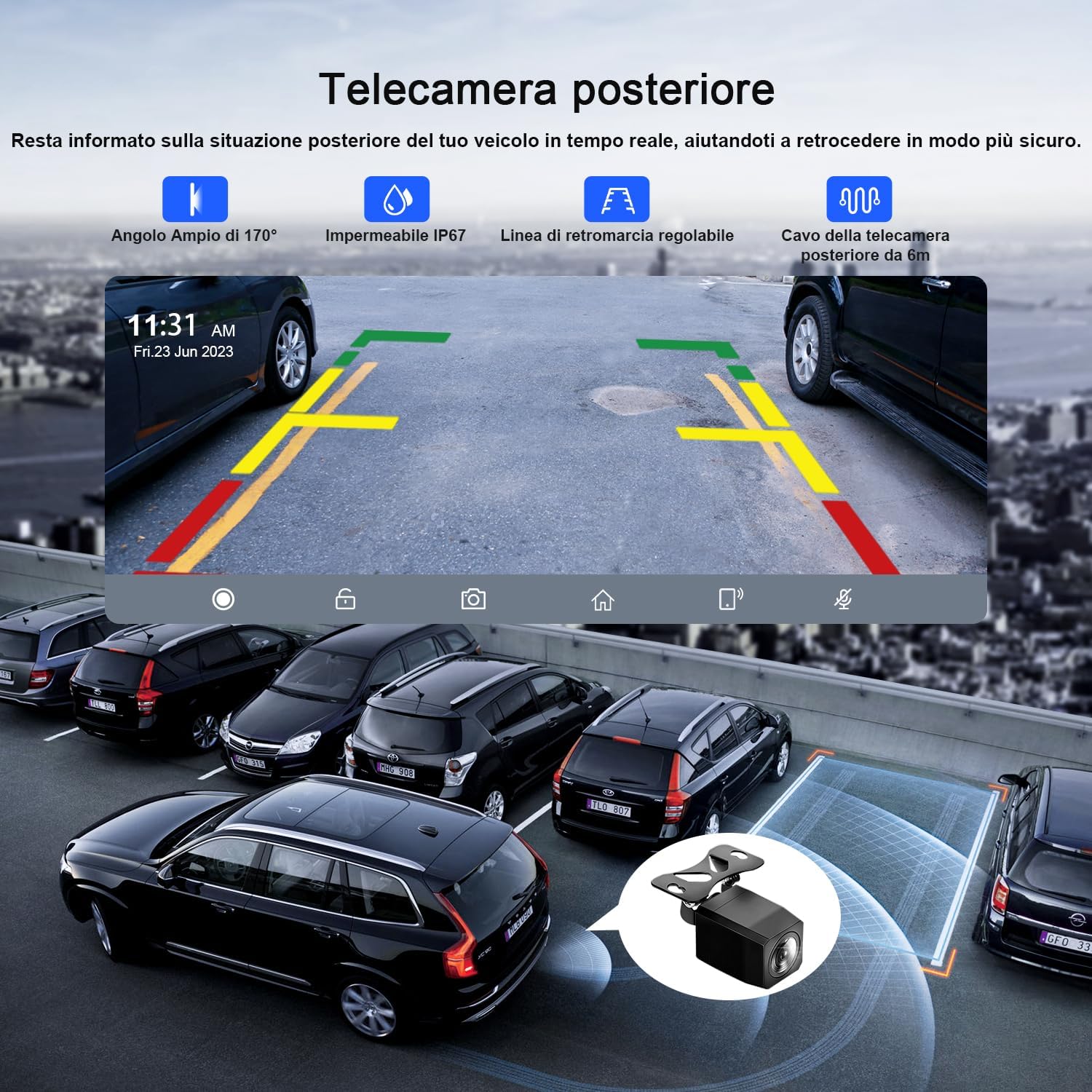
Image: Illustration of the rear camera installation process, connecting to the main unit and the vehicle's reverse light.
Istruzioni per l'uso
CarPlay wireless e Android Auto
Connect your smartphone wirelessly to the 9.26-inch display to access phone functions like navigation, music, and calls. After the initial connection, the device will automatically reconnect.
- Per Apple CarPlay: Ensure Wi-Fi and Bluetooth are enabled on your iPhone (iOS 9 or later). Select the device in Bluetooth settings and confirm pairing.
- Per Android Auto: Ensure Wi-Fi and Bluetooth are enabled on your Android phone (Android 11 or later, or Google/Samsung phones with Android 10 or later). Install the Android Auto app. Select the device in Bluetooth settings and connect.

Image: The Avylet display showcasing both Apple CarPlay and Android Auto interfaces, highlighting wireless connectivity.
Controllo vocale e navigazione GPS
Utilize Siri or Google Assistant for hands-free control of navigation, calls, messages, and multimedia. The display integrates with Apple Maps, Google Maps, and Waze.

Image: Voice control features (Siri/Google Assistant) in action on the Avylet display, showing navigation and communication commands.
Funzionalità Mirror Link
The Mirror Link function allows you to mirror your smartphone's screen onto the 9.26-inch display for an enhanced visual and auditory experience.
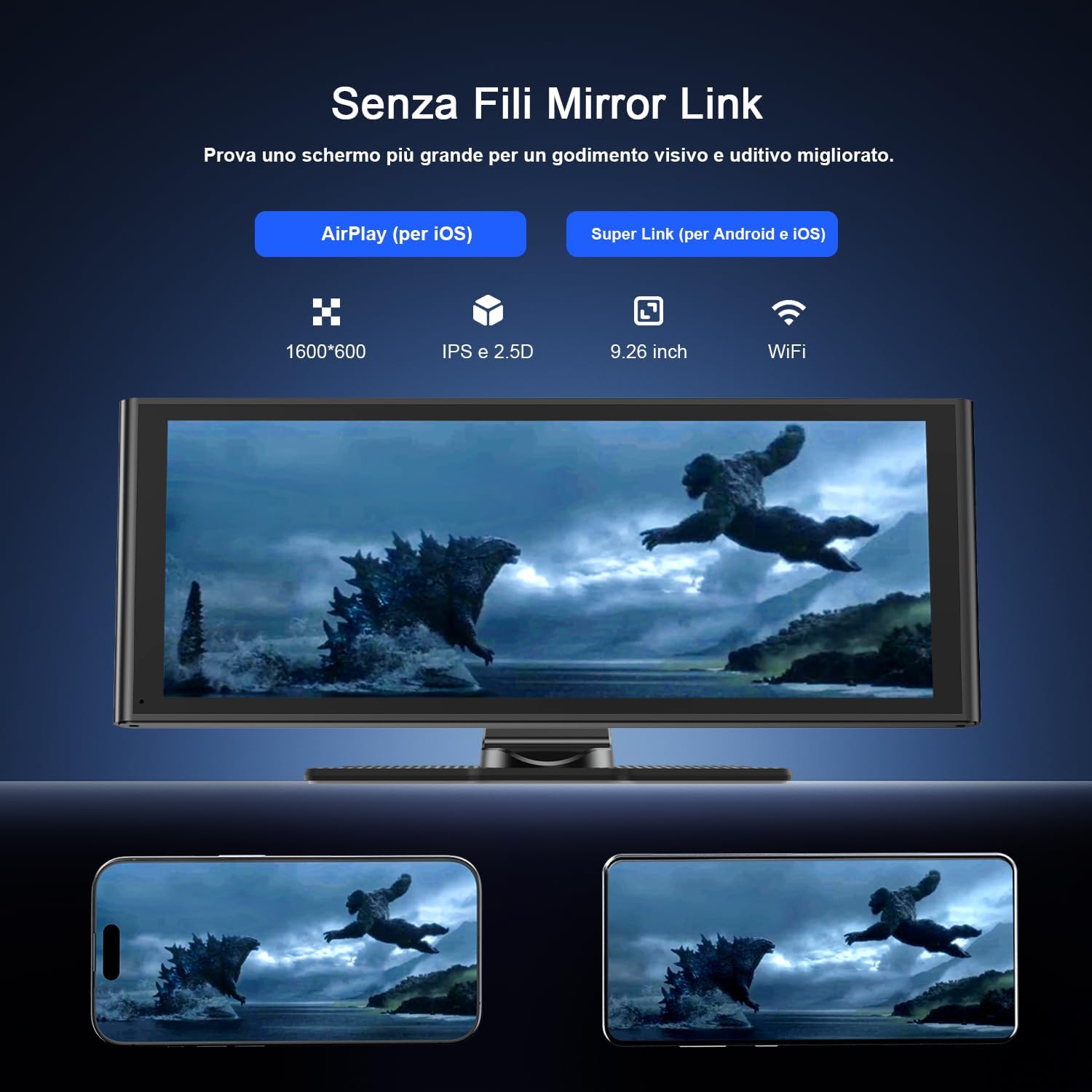
Image: The Mirror Link feature in use, displaying a smartphone's content on the Avylet screen.
Modalità di uscita audio
The Avylet display offers multiple audio output options:
- Altoparlante incorporato: Per l'uscita audio diretta dall'unità.
- Bluetooth 5.0: Transmit audio to your car's speakers via Bluetooth (ensure your car has Bluetooth functionality).
- Uscita AUX: Connect via the provided AUX cable to your car's AUX input.
- Trasmettitore FM: Trasmetti l'audio alla radio FM della tua auto sintonizzandoti su una frequenza specifica.

Image: Visual representation of the four audio output methods available on the Avylet display.
Display and Split-Screen
The 9.26-inch IPS touchscreen with 1600x600 resolution provides clear visuals. The split-screen function allows simultaneous use of multiple applications, such as navigation and music playback.
Schermata di avvio personalizzabile
You can personalize the boot screen with your preferred image (car brand, family, pets, landscapes) by contacting service@avylet.com.
Manutenzione
Per garantire la longevità e le prestazioni ottimali del tuo display Avylet, segui queste linee guida per la manutenzione:
- Pulizia: Per pulire lo schermo, utilizzare un panno morbido e privo di lanugine. Non utilizzare detergenti abrasivi o solventi.
- Temperatura: Evitare di esporre il dispositivo a temperature estreme, sia calde che fredde.
- Magazzinaggio: Se si conserva il dispositivo per un periodo prolungato, scollegarlo dall'alimentazione e conservarlo in un luogo fresco e asciutto.
- Gestione dei cavi: Assicurarsi che tutti i cavi siano collegati saldamente e non siano schiacciati o tirati.
Risoluzione dei problemi
| Problema | Possibile causa | Soluzione |
|---|---|---|
| Il dispositivo non si accende. | Nessuna corrente dall'accendisigari; collegamento allentato. | Check the cigarette lighter socket for power. Ensure the power cable is securely plugged into both the device and the socket. |
| CarPlay/Android Auto wireless non si connette. | Bluetooth/Wi-Fi disattivati sul telefono; associazione errata; app non installata (Android Auto). | Ensure Bluetooth and Wi-Fi are enabled on your phone. Forget the device in your phone's Bluetooth settings and re-pair. For Android Auto, ensure the app is installed and updated. |
| Nessuna uscita audio. | Incorrect audio output mode selected; low volume; loose AUX cable. | Check the selected audio output mode (built-in speaker, Bluetooth, AUX, FM). Increase volume on both the device and your car stereo. Ensure AUX cable is fully inserted. For FM, verify the frequency matches. |
| Rear camera image not appearing. | Red wire not connected to reverse light; camera cable loose. | Verify the red wire from the camera is correctly connected to the vehicle's reverse light positive lead. Check all camera cable connections. |
Specifiche
| Caratteristica | Dettaglio |
|---|---|
| Marca | Avylet |
| Produttore | AVYLET |
| Modello | RC06HL |
| Dimensioni del prodotto | 24.7 x 9.7 x 2.4 cm; 399 grammi |
| Numero modello articolo | RC06HL |
| Numero articolo | RC06HL-V2 |
| Dispositivi compatibili | Smartphone |
| Caratteristiche aggiuntive | Android Auto, Apple CarPlay, Integrated Wi-Fi, Integrated Bluetooth, GPS Navigation |
| Componenti inclusi | 1* Extension Cable+4* Cable Ties, 1* Car Charger+1* AUX Cable+1* Plastic Pry Tool+1* Screwdriver, 1* 3M Mount+1* 3M Mount Adhesive Tape, 1* 9.26-inch Carplay Display, 1* Extension Adhesive Tape+2* Extension Mount Screws |
| Numero di articoli | 1 |
| Modalità di uscita audio | Stereo, Surround |
| Tipo di uscita audio | Headphones, Speaker, Bluetooth, HDMI |
| Configurazione Surround | 5.1 |
| Batterie incluse? | NO |
| Batterie richieste | NO |
| Tipo di connettore | Bluetooth, Wi-Fi, AUX |
| Peso dell'articolo | 399 grammi |
| Aggiornamenti software garantiti fino al | Sconosciuto |
| ASIN | B0DM25JNBJ |
| Prezzo medio del clienteview | 4.6 stelle su 5 (531 valutazioni) |
| Classifica dei bestseller di Amazon | No. 3,245 in Electronics; No. 6 in Car Stereos |
| Restrizioni di spedizione | This item complies with export regulations for selected countries outside the European Union. |
| Data prima disponibilità | 11 novembre 2024 |
| Tecnologia di connettività | Bluetooth, Wi-Fi, AUX |
| Tipo di controllore | iOS, Android |
| Caratteristica speciale | Android Auto, Apple CarPlay, Integrated Wi-Fi, Integrated Bluetooth, GPS Navigation |
| Porte HDMI totali | 1 |
| Configurazione del canale audio surround | 5.1 |
| Codifica video | H.264, H.265/HEVC |
| Colore | nero |
Garanzia e supporto
For product support, technical assistance, or warranty inquiries, please contact Avylet customer service at service@avylet.com.
Per i termini e le condizioni di garanzia specifici, fare riferimento alla documentazione di acquisto.
Ask a question about this manual
Ask about setup, troubleshooting, compatibility, parts, safety, or missing instructions. Manuals+ will review the question and use this page’s manual context to help answer it.