
1. Introduzione
The Zyxel XGS1935-52 is a high-performance 48-port Gigabit Ethernet Smart Managed Switch designed for modern network environments. It features 4 10G SFP+ uplink slots, offering flexible high-bandwidth connectivity. This switch supports both standalone management via an intuitive web browser interface and cloud management through the Zyxel Nebula ecosystem, providing a unified network experience for wired, wireless, and security gateways. Its compact and quiet design makes it suitable for various work environments.
Le caratteristiche principali includono:
- Integrated 10G SFP+ uplinks for high-bandwidth applications.
- Nebula ecosystem for unified cloud network management.
- Standalone management with an intuitive web interfaccia del browser.
- User-friendly configuration wizard for VLAN, QoS, and link aggregation.
- Compact and quiet design for versatile deployment.
2. Impostazione
2.1 Unboxing e componenti inclusi
Carefully unpack the switch and verify that all components are present. The package should contain:
- Zyxel XGS1935-52 Smart Managed Switch
- Cavo di alimentazione
- Rack mounting kit (if applicable, check packaging)
- Guida rapida (fare riferimento a questo manuale per istruzioni dettagliate)
2.2 Installazione fisica
Choose a suitable location for the switch. Ensure adequate ventilation and maintain a stable operating temperature. The switch can be placed on a desktop or mounted in a standard 19-inch equipment rack using the provided mounting kit.
Posizionamento sul desktop: Place the switch on a flat, stable surface. Ensure there is enough space around the switch for proper airflow.
Montaggio su rack: Attach the rack-mounting brackets to the sides of the switch using the screws provided. Secure the switch into the rack using appropriate rack screws.
2.3 Collegamento dello switch
- Collegamento elettrico: Connect the power cable to the AC input port on the rear panel of the switch and then to a grounded power outlet.
- Le connessioni di rete: Connect your network devices (computers, servers, access points, etc.) to the Gigabit Ethernet ports (RJ45) on the front panel using standard Ethernet cables. For high-speed uplinks, insert compatible SFP+ transceivers into the 10G SFP+ slots and connect fiber optic cables as needed.

Figure 1: Rear panel of the Zyxel XGS1935-52 switch, illustrating the AC input port and grounding point for power connection.

Figura 2: Fronte view of multiple Zyxel switches, demonstrating the Gigabit Ethernet ports and 10GbE SFP+ uplink slots for flexible high-speed connections.
2.4 Accesso alla configurazione iniziale
The switch can be managed in two primary modes: Standalone (local web GUI) or Hybrid Cloud (Zyxel Nebula).
- Modalità autonoma: Connect a computer directly to any Ethernet port on the switch. Open a web browser and enter the default IP address (refer to the Quick Start Guide or Zyxel support website for the default IP). Log in with the default credentials to access the web interfaccia di gestione.
- Hybrid Cloud Mode (Nebula): Register your switch with the Zyxel Nebula cloud platform. This allows for centralized management of your network devices from anywhere. Refer to the Nebula documentation for detailed setup instructions.
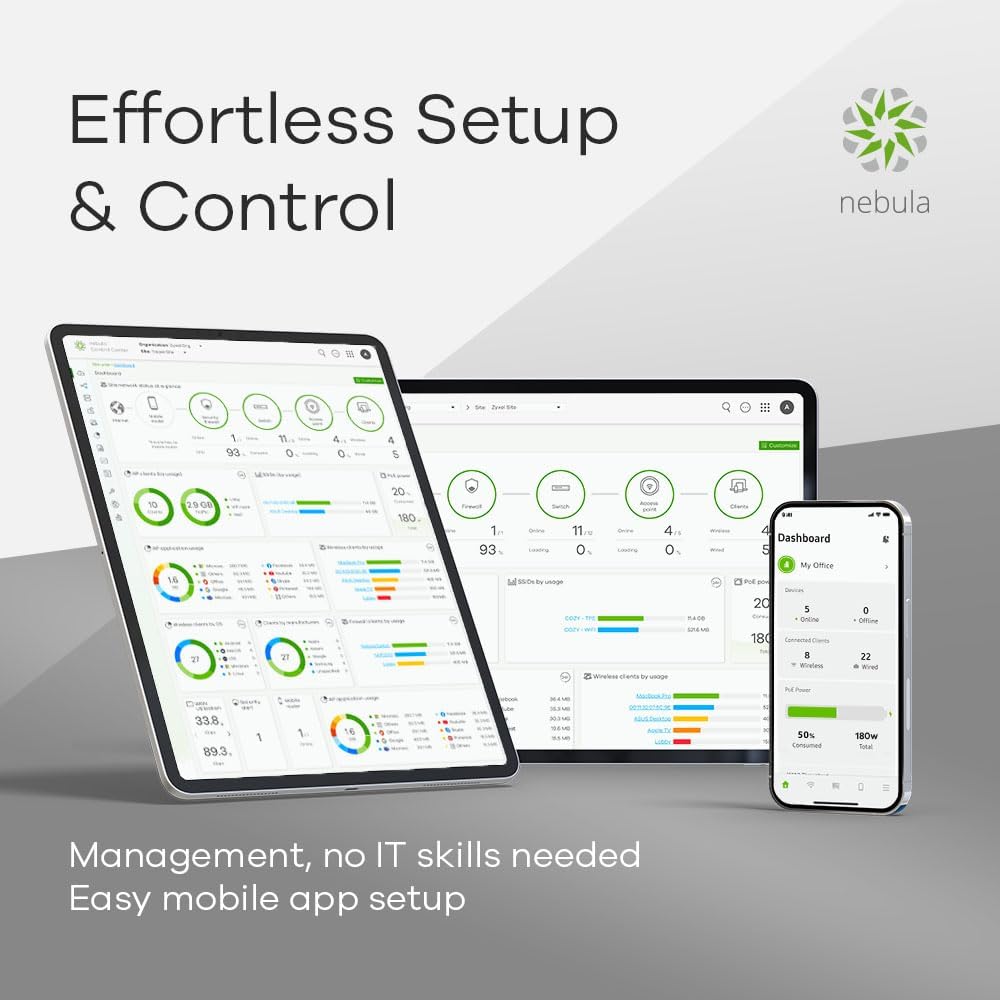
Figure 3: Nebula dashboard interface on a tablet and laptop, showcasing the cloud management capabilities for effortless setup and control.
3. Funzionamento dell'interruttore
3.1 Funzionamento di base
Once powered on, the switch will perform a self-test. The LED indicators on the front panel will show the status of the power, system, and individual ports. Refer to the LED status section in the full user guide for detailed explanations of each indicator.
3.2 Connettività di rete
The 48 Gigabit Ethernet ports provide high-speed connectivity for your wired devices. The 4 10G SFP+ slots are designed for high-bandwidth uplinks to core switches, servers, or other network segments requiring faster data transfer rates.
3.3 Smart Management Features
The Zyxel XGS1935-52 offers advanced management capabilities:
- Web Interfaccia di gestione: Accedi allo switch web GUI for detailed configuration of network settings, port management, security features, and monitoring.
- Gestione del cloud Nebula: For centralized control and monitoring of multiple Zyxel devices, utilize the Nebula cloud platform. This allows for remote configuration, firmware updates, and network analytics.
- Configuration Wizard: An intuitive setup wizard simplifies complex configurations such as VLANs (Virtual Local Area Networks), QoS (Quality of Service), and Link Aggregation (LAG). This step-by-step process allows for quick and efficient network optimization.

Figure 4: The intuitive setup wizard on a laptop and tablet, demonstrating simplified configuration for VLAN and QoS settings.

Figure 5: The Zyxel switch in an office setting, highlighting its 375W power budget and 802.3at PoE+ support for powering compatible devices.
4. Manutenzione
4.1 Aggiornamenti firmware
Controllare regolarmente il supporto Zyxel website for the latest firmware updates. Firmware updates can provide new features, performance improvements, and security patches. Follow the instructions provided with the firmware download for the update process. For Nebula-managed switches, firmware updates can often be managed directly through the Nebula cloud platform.
4.2 Pulizia
To maintain optimal performance, periodically clean the exterior of the switch with a soft, dry cloth. Do not use liquid or aerosol cleaners directly on the device. Ensure ventilation openings are free from dust and obstructions.
4.3 Considerazioni ambientali
Ensure the switch operates within its specified temperature and humidity ranges. Avoid exposing the device to direct sunlight, excessive heat, or moisture. The noiseless design contributes to stable operation in various environments.
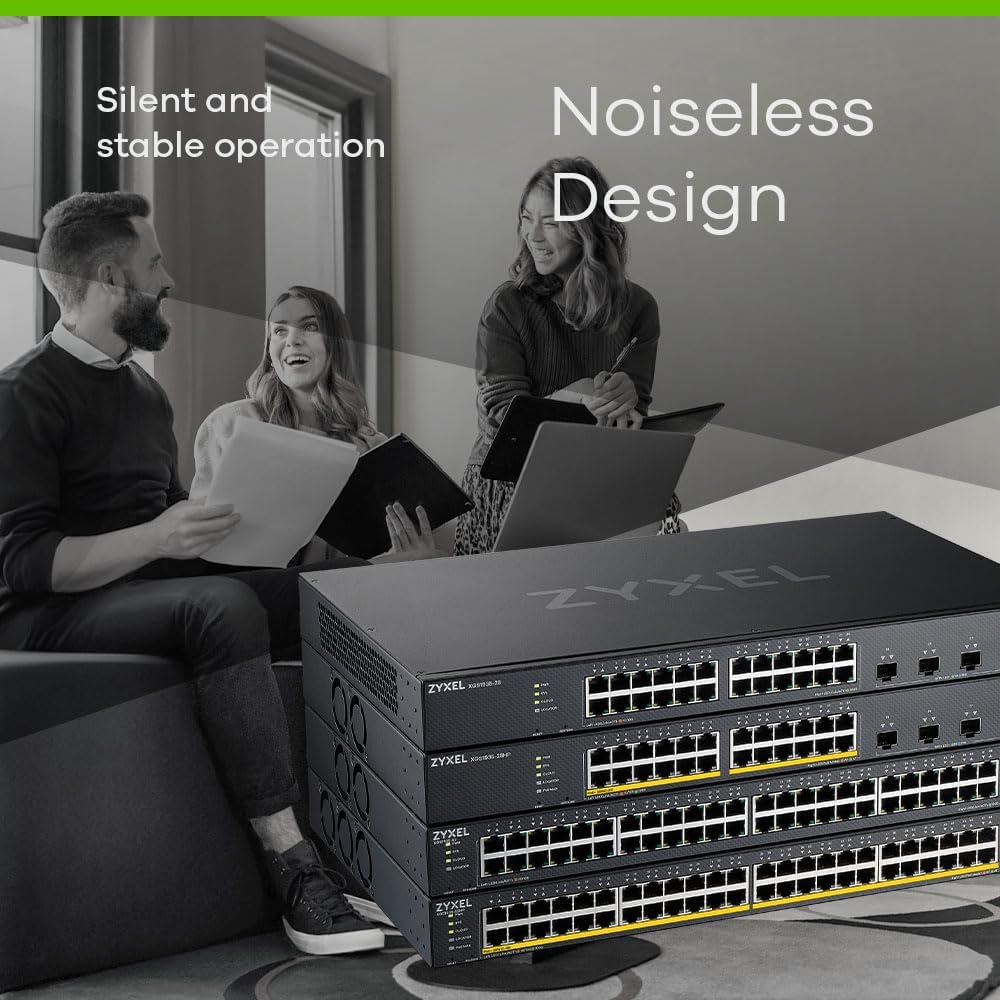
Figure 6: Zyxel switches in an office setting, illustrating their silent and stable operation, ideal for quiet work environments.
5. Risoluzione Dei Problemi
5.1 Problemi comuni e soluzioni
- Nessun potere: Ensure the power cable is securely connected to both the switch and the power outlet. Verify the power outlet is functional.
- Nessuna connettività di rete: Check the Ethernet cables for secure connections. Verify the link/activity LEDs on the switch ports are illuminated. Ensure connected devices are powered on and configured correctly.
- Prestazioni lente: Check for network congestion. Verify duplex settings on connected devices. Ensure firmware is up to date. Consider using the 10G SFP+ uplinks for high-traffic segments.
5.2 Indicatori LED
The front panel LEDs provide visual status of the switch. Consult the full product manual for a detailed description of each LED's behavior (e.g., solid green for link, blinking for activity, amber for specific status).
5.3 Ripristino del dispositivo
If the switch is unresponsive or you need to revert to factory default settings, a reset option is available. Refer to the full user manual for instructions on performing a factory reset, as this will erase all custom configurations.
6. Specifiche
| Caratteristica | Specificazione |
|---|---|
| Marca | ZYXEL |
| Numero di modello | XGS1935-52 |
| Numero di porte | 48 Gigabit Ethernet, 4 SFP+ da 10G |
| Componenti inclusi | Cavo di alimentazione |
| Colore | Nero |
| Dispositivi compatibili | Desktop, Laptop, Stampante |
| Interfaccia | RJ45, SFP+ |
| Velocità di trasferimento dati | 1000 Megabit al secondo (Gigabit Ethernet) |
| Tipo di interruttore | Gestito |
| Piattaforma | Zeta (Nebula Cloud) |
| Tipo di materiale della cassa | Plastica |
| Peso dell'articolo | 5038 grammi |
| Produttore | ZYXEL |
7. Garanzia e supporto
7.1 Garanzia del prodotto
Zyxel products typically come with a limited warranty. Please refer to the warranty card included with your product or visit the official Zyxel websito per termini e condizioni di garanzia dettagliati specifici per la tua regione e il tuo modello di prodotto.
7.2 Supporto tecnico
For technical assistance, troubleshooting, or further inquiries, please visit the official Zyxel support webluogo. Il website provides access to FAQs, knowledge bases, driver downloads, and contact information for technical support representatives.
Supporto Zyxel Websito: www.zyxel.com/support