
1. Finitaview
This manual provides instructions for the Eujgoov USB Mini Macro Keypad, a compact and customizable input device designed for various applications including gaming, industrial control, and general productivity. It features 4 programmable keys and 1 rotary knob, enhanced with RGB lighting for a personalized experience. The keypad connects via a USB-C data cable and offers onboard storage for settings, eliminating the need for re-configuration when switching devices.

Immagine: dall'alto verso il basso view of the Eujgoov USB Mini Macro Keypad, showing its compact design with four keys and a rotary knob. A user is visible in the background, demonstrating a typical work environment where the keypad can be used.
Caratteristiche principali:
- Connettività USB-C: Simple and reliable connection via a standard USB-C data cable.
- Funzioni personalizzabili: All 4 keys and the rotary knob can be programmed for various functions, including complex shortcuts and multimedia controls.
- Illuminazione RGB: Features upgradeable blue switches and RGB LED lighting for visual customization.
- Memoria interna: Settings are saved directly on the keypad, allowing for plug-and-play use across different devices without re-configuration.
- Collega e usa: Per le funzionalità di base non sono richiesti driver.
2. Impostazione
The Eujgoov USB Mini Macro Keypad is designed for easy setup, requiring no special drivers for basic operation. Follow these steps to connect your keypad.
Collegamento della tastiera:
- Locate the USB-C port on the back or side of the Eujgoov Mini Macro Keypad.
- Connect the provided USB-C data cable to the keypad's USB-C port.
- Plug the other end of the USB-C data cable into an available USB port on your computer or device.
- The keypad is plug-and-play; your operating system should automatically recognize it.
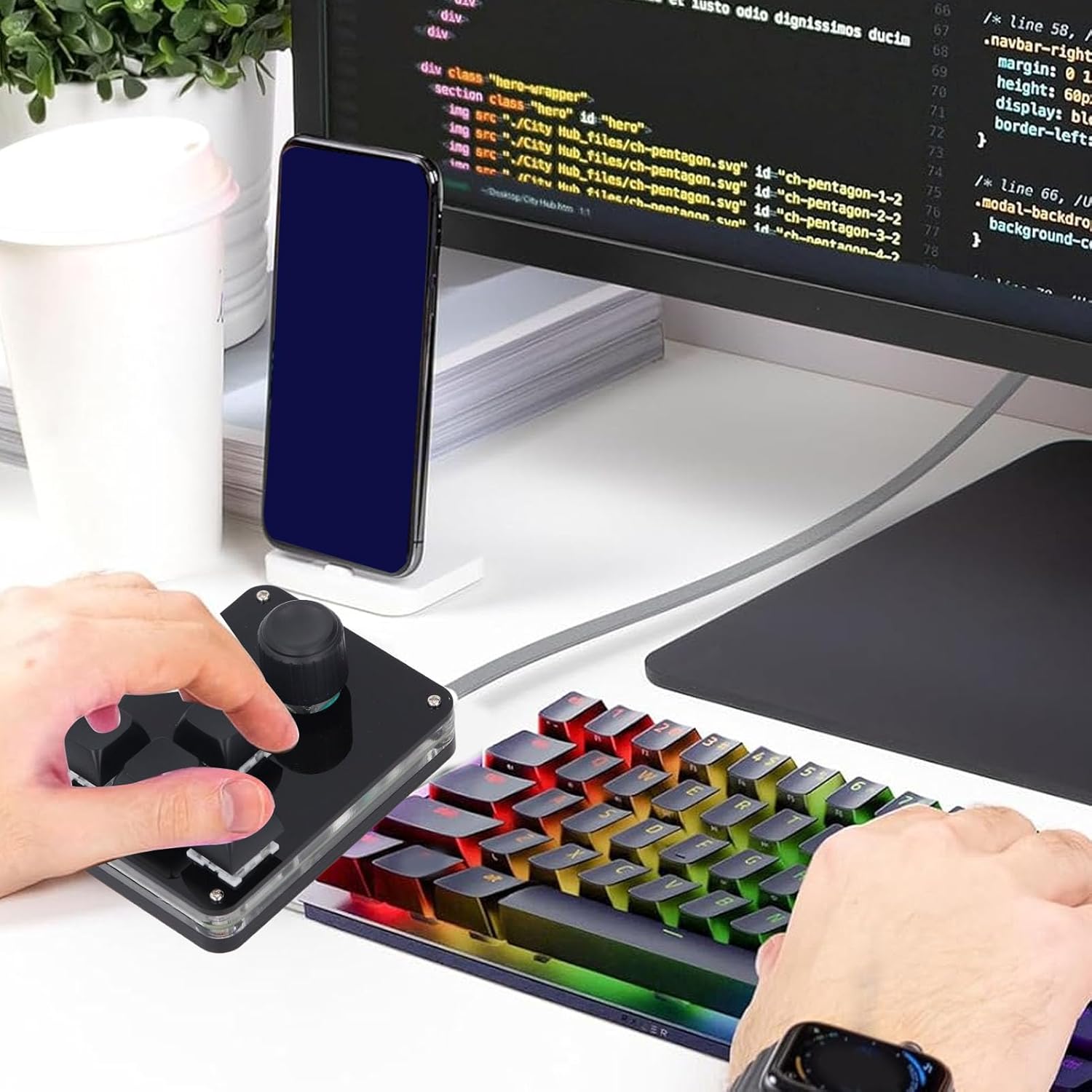
Image: The Eujgoov USB Mini Macro Keypad connected to a computer setup via its USB-C cable, demonstrating a typical connection scenario.

Immagine: un primo piano view of the Eujgoov USB Mini Macro Keypad, highlighting its USB-C port and the 'USB PLUG AND PLAY' feature, indicating ease of use without driver installation.
3. Istruzioni per l'uso
The Eujgoov USB Mini Macro Keypad offers extensive customization options for its keys and knob. This section details how to utilize and program its functions.
Customizing Key and Knob Functions:
The keypad features a special setting program that allows you to assign various functions to each of the 4 keys and the rotary knob. This program enables you to set complex combination shortcuts, multimedia controls, and more. Once configured, the settings are saved directly to the keypad's onboard storage, meaning you do not need to re-configure them when connecting to a different device.

Image: A screenshot of the customization software interface for the Eujgoov Macro Keypad, showing options to assign functions to keys and manage settings.
Refer to the software's user interface for detailed instructions on how to assign specific functions. Typically, you will select a key or knob action within the software and then assign a desired keyboard command, macro, or multimedia function.
Funzionalità multi-modale:
The keypad supports multiple modes, allowing for diverse applications. Exampincludono:
- Custom Multimedia Control: Assign volume adjustment, play/pause, next/previous track to the knob or keys.
- One-Click Game Actions: Program complex in-game commands or macros to a single key.
- One-Key Password/Text Input: Store frequently used text strings or passwords for quick input.
- Copy/Paste Functions: Assign common editing commands for efficiency.
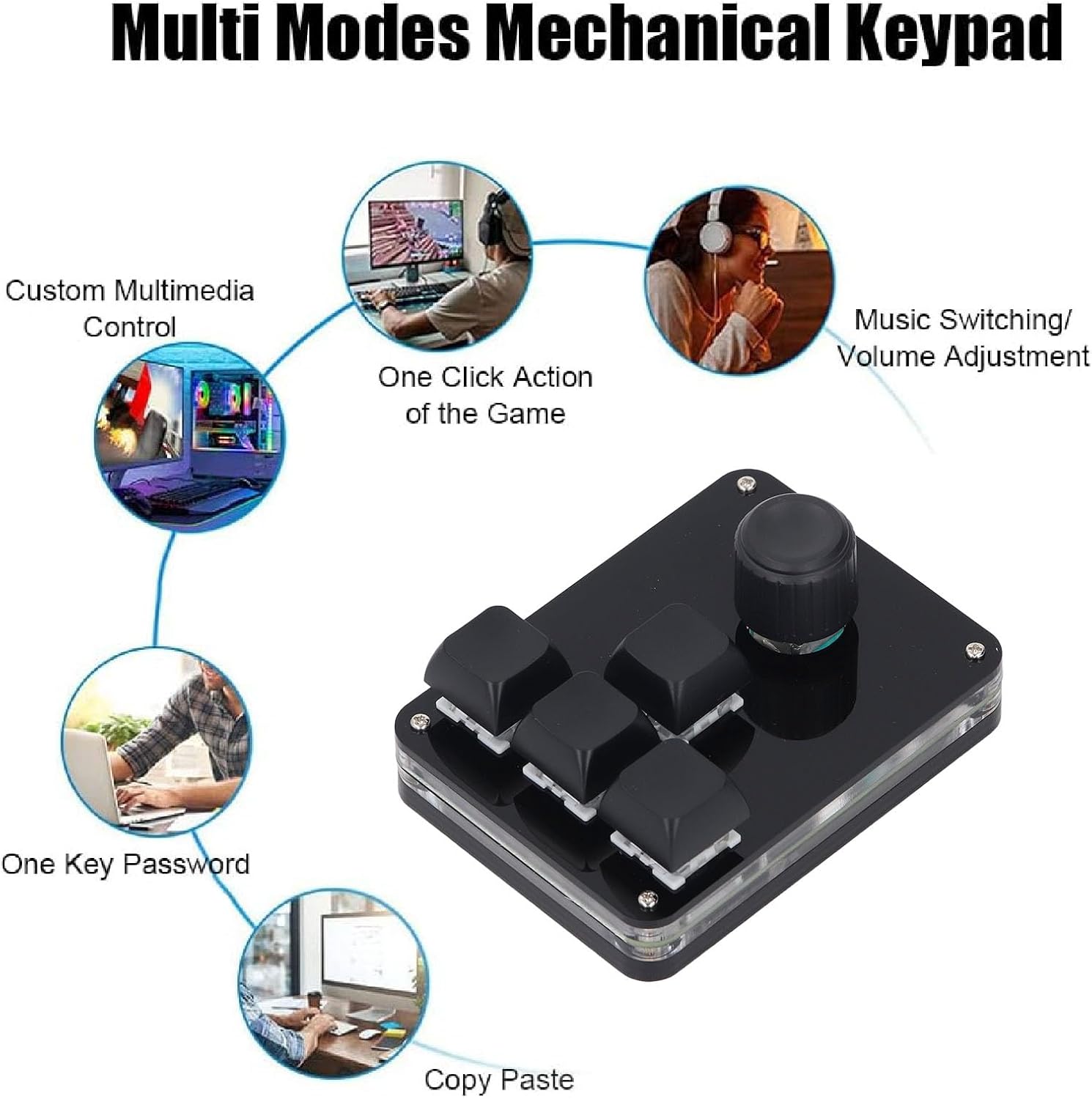
Image: A diagram illustrating various multi-mode functions of the mechanical keypad, such as custom multimedia control, one-click game actions, one-key password, and copy/paste, demonstrating its versatility.
Illuminazione RGB:
The keypad features RGB LED lighting. The customization software allows you to switch between various lighting effects and colors to match your preference or setup.
4. Manutenzione
Proper care and maintenance will ensure the longevity and optimal performance of your Eujgoov USB Mini Macro Keypad.
Pulizia:
- Prima di pulirlo, scollegare la tastiera dal computer.
- Use a soft, dry cloth to wipe down the surface of the keypad.
- Per sporco ostinato, leggermente dampPulire il panno con acqua o con un detergente delicato e non abrasivo. Evitare l'eccessiva umidità.
- Do not use harsh chemicals, solvents, or abrasive materials, as these can damage the finish or internal components.
- Utilizzare aria compressa per rimuovere polvere e detriti dagli spazi tra i tasti.
Magazzinaggio:
Quando non viene utilizzata, conservare la tastiera in un ambiente pulito e asciutto, lontano dalla luce solare diretta e da temperature estreme.
5. Risoluzione Dei Problemi
If you encounter issues with your Eujgoov USB Mini Macro Keypad, refer to the following troubleshooting steps.
Problemi comuni e soluzioni:
- La tastiera non risponde:
- Ensure the USB-C cable is securely connected to both the keypad and your computer.
- Prova a collegare la tastiera a una porta USB diversa del computer.
- Test the keypad on another computer to rule out a system-specific issue.
- Riavvia il computer.
- Custom Functions Not Working:
- Verify that the customization software is running and that your settings have been saved to the keypad.
- Ensure there are no conflicts with other software or system settings that might override the keypad's functions.
- If using a new device, confirm that the settings were successfully transferred from the keypad's onboard memory.
- Luci RGB non funzionanti:
- Check the customization software for lighting settings and ensure they are enabled.
- Ensure the keypad is receiving sufficient power from the USB port.
- Keypad Disconnects Randomly:
- Prova a utilizzare un cavo USB-C diverso per escludere che si tratti di un cavo difettoso.
- Connect to a different USB port, preferably a direct port on your motherboard if using a desktop, or a powered USB hub.
6. Specifiche
Detailed technical specifications for the Eujgoov USB Mini Macro Keypad.
| Caratteristica | Specificazione |
|---|---|
| Marca | Eujgoov |
| Nome del modello | Eujgoovng8pzke5d1 |
| Tecnologia di connettività | USB-C |
| Descrizione della tastiera | Meccanico |
| Tipo di interruttore | Blue switch (upgradeable) |
| Illuminazione | LED RGB |
| Chiavi | 4 |
| Manopole | 1 |
| Materiale | Acrilico |
| Volume di lavorotage | 5V 1A |
| Dimensioni (LxP) | Circa 88 x 65 mm / 3.46 x 2.56 pollici |
| Non-slip Features | Equipped with 4 non-slip foot mats |

Image: A technical diagram illustrating the physical dimensions of the Eujgoov USB Mini Macro Keypad, showing its length (88mm / 3.46in) and width (65mm / 2.56in).
7. Garanzia e supporto
Specific warranty information for the Eujgoov USB Mini Macro Keypad is not provided in this manual. For details regarding warranty coverage, returns, or technical support, please refer to the product's packaging, the retailer's policy where the item was purchased, or contact Eujgoov customer service directly.
Si consiglia di conservare la prova d'acquisto per eventuali reclami in garanzia.