
1. Prodotto finitoview
The Riokko YM119 OBD2 Scanner is a diagnostic tool designed for car owners to easily read and clear engine fault codes. It provides real-time data, freeze frame information, and supports various diagnostic functions for OBDII/EOBD compliant vehicles manufactured since 1996. Its intuitive interface and compact design make it suitable for both professional technicians and home users.

Figure 1.1: Riokko YM119 OBD2 Scanner. This image shows the main diagnostic tool with its color screen, control buttons, and the attached OBDII connector cable.
2. Configurazione e utilizzo iniziale
2.1 Contenuto della confezione
- Riokko YM119 OBD2 Scanner Unit
- Manuale dell'utente (questo documento)
2.2 Collegamento dello scanner
- Locate the vehicle's Data Link Connector (DLC). This is typically located under the dashboard on the driver's side.
- Ensure the vehicle's ignition is turned ON (engine can be off or running, depending on the test).
- Plug the OBDII connector of the YM119 scanner firmly into the vehicle's DLC. The scanner will power on automatically.
2.3 Selezione della lingua
The YM119 supports 13 national languages. To change the language:
- From the main menu, navigate to "Setting" using the arrow keys.
- Premere il tasto OK button to enter the Setting menu.
- Seleziona "Lingua" e scegli la lingua preferita dall'elenco.
- Premere OK per confermare la selezione.
3. Funzionamento dello scanner
3.1 pulsanti di navigazione
- USCITA: Returns to the previous screen or main menu.
- Frecce SU/GIÙ: Navigare attraverso le opzioni del menu.
- Frecce SINISTRA/DESTRA: Navigate through data screens or adjust settings.
- OK: Conferma la selezione o accede a un sottomenu.
- PIPISTRELLO: Initiates the battery voltage prova.

Figure 3.1: Main Menu and Professional Functions. This image illustrates the scanner's main menu interface and highlights its key diagnostic capabilities such as Engine Fault Diagnostics, Quick Clear Fault Code, Real-time Data Stream, and Battery Life Test.
3.2 Funzioni diagnostiche
From the main menu, select "Diagnosis" to access the primary diagnostic functions.

Figure 3.2: OBD II Diagnostic Test Items. This image shows the comprehensive list of diagnostic tests available on the scanner, from reading and erasing codes to advanced sensor and component tests.
3.2.1 Leggi codici
Questa funzione recupera i codici diagnostici di guasto (DTC) dal computer del veicolo. Questi codici indicano problemi specifici rilevati dal sistema diagnostico di bordo del veicolo.
- Select "Read Codes" from the Diagnosis menu.
- Lo scanner visualizzerà tutti i DTC memorizzati, in sospeso o permanenti.
- Utilizzare il SU/GIÙ arrows to scroll through the codes.
- For detailed information on a specific code, use the "DTC Lib" function or refer to a reliable automotive repair database.
3.2.2 Cancella codici
This function erases DTCs from the vehicle's computer and turns off the Malfunction Indicator Lamp (MIL), nota anche come spia di controllo del motore. Note: Clearing codes does not fix the underlying problem. The MIL will illuminate again if the fault persists.

Figure 3.3: Check and Turn Off Engine Light. This image demonstrates the scanner's ability to diagnose and clear engine fault codes, effectively turning off the Check Engine Light on the vehicle's dashboard.
- Select "Erase Codes" from the Diagnosis menu.
- Quando richiesto, confermare l'azione.
- The MIL should turn off.
3.2.3 Real-time Data (Live Data Stream)
View real-time sensor data from the vehicle's engine control unit (ECU). This data can be displayed in text or graphical format, allowing for dynamic monitoring of vehicle performance.
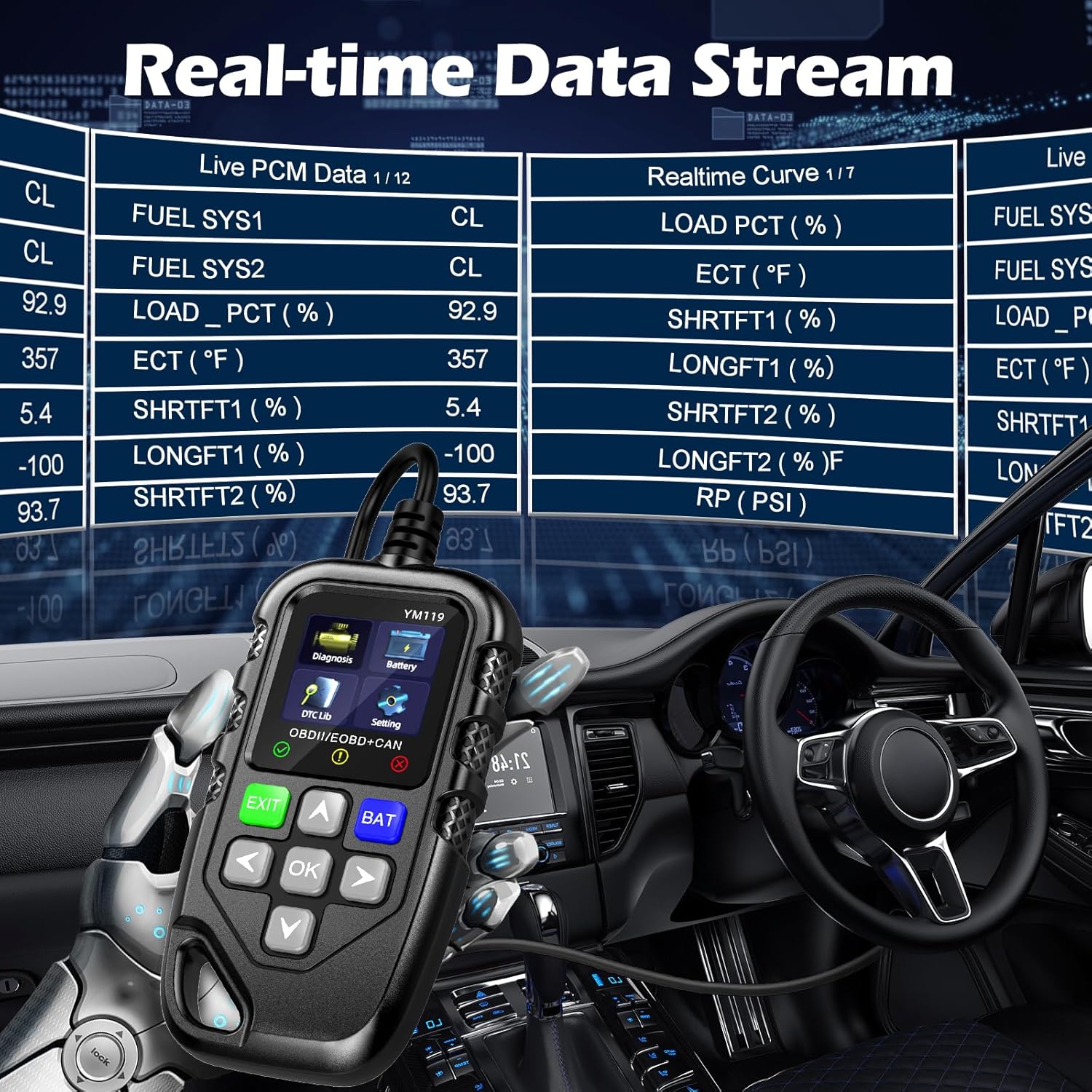
Figure 3.4: Real-time Data Stream. This image shows the scanner's capability to display live engine data, including various sensor readings and their corresponding real-time curves, aiding in dynamic vehicle diagnostics.
- Select "Live Data" or "Realtime Curve" from the Diagnosis menu.
- Utilizzare il SU/GIÙ arrows to scroll through different data parameters.
- Utilizzare il SINISTRA/DESTRA arrows to switch between text and graph views (if available for the parameter).
3.2.4 Congelare i dati del frame
When an emission-related fault occurs, the vehicle's computer records a snapshot of operating conditions at the time of the fault. This "freeze frame" data helps in diagnosing intermittent problems.
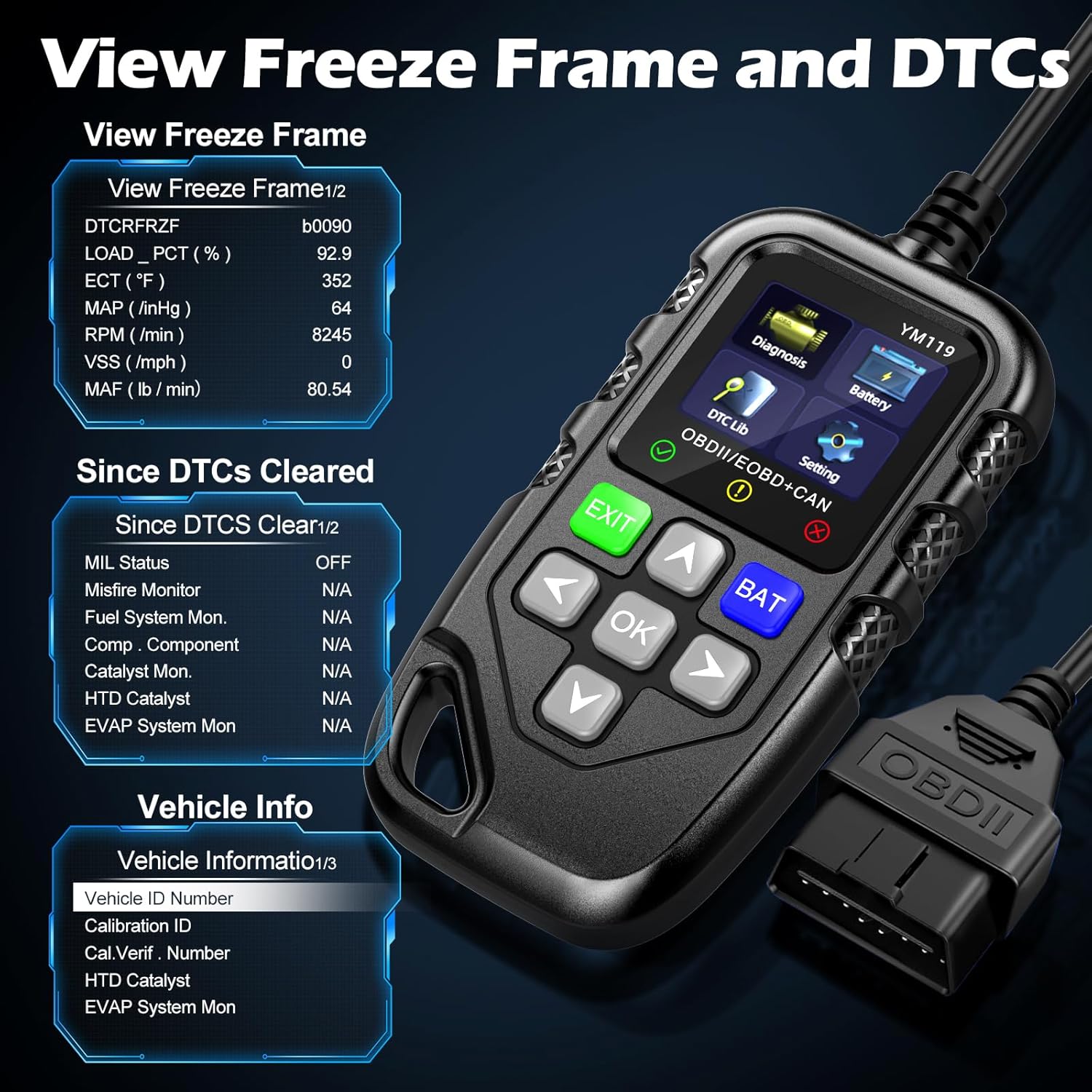
Figura 3.5: View Freeze Frame and DTCs. This image displays the scanner's ability to capture and show freeze frame data, which provides a snapshot of engine conditions at the moment a fault code was set, aiding in diagnosis.
- Seleziona "View Freeze Frame" from the Diagnosis menu.
- Review the recorded parameters.
3.2.5 DTC Query (DTC Lib)
The built-in DTC Library allows you to look up definitions for generic (P0, P2, P34, B0, C0, U0) and manufacturer-specific (P1, P30-P33, B1, C1, U1) codes.
- From the main menu, select "DTC Lib".
- Inserire il codice DTC utilizzando i tasti freccia e OK pulsante.
- Lo scanner visualizzerà la definizione del codice.
3.2.6 Prontezza I/M
This function checks the readiness of the emission-related monitoring systems on the vehicle. It's useful for determining if the vehicle is ready for an emissions test.
- Select "I/M Readiness" from the Diagnosis menu.
- The scanner will display the status of various monitors (e.g., Misfire Monitor, Fuel System Monitor). "OK" indicates the monitor has completed its test, "INC" indicates incomplete, and "N/A" indicates not applicable.
3.2.7 Volume batteriatage Prova
The YM119 can perform a basic battery voltage test to assess the vehicle's battery health.

Figure 3.6: Estimate Battery Life Test. This image shows the scanner's dedicated function for monitoring and assessing the vehicle's battery voltage and overall health.
- From the main menu, select "Battery" or press the PIPISTRELLO pulsante.
- Lo scanner visualizzerà il volume attuale della batteriatage.
3.2.8 Informazioni sul veicolo
Questa funzione recupera il numero di identificazione del veicolo (VIN), l'ID di calibrazione (CALID) e il numero di verifica della calibrazione (CVN) del veicolo.
- Select "Vehicle Info" from the Diagnosis menu.
- Lo scanner visualizzerà le informazioni disponibili sul veicolo.
4. Manutenzione
4.1 Pulizia del dispositivo
To maintain the scanner's performance and appearance:
- Pulire l'unità con un panno morbido, damp stoffa.
- Non utilizzare detergenti abrasivi o solventi.
- Assicurarsi che il dispositivo sia asciutto prima di riporlo.
4.2 Conservazione
Store the scanner in a clean, dry environment away from extreme temperatures and direct sunlight. Keep the OBDII connector free from dust and debris.
5. Risoluzione Dei Problemi
| Problema | Possibile causa | Soluzione |
|---|---|---|
| Lo scanner non si accende. |
|
|
| Messaggio "Errore di collegamento" o "Errore di comunicazione". |
|
|
| Engine light reappears after clearing codes. | Underlying fault has not been repaired. | Clearing codes only turns off the light; it does not fix the problem. Diagnose and repair the underlying issue before clearing codes again. |
| Inaccurate or missing data readings. |
|
|
6. Specifiche
| Caratteristica | Dettaglio |
|---|---|
| Numero di modello | AE0004L (YM119) |
| Marca | Riokko |
| Dimensioni dello schermo | 2.8 pollici |
| Protocolli supportati | Nine standard OBDII/EOBD protocols |
| Lingue supportate | 13 lingue nazionali |
| Peso dell'articolo | 7.8 once (circa 221 grammi) |
| Dimensioni del pacco | 8.11 x 5.35 x 1.14 pollici (circa 20.6 x 13.6 x 2.9 cm) |
| Prima data disponibile | 16 ottobre 2024 |
7. Garanzia e supporto
7.1 Informazioni sulla garanzia
The Riokko YM119 OBD2 Scanner comes with a Garanzia di 3 anno dalla data di acquisto. Questa garanzia copre difetti di materiali e lavorazione in condizioni di normale utilizzo.
7.2 Politica di restituzione
A Politica di reso senza domande entro 30 giorni is offered for your purchase. Please refer to your retailer's specific return instructions.
7.3 Assistenza clienti
For technical assistance, warranty claims, or any other inquiries, please contact Riokko customer service. Servizio clienti 24 ore su 7, XNUMX giorni su XNUMX è disponibile ad assisterti.
Please visit the official Riokko websito o fare riferimento alla confezione del prodotto per le informazioni di contatto più aggiornate.