
1. Configurazione e installazione
The DYONDER Wired PC Game Controller is designed for easy setup across multiple platforms. Follow these steps to get started:
1.1 Ampia compatibilità
This controller is compatible with a variety of systems, including:
- Windows (Vista, 7, 8, 10, 11)
- PlayStation 3 (PS3)
- Android TV Box (Android 4.0 or higher with OTG function)
- Tesla
1.2 Plug & Play System
The controller features a simple Plug & Play system. No drivers are typically required for most compatible devices. Simply connect the controller to your device's USB port.
The integrated USB cable is 2 meters long, allowing for comfortable gaming from a distance.

Image: The controller supports multiple platforms, including Android and Windows 10/8/7.
2. Istruzioni per l'uso
Familiarize yourself with the controller's features and functions for an optimal gaming experience.
2.1 Disposizione del controllore
The DYONDER controller features a standard layout with clearly labeled buttons and joysticks.
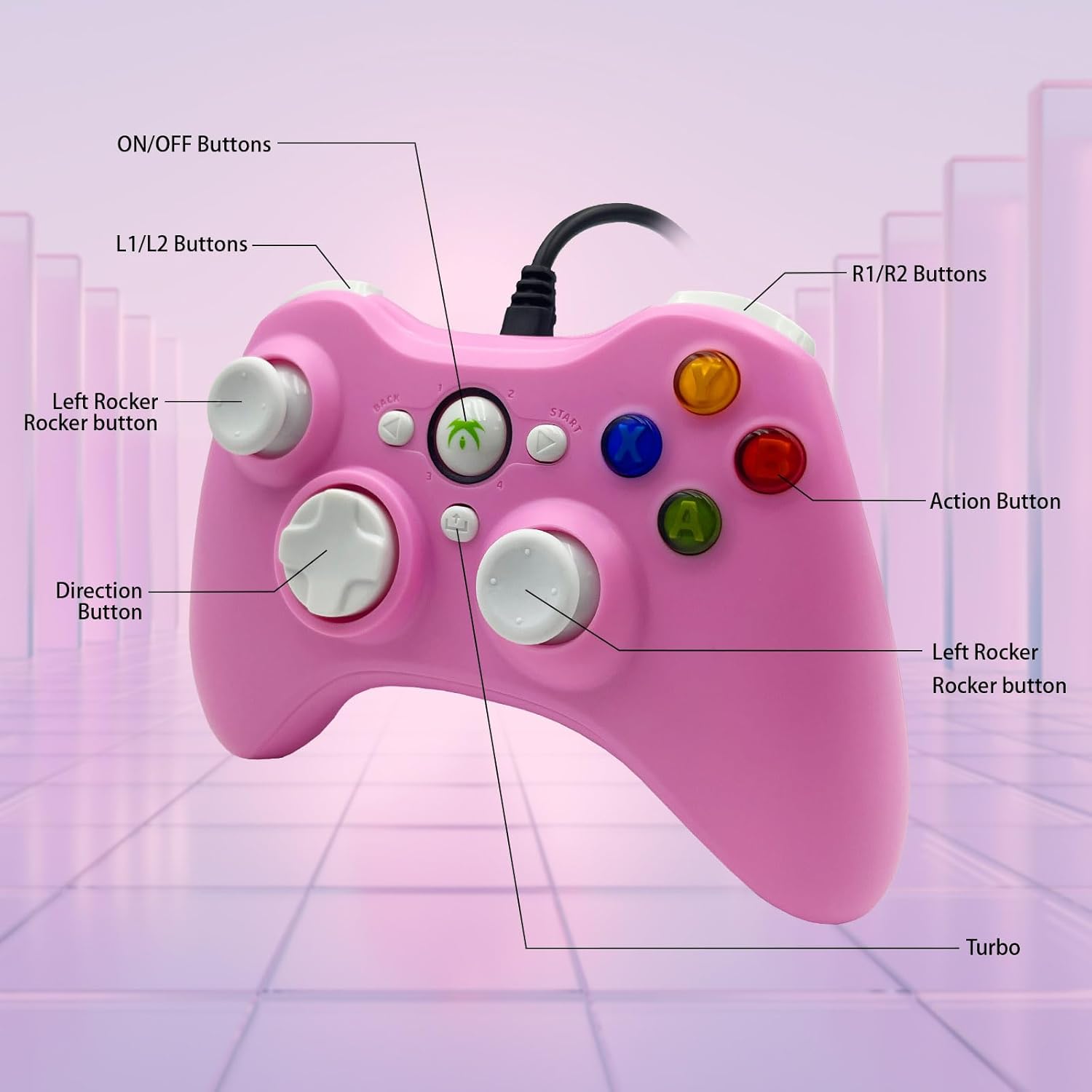
Image: Detailed diagram illustrating the various buttons and their labels on the controller, including ON/OFF, L1/L2, R1/R2, Left Rocker, Direction Button, Action Buttons, and Turbo button.
2.2 Funzione Turbo
The Turbo function allows for rapid-fire input of a designated button, reducing repetitive presses and giving you an advantage nei giochi frenetici.
- Per attivare Turbo: tenere premuto il tasto Turbo button, then press the desired action button (e.g., A, B, X, Y). The button will now rapidly fire when held.
- Per disattivare Turbo: tenere premuto il tasto Turbo nuovamente il pulsante, quindi premere lo stesso pulsante di azione.

Image: The Turbo button is highlighted, indicating its function for rapid-fire input.
2.3 Immersive Vibration Feedback
The controller is equipped with two vibrating motors located in the side grips. These motors provide clear feedback, enhancing the immersion and realism of your gaming experience by reacting to in-game events.
2.4 Ergonomic Design and Joysticks
The asymmetrical joystick design is ergonomically crafted for the most comfortable thumb position, ensuring an optimal feel during extended gaming sessions.
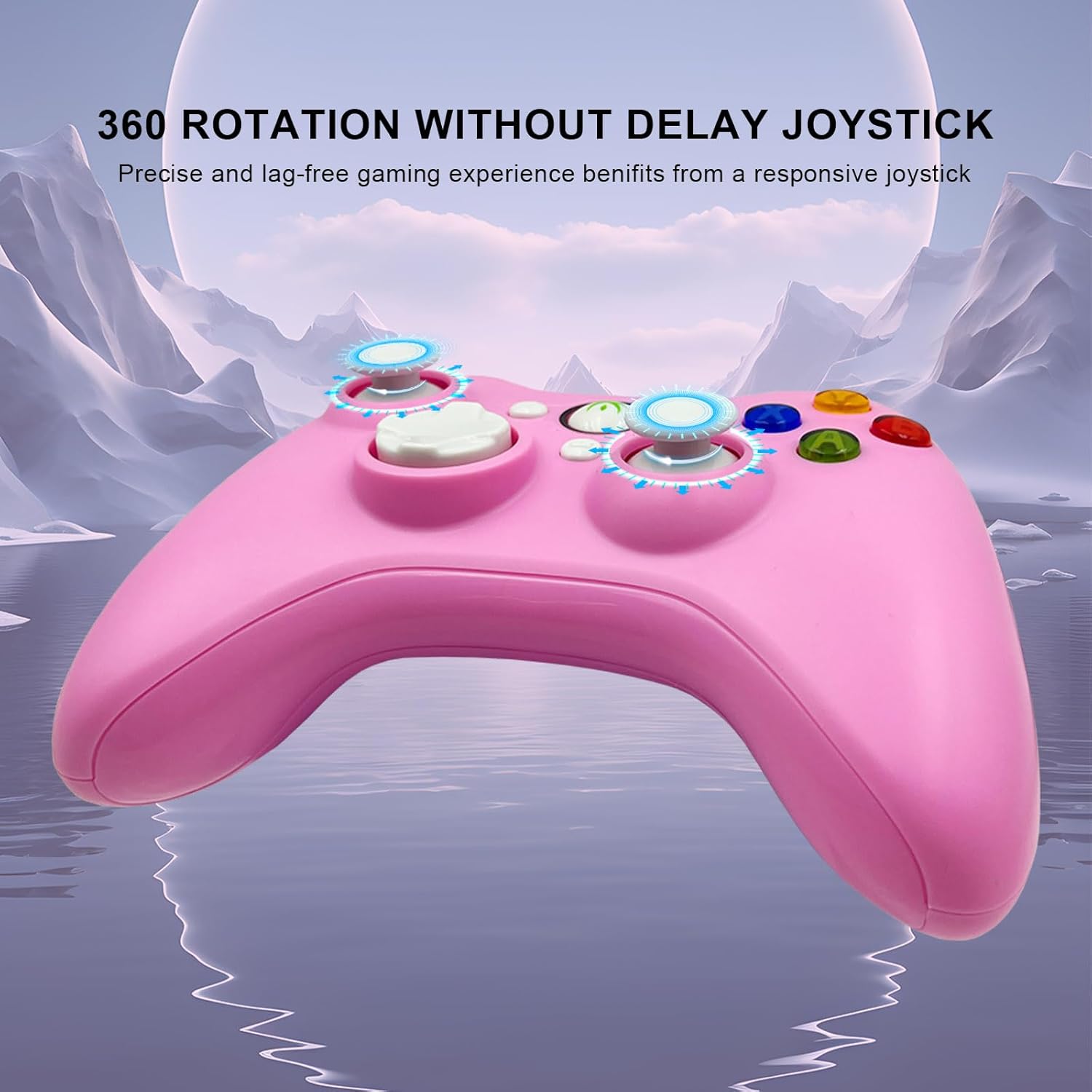
Image: The joysticks are designed for 360-degree rotation without delay, providing precise and lag-free gaming.
2.5 Trigger lineari Hall
The Hall linear triggers provide precise and responsive input, particularly beneficial for racing games where nuanced acceleration and braking are crucial.

Image: The Hall linear triggers are shown, emphasizing their benefit for racing games.
3. Manutenzione
Proper care and maintenance will extend the lifespan of your DYONDER Wired PC Game Controller.
- Pulizia: Utilizzare un panno morbido e asciutto per pulire il controller. Per lo sporco ostinato, leggermente dampLavare il panno con acqua. Evitare l'uso di prodotti chimici aggressivi o detergenti abrasivi.
- Magazzinaggio: Conservare il controller in un luogo fresco e asciutto, lontano dalla luce solare diretta e da temperature estreme. Evitare di avvolgere il cavo troppo stretto per evitare danni.
- Gestione: Do not drop the controller or expose it to excessive force, as this can damage internal components.
4. Risoluzione Dei Problemi
Se riscontri problemi con il controller, fai riferimento alle seguenti soluzioni comuni:
- Controller non riconosciuto:
- Assicurarsi che il cavo USB sia collegato saldamente sia al controller che al dispositivo.
- Try plugging the controller into a different USB port on your device.
- Riavvia il computer o la console di gioco.
- For Android devices, ensure OTG functionality is enabled and your device supports it.
- Pulsanti o joystick non rispondono:
- Test the controller on a different game or application to rule out software-specific issues.
- Assicurarsi che non vi siano detriti incastrati attorno ai pulsanti o ai joystick.
- If using on PC, check your game's controller settings to ensure it's properly configured.
- Vibrazione non funzionante:
- Verifica che il gioco a cui stai giocando supporti il feedback tramite vibrazione.
- Controlla le impostazioni di gioco per assicurarti che la vibrazione sia abilitata.
- Some older systems or emulators may not fully support vibration features.
Importante: If you encounter any persistent problems, please contact the seller for assistance before attempting to return the item.
5. Specifiche
| Caratteristica | Dettaglio |
|---|---|
| Numero di modello | B0DD613G32 |
| Connettività | USB cablato |
| Lunghezza del cavo | 2 metri |
| Vibration feedback | Doppi motori |
| Caratteristiche speciali | Turbo Function, Hall Linear Triggers, Ergonomic Design |
| Compatibilità | Windows, PS3, Android TV Box (OTG), Tesla |
| Data di prima disponibilità su Amazon.com.be | 8 aprile 2024 |
| Disponibilità dei pezzi di ricambio | Informazioni non disponibili |
6. Supporto
For any questions, technical support, or issues not covered in this manual, please contact DYONDER customer support or the seller directly through your purchase platform. Providing your model number (B0DD613G32) will help expedite the support process.