
Introduzione
This manual provides essential information for the proper setup, operation, and maintenance of your ONN 24-inch FHD Gaming Monitor, model 100027813. Please read this manual thoroughly before using the product to ensure optimal performance and safety. This monitor is designed to deliver a high-quality gaming experience with its 1080p resolution, 165Hz refresh rate, 1ms response time, and FreeSync technology.
Informazioni sulla sicurezza
Always observe the following safety precautions to prevent damage to the monitor and ensure user safety:
- Non esporre il monitor alla pioggia o all'umidità per evitare rischi di incendio o scosse elettriche.
- Non aprire il monitor casing. All'interno non sono presenti parti riparabili dall'utente. Per qualsiasi intervento di assistenza, rivolgersi a personale qualificato.
- Posizionare il monitor su una superficie stabile e piana per evitare che cada.
- Assicurare una ventilazione adeguata attorno al monitor. Non ostruire le aperture di ventilazione.
- Utilizzare solo l'adattatore di alimentazione fornito con il monitor.
- Scollegare il monitor dalla presa di corrente durante i temporali o quando non viene utilizzato per lunghi periodi.
Contenuto della confezione
Verificare che tutti gli articoli siano presenti nel pacco:
- ONN 24-inch FHD Gaming Monitor
- Supporto per monitor (base e collo)
- Adattatore di alimentazione
- DisplayPort Cable (6 ft)
- HDMI Cable (6 ft)
- Manuale dell'utente (questo documento)

Image: Retail box of the ONN 24-inch Gaming Monitor, highlighting key features like 165Hz, 1ms response time, DisplayPort, HDMI, and Adaptive-Sync.
Impostare
1. Assemblaggio del supporto
- Estrarre con cautela il monitor e i componenti del supporto dalla confezione.
- Attach the stand neck to the stand base. Secure it with the provided screw, if applicable.
- Align the assembled stand with the mounting slot on the back of the monitor. Gently push until it clicks into place or secure with screws as per the design.
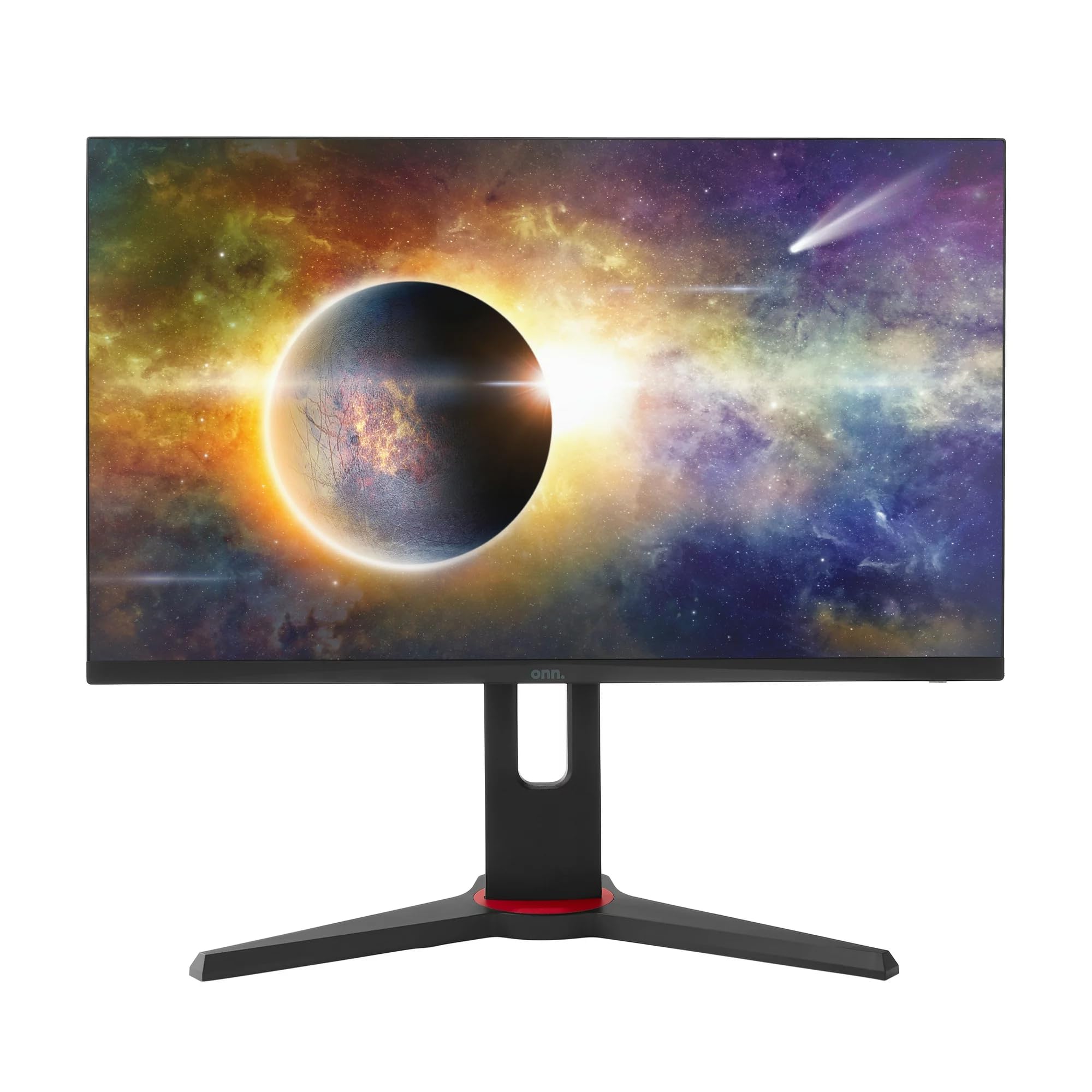
Immagine: Frontale view of the ONN 24-inch Gaming Monitor, fully assembled with its stand.

Immagine: Posteriore view of the ONN 24-inch Gaming Monitor, illustrating the stand attachment and cable management area.
2. Cavi di collegamento
Locate the input ports on the back of your monitor:
- Energia: Collegare l'adattatore di alimentazione all'ingresso di alimentazione del monitor e quindi a una presa di corrente.
- Ingresso video: Connect one end of the provided DisplayPort or HDMI cable to the corresponding port on your computer's graphics card and the other end to the monitor. The monitor supports 2 HDMI inputs and 1 DisplayPort input.
- Uscita audio (opzionale): If your monitor has a 3.5mm audio jack, you can connect external speakers or headphones.

Immagine: Primo piano view of the monitor's rear ports, including HDMI 1, HDMI 2, DisplayPort (DP), and power input.
3. Accensione iniziale
- Assicurarsi che tutti i cavi siano collegati saldamente.
- Press the power button on the monitor (usually located on the back or bottom right).
- The monitor should display the ONN logo and then search for an input signal.
- If no image appears, ensure your computer is powered on and the correct input source is selected on the monitor (see Operating section).
Operativo
1. Accensione/spegnimento
Premere il pulsante di accensione per accendere o spegnere il monitor. La spia di alimentazione mostrerà lo stato del monitor (ad esempio, blu per acceso, ambra per standby).
2. Navigazione nel menu OSD (On-Screen Display)
Your monitor features an OSD menu for adjusting various settings. Typically, buttons on the back or bottom of the monitor control the OSD:
- Pulsante Menu: Apre il menu OSD.
- Pulsanti di navigazione (su/giù/sinistra/destra): Utilizzato per navigare tra le opzioni del menu.
- Pulsante Seleziona/Invio: Conferma una selezione o accede a un sottomenu.
- Pulsante di uscita: Esce dal menu o dall'OSD corrente.
3. Regolazione delle impostazioni
Le impostazioni principali che è possibile regolare tramite il menu OSD includono:
- Luminosità/Contrasto: Regola la luminosità complessiva e la differenza tra aree chiare e scure.
- Impostazioni colore: Modifica la temperatura del colore, la gamma e i singoli livelli RGB.
- Sorgente di input: Selezionare manualmente tra gli ingressi HDMI 1, HDMI 2 o DisplayPort.
- Frequenza di aggiornamento: Ensure your graphics card and monitor are set to 165Hz for the smoothest experience. This is usually configured in your operating system's display settings.
- Tempo di risposta: Adjust the monitor's response time setting (e.g., 1ms) for reduced motion blur in fast-paced games.
- Tecnologia FreeSync: Enable FreeSync in the OSD menu and in your AMD graphics card settings to synchronize the monitor's refresh rate with your GPU's frame rate, eliminating screen tearing and stuttering.
- Modalità immagine: Select from preset modes optimized for different content (e.g., Standard, Game, Movie, Text).

Image: The ONN 24-inch Gaming Monitor displayed in a typical desk setup, connected to a laptop with gaming peripherals.
Manutenzione
Pulizia del monitor
- Scollegare sempre il monitor prima di pulirlo.
- Utilizzare leggermente un panno morbido e privo di lanugine dampcon acqua o con un detergente per schermi delicato e non abrasivo.
- Non spruzzare il detergente direttamente sullo schermo. Applicalo prima sul panno.
- Evitare l'uso di prodotti chimici aggressivi, spugne abrasive o solventi.
Magazzinaggio
Se si conserva il monitor per un periodo prolungato, scollegare tutti i cavi, imballarlo nella confezione originale (se disponibile) e conservarlo in un luogo fresco e asciutto, lontano dalla luce solare diretta e da temperature estreme.
Risoluzione dei problemi
Se riscontri problemi con il monitor, fai riferimento ai seguenti problemi comuni e alle relative soluzioni:
| Problema | Possibile soluzione |
|---|---|
| Nessuna immagine sullo schermo |
|
| Image is flickering or distorted |
|
| Nessun suono (se si utilizzano altoparlanti monitor/uscita audio) |
|
| Il monitor non raggiunge i 165 Hz |
|
Specifiche
Detailed technical specifications for the ONN 24-inch FHD Gaming Monitor (Model 100027813):
| Caratteristica | Specificazione |
|---|---|
| Numero di modello | 100027813 |
| Dimensioni dello schermo | 24 pollici |
| Risoluzione | Risoluzione Full HD 1080p (1920x1080) |
| Frequenza di aggiornamento | Frequenza 165 Hz |
| Tempo di risposta | 1 millisecondi |
| Tecnologia di visualizzazione | Informazione pubblica |
| Sincronizzazione adattiva | Sincronizzazione gratuita |
| Proporzioni | 16:9 |
| Rapporto di contrasto | 2000:1 |
| Superficie dello schermo | Matte, Anti-glare with low blue light setting |
| Connettività | 2 x HDMI, 1 x DisplayPort |
| Dimensioni del prodotto (P x L x A) | Dimensioni: 61.3 x 11.3 x 37.3 cm |
| Peso dell'articolo | 6.1 kg |
| Colore | Nero |
| Tipo di montaggio | Supporto da scrivania |
| Usi specifici | Entertainment, Gaming |
Garanzia
This ONN 24-inch FHD Gaming Monitor is a renewed product. Warranty terms and conditions for renewed products may vary. Please refer to the specific warranty information provided by the seller or retailer at the time of purchase. It is recommended to retain your proof of purchase for any warranty claims.
Supporto
For technical assistance, troubleshooting beyond this manual, or warranty inquiries, please contact the retailer or the Amazon Renewed support channel where the product was purchased. Have your model number (100027813) and proof of purchase ready when contacting support.


