
Introduzione
Thank you for choosing the Claiks Electric Standing Desk. This manual provides essential information for the safe and efficient use of your new desk. Designed for enhanced productivity and comfort, this height-adjustable desk allows you to seamlessly switch between sitting and standing positions, promoting a healthier work environment. Please read these instructions carefully before assembly and operation, and retain them for future reference.

Image: The Claiks Electric Standing Desk set up in an office, showcasing its spacious surface and integrated features like a hanging hook for a backpack.
Installazione e assemblaggio
Assembly of the Claiks Electric Standing Desk typically takes approximately 1 hour. For optimal efficiency and to prevent fatigue, an electric screwdriver is highly recommended. Please follow the included diagrams for step-by-step instructions.
Contenuto della confezione
Before beginning assembly, ensure all parts are present and undamaged. Refer to the parts list diagram below.

Immagine: Un esploso view illustrating all components of the Claiks Electric Standing Desk, including desktop panels, frame parts, and assembly hardware.
Suggerimenti per il montaggio
- Review Istruzioni: Carefully read all assembly steps before starting.
- Organizza le parti: Disporre tutti i componenti e l'hardware, confrontandoli con l'elenco delle parti.
- Cacciavite elettrico: Use an electric screwdriver with appropriate bits for faster and easier assembly.
- Assemblea di due persone: While possible for one person, having a second person can make assembly easier, especially when handling the desktop.
- Transmission Rod: Ensure the transmission rod is fully and securely inserted into its designated holes to prevent operational issues.

Image: A diagram detailing the desk's dimensions (160cm W x 80cm D x 72-118cm H) and highlighting features like the storage hook, cable clips, and footrest.
Operazione
The Claiks Electric Standing Desk features intuitive controls for height adjustment and memory presets, allowing you to customize your workspace effortlessly.
Regolazione dell'altezza
- Allineare: The desk can be adjusted between 72cm and 118cm.
- Velocità: The lifting speed is approximately 20mm/s.
- Pannello di controllo: Utilizzare il Up E Giù arrows on the control panel to manually adjust the desk to your desired height.

Image: Two Claiks desks demonstrating the full height adjustment range, from a low sitting position to a high standing position.
Preset di memoria
The desk features a memory function to store up to three preferred heights for quick recall.
- Regolare la scrivania all'altezza desiderata utilizzando le frecce Su/Giù.
- Premere il tasto M button (if available, or a dedicated 'Set' button) followed by one of the numbered memory buttons (1, 2, O 3) per salvare l'altezza corrente.
- Per richiamare un'altezza salvata, è sufficiente premere il pulsante numerato corrispondente (1, 2, O 3). La scrivania si sposterà automaticamente nella posizione memorizzata.

Image: A close-up of the desk's control panel, showing the digital height display, up/down arrows, and three memory preset buttons.
Funzionamento silenzioso e regolare
The Claiks Electric Standing Desk operates quietly, with noise levels around 45dB, ensuring minimal disruption to your work environment. The lifting mechanism is designed for smooth and stable transitions.
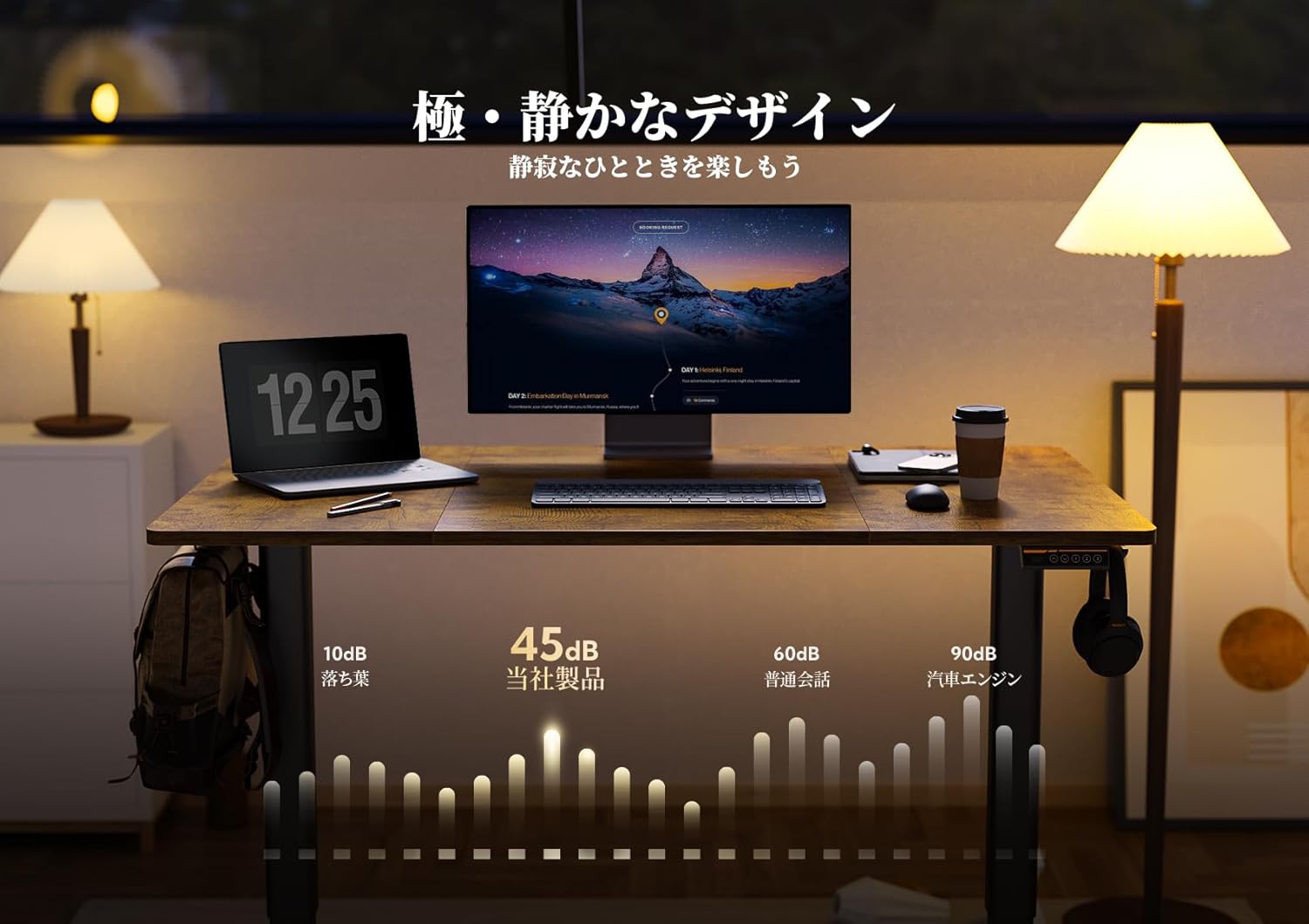
Image: The desk in a quiet setting, with a graphic illustrating its low noise level (45dB) during operation.

Image: A house of cards on the desk, symbolizing the smooth and stable movement of the height adjustment.
Manutenzione
Proper care and maintenance will ensure the longevity and optimal performance of your Claiks Electric Standing Desk.
Pulizia del desktop
- The desktop surface is made of melamine resin, which is resistant to water, heat, and stains.
- Per la pulizia quotidiana, pulire la superficie con un panno morbido eamp stoffa.
- Per le macchie ostinate, utilizzare una soluzione di sapone delicato e asciugare immediatamente.
- Avoid using abrasive cleaners, harsh chemicals, or solvents, as these can damage the surface finish.
Frame and Mechanism
- Controllare periodicamente tutte le viti e i bulloni per assicurarsi che siano ben serrati. Serrarli nuovamente se necessario.
- Keep the lifting columns free from dust and debris. Wipe with a dry cloth.
- Do not lubricate the lifting mechanism unless specifically instructed by customer support.
- Assicurarsi che i cavi di alimentazione non siano schiacciati o danneggiati.
Risoluzione dei problemi
If you encounter any issues with your Claiks Electric Standing Desk, refer to the following common troubleshooting steps.
Desk Not Moving or Responding
- Collegamento elettrico: Assicurarsi che il cavo di alimentazione sia collegato saldamente sia alla scrivania sia a una presa a muro funzionante.
- Transmission Rod: Verify that the transmission rod connecting the lifting columns is fully and correctly inserted into its designated holes. A loose connection can prevent movement.
- Sovraccarico: Check if the desk is overloaded. The maximum load capacity is 80kg. Remove excess weight and try again.
- Reset: Some desks have a reset function. Consult the full manual or contact support for specific reset procedures.
Rumori insoliti durante il funzionamento
- While the desk is designed for quiet operation (approx. 45dB), minor sounds are normal.
- If you hear grinding, clicking, or excessively loud noises, stop operation immediately.
- Check for any obstructions under or around the desk that might be interfering with the lifting mechanism.
- Assicurarsi che tutte le viti di montaggio siano ben serrate.
Uneven Lifting
- This can often be resolved by performing a reset procedure.
- Assicurarsi che la scrivania sia su una superficie piana.
- Verify that the transmission rod is properly connected and not bent.
If these steps do not resolve the issue, please contact Claiks customer support for further assistance.

Image: A child seated on the desk, illustrating its robust 80kg load capacity.
Specifiche
| Caratteristica | Dettaglio |
|---|---|
| Marca | Clic |
| Modello | 160 centimetri |
| Dimensioni del prodotto (L x P x A) | 160 cm x 80 cm x 72-118 cm |
| Gamma di regolazione dell'altezza | da 72 cm a 118 cm |
| Velocità di sollevamento | 20mm/secondo |
| Capacità di carico | 80 kg |
| Livello di rumore | ca. 45dB |
| Materiale del desktop | Melamine Resin (Laminate finish) |
| Materiale di base | Metallo |
| Funzionalità integrate | Keyboard tray, Memory function (3 presets) |
| Tipologia di camera | Ufficio, Sala Studio |
| ASIN | B0DBLFCT71 |
Garanzia e supporto
Claiks is committed to providing high-quality products and excellent customer service.
Garanzia del produttore
All Claiks Electric Standing Desks come with a Garanzia del produttore di 3 anni. During this warranty period, Claiks offers free repair or replacement services for any manufacturing defects or malfunctions under normal use conditions.
Assistenza clienti
Our customer support team is available to assist you with any questions, assembly issues, or troubleshooting needs. We offer support in multiple languages, including English and Japanese.
Please feel free to contact us anytime through the retailer's platform or directly via the contact information provided on the official Claiks websito.